You fill in the connection form, click test, and it sits there until it times out. You search the error. Every result says the same thing: go into the Redshift console and tick Publicly Accessible. You do it. The connection succeeds. Dashboards start working and everyone moves on.
What just happened is that your data warehouse now has an endpoint on the public internet, reachable on port 5439, and a third-party SaaS platform holds credentials to it. Usually those credentials belong to whatever user was to hand, which on a lot of clusters means the admin account that can read every schema you have.
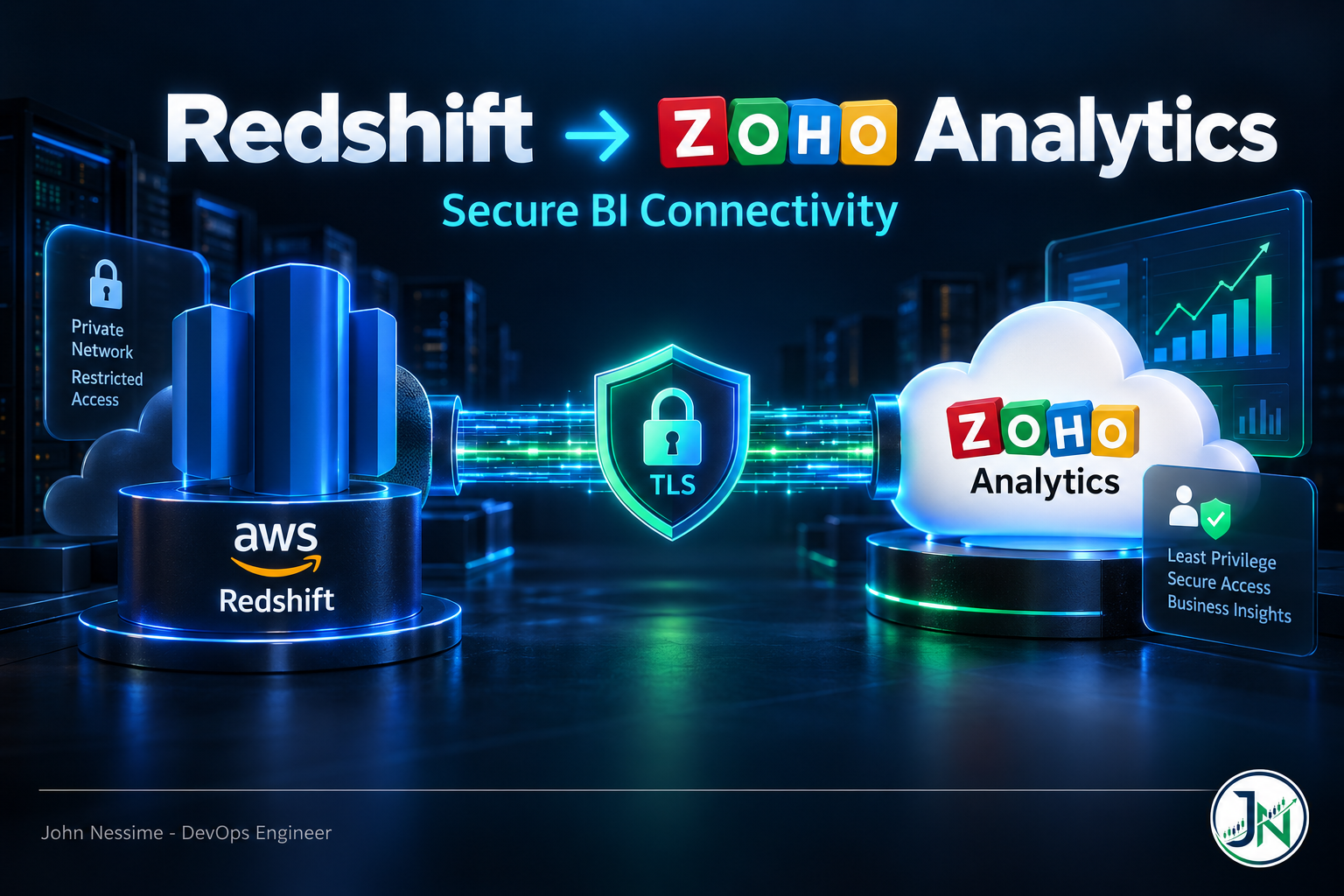
That is not an argument against doing it. It is an argument for doing it on purpose. Most guides on how to connect Amazon Redshift to Zoho Analytics walk you through six screenshots and never mention the two decisions that actually matter: which user this connection runs as, and how much of your network it needs.
This covers the whole setup in order, with those decisions made deliberately: the mode you pick and why it is hard to change later, a read-only user scoped to almost nothing, network access done narrowly, and what to actually expose once it works.
What the connection actually requires
Strip away the interface and the mechanics are simple. Zoho Analytics runs on Zoho’s infrastructure. To reach your cluster it opens an inbound TCP connection from Zoho’s own IP addresses to your Redshift endpoint, on the Redshift port. That is it.
Which means three things have to be true, and they are the three places setup fails:
- The endpoint has to be reachable from outside your VPC. A cluster in a private subnet with no public endpoint cannot be reached by a SaaS tool, full stop.
- The security group has to allow it. Zoho publishes the IP addresses it connects from, and those need an inbound rule on the Redshift port. The default port is 5439, though it can be changed at cluster creation, so check yours rather than assuming.
- The credentials have to work and the user has to be able to see the schemas you want to report on.
Zoho keeps the current allowlist on a dedicated help page. Do not copy a list of addresses out of a blog post, including this one. They change, and a stale allowlist produces an intermittent failure that looks like everything except what it is.
Decide the mode before you start
Zoho offers two fundamentally different connection types, and switching later means rebuilding the workspace. Get this one right the first time.
Data Import copies your data into Zoho Analytics on a schedule and reports run against their storage. Dashboards are fast, you can create query tables, and you can import a filtered subset using a custom query. Column additions and deletions sync automatically. The trade is freshness: your numbers are as current as the last sync.
Live Connect stores nothing and queries Redshift each time a report loads. Numbers are always current and your data does not leave AWS. It is available on the paid tiers only. The trade is bigger than it looks: report speed becomes a Redshift performance problem, schema changes need a manual sync each time, you cannot change column types on the Zoho side at all, and no query tables.
My default for most teams is Data Import, because the operational surface is smaller and a scheduled sync is usually fresh enough for a dashboard people look at once a day. Live Connect earns its cost when the numbers genuinely need to be current, or when duplicating the data into a third-party system is a compliance problem.
Step 1: create a user that cannot do much
Do this before you open any network access, so that when the connection works you already know its blast radius.
-- A dedicated user for this connection and nothing else.
CREATE USER zoho_reader PASSWORD 'generate-a-long-random-one';

-- Reach the schema, then read the objects in it.
-- Both grants are needed; USAGE alone gets you nothing.
GRANT USAGE ON SCHEMA analytics TO zoho_reader;
GRANT SELECT ON ALL TABLES IN SCHEMA analytics TO zoho_reader;

-- The grant above covers what exists today. This covers what
-- gets created tomorrow, which is the part people forget and
-- then debug as a mysterious missing table three months later.
ALTER DEFAULT PRIVILEGES IN SCHEMA analytics
  GRANT SELECT ON TABLES TO zoho_reader;
Then check what you actually granted, rather than trusting that the statements did what you meant:
SELECT table_schema, table_name, privilege_type
FROM information_schema.table_privileges
WHERE grantee = 'zoho_reader'
ORDER BY table_schema, table_name;
If that returns rows from schemas you did not intend to publish, fix it now. Once the connection is live, someone will build a report on whatever is visible and removing access becomes a conversation instead of a command.
The password goes into a SaaS platform, so treat it accordingly: long, random, generated, stored in your password manager, and rotated when people leave.
Step 2: open exactly as much network as you need
First find out what your cluster currently looks like, because the console tells you less at a glance than this does:
aws redshift describe-clusters
  --cluster-identifier my-warehouse
  --query 'Clusters[0].{Endpoint:Endpoint.Address,Port:Endpoint.Port,Public:PubliclyAccessible,SecurityGroups:VpcSecurityGroups}'
That gives you the hostname Zoho needs, the real port, whether the cluster is currently public, and which security groups govern it. Redshift Serverless has an equivalent setting on the workgroup rather than a cluster, but the same reasoning applies.
Then add one narrow inbound rule per Zoho range. Not 0.0.0.0/0, which is what happens when someone is in a hurry and it never gets tightened afterwards:
aws ec2 authorize-security-group-ingress
  --group-id sg-0123456789abcdef0
  --protocol tcp
  --port 5439
  --cidr 203.0.113.0/24
Put a description on each rule in the console so that in a year somebody can tell which ranges belong to which vendor. An undocumented allow rule is one nobody will ever dare remove.
While you are in the cluster parameter group, turn on require_ssl so connections that do not use TLS are refused rather than merely discouraged. Parameter group changes need a cluster reboot, so do it in a window rather than mid-afternoon.
Test from outside before you touch Zoho
# Does anything answer on the port, from a machine outside your VPC?
nc -zv my-warehouse.abc123.eu-west-1.redshift.amazonaws.com 5439

# Then prove the credentials work, over TLS, as the new user.
psql "host=my-warehouse.abc123.eu-west-1.redshift.amazonaws.com
      port=5439 dbname=analytics user=zoho_reader sslmode=require"
If both of those work from your laptop, the remaining variable is Zoho’s IP ranges rather than anything structural. If the first one hangs, it is the security group or public accessibility. If it connects but authentication fails, it is the user. Separating those two takes thirty seconds and saves an hour of guessing inside a web form that reports one generic error for both.
If you cannot make the cluster public
Plenty of organisations have a policy against it, and that policy is not unreasonable. Zoho’s answer for databases behind a firewall is Zoho Databridge, a lightweight agent you install on a machine inside your own network. It opens an outbound connection on 443 to Zoho and waits for requests, so nothing inbound has to be allowed at all. It runs on Windows, macOS and Linux, and it is designed for exactly this situation.
Worth checking before you commit to it: Databridge is documented against a long list of relational databases, and Redshift is not always named explicitly in that list. Since Redshift speaks the PostgreSQL wire protocol and has a JDBC driver, it is usually workable, but confirm with Zoho support for your plan rather than taking my word for it. If it fits, an outbound-only agent is a meaningfully better architecture than a public endpoint, and almost nobody setting this up knows the option exists.
Step 3: make the connection
With the groundwork done, this part is genuinely a form. In Zoho Analytics, create a workspace, choose to import from or connect to Amazon Redshift, and supply the endpoint hostname, the port, the database name, and the zoho_reader credentials.
Two expectations worth setting so you do not diagnose a non-problem:
- The first fetch takes a while, depending on volume and how fast your cluster responds. Zoho emails you when it finishes.
- An empty workspace before that fetch completes is normal. If you open it early it will show nothing, which looks exactly like a failure and is not one.
Step 4: choose what to expose, carefully
This is the screen people click through fastest and the one with the longest consequences. Whatever tables you select here become the interface between your warehouse and your dashboards, and every future upstream change becomes a potential BI incident.
Select views, not base tables. A reporting view with explicit casts, timezone conversion done in Redshift, and semi-structured columns already flattened gives you a stable contract. The tables underneath stay free to change.
CREATE OR REPLACE VIEW analytics.v_orders_bi AS
SELECT
    CAST(order_id     AS BIGINT)        AS order_id,
    CAST(order_status AS VARCHAR(64))   AS order_status,
    CAST(total_amount AS DECIMAL(18,2)) AS total_amount,
    created_at                          AS created_at_utc,
    CAST(CONVERT_TIMEZONE('UTC','Europe/London', created_at) AS DATE)
                                        AS order_date_local
FROM analytics.orders
WITH NO SCHEMA BINDING;
WITH NO SCHEMA BINDING makes it a late-binding view, so a nightly job can drop and rebuild the underlying table without Redshift refusing or the view disappearing. On a warehouse with a rebuild-style load, that alone prevents a recurring class of broken-dashboard morning.
Grant your reader access to the views specifically, and skip the blanket grant on the whole schema if you can. Fewer objects visible means fewer things somebody can accidentally build a report on.
Step 5: schedule it, then verify a real number
In Data Import mode, set the sync schedule to match how the data is actually produced. Syncing hourly when the warehouse loads once at 03:00 just means twenty-three pointless queries a day against your cluster, and Redshift bills by uptime and workload.
Then do the step everyone skips. Pick a closed period, run the same aggregate in both places, and compare:
SELECT DATE_TRUNC('day', created_at) AS day,
       COUNT(*)                      AS orders,
       SUM(total_amount)             AS revenue
FROM analytics.v_orders_bi
WHERE created_at_utc >= DATEADD(month, -1, DATE_TRUNC('month', GETDATE()))
  AND created_at_utc <  DATE_TRUNC('month', GETDATE())
GROUP BY 1
ORDER BY 1;
A connection that returns data is not the same as a connection that returns correct data. If daily figures agree but monthly ones do not, you have a timezone problem rather than a connection problem, and it is far easier to find now than six weeks into someone’s board pack.
Troubleshooting
Connection times out
Network, not credentials. A timeout means nothing answered. Check public accessibility, then the security group rule, then whether Zoho’s allowlist has changed since you configured it. A refused connection rather than a timeout usually means you reached the right host on the wrong port.
Authentication failed
The network is fine, which is genuine progress. Test the same credentials with psql from your own machine. Also check the database name: Redshift clusters often have both a default database and the one you actually use, and connecting to the wrong one authenticates fine and then shows you nothing.
Connected, but no tables listed
A permissions gap. USAGE on the schema and SELECT on the objects are separate grants and you need both. Run the information_schema.table_privileges query as a check rather than re-running the grants and hoping.
Worked on setup, fails intermittently later
Classic symptom of a partially stale IP allowlist: some of Zoho’s ranges reach you and some do not, so syncs succeed or fail depending on which host tries. Re-check the published list against your security group rules.
Sync succeeds but a new column never appears
In Live Connect, schema changes need a manual Sync Design, and an unresolved mismatch anywhere in the connection stops it fetching new column information at all. Clear the Mismatch tab completely, then sync again.
Reports are slow
In Live Connect that is your cluster, not Zoho. Look at the queries hitting Redshift and at sort and distribution keys on the underlying tables. Zoho also offers per-workspace caching for Live Connect with a configurable refresh interval, which trades freshness for speed.
Common mistakes
- Connecting with the cluster admin user because it was already in the password manager.
- Opening the Redshift port to
0.0.0.0/0to make the test pass, then never tightening it. - Copying an IP allowlist out of a blog post instead of Zoho’s own page.
- Granting
USAGEwithoutSELECT, or the reverse, and concluding the connector is broken. - Forgetting
ALTER DEFAULT PRIVILEGES, so tables created later are invisible. - Pointing the connection at base tables rather than reporting views.
- Picking Live Connect for the freshness without accounting for the manual sync on every schema change.
- Assuming the setup failed because the workspace is empty during the initial fetch.
- Scheduling syncs far more often than the warehouse is actually loaded.
- Not enforcing TLS on the cluster.
- Declaring it done without reconciling a single number against Redshift.
- Leaving no note anywhere about which security group rules belong to which vendor.
Best practices
- A dedicated read-only user per integration, never a shared or admin account.
- Grant access to reporting views only, not whole schemas, where you can.
- One narrow security group rule per vendor range, described and dated.
- Enforce TLS with
require_sslrather than trusting the client to ask for it. - Prefer an outbound-only agent over a public endpoint if your plan and setup support it.
- Decide Data Import versus Live Connect deliberately, because changing it means rebuilding.
- Expose late-binding views with explicit casts and timezone conversion done in Redshift.
- Match the sync schedule to your load schedule, not to how fresh you wish the data were.
- Reconcile at least one aggregate before anyone builds a dashboard on it.
- Rotate the connection password when people leave, and document where it lives.
- Test connectivity and credentials separately, from outside the VPC, before blaming the connector.
FAQ
Does Redshift have to be publicly accessible?
For a direct connection, yes: Zoho reaches your cluster inbound from its own IP addresses, so there has to be an endpoint it can resolve and reach. The alternative is Zoho Databridge, an agent inside your network that connects outbound on 443, which removes the inbound requirement entirely. Confirm Redshift support for it with Zoho before planning around it.
Which port does Zoho need open?
Whichever port your cluster listens on. 5439 is the Redshift default, but it can be set to something else when the cluster is created, so read it from describe-clusters rather than assuming.
Should I use Data Import or Live Connect?
Data Import for most cases: faster dashboards, query tables, automatic column syncing, and a smaller operational surface. Live Connect when the numbers must be current or copying data into a third party is a compliance issue, accepting slower reports and manual schema syncs. Decide before you build, because switching means starting the workspace over.
What permissions does the Zoho user need?
USAGE on the schema and SELECT on the objects you want reported on. Nothing else. Add ALTER DEFAULT PRIVILEGES so objects created later are covered without anybody having to remember.
Why is the workspace empty after I finish setup?
The initial fetch has not finished. Zoho emails you when it completes, and the workspace shows nothing until then. Give it time before you start pulling the configuration apart.
Can I limit which tables Zoho can see?
Yes, and you should. Grant the reader access only to a set of reporting views in a dedicated schema. That is a stronger control than the table picker in the interface, because it holds even if somebody later edits the connection.
Will this increase my Redshift bill?
Live Connect can, since every report load is a query. Data Import costs you one scheduled query run per sync. If cost matters, Data Import on a schedule matched to your load window is the cheaper shape by a wide margin.
The one thing to remember
Getting Zoho Analytics to talk to Redshift takes about twenty minutes. Getting it to talk to Redshift without handing a SaaS platform a superuser account and an open port takes about an hour, and that hour is the entire difference between a connection you can defend in an audit and one you quietly hope nobody asks about.
So do it in this order: least-privilege user first, narrow network access second, connection third, views rather than tables fourth, and a reconciled number before anyone builds a dashboard on it. Every step after the first is easier when the first one is already done.
Want this set up properly the first time?
Most of these connections get built under time pressure and inherit whatever shortcuts made the test pass. Work I take on:
- Setting up a Redshift to Zoho Analytics connection end to end, with least-privilege credentials and scoped network access.
- Reviewing an existing connection and reporting what it can actually reach, then narrowing it without breaking reports.
- Building the reporting view layer in Redshift: explicit casts, timezone handling, flattened semi-structured columns, late binding.
- Network architecture for BI access, including outbound-agent options where a public endpoint is not acceptable.
- Choosing between Data Import and Live Connect based on your actual freshness, cost and compliance constraints.
- Reconciliation checks so dashboard numbers are verified against the warehouse rather than assumed.
Tell me whether your cluster is currently public and which user the connection runs as, and I will tell you what I would change first.