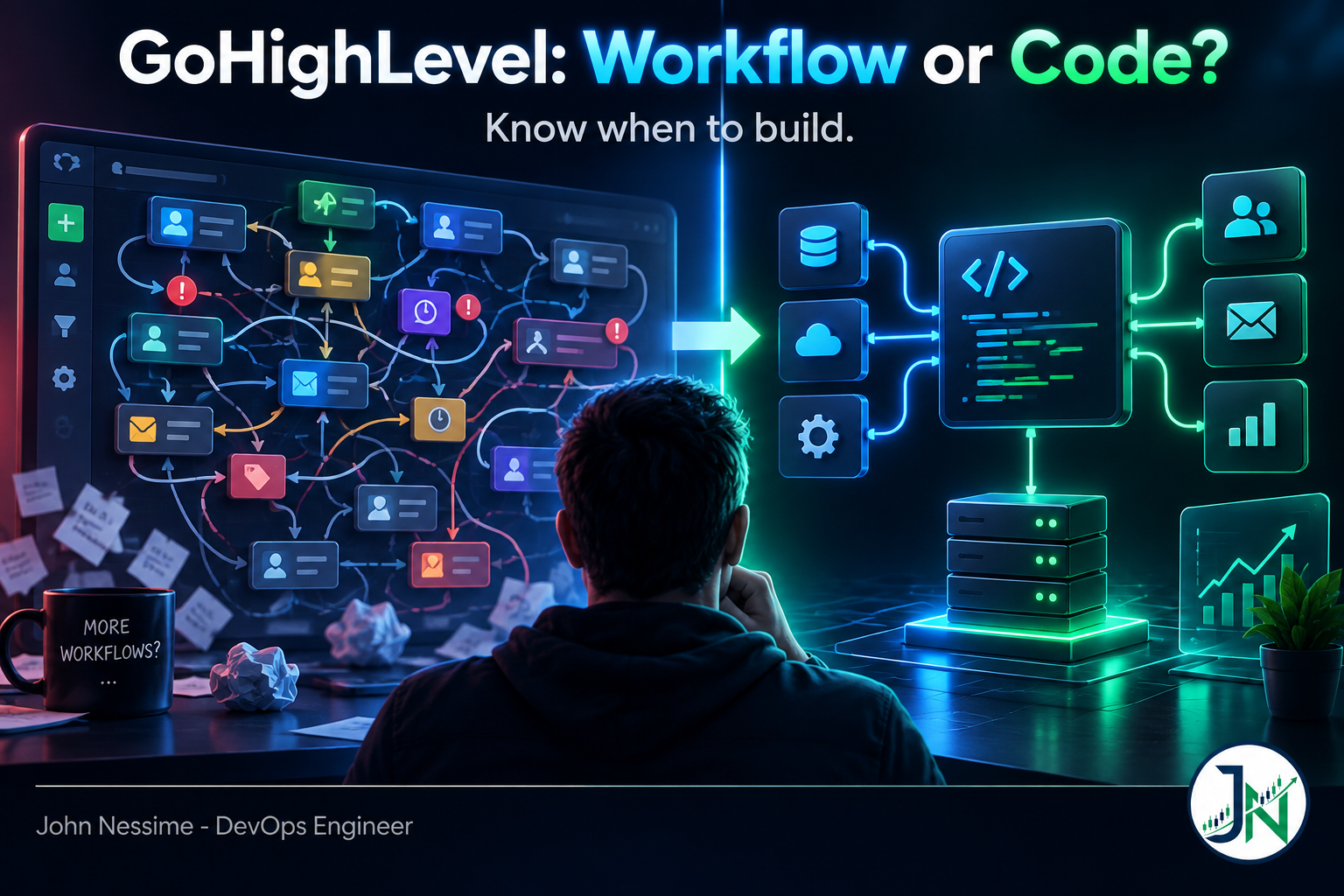
The account had forty-one workflows. Two were named “Lead Follow-Up v3” and “Lead Follow-Up v3 (USE THIS ONE)”. When someone asked what happens to a contact who submits the form twice in one afternoon, nobody could answer. Not the agency owner, not the person who built it.
That is the moment. Not a crash, not an error banner. A plain question about the system that nobody can answer from the canvas.
GoHighLevel is good at what it was built for and most accounts never need anything else. But there is a point where the next workflow makes the account worse instead of better, and past it, GoHighLevel custom development costs less than another six months of patching. Below: the failure mode hiding under all the others, six signals you have crossed that line, the honest case for staying in the builder, and three levels of code to try before committing to a full app.
The failure hiding under all the others
The workflow builder has no failure semantics. Everything below is a consequence of that.
When a step works, the contact moves on. When a step fails, the contact usually also moves on. No transaction, no rollback, no retry budget you control, no way to say “this contact is in a bad state, stop and tell someone”. A Custom Webhook that gets a 500 back does not park the contact for review. It becomes a line in an execution log nobody reads, and the contact continues as though the other system had answered.
Fine when the step sends a text message. Not fine when the step is the only thing keeping two systems in agreement. So the useful test is not “is this hard to build in the builder”, because plenty of hard things build fine. The test is: what happens when this step fails, and would I find out?
Signal one: you are storing state in tags
Tags start as labels. Then someone needs to know whether a lead was called, so there is a called tag. Then whether they were called twice, so called-2. Then a workflow that removes called when a new form arrives, and another that puts it back if an appointment was booked first.
Those are no longer labels. That is a state machine with no diagram, no validation, and no guarantee that only one workflow writes to it at a time. Two workflows fired by the same event will both read the old value and both write, and whichever finishes last wins. That is a race condition, and it hides during testing because you test one contact at a time. The tell is a tag name with a number in it, or a tag whose meaning needs the word “unless” to explain.
Signal two: the data has to be right, not eventually right
Marketing automation tolerates drift. One extra nurture email hurts nobody. The moment GoHighLevel holds something that must reconcile with another system, that tolerance is gone. Order status from a store, invoice state from an accounting package, availability shared with a clinic system.
Those need idempotency, meaning a repeated message produces the same result as a single one, and reconciliation, meaning something periodically compares both sides and reports the difference. The builder gives you neither: no natural home for an idempotency key, no scheduled job that reads both systems and complains. You can fake reconciliation with a workflow on a timer, but that is a batch job written in a UI designed for follow-up sequences, and the first time it half-runs you will not hear about it.
Signal three: per-execution billing became a per-lead tax
The actions that make workflows powerful are premium actions, billed per execution against the agency wallet. Custom Webhook, Inbound Webhook, Custom Code and the workflow AI actions all sit in that category. HighLevel gives each sub-account a small free allowance when premium actions are first switched on, publishes volume tiers above that, and lets you rebill sub-accounts individually instead of absorbing the charge. Take the current rate and tiers from HighLevel’s billing documentation rather than any blog post, including this one.
The mechanism is the point. You pay per execution, not per useful outcome. A workflow calling out three times to enrich, score and push a lead is three executions per lead. Multiply by volume and sub-accounts, and the plumbing line can pass the cost of a small service doing all three in one request.
Two caveats. Consolidating three calls into one endpoint is usually cheaper than moving the whole thing to code. And whatever you move still costs something to run, whether that is a VPS from a provider like Contabo or InterServer, a hosted platform such as Make or n8n, or a serverless function. Compare both sides.
Signal four: the same logic lives in twenty sub-accounts
Snapshots are the platform’s answer and better than people expect. You can refresh a snapshot and push selected assets to sub-accounts that previously imported it, choosing both the assets and the recipients, and the push is selective rather than destructive.
Two limits. Push Update only reaches sub-accounts inside your own agency, so anything shared externally has to be re-imported through a new link. And HighLevel documents that when a snapshot refresh deletes steps, contacts waiting on those steps in workflows created from that snapshot are removed. Fine for a copy change, destructive for a structural one.
Snapshots distribute structure. They do not give you versioning, a rollback path, a diff between intended and running state, or a test that fails before the change reaches a client. Once a change has to land correctly in twenty accounts on one day, you want those, and they come from putting the logic behind an API you control and calling it from a thin step in each account.
Signal five: the integration must survive the other side being down
A Custom Webhook fires the moment the contact reaches the step. If your endpoint is slow, restarting or rate limited, that single firing is what you get. No queue in front, no backoff behind.
The API side has numbers worth knowing. HighLevel documents a burst limit of 100 requests per 10 seconds and a daily limit of 200,000 requests, counted per marketplace app per resource, where a resource is a location or the company. Every response carries headers telling you where you stand, so backoff can follow what the server says instead of a guessed sleep.
curl -sS -D - -o /dev/null
  -H "Authorization: Bearer $GHL_TOKEN"
  -H "Version: $GHL_API_VERSION"
  "$GHL_API_BASE/contacts/"
  | grep -i '^x-ratelimit'
-D - writes response headers to stdout while -o /dev/null discards the body, so you read the rate limit state without dumping contact data into your shell history. Set the base URL and the required Version value from the current API reference. Watch X-RateLimit-Max and X-RateLimit-Remaining for the burst window, X-RateLimit-Interval-Milliseconds for its length, and X-RateLimit-Limit-Daily with X-RateLimit-Daily-Remaining for the day.
The daily budget sounds enormous until a migration. Reading a contact, upserting it, then writing custom fields is three calls each, so forty thousand contacts is 120,000 calls before live traffic touches the account. Batch the reads, skip writes where nothing changed, run backfills overnight. Watch for loops too: writes made through the API can themselves fire workflow triggers, so a receiver that writes back has built a cycle.
Signal six: someone needs a screen, not a form
Forms collect. They do not display. Once a client asks to see a filtered view of their own data, approve something in two clicks, or work a queue that is not a pipeline, you are looking at an interface.
The platform supports this. Marketplace apps can add Custom Pages, which render inside HighLevel in an embedded iframe loading a URL you host, appearing on the app details page or in the left navigation. HighLevel publishes an app template to start from, plus an SSO mechanism so your page can identify the user instead of asking them to log in again. That is still a real application with hosting, auth and deployment: the biggest step on this list, the one I would defer longest, and the only honest answer when the requirement is a screen.
Where the workflow builder genuinely wins
A one-sided argument is not worth reading, so here is the case against writing code.
- The person who owns the outcome can change it. An account manager adjusts send timing on a Friday with no deploy and no developer awake.
- Messaging and scheduling are solved. SMS, email, calendars, reminders and the delivery infrastructure behind them are the platform’s core. Rebuilding any of it is a bad trade.
- Timezone handling is built in. Time-based steps run in the account timezone or the contact’s own, falling back to the account when a contact has none.
- No pipeline to maintain. No repository, no secrets rotation, no dependency upgrades, no server needing patched at an awkward hour.
- Execution history is right there. For a linear sequence, reading what happened to a contact beats correlating logs across two systems.
If the automation is a follow-up sequence with branching, the builder is correct and code is the expensive mistake.
Three levels before you build an app
“Needs a developer” is not one decision. It is three, and most accounts only need the first.
Level one: the Custom Code action
The builder has a Custom Code premium action that runs JavaScript inside the workflow. Values from earlier steps are mapped in as named input properties and arrive in an InputData object. The action returns a JavaScript object or an array of objects for later steps to reference, and console.log output is captured so you can see what ran.
// Normalise a phone number before it reaches a branch step.
// rawPhone and country are input properties mapped from earlier steps.
const digits = String(InputData.rawPhone || "").replace(/D/g, "");
const cc = InputData.country === "US" ? "1" : "";

if (!digits) {
  console.log("no phone on contact, routing to manual branch");
  return { e164: "", usable: false };
}

return {
  e164: "+" + (digits.startsWith(cc) ? digits : cc + digits),
  usable: digits.length >= 10
};
This kills a lot of branch sprawl. Ten If/Else steps existing only to reshape a value collapse into one action returning a clean value and a boolean. Still inside the platform, still billed per execution, still no retries. But logic smeared across a canvas now reads in one place.
Level two: a private integration and a script you own
For one account you do not need a marketplace app. Create a Private Integration inside the sub-account, select only the scopes the job needs, and use the token as a bearer credential. No OAuth handshake, no refresh cycle, no listing.
This is where reconciliation jobs, nightly audits, migrations and bulk cleanups belong. Run it as a cron job on a small VPS, behind a Cloudflare Tunnel if it needs an inbound endpoint, with the token in a secrets store rather than a config file. Treat that token as a credential with a rotation plan, not a string you paste once and forget.
Level three: a marketplace app
You need this when the thing spans many accounts, has a user interface, or is a product you intend to sell. It means OAuth 2.0 on the authorization code grant, token storage and refresh per installed location, webhook handling, and somewhere to run it. Note the version boundary: the v1 API is end of life and unmaintained, and new builds target the OAuth-based v2. If a tutorial hands you a permanent location API key, it is describing the old world.
Marketplace apps can also register their own workflow triggers and actions, which appear in the builder for sub-accounts that installed the app. That is the pattern I reach for first: the hard logic lives in your service, and the person who owns the campaign still drags a step onto a canvas. It requires the workflows read scope, and those custom actions are themselves premium actions billed per execution.
Arguments that do not survive contact
- “We will just add one more workflow.” The cost is not building it. It is that every future workflow now has to be reasoned about alongside it. Ten workflows listening for one tag is not ten problems, it is the interactions between them.
- “No-code means no developer.” It means no deployment. Someone still holds the whole model in their head, and when they leave, an undocumented canvas is harder to inherit than a repository with a README.
- “Zapier or Make will handle it.” Often true and worth trying first. What they do not give you is one place where business logic lives. Split rules across three tools and debugging means three log formats.
- “It works, so it is fine.” Every silent failure worked right up until someone counted. Absence of errors in a system with no error reporting is not evidence.
- “Custom code is lock-in.” Backwards. Logic on a canvas is bound to one vendor’s UI and exports only as a snapshot. Logic in a repository moves.
How I would decide
- Write down what happens when each external call fails. If the answer anywhere is “the contact continues as if it succeeded” and that matters, you have found your requirement.
- Count the workflows writing to the same tag or field. More than two means you have a state machine. Draw it before touching anything.
- Count premium executions per lead, then multiply by monthly volume. Compare against a few hours a month maintaining a small service. Sometimes the builder still wins. Do the arithmetic instead of assuming.
- Ask how a change reaches every account. If it involves opening sub-accounts one at a time, that is the real cost, and it grows with every client.
- Try the smallest level that fits, and leave the trigger in the builder. Custom Code action, then private integration script, then marketplace app. Whatever moves out, keep the entry point as a workflow step so the marketing side can still change timing and audience without you.
Whatever you build, monitor it. An uptime check on your receiver and an alert when the reconciliation job reports a non-zero difference will catch more real problems than any amount of careful workflow naming.
Frequently asked questions
Do I need a marketplace app to use the GoHighLevel API?
No. For a single sub-account, create a Private Integration inside that account, grant only the scopes you need, and use the token as a bearer credential. Marketplace apps and OAuth are for anything spanning accounts or distributed to other people.
How much automation should stay in workflows?
The parts a non-developer should be able to change: timing, audience, message copy, branching on obvious contact attributes. Move out the parts where being wrong is expensive and being wrong is silent.
Why does my workflow show as successful when the integration clearly failed?
A step firing and a step achieving something are different events, and the builder records the first. A webhook returning an error still counts as having run. If the outcome matters, verify it explicitly rather than trusting the log.
Should I avoid premium workflow actions on cost grounds?
Not on principle. They cost per execution because they are the expensive verbs. The problem is fragmentation: three separate calls where one would do triples the bill for the same outcome. Consolidate before considering a move off the platform.
What does a GoHighLevel custom development project usually start with?
An audit, not a build. Map which workflows write to which fields, where external calls happen, and what the failure path is for each. Often that document alone removes the need for the project.
The one thing worth remembering
Ask what happens when a step fails. That question separates automation belonging in the builder from automation needing code, more reliably than counting steps, counting workflows, or judging how clever the branching has become.
If failure is visible and cheap, stay in the builder and enjoy that your client can edit it themselves. If failure is silent and expensive, GoHighLevel custom development stops being an upgrade and becomes maintenance you already deferred. Then start small: a Custom Code action beats a marketplace app you will not want to maintain.
Working on this with me
I work on the engineering side of GoHighLevel accounts, usually the parts failing quietly rather than the parts that look broken.
- Auditing an account for silent failures: which workflows write to which tags and fields, and what happens on every external call that returns an error.
- Replacing branch sprawl with Custom Code actions, so logic reads as one block instead of fifteen steps on a canvas.
- Webhook receivers and sync services that retry, deduplicate and reconcile, with the rate limit headers driving backoff instead of a fixed sleep.
- Migrations and backfills planned against the daily API budget, batched and run in the account’s timezone so live traffic keeps working.
- Private integration setup with least-privilege scopes, token storage and a rotation plan that is written down.
- Marketplace app work when genuinely warranted: OAuth handling, custom workflow actions, and Custom Pages hosted somewhere you control.
If you want a second opinion, send something concrete: a screenshot of the workflow you are least sure about, an execution log entry that makes no sense, or the response body your webhook endpoint is returning. That is a faster conversation than a scoping call.