You tagged everything. The Terraform provider block carries default_tags with Project and Environment, every module inherits them, and you can open the console right now and see those tags sitting on the instances.
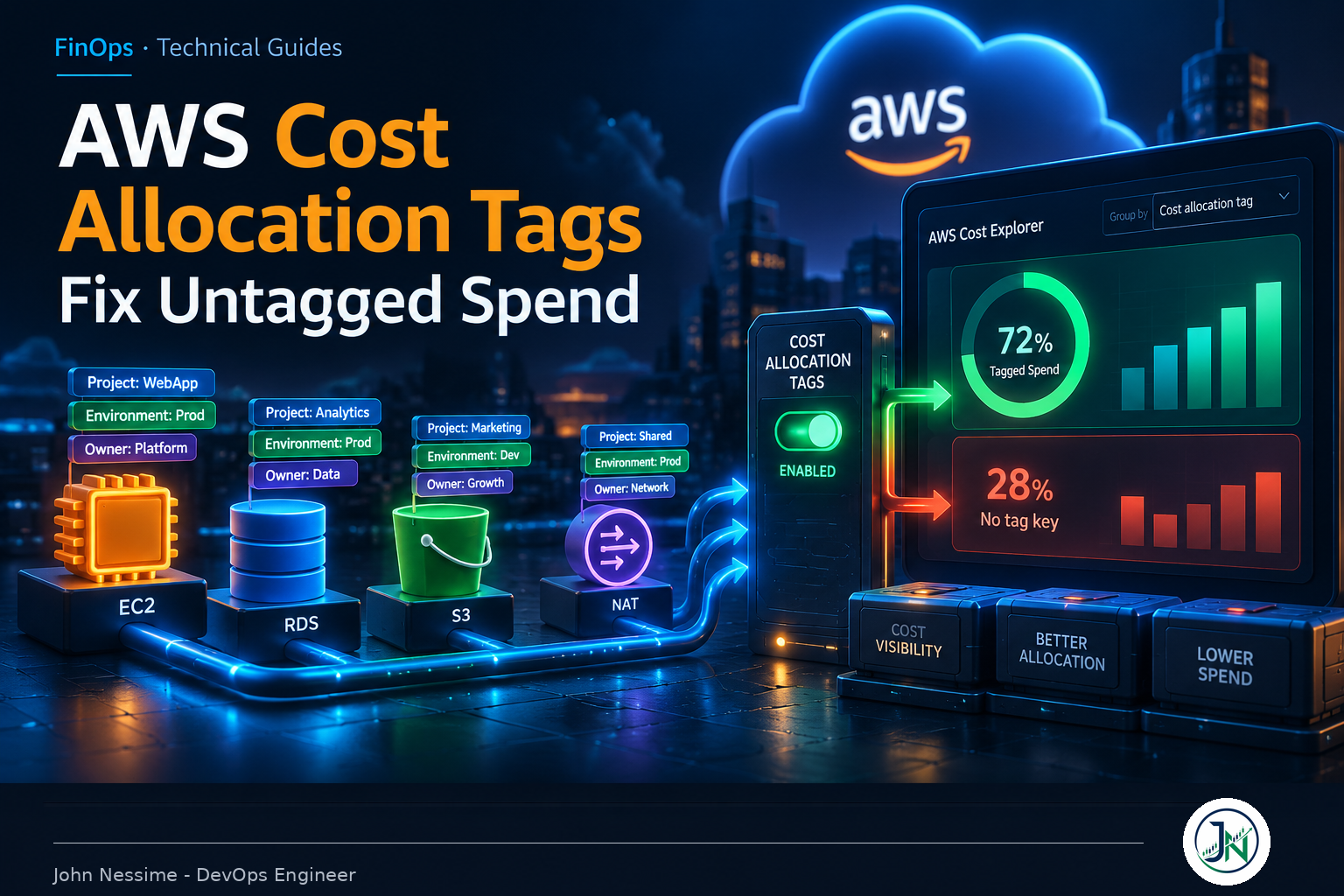
Then someone in finance asks what the reporting pipeline costs. You open Cost Explorer, group by Project, and over half the bill lands in a bucket called “No tag key”.
Nothing is broken. The tags are there. They just aren’t on the bill, because tagging a resource and activating a cost allocation tag are two separate operations, and AWS never warns you when you’ve done only the first.
This post covers getting AWS cost allocation tags to cover a messy account: the activation gap, what backfill will and won’t repair, where coverage leaks even with decent discipline, and a retrofit order that converges.
A resource tag and a cost allocation tag are not the same thing
A resource tag is metadata on the resource. A cost allocation tag is a billing dimension. Getting the second means taking a key that already exists on your resources and explicitly switching it on in the Billing and Cost Management console.
Two details make this bite. First, activation lives in the management account. From a member account, the page tells you tags are managed at the payer level and that’s the end of it. Plenty of teams have a good tagging standard and no access to the one screen that makes it count. Related trap: an account moving between organizations has its activated keys reset to inactive.
Second, the lag. AWS documents up to 24 hours for a newly applied key to appear on the activation page, and up to another 24 hours after you activate before it takes effect. The loop between “we agreed a standard” and “I can see it in Cost Explorer” is two days at best.
Past a handful of keys, drive it from the API. Listing the inactive ones is the fastest way to find what you forgot:
# Every key AWS knows about that is NOT currently billing-active
aws ce list-cost-allocation-tags --status Inactive

# Switch a set of them on
aws ce update-cost-allocation-tags-status --cli-input-json '{
  "CostAllocationTagsStatus": [
    {"TagKey": "Project",     "Status": "Active"},
    {"TagKey": "Environment", "Status": "Active"},
    {"TagKey": "Owner",       "Status": "Active"}
  ]
}'
User-defined keys appear in the report with a user: prefix and AWS-generated ones carry the reserved aws: prefix, so they never collide. There’s a cap on active keys, raisable through Service Quotas, which you almost certainly don’t need to raise.
What the backfill repairs, and what it quietly doesn’t
Activation used to be strictly forward-looking, so activating late permanently orphaned everything before it. That’s no longer true. The management account can ask AWS to reapply current activation status across up to twelve months of historical cost data.
# Must be the first day of a month, no earlier than twelve months back
aws ce start-cost-allocation-tag-backfill
--backfill-from 2025-01-01T00:00:00Z- Start date must be the first day of a month, and can’t reach back more than twelve months.
- One request per 24 hours, and you can’t submit another while one is processing.
- It backfills activation status, not tag values.
That last point catches people. If the resource wasn’t carrying the tag when the cost was incurred, backfill gives you nothing for those months. It fixes “I forgot to activate.” It does not fix “I forgot to tag.” A tag applied in June and activated in November backfills to June and no further, whatever start date you hand it.
It also cuts both ways. Backfill applies the current status of every key, so a key sitting inactive right now gets stripped out of historical data too. If you’re pruning an overgrown tag list, backfill before you deactivate the old keys, not after, or you’ll erase the history you were trying to keep.
Where AWS cost allocation tags actually leak coverage
With activation sorted and every Terraform-managed resource tagged, a stubborn slice of the bill still refuses to attribute. It matters which slice, because the fixes have nothing in common.
Charges no resource can carry
Support charges, refunds, credits, tax, some Marketplace subscriptions. There’s no resource to hang a tag on, so tagging discipline never touches them. On accounts with a large support plan or heavy credit activity, that’s a visible fraction of the invoice.
The answer is account tags. AWS added support for using AWS Organizations account tags as a cost allocation dimension, applying to all metered usage inside the tagged account and flowing into Cost Explorer, Budgets, Cost Anomaly Detection and Cost Categories. Because attribution happens at the account level, it picks up exactly what resource tags can’t reach.
This is recent enough that most tagging guides predate it, and it’s the highest-value item here if your accounts already map roughly onto teams.
Resources created by other resources
This is the quiet one, and usually the biggest surprise gap in an otherwise well-run account. Terraform’s provider-level default_tags applies to resources Terraform creates. It does not reach the EC2 instances an Auto Scaling group launches, because Terraform didn’t create those, the ASG did. Your ASG is tagged. Your instances aren’t. Same for volumes attached at launch, ENIs, snapshots and AMIs.
data "aws_default_tags" "current" {}

resource "aws_autoscaling_group" "app" {
  # ... other config ...

  # Push provider default tags down to launched instances
  dynamic "tag" {
    for_each = data.aws_default_tags.current.tags
    content {
      key                 = tag.key
      value               = tag.value
      propagate_at_launch = true
    }
  }
}

resource "aws_launch_template" "app" {
  # ... other config ...

  tag_specifications {
    resource_type = "instance"
    tags          = data.aws_default_tags.current.tags
  }

  tag_specifications {
    resource_type = "volume"
    tags          = data.aws_default_tags.current.tags
  }
}
For a standalone instance, volume_tags on aws_instance covers its attached volumes. General rule: whenever one AWS resource provisions another on your behalf, assume tags don’t propagate until you’ve checked the created resource in the console, not the plan output.
Shared infrastructure that belongs to everyone
NAT gateway data processing, VPC interface endpoints, a Transit Gateway, a shared load balancer, the central logging bucket. You can tag all of these perfectly and the tag says Project=platform, which is accurate and useless for chargeback.
Transit Gateway is worth calling out because it supports tagging the gateway resource itself, so data processing and transfer charges pick up the tag rather than only attachment hours. That gap used to swallow a lot of network spend.
Beyond that, stop chasing tags and do allocation math instead. Cost Categories support split charge rules that redistribute a shared bucket across your other categories, using proportional splits, fixed percentages or an even division. Proportional is the sane default; fixed percentages are for when finance already agreed a number and the report has to match it.
Container spend hiding behind one instance tag
A shared EKS or ECS cluster is one tagged compute footprint running fifteen teams’ workloads. The instance tag gives you the total and nothing about who caused it. Split cost allocation data is the native answer: opt in and the cost and usage export gains rows breaking cluster cost down to individual pods or tasks. It won’t account for idle headroom you’re deliberately carrying, but it beats one line item labelled “the cluster”.
Case drift and near-duplicate keys
Keys and values are case-sensitive. Environment, environment and ENV are three distinct keys producing three columns, each holding a partial and misleading picture. Tag Policies in AWS Organizations exist for this: define the key including its capitalization, define permitted values, and get an org-wide compliance report. Cheapest governance on this list, because it costs nobody a deploy.
A retrofit order that converges
Retrofits stall because people start at the bottom, sweeping untagged resources by hand while the creation path keeps producing more. This order avoids that.
- Measure first. Group Cost Explorer by your intended key and record what percentage of spend falls into “No tag key”. That’s your baseline and your only honest progress metric.
- Cut the key set down. Three to five keys: owner, environment, and a project or cost centre. Coverage on five beats partial coverage on thirty.
- Activate immediately, even with terrible coverage. Both clocks start now: the activation delay and the rolling twelve-month backfill window. There’s no downside to activating a key that’s barely applied.
- Rank the gap by spend, not resource count. Sort untagged line items by cost descending. It’s usually a few NAT gateways, a couple of oversized databases and one forgotten bucket. Ten thousand untagged security groups cost nothing.
- Fix the creation path before the backlog. IaC defaults, launch template tag specifications, ASG propagation. Sweeping first means sweeping again next month.
- Sweep the stragglers in bulk. The Resource Groups Tagging API works across services and regions, which beats going service by service.
- Backfill, then re-measure. Compare against step one. If the number barely moved, you fixed the wrong resources.
# Find what already carries a Project tag, to diff against inventory
aws resourcegroupstaggingapi get-resources --tag-filters Key=Project

# Apply tags to a specific set of ARNs
aws resourcegroupstaggingapi tag-resources
  --resource-arn-list arn:aws:rds:eu-west-1:111122223333:db:reporting-01
  --tags Project=reporting,Environment=prod
Run it against a couple of ARNs and confirm in the console before looping over a list. Bulk tagging is trivially easy to point at the wrong account.
Enforcing tags without becoming the tag police
Four mechanisms, in increasing order of blast radius. Most teams need the first three and should be careful with the fourth.
- IaC defaults. Provider-level default tags plus required module variables. Cheapest, catches the majority, nobody thinks about it.
- CI validation. A linter rule that fails the pull request on missing required tags. The failure lands on the person who can fix it, when they can fix it.
- Detective controls. The AWS Config managed rule for required tags flags non-compliant resources without blocking anything. Tells the truth, breaks nothing.
- Preventive controls. A service control policy denying creation when a required key is absent, keyed on a null check against the request tag.
{
  "Version": "2012-10-17",
  "Statement": [
    {
      "Sid": "DenyRDSCreateWithoutProjectTag",
      "Effect": "Deny",
      "Action": "rds:CreateDBInstance",
      "Resource": "*",
      "Condition": {
        "Null": {
          "aws:RequestTag/Project": "true"
        }
      }
    }
  ]
}
The honest trade-off: service control policies are where tagging programmes go to die. Not every API supports tag-on-create, and not every legitimate workflow passes tags through the way you expect. Roll a broad deny across the org on day one and you break somebody’s deployment on day two, the ticket lands on you, and the policy is gone by day three along with everyone’s appetite for the project.
Scope it to one service at a time, starting in sandbox. I’d rather run Config plus Tag Policies for a quarter and fix the top three offenders in the IaC. The deny is a finishing move, not an opening one.
Measuring coverage so it doesn’t rot
Cost Explorer gives the headline number. For a per-service breakdown, query the cost and usage export in Athena. One caveat: tag column naming differs between export versions, older ones giving a flattened column per activated key and newer formats a map column. Run a DESCRIBE first rather than guessing.
-- Confirm the actual column names first
DESCRIBE your_cur_database.your_cur_table;

-- Then: untagged spend, ranked by service
SELECT   line_item_product_code,
         SUM(line_item_unblended_cost) AS untagged_cost
FROM     your_cur_database.your_cur_table
WHERE    your_project_tag_column = ''
  AND    line_item_unblended_cost > 0
GROUP BY 1
ORDER BY 2 DESC
LIMIT    20;
That ranked list is your work queue; everything below the top twenty is noise. The list call also returns a last-used timestamp per key, the cleanest way to find keys nobody has applied to anything in months.
If you’d rather not maintain the dashboard yourself, this is a fair place to buy rather than build. Grafana Cloud sits on Athena comfortably if you already run Grafana, and platforms like CloudZero, Vantage and nOps handle allocation modelling out of the box. Their real value is the shared-cost and commitment maths. Their real cost is another vendor between you and your billing data, and several price against a percentage of the spend they watch, so run that number first.
Troubleshooting
- The key isn’t in the activation list. It must exist on at least one resource first, and propagation takes up to a day. Past that, check you’re in the management account and the key matches exactly, including case.
- Activated, but everything still shows untagged. Give it a full billing cycle. A key switched on mid-month leaves the first half of that month untagged until you backfill.
- Tags stopped working after an account move. Activation doesn’t survive a move between organizations. Reactivate from the new management account, then backfill.
- Cluster costs still land on one team. Instance tags can’t split a shared cluster. Opt into split cost allocation data, or treat the cluster as a shared cost in a split charge rule.
- You’ve hit the active key limit. Almost always too many keys rather than a real need for a quota increase. Use last-used timestamps to find dead ones, and backfill before deactivating.
Common mistakes
- Assuming a tagged resource is a tagged cost. It isn’t until you activate the key.
- Waiting for good coverage before activating. Activate first, improve coverage second, backfill third.
- Deactivating stale keys and then backfilling, which wipes their history out of the data.
- Measuring coverage by resource count instead of by spend.
- Rolling out a broad tag-enforcing SCP in production before anyone has read a compliance report.
- Trusting
default_tagsto reach resources Terraform didn’t directly create. - Putting anything sensitive in a tag value. Tags surface in billing exports that finance and third-party tools read.
Best practices
- Keep the mandatory set to three to five keys, with defined allowed values rather than free text.
- Pin casing in the standard and enforce it with Tag Policies, because AWS won’t do it for you.
- Tag accounts as well as resources. Account tags cover charges resource tags structurally cannot.
- Treat coverage as a tracked percentage of spend with an owner and a monthly trend, not a project that finishes.
- Accept an irreducible remainder. Chasing the last few percent by hand costs more than it returns.
- Put allocation rules in Cost Categories rather than inventing tag values that encode a split.
Frequently asked questions
Are AWS cost allocation tags retroactive?
Partly. Activation applies going forward, but the management account can request a backfill reapplying current activation status across up to twelve months. The catch is that the resource must have carried the tag at the time, so backfill recovers late activation, never late tagging.
Why don’t my tags appear in Cost Explorer?
In order of likelihood: the key was never activated in the Billing console; you’re looking from a member account; the activation delay hasn’t elapsed; or the key differs in case from the one you activated.
How many cost allocation tags can I activate?
There’s a documented per-account cap on active keys, raisable through Service Quotas, plus a separate per-resource cap on total tags. Check current numbers in the AWS billing quotas docs. In practice the binding limit is human: past roughly a dozen keys, consistency collapses.
Should I use account tags or resource tags?
Both, for different jobs. Account tags handle top-level attribution and cover untaggable charges like support, credits and refunds. Resource tags handle granularity inside an account. If your accounts already map cleanly to teams, account tags are the cheaper win and worth doing first.
Is this worth doing on a small account?
Scale the effort to the shape of the bill. If you run a handful of services under one account and can name every resource from memory, account tags plus two resource keys is plenty. Worth noticing too that a fixed-price VPS from a provider like Contabo or InterServer has trivially perfect cost allocation, because the bill is one predictable line. Elastic infrastructure buys flexibility and pays for it in attribution work.
How do I allocate shared costs like NAT gateways?
Not with tags. Put them in a Cost Categories split charge rule and redistribute proportionally across consuming categories. Tag the shared resource to identify the bucket, then let the rule do the allocation.
The one thing worth remembering
AWS cost allocation tags fail silently, and that’s what makes them frustrating. Nothing errors. No alarm fires. Your resources look correctly tagged in every console you check, the bill quietly disagrees, and you find out when someone asks a question you can’t answer.
So check one thing now: open the cost allocation tags page in your management account and see whether the keys you’ve been diligently applying are actually switched on. If they aren’t, activate them today, then backfill. That twelve-month window rolls, and every month you wait is history you can’t recover.
Everything else here is incremental. Coverage is a percentage you improve, not a state you reach.
Need help getting your AWS bill to explain itself?
Cost attribution is unglamorous and easy to postpone until the quarter someone actually needs the numbers. If your account is already messy, it goes faster with someone who has untangled one before. I help with:
- Auditing tag coverage as a percentage of spend, broken down by service, so you know what you’re actually fixing
- Designing a minimal tag schema and the Tag Policies to keep it consistent across an organization
- Closing propagation gaps in Terraform and CloudFormation, around Auto Scaling groups, launch templates and attached storage
- Setting up Cost Categories with split charge rules so shared infrastructure stops distorting every team’s number
- Building cost and usage export pipelines in Athena, partitioned so the dashboard isn’t expensive to load
- Planning a staged tag enforcement rollout that doesn’t break anyone’s deployment pipeline
Send me a Cost Explorer screenshot grouped by your main tag key, or the output of a list call against your active tags, and I’ll tell you where the gap actually is.