Someone in RevOps mentions that the pipeline dashboard shows about four percent more opportunities than Salesforce does. Not wildly wrong. Wrong enough that nobody trusts the number in a board meeting.
You pull a sample of the extra rows and they all look fine. Real opportunity IDs, real amounts, real owners. You paste one into Salesforce and get nothing. The record was deleted eight months ago. So were the others.
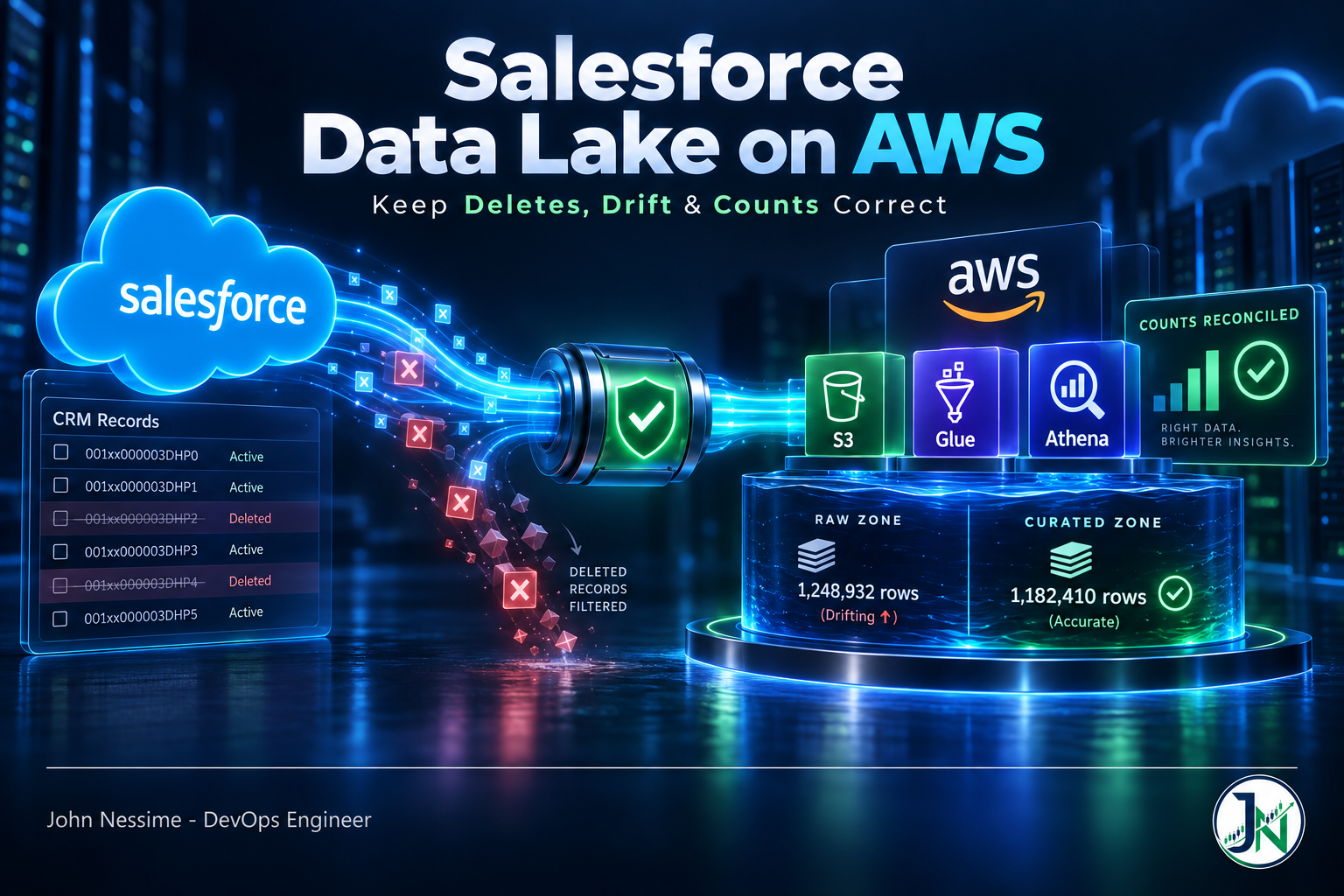
Your incremental extract has never deleted a row in its life. It asks Salesforce for everything where SystemModstamp is greater than the last run, and a record that no longer exists cannot come back in that result set. So the lake only ever grows, the gap widens a little every week, and nothing anywhere reports an error.
That is the defining problem when you build a Salesforce data lake on AWS, and it is barely mentioned in the tutorials, which mostly stop once data lands in S3. Landing the data is the easy part. Keeping it equal to the source is the work.
This covers the ingestion options and their honest trade-offs, how to structure the lake, how to handle deletes properly (harder than it sounds), the fields that go stale without telling you, staying inside your API budget, and the query layer on top.
Why Salesforce is an awkward source
Four properties make it different from replicating a database, and every design decision below follows from them.
- Deletes are soft, then permanent. A deleted record moves to the Recycle Bin, where it is visible for a limited window and then gone. Your ability to detect a deletion expires.
- Some fields are computed at read time. Formula fields are not stored. Salesforce works them out when you query, which means what you extracted is a snapshot, not a value that stays true.
- The API is a metered resource. Your org has a daily request allowance shared with every other integration. A careless extract can starve the tools sales actually uses.
- The schema changes without warning. Admins add fields as part of their normal job. Nobody tells the data team.
Choosing how to get the data out
Four realistic paths, roughly in order of how much you have to operate yourself.
Amazon AppFlow is the native option: a managed connector that moves Salesforce objects into S3 on a schedule or on events, with no infrastructure to run. It handles both scheduled batch extracts and Salesforce Change Data Capture event flows, and it supports AWS PrivateLink to Salesforce, so the traffic does not have to cross the public internet. That last point matters more than it usually gets credit for.
Where it gets thin: schema drift handling is basic, and mapping large numbers of objects through the console gets tedious fast. Define the flows in Terraform or CloudFormation from the start rather than clicking them, or you will end up with production configuration nobody can reproduce.
A managed ELT vendor such as Fivetran or Airbyte handles schema drift, deletes and incremental logic for you, which is genuinely most of the hard work in this post. You pay per row or per connector, and on a large Salesforce org that number gets attention. Worth pricing against the engineering time before dismissing it.
Rolling your own on the Bulk API gives you total control and makes you responsible for everything: pagination, retries, API budget, delete detection, schema evolution. I would only choose this when an existing tool genuinely cannot express what you need, and I would expect it to be a real service with monitoring rather than a Lambda someone wrote in an afternoon.
Zero-copy sharing via Salesforce Data Cloud avoids replication entirely by querying Salesforce-held data from your warehouse. Attractive when compliance objects to copying CRM data, and it carries its own licensing and latency questions. Check what your Salesforce contract actually includes before designing around it.
Structure the lake so mistakes are cheap
Two layers, and the discipline to keep them separate.
Raw is append-only and never edited. Every extract lands as a new partition, in Parquet, exactly as Salesforce returned it. You do not deduplicate here, you do not fix types here, and you certainly do not delete here. Raw is your ability to rebuild everything downstream when you discover a logic bug six months in, which you will.
# Partition by extraction date, not by a business date. A bad run
# is then one partition to drop rather than a full-table repair.
s3://acme-lake/raw/salesforce/opportunity/extract_date=YYYY-MM-DD/
Curated is what people query: deduplicated to current state, typed properly, deletes applied. Build it as views over raw to begin with, and only materialise the ones that are genuinely too slow. Materialising early gives you a second copy of the truth to keep in sync, which is the problem you are already trying to solve.
-- Current state from an append-only raw layer: keep the most
-- recent version of each record and drop anything flagged deleted.
CREATE OR REPLACE VIEW curated.opportunity AS
SELECT *
FROM (
    SELECT o.*,
           ROW_NUMBER() OVER (
               PARTITION BY id ORDER BY systemmodstamp DESC
           ) AS rn
    FROM raw.opportunity o
)
WHERE rn = 1
  AND is_deleted = false;
Register both in the Glue Data Catalog so Athena and Redshift Spectrum see the same definitions. If you expect frequent updates and deletes rather than pure appends, an open table format like Apache Iceberg is worth the extra setup: row-level deletes, schema evolution and time travel are exactly the operations this workload needs, and they are painful to hand-roll on plain Parquet.
Handling deletes properly
Here is the section that matters. There are three mechanisms and you need more than one, because each has a hole.
1. Query the Recycle Bin
Standard SOQL hides deleted records. The REST API’s queryAll endpoint, the SOAP queryAll() call, or ALL ROWS in Apex all return them, and IsDeleted exists on virtually every object even though it does not appear in Setup.
-- Against /services/data/vXX.X/queryAll, not /query.
-- Substitute your own high-water mark for the placeholder.
SELECT Id, IsDeleted, SystemModstamp
FROM Opportunity
WHERE IsDeleted = true
  AND SystemModstamp > {last_run_utc}
The hole: records sit in the Recycle Bin for fifteen days by default. Salesforce Classic offers an extended retention setting that pushes it to thirty. But the bin also has a capacity tied to your org’s storage allocation, and when it fills, the oldest records are purged early to make room. No alert, no warning. So your detection window is not fifteen days. It is fifteen days or less, and you find out which during a mass-delete week.
2. Change Data Capture
Salesforce CDC publishes create, update, delete and undelete events as they happen, and AppFlow can consume them. This is the cleanest mechanism, because a delete arrives as an event rather than being inferred from an absence.
The hole: it is a streaming subscription, so if your consumer is down long enough, you miss events. Event replay windows are finite. CDC is a good primary mechanism and a bad only mechanism.
3. Periodic full ID reconciliation
This is the safety net, it catches everything the other two miss, and it is the one people skip because it feels crude. Pull nothing but the Id column for the whole object. One narrow field over the Bulk API is cheap even on millions of rows.
SELECT Id FROM OpportunityThen diff it against the lake. Whatever is on your side and not on theirs no longer exists, whatever the reason:
-- Rows the lake still believes in and Salesforce does not.
SELECT l.id
FROM curated.opportunity l
LEFT JOIN staging.opportunity_ids s
       ON s.id = l.id
WHERE s.id IS NULL;
Run it weekly on your important objects. Soft-delete the differences in the curated layer rather than hard-deleting from raw, so you keep the audit trail.
One more case this catches that nothing else does cleanly: merges. When an admin merges two Accounts, Contacts or Leads, the losing record is deleted and gets a MasterRecordId pointing at the survivor. If your lake keeps the loser, you are double-counting a customer, and the arithmetic is wrong in a way that looks like a data quality problem rather than a pipeline problem.
The other thing that goes stale silently
Formula fields are not stored anywhere. Salesforce computes them when you ask. So the value that landed in your lake is a snapshot from extraction time, and Salesforce will happily return something different tomorrow without the record’s SystemModstamp moving at all.
Cross-object formulas are the worst version. A formula on Opportunity that references a field on its Account recalculates when the Account changes. The Opportunity did not change, so your incremental extract never picks it up. That column in your lake can be wrong indefinitely and nothing detects it.
Three ways out, in order of preference:
- Do not extract them. Pull the underlying fields and reimplement the calculation in your transformation layer, where it is version-controlled and testable. More work up front, correct forever after.
- Refresh them on a schedule. A narrow periodic extract of just the ID plus the formula columns, full-table. Cheap if the column list is short.
- Accept it and document it. Fine for a formula nobody reports on. Not fine for anything in a revenue calculation.
Keep a list of which columns in your lake are formula-derived. Six months from now, when a number disagrees with Salesforce, that list is the first thing you will want and the last thing anybody wrote down.
Stay inside the API budget
Your Salesforce org has a daily API request allowance determined by edition and licence count, and it is shared. Exceed it and everything integrated with Salesforce stops working, not just your pipeline. That includes whatever marketing and support depend on, which is a conversation you would rather not have.
- Use the Bulk API for extracts, not the REST query API. Bulk is designed for volume and consumes the allowance very differently.
- Incremental by default, full refresh by exception. A nightly full extract of a large object is the single most common way to blow the budget.
- Give the pipeline its own integration user. That way the API usage reports attribute consumption to it, and you can see your own footprint instead of arguing about it.
- Watch consumption as a metric. Salesforce exposes API usage; graph it. Finding out by outage is expensive.
One thing that surprises people: field-level security on that integration user determines which fields come back. A field can exist in Salesforce, be populated, and arrive in your lake as consistently null because the integration user’s profile cannot see it. Check the profile before debugging the pipeline.
Query layer and access
Athena over the Glue catalog is the default answer and a good one: no cluster to run, pay per query, and it reads the curated views directly. Redshift Spectrum makes sense when you already run Redshift and want to join CRM data to warehouse tables.
Cost control on Athena is mostly about scan volume, which means partitioning and columnar storage rather than query tuning. Parquet plus sensible partitions does more than any amount of SQL cleverness.
On access: you have just replicated your customer database into object storage. Contacts and Leads are personal data, and Salesforce’s own field-level security does not follow it across. Encrypt the bucket, keep it private, use Lake Formation for column-level grants if different teams need different views, and decide the retention policy deliberately rather than by default. “We keep everything forever in S3 because it’s cheap” is a defensible engineering position and a poor compliance one.
Troubleshooting
Row counts drift upward over time
Deletes are not being applied. Run the full ID reconciliation and see how many rows come back. If it is a lot, also check for merged records via MasterRecordId before assuming the extract is at fault.
A column is always null in the lake, populated in Salesforce
Field-level security on the integration user’s profile. Log in as that user, or check the profile’s field permissions, before touching the pipeline.
A value disagrees with Salesforce but the record looks current
Almost certainly a formula field, especially a cross-object one. Check whether the column is formula-derived; if it is, the record’s modstamp never moved and your incremental extract had no reason to refetch it.
Extract fails partway on a large object
Query timeouts or governor limits. Chunk by date range or by ID range rather than pulling the object in one go, and make each chunk independently retryable so a failure costs you one slice rather than the whole run.
New Salesforce fields never appear
Most connectors map fields explicitly at configuration time and do not add new ones on their own. Poll the object’s describe metadata on a schedule and alert when the field list changes, so schema drift is a notification rather than a discovery.
Athena queries are slow or expensive
You are scanning too much. Check partitioning first, then whether the files are Parquet rather than JSON or CSV, then whether many tiny files are being read per query. Small-file proliferation is the usual culprit on frequently-run extracts, and compaction fixes it.
Common mistakes
- Building incremental sync on
SystemModstampalone and never handling deletes. - Assuming the Recycle Bin gives you a guaranteed fifteen-day detection window.
- Treating CDC as sufficient on its own, with no reconciliation behind it.
- Ignoring merges, so a merged customer is counted twice forever.
- Extracting formula fields and treating them as durable values.
- Nightly full extracts of large objects, and the API outage that follows.
- Sharing an integration user with other tools, so nobody can attribute API consumption.
- Mutating the raw layer, which destroys your ability to rebuild.
- Clicking AppFlow flows together in the console with no infrastructure as code.
- Landing JSON or CSV instead of Parquet, then paying for it on every Athena query.
- No alerting on schema drift, so new fields are found by a user asking.
- Replicating Contacts and Leads into S3 with no retention policy or access controls.
Best practices
- Append-only raw layer, curated views on top, and never edit raw.
- Use at least two delete mechanisms, one of which is periodic full ID reconciliation.
- Soft-delete in curated rather than hard-deleting, so the audit trail survives.
- Reimplement formula logic downstream instead of trusting extracted formula values.
- Bulk API for extracts, incremental by default.
- A dedicated integration user with a documented, deliberately scoped profile.
- Partition by extraction date and store Parquet, or use Iceberg if you need row-level updates.
- Define flows, catalogs and permissions as code.
- Monitor API consumption and row-count delta against Salesforce as first-class metrics.
- Alert on schema changes rather than discovering them.
- Encrypt, restrict and set a retention policy on personal data the day you land it, not later.
FAQ
How do I handle deleted Salesforce records in a data lake?
Combine mechanisms. Query the Recycle Bin with queryAll and IsDeleted for recent deletions, consume Change Data Capture events for real-time coverage, and run a periodic full ID reconciliation as the backstop. No single one of the three is complete on its own.
Should I use AppFlow or a third-party ELT tool?
AppFlow if you want to stay inside AWS, value PrivateLink connectivity, and are willing to handle schema drift and deletes yourself. A managed vendor if you would rather buy those solved and can live with per-row pricing. Price both against the engineering time honestly; the build-it-yourself option is usually costed at zero and is not.
Parquet or Iceberg?
Parquet with date partitions is fine for append-only raw. Iceberg earns its complexity in the curated layer, where you want row-level updates and deletes, schema evolution and time travel. Salesforce data changes constantly, so that need is real rather than theoretical.
How often should I sync?
Match the decisions people actually make with the data. Hourly incrementals suit most reporting; sub-minute freshness usually means CDC and a real streaming consumer, which is a much larger commitment. Schedule the ID reconciliation separately and less often, weekly is normally enough.
Will this use up my Salesforce API limit?
It can, and the failure is shared with every other integration on the org. Use the Bulk API, stay incremental, give the pipeline its own user so consumption is attributable, and graph usage. Do not find out from an outage.
Do I need Salesforce Data Cloud?
Not to build a lake on AWS. It becomes interesting when compliance objects to copying CRM data at all, since zero-copy sharing avoids replication. Check what your existing Salesforce agreement covers before designing around it, because the licensing is a real factor.
Why do my numbers differ from Salesforce reports?
Check in this order: missing deletes, merged records counted twice, stale formula fields, fields the integration user cannot see, and only then your own transformation logic. The first two account for most of it, and the last is where people look first.
The one thing to remember
Getting Salesforce data into S3 is a configuration exercise you can finish in an afternoon. Keeping that data equal to Salesforce is an ongoing engineering problem, and the parts that break do not raise errors. They produce numbers that are slightly wrong, in a consistent direction, for months.
So build the reconciliation before you build the dashboards. A weekly job that pulls every ID and diffs it against the lake is unglamorous, cheap, and the only thing that will tell you the truth when someone asks why the two systems disagree.
Building or fixing one of these?
Most of the Salesforce lakes I get asked to look at work correctly for the first quarter and then quietly diverge. Work I take on:
- Building a Salesforce to S3 pipeline end to end: AppFlow or Bulk API ingestion, Glue catalog, Athena or Redshift Spectrum query layer.
- Auditing an existing lake for drift, and reporting exactly how many rows disagree with Salesforce and why.
- Implementing proper delete handling: CDC consumption, Recycle Bin queries and scheduled ID reconciliation.
- Reworking formula-derived columns into version-controlled transformations that stay correct.
- API budget work: moving extracts to Bulk, splitting integration users, and monitoring consumption before it causes an outage.
- Access and retention design for CRM data in S3, including encryption, Lake Formation grants and deletion policies.
Tell me which objects you replicate and how you currently detect deletes, and I will tell you where the drift is coming from.