The message usually lands on a Monday: “the CRM numbers look wrong again.” Not missing. Wrong. The dashboard populated, every DAG run is green, and somewhere in the middle of last week’s data there is a hole where a paginated API returned a 429 and the task treated the empty body as a legitimate final page.
That is the shape of most API pipeline incidents. Not a crash. A success that isn’t one.
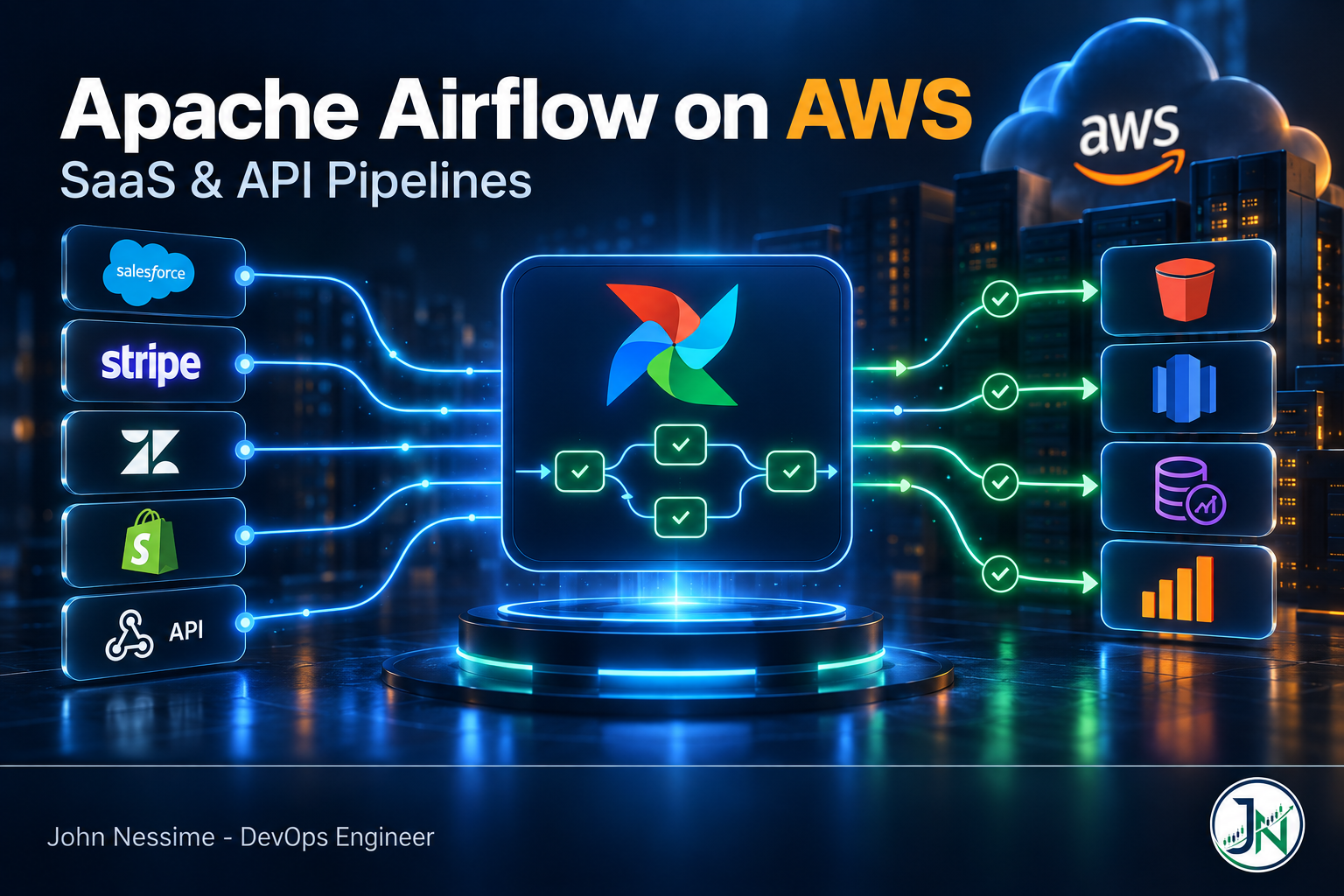
This post covers running Apache Airflow on AWS specifically for SaaS and API workloads: pulling from HubSpot, Salesforce, Stripe, Zendesk, Shopify, an internal partner API, whatever. It is organised by failure family rather than by feature, because the Airflow documentation already explains what an operator is and does a poor job of explaining which of these things will page you at 3am. I will cover choosing a deployment model, the concurrency trap that catches almost everyone, retry design, incremental state, secrets, and where the money actually goes.
Why SaaS and API sources break differently
When your source is a database you control, failure is loud: connection refused, deadlock, disk full. When it is somebody else’s SaaS API, three things change.
- You are a guest. The vendor decides your rate limit, and they can change it without telling you. Your pipeline’s correctness now depends on a number in someone else’s config file.
- Errors arrive as valid HTTP. A 429, a 200 with a truncated page, a 200 with an error object in the body. Your HTTP client is happy. Your data is not.
- Tasks spend most of their life waiting. API extraction is I/O bound almost end to end. That sounds harmless and is the root of the most expensive mistakes.
Pick the deployment model before you write a DAG
This decision constrains everything after it and is harder to reverse than people expect. Three realistic options.
Amazon MWAA, provisioned
AWS runs the scheduler, web server, workers, triggerer and metadata database on Fargate; you drop DAGs into an S3 bucket and they get picked up.
Where it wins: real Airflow, custom providers, custom plugins, full control over environment configuration. If your DAGs need arbitrary Python libraries, this option will not fight you.
Where it doesn’t: the environment bills by the hour whether or not anything is running. There is no scale to zero on the base environment. If you sync six APIs once a day and each run takes twenty minutes, you are paying for a mostly idle cluster around the clock. The mw1.micro class exists precisely for the small case, but it collapses the scheduler and worker into a single Fargate task and caps worker autoscale low, so treat it as a dev or isolation tier rather than a cheap production tier.
Amazon MWAA Serverless
You submit workflow definitions and AWS runs each task in its own Fargate container, billing per task duration with a one-minute minimum rather than per environment hour.
Where it wins: spiky or infrequent schedules. If the workload is “six syncs a day, nothing overnight,” the cost profile beats a permanently running environment by a wide margin. Each workflow also gets its own IAM execution role, which is a real security improvement over one shared role per environment.
Where it doesn’t: it leans on declarative YAML workflow definitions based on the DAG Factory format and a curated set of AWS operators. That is a deliberate trade: because the definition is declarative, the service can schedule tasks without executing your DAG code. It also means custom operators, exotic third-party providers and clever Python at parse time are not the sweet spot. It is also available in fewer regions than provisioned MWAA, so check your region before you design around it.
Self-managed on ECS, EKS or a VPS
On EKS with the Kubernetes executor you get per-task pods and tight cost control. On a single VPS from a provider like InterServer or Hetzner, a Docker Compose stack with a Postgres metadata database will run a modest set of API syncs for a fraction of any managed price.
Where it wins: cost at both extremes, and total control. Where it doesn’t: you now own metadata database upgrades, major version migrations, log retention and the 2am scheduler restart. Managed Airflow is a bet that your time is worth more than the hourly premium. For a solo engineer with three pipelines that bet often loses; for a data team of eight it usually wins. Astronomer is the main non-AWS managed option worth pricing alongside these.
Failure family one: the throttle that silently stops throttling
You start with a normal setup: an Airflow pool named crm_api with four slots, and every task that touches the vendor assigned to it. Four concurrent requests, comfortably under the vendor’s limit. This works.
Then you notice those tasks spend nearly all their runtime waiting on HTTP, burning worker slots to sit still. So you switch them to deferrable operators. A deferrable task suspends itself while waiting, releases its worker slot, and hands the waiting to the triggerer, which polls asynchronously. Worker pressure drops. Everything looks better.
And your rate limiting quietly stops working.
By default, a pool does not count tasks in the deferred state as occupying slots. That was deliberate, and the logic is sound in the abstract: a deferred task is not consuming a worker. But if you were using the pool to protect an external API rather than your own workers, it has just stopped doing the job you gave it. Every task can defer at once, and the vendor sees the full fan-out.
The fix is a per-pool flag, include_deferred, which tells the scheduler to count deferred tasks against the slot budget. It is off by default. You can set it when editing the pool in the Airflow UI, or through the API.
The failure signature is what makes this nasty. Nothing errors. Your DAG gets faster. The vendor starts returning 429s that your retry logic absorbs, and the only symptom is that runs take a little longer and occasionally a page goes missing. Weeks can pass. Two related traps in the same family:
max_active_tasksat the DAG level has the same blind spot with deferred tasks, and there is no equivalent opt-in flag. If you need a hard external concurrency cap, use a pool withinclude_deferredenabled, not DAG-level concurrency.- On MWAA, the triggerer runs alongside the scheduler on the same Fargate task, so scheduler count and triggerer capacity are linked. If you go heavily deferrable and your deferred tasks start stalling, scheduler capacity is the thing to look at.
Failure family two: retries that make the outage worse
The default instinct is to set retries high and move on. Against a rate-limited API, a fixed retry delay across many parallel tasks is just a slower version of the same stampede.
What you want is exponential backoff with a ceiling. The shape:
from datetime import timedelta

from airflow.sdk import dag, task

@dag(
    schedule="0 5 * * *",
    catchup=False,
    max_active_runs=1,          # never let two runs of this DAG overlap
    default_args={
        "retries": 5,
        "retry_delay": timedelta(seconds=30),
        "retry_exponential_backoff": True,   # 30s, 60s, 120s, 240s...
        "max_retry_delay": timedelta(minutes=15),  # stop doubling here
        "pool": "crm_api",      # shared budget across every task touching this vendor
    },
    tags=["crm", "extract"],
)
def crm_extract():

    @task(max_active_tis_per_dag=4)
    def fetch_page(page_token: str) -> str:
        ...

crm_extract()
The lines that matter:
retry_exponential_backoffturnsretry_delayinto a base rather than a constant, so repeated failures spread out instead of hammering in lockstep.max_retry_delaycaps the doubling. Without it, a task that fails five times can sit idle for hours and blow past the window you actually cared about.max_active_runs=1is the one people skip. If a run overruns its schedule, the next one starts anyway, and now two runs are fetching the same pages from the same vendor with the same credentials. This is a common way to trigger a rate limit you have never hit before.max_active_tis_per_daglimits how many instances of that specific task run concurrently across DAG runs, which is the right knob for dynamically mapped extraction tasks.
One thing Airflow will not do for you: honour a Retry-After header. Airflow’s retry timing is computed from your config, not from the vendor’s response. If the API tells you exactly how long to wait, you have to catch that in your own code and sleep or reschedule accordingly. Ignoring a header the vendor bothered to send is a good way to get your API key throttled harder.
Failure family three: pagination, cursors and the empty page
Back to the Monday message. The specific bug behind most “the numbers are wrong but nothing failed” incidents is a loop that treats any non-error response as a terminating condition. Three rules prevent it:
- Never infer “done” from an empty result. Terminate on the explicit signal the API gives you: a null
next_cursor, a missingLinkheader, a page count. An empty array with a valid cursor still has more data behind it. - Assert the response shape before you use it. Check the status code explicitly and validate that the fields you depend on exist. A 200 carrying
{"error": "..."}should raise, not return zero rows. - Land raw, transform later. Write the untouched API response to S3 first, then parse from S3. When the vendor changes a field type, you can replay from raw instead of re-extracting from an API that no longer serves that window.
Where to keep incremental state
The tempting pattern is to store the last-seen timestamp in an Airflow Variable and update it at the end of a run. Do not make that your source of truth. If a run dies midway, the Variable is in an undefined state, and clearing and re-running the DAG will not restore it. Airflow’s retry and backfill machinery has no idea it exists.
Better: make each run’s window a function of the run itself, and write output to a deterministic, run-scoped location such as s3://bucket/source=crm/dt=<logical-date>/. Re-running the same interval overwrites the same prefix. That is what makes a task idempotent, and idempotency is the difference between “clear the task and let it rerun” and a two-hour manual repair.
Then overlap your windows deliberately. Many SaaS APIs order results by modified time with eventual consistency, so a record edited at the boundary can appear after you have already moved on. Query a window slightly wider than your schedule interval and rely on an idempotent upsert downstream to absorb the duplicates. Late-arriving data is not an edge case with SaaS sources. It is the normal case.
Airflow’s asset-based scheduling is the clean way to trigger downstream DAGs from this: the extract DAG produces an asset, and the transform DAG runs when the asset updates, rather than being scheduled at a time you hope is late enough.
Failure family four: credentials
API tokens rotate, sometimes on the vendor’s schedule rather than yours. Storing an API key in an Airflow Connection through the UI works, and is the wrong long-term answer: the value lives in the metadata database and there is no rotation story. On AWS, point Airflow’s secrets backend at AWS Secrets Manager. On MWAA that is an environment configuration option:
secrets.backend
  airflow.providers.amazon.aws.secrets.secrets_manager.SecretsManagerBackend

secrets.backend_kwargs
  {"connections_prefix": "airflow/connections", "variables_prefix": "airflow/variables"}
With that in place, a connection lookup for crm_default resolves against the secret at airflow/connections/crm_default. Rotating the credential is a Secrets Manager operation with no Airflow deployment involved.
Two things to know before you turn it on. First, every connection and variable lookup becomes a Secrets Manager API call, and lookups fall through to the backend before hitting the metadata database, so a DAG that reads a Variable at parse time will generate a call on every parse cycle. Move those reads inside tasks. Second, the environment’s execution role needs explicit read permission on the relevant secret ARNs, and if you use a customer-managed KMS key, decrypt permission on that key too.
Worth knowing if you are on Airflow 3: task code can no longer reach the metadata database directly. All runtime interaction goes through the Task Execution API. If you inherited custom operators that open a session and query Airflow’s own tables, that is a migration blocker, not a warning.
Failure family five: the bill
Nobody is surprised by the environment line item. They are surprised by the other four.
- Idle time. A provisioned MWAA environment bills continuously. Compute the ratio of hours billed to hours doing work. If it is bad, that is the argument for MWAA Serverless or for consolidating several thin pipelines into one environment.
- NAT Gateway. This is the classic one. Private-subnet workers calling public SaaS APIs route through a NAT Gateway, which charges hourly and per gigabyte processed. A high-volume extraction pipeline can spend more on NAT than on Airflow. VPC endpoints remove that cost for AWS service traffic, but they do nothing for calls to a third-party API, which is exactly the traffic an API pipeline generates.
- CloudWatch Logs. Task logs go to CloudWatch, and ingestion is billed per gigabyte. Set the Airflow log level per component rather than globally at DEBUG, and set a retention policy on the log groups. The default is to keep logs forever.
- S3 requests. Landing raw API responses one small object per page generates a lot of PUTs. Batch pages into larger objects where you can.
Rates and dimensions change, so model your own workload against the current pricing page rather than trusting a number from a blog post. The point is knowing which four lines to look at.
Troubleshooting Apache Airflow on AWS when API pipelines misbehave
Tasks sit in “queued” and never start
Usually a slot problem, not a broken scheduler. Check, in order: is the pool full; has DAG-level max_active_tasks been hit; is worker autoscaling at its configured maximum. On MWAA, the container and queue utilisation metrics published to CloudWatch tell you which of the three it is far faster than reading scheduler logs.
DAG file changes don’t appear
On MWAA, DAGs sync from S3 on an interval; it is not instant. If a file has been there for several minutes and still hasn’t appeared, it almost always failed to parse. Check the DAG processing logs in CloudWatch rather than the scheduler logs, because a broken import raises there and never reaches the scheduler.
A new provider package won’t install
MWAA installs from your requirements.txt in the DAGs bucket, and from Airflow 2.7.2 onward that file must include a constraint line. Without one, MWAA picks a constraint for you, and pip is free to resolve a provider version that conflicts with the Airflow build in the image.
--constraint "https://raw.githubusercontent.com/apache/airflow/constraints-<AIRFLOW_VERSION>/constraints-<PYTHON_VERSION>.txt"

apache-airflow-providers-http
apache-airflow-providers-salesforce
Substitute the literal Airflow version your environment runs and the Python version bundled with it. MWAA does not expand shell variables in that file. Test the requirements file against a local Airflow image before you upload it, because a failed install on MWAA surfaces as a partially working environment rather than a clean error.
A backfill is stuck and you need to clear it
You do not need a web login token for this. MWAA exposes the Airflow REST API through a signed AWS API call, so you can drive it from CI or a runbook with normal IAM credentials:
aws mwaa invoke-rest-api
  --name MyMWAAEnvironment
  --path "/dags/crm_extract/clearTaskInstances"
  --method POST
  --body '{"dry_run": true}'
Start with dry_run set to true so the response tells you which task instances would be cleared before you actually clear them. Note that the resource paths differ between Airflow 2 and Airflow 3 environments, so confirm against the API version your environment exposes.
Deferred tasks stall forever
If deferred tasks stop resuming while the environment reports healthy, suspect the triggerer rather than your DAG. A triggerer that has lost its ability to process triggers can keep heartbeating normally, so the scheduler sees nothing wrong while every deferred task drifts toward timeout. This class of bug has been fixed and re-fixed upstream, so check your Airflow version’s release notes before assuming it is your code.
Common mistakes
- Switching to deferrable operators without enabling
include_deferredon the pools that were protecting the API. - Leaving
max_active_runsunset, so a slow run and the next scheduled run compete for the same rate limit budget. - Treating an empty response page as the end of pagination.
- Storing the incremental watermark in an Airflow Variable and updating it mid-run.
- Calling an API or reading a Variable at DAG parse time, which executes on every parse cycle rather than once per run.
- Transforming during extraction, so a vendor schema change means re-pulling data the API may no longer serve.
- Sizing the environment for peak concurrency when the actual constraint is the vendor’s rate limit.
Best practices
- One pool per vendor, sized to their published limit with headroom, and
include_deferredenabled on every one of them. - Land raw responses to S3 before parsing. Extraction and transformation are separate tasks with separate failure modes.
- Make every task idempotent and window-scoped, so “clear and rerun” is always a safe repair.
- Overlap extraction windows and deduplicate downstream rather than trusting a vendor’s timestamps to be exact.
- Secrets Manager for credentials, with the execution role scoped to specific secret ARNs.
- Alert on row counts and freshness, not just task state. A green DAG that produced 40% of yesterday’s rows is the failure you actually care about. Shipping Airflow’s StatsD metrics into Prometheus, Grafana Cloud or Datadog makes that a dashboard rather than a discovery.
- Define the environment in Terraform or OpenTofu. Recreating an MWAA environment by hand after a bad configuration change is a bad afternoon.
Frequently asked questions
Is MWAA worth it compared to self-hosting Airflow on EC2?
It depends almost entirely on how many people share the platform. MWAA’s premium buys you managed metadata database upgrades, patched images and version migration support. If one engineer maintains three DAGs, self-hosting on a modest VPS is cheaper and the operational load is real but small. Once several teams depend on the scheduler being up, the premium is easy to justify.
Should I use Step Functions instead of Airflow for API pipelines?
Step Functions is genuinely better for event-driven, AWS-service-centric orchestration with modest branching, and it scales to zero. Airflow wins when you need scheduled batch semantics, backfills over historical windows, dependencies between many pipelines, and a UI that non-platform engineers can use to see why last Tuesday failed. Backfill is usually the deciding feature.
Do deferrable operators reduce my AWS bill?
On provisioned MWAA, they reduce worker pressure, which reduces autoscaling into additional worker instances. The base environment cost is unchanged. On a Kubernetes executor setup where each task is a pod, the saving is more direct. Either way, do not adopt them purely for cost without revisiting your pool configuration first.
How do I handle a vendor with no documented rate limit?
Start conservative, one or two concurrent requests, and instrument the response status codes. Raise the pool size gradually and watch for 429s or rising latency. Latency creeping up under load is often the earlier signal, because some vendors throttle by slowing you down before they start rejecting.
Can Airflow read a Retry-After header automatically?
No. Airflow computes retry timing from retry_delay and the backoff settings on the task. If a vendor sends Retry-After, you need to handle it in your own request code or in a custom operator.
What breaks when upgrading to Airflow 3?
The big one for API pipelines is that task code can no longer access the metadata database directly; everything goes through the Task Execution API. Imports also move to the airflow.sdk namespace, and several core operators now live in the standard provider package. Audit custom operators first, since that is where direct database access hides. MWAA requires you to be on the latest Airflow 2 minor version before a major upgrade, so plan two steps.
How many DAGs can one MWAA environment handle?
The binding constraint is usually the metadata database and scheduler CPU, not DAG count. Watch metadata database memory and scheduler CPU utilisation; when either saturates, you either move up an environment class or split into multiple environments. Splitting also gives you blast-radius isolation, which matters more than people expect.
Wrapping up
Running Apache Airflow on AWS for SaaS and API pipelines is mostly not an Airflow problem. The scheduler works. The operators work. What bites is the gap between “the task succeeded” and “the data is correct,” and that gap lives in concurrency settings, pagination logic and retry design rather than anywhere Airflow will warn you about.
If you take one thing away: a green DAG is not a signal that your data is complete. Enable include_deferred on the pools protecting your vendors, terminate pagination on an explicit signal instead of an empty page, make every task idempotent, and alert on row counts. Those four things prevent most of the incidents that never show up as a failed task.
Need help with your Airflow pipelines on AWS?
I work with teams running data and API pipelines on AWS, usually somewhere between “it works but nobody trusts it” and “we need to move off cron.” Things I can help with:
- Reviewing existing DAGs for silent data loss: pagination logic, retry behaviour, pool and concurrency configuration.
- Choosing between MWAA provisioned, MWAA Serverless and self-managed Airflow, with a cost model for your actual schedule rather than a generic comparison.
- Building SaaS extraction pipelines that are idempotent and safely re-runnable, landing raw to S3 with incremental windows that survive failure.
- Cutting MWAA cost: environment right-sizing, NAT Gateway traffic, CloudWatch log volume and dependency install time.
- Airflow 2 to 3 migration audits, focused on custom operators and direct metadata database access.
- Data freshness and volume alerting in Grafana or CloudWatch, so you learn about a partial sync before the business does.
If something specific is broken, send me the DAG file, the task log, or the CloudWatch metrics for the run that went wrong. It is usually faster to look at the real thing than to describe it.