The question never arrives as an architecture question. It arrives as someone in RevOps asking whether they can get pipeline coverage by rep, by week, for the last two years, including the deals that were deleted along the way.
You look at the CRM reporting tab. It cannot do that. So now you are picking a platform, and within about ten minutes someone will say “we should build a data lake,” and someone else will say “just put it in the warehouse,” and the deciding argument will be about how much data there is.
That argument is almost always the wrong one. This post covers data lake vs data warehouse specifically for CRM analytics: why volume rarely decides it, what actually does, a decision procedure you can run in an afternoon, and where zero-ETL has changed the maths recently enough that older advice is stale.
Start with the number, then stop using it
Go and count your rows. Not estimate. Count.
A mid-sized company’s entire Salesforce org is usually a few million rows across the objects anyone actually reports on: accounts, contacts, opportunities, activities, cases. Add HubSpot, Zendesk and a billing system and you are still typically in the low tens of gigabytes once it is written as compressed Parquet. Activity and event history is the one object that can genuinely run large, and it is worth checking separately.
Numbers at that scale do not stress either architecture. A data warehouse will not break a sweat. A lake will not break a sweat. The lake-versus-warehouse debate as it is usually framed, the one about petabytes and elasticity and separating storage from compute, is a debate about a scale problem you do not have.
So count the rows, confirm you are small, and then stop using volume as an argument. Everything below is about what decides it instead.
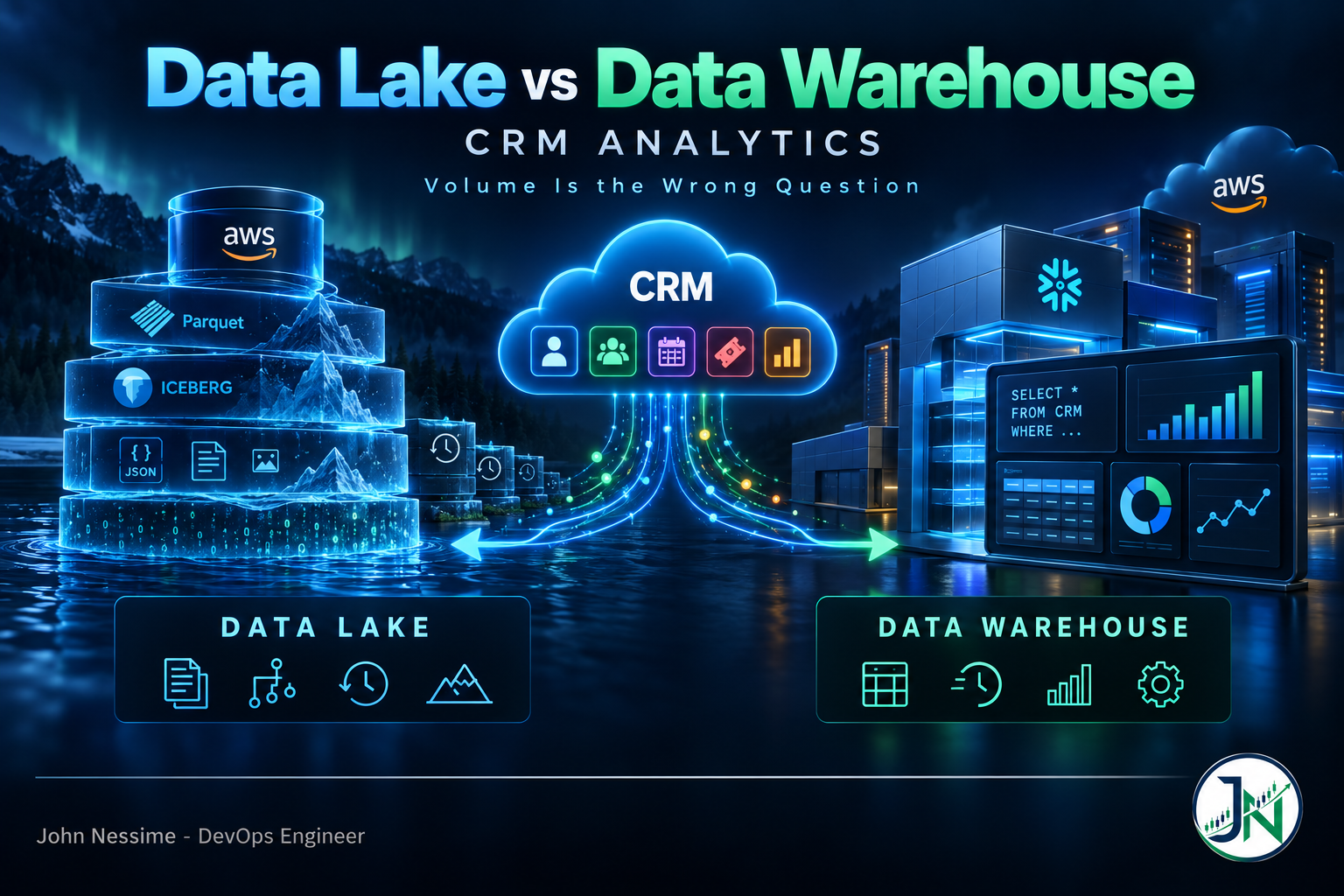
Data lake vs data warehouse: the three options, honestly
Warehouse only
Load CRM objects straight into Redshift, Snowflake, BigQuery or Postgres. Model with SQL. Point the BI tool at it.
Where it wins: it is the fastest path to an analyst being productive, and that is not a small thing. Query performance on joins is better than a lake gives you without tuning. Access control is mature and row-level. Every BI tool connects natively. The people who will maintain this already know SQL and probably do not know Spark.
Where it doesn’t: semi-structured data is awkward, and CRM payloads are full of it. Custom field bags, JSON blobs, email bodies, call transcripts. You can store JSON in a modern warehouse but you will not enjoy querying it at any depth. Storing many years of daily snapshots gets expensive on warehouse storage in a way it does not on object storage. And you are more locked in: moving between warehouses is a migration project, not a repoint.
Lake only
Land raw API responses to S3, catalogue them, query with Athena or Spark. Iceberg or Delta as the table format if you want anything resembling a database.
Where it wins: raw retention is nearly free, so keeping every version of every record for years is a storage line item rather than a decision. Schema evolution is genuinely easier: when a SaaS admin adds a field, the lake absorbs it. Unstructured content lives alongside structured tables, which matters more now that people want to run models over call notes and support tickets. And an open table format means the data is not hostage to one query engine.
Where it doesn’t: you have taken on work a warehouse does for you. Small-file compaction, partitioning, table maintenance, catalogue hygiene. Query latency on interactive dashboards is worse unless you invest in layout. Governance is a build, not a setting. And the per-query cost model punishes exactly the workload CRM analytics generates: lots of small, repeated, unpredictable queries from a BI tool. Athena bills on data scanned with a per-query minimum, which means a dashboard refreshing thirty tiles is thirty billable scans whether or not anyone is looking.
Lakehouse
Raw and historical data in object storage as Iceberg tables; curated marts in the warehouse or queried in place by a warehouse engine. This is where most serious setups end up, and it is what AWS, Databricks and Snowflake have all converged on.
Where it wins: you get cheap deep history and expensive fast queries in the right places. Raw payloads stay replayable when a vendor changes a field type. Analysts still get warehouse-shaped tables.
Where it doesn’t: it is two systems. Two cost models, two sets of permissions, two places a table can be defined and drift. For a five-person company with one CRM, this is architecture as procrastination. The complexity is real and it should be earning something.
What actually decides it
Four levers, in the order they usually matter for CRM data.
1. How much history you need, and whether deletes matter
This is the big one and it is the one people skip.
CRM systems mutate in place. An opportunity’s stage, amount and close date are overwritten as the deal moves. If you only ever sync current state, you can report on the pipeline as it is today and you cannot report on what it looked like last March. Every question about pipeline movement, forecast accuracy, stage velocity or “what changed since the QBR” needs point-in-time history, and the CRM will not give it to you retroactively. Deleted records are worse: they are simply gone.
If you need history, you need somewhere cheap to keep daily snapshots or a change feed. That pushes toward object storage, or toward a warehouse with a genuinely cheap storage tier. If a rolling twelve months of current-state data covers every question anyone asks, the warehouse handles it alone.
2. How fast the schema churns
Count the custom fields added to your main CRM object in the last six months. If it is two, schema churn is not your problem. If it is forty, and half of them are from a business unit you do not talk to, a rigid warehouse schema becomes a standing maintenance tax and the lake’s tolerance for drift starts paying for itself.
3. The shape of the queries
Scheduled dashboards hitting the same tables repeatedly favour a warehouse, because per-second compute amortises across many queries and results are cached. Redshift Serverless, for example, bills in processing-unit-hours per second with a short minimum and shuts down when idle, which suits bursty BI traffic.
Exploratory one-off analysis across wide, rarely-touched history favours a lake, because you only pay when someone asks. Most CRM analytics is overwhelmingly the first kind. That fact alone settles a lot of these arguments.
4. Who is going to maintain it
The least technical criterion and often the most decisive. If the answer is “a RevOps analyst who is very good at SQL and has no platform team behind them,” build the warehouse. A lake handed to someone who cannot maintain it becomes an unqueryable pile of Parquet in about eight months. That is not a hypothetical failure mode; it is the normal one.
A decision procedure you can run this afternoon
- Count rows per object for everything anyone reports on. Note which objects are over about ten million rows. Usually it is activities and nothing else.
- Write down the ten questions the business actually asks. Not the ones you imagine. Mark each one as needing current state or point-in-time history.
- Count schema changes on your main objects over the last six months.
- Estimate query volume: number of dashboards, tiles per dashboard, refresh frequency, plus rough ad-hoc queries per week. This is the number that drives cost, not storage.
- Model both costs against those numbers. For the lake: bytes scanned per query times queries per month. For the warehouse: compute-hours per month plus storage. Do it on a napkin. At CRM scale the answer is usually obvious and usually favours the warehouse.
- Name the maintainer. If you cannot name a person, pick the option that needs less of them.
Read together, most CRM-only shops land on: warehouse for the curated layer, cheap object storage for raw history, and no ambition beyond that until something forces it. That is a lakehouse, but the small honest kind, and it is a very different commitment from standing up a full lake platform.
Where zero-ETL changed the maths
A lot of writing on this topic predates a genuine shift, so it is worth stating plainly.
Managed zero-ETL integrations now replicate CRM and support platforms into AWS targets without you building a pipeline. AWS Glue supports SaaS sources including Salesforce, SAP, ServiceNow, Zendesk and Zoho CRM, landing into Amazon Redshift, the SageMaker lakehouse, or S3 Tables with Iceberg underneath. Salesforce has pushed the other direction with zero-copy federation, letting Data Cloud read Iceberg tables in Databricks, Snowflake, BigQuery or Redshift in place, and letting those platforms read Data Cloud objects back.
Two consequences for this decision:
- Ingestion is no longer the differentiator. “The lake is easier to load into” was a real argument when you were hand-rolling connectors. It is much weaker when the same managed integration targets either destination.
- Iceberg makes the choice less permanent. If your raw layer is Iceberg tables in object storage, adding a warehouse engine later is a configuration change rather than a migration. That is a genuine reason to prefer open table formats even if you never build a “lake” as such.
Two honest caveats. Zero-ETL integrations cover a curated list of sources and regions, so check yours before designing around them. And a managed replica is still current-state replication plus change capture, not a modelled history; you still have to decide how snapshots and slowly changing dimensions get built.
Arguments that don’t survive contact
- “We need a lake because we’ll do AI later.” Reasonable in spirit, wrong in sequence. Build the thing that answers this quarter’s questions, keep raw payloads in object storage so you have not destroyed your options, and revisit. Raw retention is the cheap insurance; a lake platform is not.
- “Storage is cheaper in a lake.” True and almost always irrelevant. At CRM volumes, storage is a rounding error next to compute and, more to the point, next to the salary of whoever maintains the thing.
- “The warehouse is a single point of vendor lock-in.” Fair, and it is why open table formats matter. But if you replicate raw data to object storage, the lock-in is on your transformation logic, not your data, and that is portable if you keep it in SQL and version control.
- “We’ll just query the CRM API directly and skip both.” Works until a dashboard fans out into rate limits and the whole thing becomes a data pipeline you did not design. If more than one person is asking questions, you need a copy.
- “Let’s do both properly from day one.” This is the expensive mistake. Two systems, two cost models, and tables that quietly disagree, in service of a workload that fits comfortably in one.
Frequently asked questions
Is a data lake overkill for one CRM?
For a single CRM with current-state reporting needs, usually yes. The point at which it stops being overkill is when you need years of point-in-time history, when unstructured content like call transcripts becomes part of the analysis, or when you are integrating enough systems that a common raw layer is cheaper than a dozen warehouse loaders.
How do I get historical CRM snapshots if I only have current state?
You mostly cannot get it retroactively, which is why this decision is urgent rather than academic. Start capturing now: either daily full snapshots to partitioned object storage, or a change feed if the platform offers one, then build slowly changing dimension tables from that. Field history tracking inside the CRM covers a limited number of fields and is not a substitute.
Does the lakehouse make this comparison obsolete?
It blurs the storage layer, not the operational reality. You still choose a query engine, a cost model, a governance model and a maintainer. The useful question has shifted from “lake or warehouse” to “how much of this do I want to operate myself,” which is a better question anyway.
Where does reverse ETL fit?
If you plan to push computed values back into the CRM, such as a lead score or account health field, that pushes toward the warehouse. Reverse ETL tools connect to warehouses far more readily than to query engines over object storage, and the write path wants a stable, modelled table rather than a raw one.
Can I start with one and move later?
Moving from lake to warehouse is straightforward: you are loading modelled tables into a new engine. Moving from warehouse to lake is harder, because the history only exists inside the warehouse and the transformations are written in its dialect. The asymmetric fix is to land raw data in object storage regardless of which you query from. That single habit preserves the option cheaply.
What about just using the CRM’s own analytics product?
Worth pricing seriously before building anything. It is genuinely the right answer when all your questions are about one system, and it removes an entire pipeline from your life. It stops being the right answer the moment a question spans CRM plus billing plus product usage, because you will be paying to ingest the other systems into a platform priced for CRM data.
The short version
In the data lake vs data warehouse question for CRM analytics, volume is the argument everyone reaches for and it is the one that matters least. Your CRM data is small. Both options handle it.
What decides it is how much history you need, how fast the schema moves, what shape the queries are, and who is going to keep it running. Answer those four and the architecture falls out on its own. And whatever you pick, land the raw payloads in object storage from day one, because that is the cheap decision that keeps every other decision reversible.
Need a second opinion on your CRM analytics stack?
I help teams make this call without over-building, and unpick it when it has already been over-built. Things I can help with:
- Running the sizing and cost model above against your real query volume, not a vendor calculator.
- Designing point-in-time history capture for CRM objects, including deletes and slowly changing dimensions.
- Setting up zero-ETL or connector-based ingestion from Salesforce, HubSpot, Zendesk or Zoho into Redshift, Snowflake or an Iceberg lake.
- Migrating an unmaintainable pile of Parquet into something an analyst can actually query.
- Cutting query costs on an existing setup: partitioning, table layout, dashboard refresh patterns.
- Building the curated CRM models that BI tools sit on, in SQL and in version control.
If you are mid-argument about this, send me your row counts and the ten questions the business wants answered. That is usually enough to settle it.