The partner event source in the EventBridge console said Pending. It had said Pending for six days.
Nobody noticed, because nothing errored. No 5xx in a log. No failed delivery in Shopify’s dashboard. No alarm. Shopify had been publishing order events the entire time, and AWS had been throwing every single one of them on the floor.
That behaviour is documented, in one short note in the AWS docs: events published to a partner event source that has not been associated with an event bus are dropped immediately and are not persisted at rest. There is no retry for that. There is no buffer. The events are gone, and the only way to get the data back is to go ask the Shopify Admin API for it after the fact.
That is the shape of most of the pain in this integration. Streaming Shopify events into AWS is easy to stand up and easy to get quietly wrong, and every one of the quiet failures looks identical from the outside: everything is green, and some of your data isn’t there.
This post walks the five failure families that actually cost you records, plus the reconciliation layer that most teams only build after the first incident. It assumes you can read a rule pattern and an IAM policy. It does not assume you have shipped this before.
What the pipe actually looks like
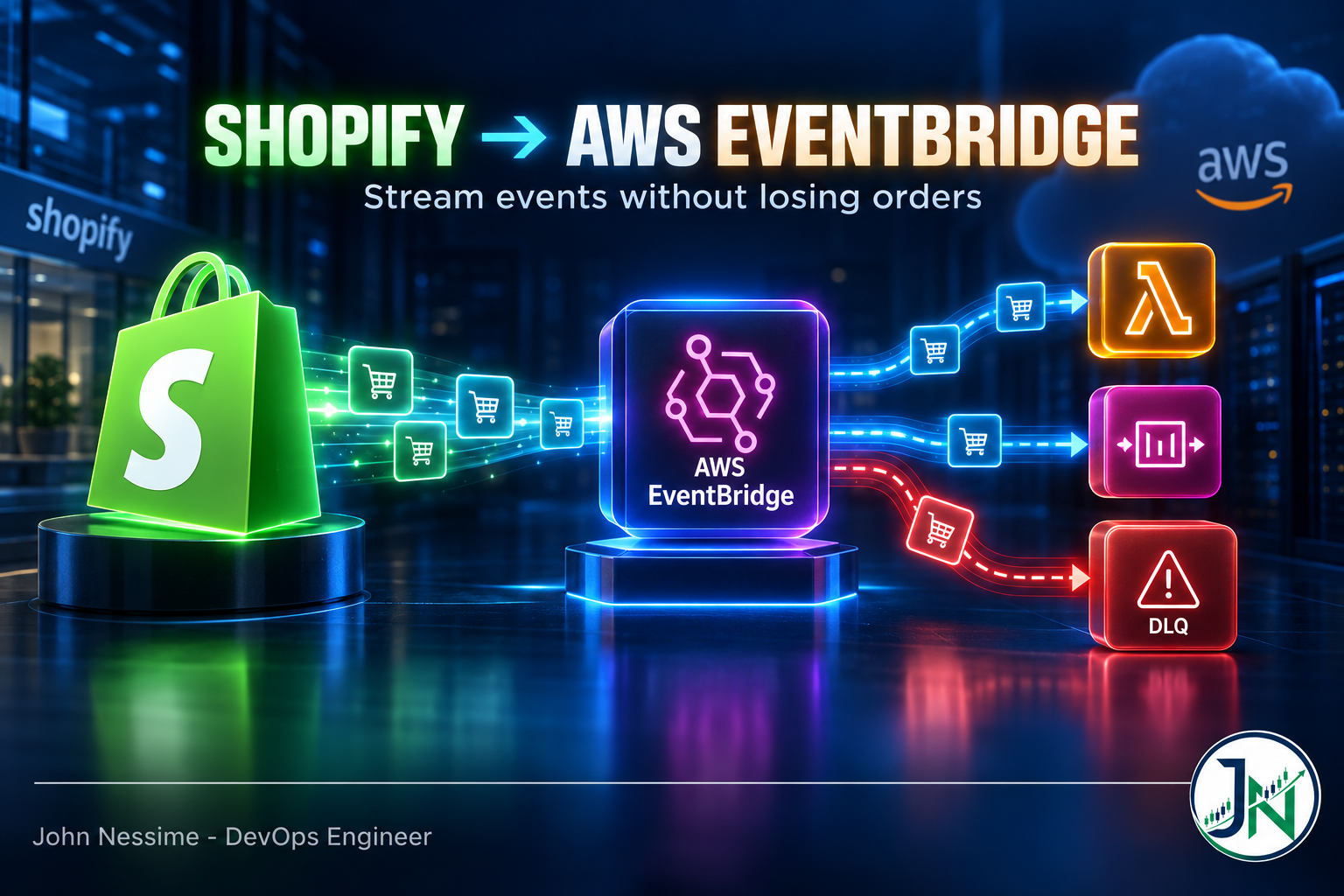
Four moving parts, and only two of them live in your account.
- A Shopify app holds the webhook subscriptions. Each subscription has a topic and a delivery method. For this path the delivery method is EventBridge and the address is an ARN, not a URL.
- Shopify creates a partner event source inside your AWS account, in the region you nominated.
- You associate that source with a partner event bus. This is the step everyone forgets.
- Rules on that bus match events and push them at targets: Lambda, SQS, Step Functions, Firehose, whatever fits.
The ARN trips people up more than anything else in the setup. Shopify wants the event source ARN, not the event bus ARN. They look similar and only one of them works:
# Correct - the event source ARN. Note the empty account field.
arn:aws:events:eu-west-1::event-source/aws.partner/shopify.com/<id>/<source-name>

# Wrong - this is the bus, and Shopify will reject it
arn:aws:events:eu-west-1:123456789012:event-bus/aws.partner/shopify.com/<id>/<source-name>
Associating the source is a single call, and both the name and the source name are the same string:
# Create the partner event bus that accepts the source
aws events create-event-bus
  --name "aws.partner/shopify.com/<id>/<source-name>"
  --event-source-name "aws.partner/shopify.com/<id>/<source-name>"
  --region eu-west-1

# Confirm it flipped from PENDING to ACTIVE
aws events describe-event-source
  --name "aws.partner/shopify.com/<id>/<source-name>"
  --region eu-west-1
The same architecture applies if you are not on Shopify. BigCommerce and commercetools both publish to EventBridge as partner sources, and the failure families below are identical because they come from EventBridge’s semantics, not the store’s.
Failure family one: events that never existed
This is the one from the opening, and it is the most expensive because it is completely silent on both sides.
Shopify considers the delivery successful. It handed the event to the partner source, which is its contract. AWS considers nothing to have happened, because an unassociated source has no bus to write to, and EventBridge does not persist events at rest before a bus exists. Your CloudWatch metrics show nothing, because metrics are emitted per bus and per rule, and you have neither.
The same class of hole opens up in two other ways:
- Region mismatch. The source is created in the region you gave Shopify. Your bus, your rules, your targets and your dead-letter queues all have to be in that region. A rule in the right account but the wrong region matches nothing, forever, without complaint.
- Environment drift. A staging store pointed at a production source, or a source created against an account ID that belonged to an old sandbox. Nothing errors. Events just land somewhere you are not looking.
The fix is boring and it works: treat the source state as a monitored asset. A scheduled job that calls describe-event-source and alarms if State is anything other than ACTIVE costs you twenty minutes and covers the entire failure family. Put it next to your other synthetic checks, not inside the pipeline it is watching.
The second half of that check is a heartbeat on volume. If a bus that normally sees a few thousand events a day sees zero for an hour, that is an incident even when every component reports healthy. Alarm on MatchedEvents hitting zero, not just on errors.
Failure family two: events that arrive twice, or backwards
EventBridge is at-least-once. Shopify’s webhooks are at-least-once. Neither one promises ordering. Put those together and you get two distinct bugs that people usually try to fix with one patch.
The duplicate is the obvious one. The same orders/create arrives twice, and if your handler posts to a fulfilment provider or sends a customer email, you have just done it twice. The dedupe key is sitting in the envelope: Shopify puts X-Shopify-Webhook-Id into detail.metadata, and it identifies the delivery. Write it into DynamoDB with a conditional put and a TTL of a few days, and drop the event if the write fails.
The out-of-order case is the one that costs you money quietly. An orders/updated carrying a cancelled status arrives before the orders/updated carrying the address change, and your database ends up holding the older state because it was written last. Nothing failed. The row is just wrong, and it will stay wrong until someone complains.
The envelope carries what you need for this too. detail.metadata includes X-Shopify-Triggered-At, and the resource in detail.payload carries its own updated_at. Compare before you write, and refuse to apply an update whose timestamp is older than the one already stored.
The dedupe key stops you from doing the work twice. The version check stops you from doing the work backwards. They solve different problems and you need both.
One thing you can skip on this path: HMAC verification. On the HTTPS delivery method you must verify the signature, because anyone can POST to your endpoint. On the EventBridge path, only the partner account behind the event source is permitted to publish to that bus, and the AWS docs are explicit that adding your own resource policy to a partner bus is rejected. The signature header still rides along in the metadata, but the trust boundary is enforced by AWS rather than by your code.
Failure family three: rules that match nothing
Every Shopify event, regardless of topic, arrives with the same detail-type. That single fact invalidates the routing instinct most people bring from AWS service events.
{
  "version": "0",
  "id": "1b8e2e75-b771-e964-f0e6-fbca6a21dad8",
  "detail-type": "shopifyWebhook",
  "source": "aws.partner/shopify.com/<id>/<source-name>",
  "account": "123456789012",
  "time": "2022-07-02T12:47:58Z",
  "region": "eu-west-1",
  "resources": [],
  "detail": {
    "payload": {
      "id": 1234567890,
      "title": "Columbia Las Hermosas"
    },
    "metadata": {
      "Content-Type": "application/json",
      "X-Shopify-Topic": "products/update",
      "X-Shopify-Shop-Domain": "example.myshopify.com",
      "X-Shopify-Hmac-SHA256": "...",
      "X-Shopify-Webhook-Id": "...",
      "X-Shopify-API-Version": "...",
      "X-Shopify-Triggered-At": "2022-07-02T12:47:57.989779121Z"
    }
  }
}
Two things to take from that envelope. The resource body is nested under detail.payload, not at the top of detail, so a pattern copied from an HTTPS handler will match nothing. And the topic lives in detail.metadata, which is where all your routing has to happen.
// Exact topic match
{
  "detail-type": ["shopifyWebhook"],
  "detail": {
    "metadata": {
      "X-Shopify-Topic": ["orders/create"]
    }
  }
}

// Every orders topic, one rule
{
  "detail-type": ["shopifyWebhook"],
  "detail": {
    "metadata": {
      "X-Shopify-Topic": [{ "prefix": "orders/" }]
    }
  }
}
Do not deploy a pattern you have not tested against a real envelope. test-event-pattern answers in a second and saves an afternoon:
aws events test-event-pattern
  --event-pattern file://pattern.json
  --event file://sample-event.json
One rule or thirty?
There is a real argument for a single catch-all rule that pushes everything into one queue and lets your consumer branch on the topic. It is less infrastructure, it deploys faster, and adding a topic does not require a Terraform run.
What you give up is per-topic visibility. MatchedEvents, FailedInvocations and the dead-letter queue are all scoped to the rule. Collapse thirty topics into one rule and you can no longer tell that inventory events stopped three days ago, because the aggregate number still looks fine.
The split I reach for first: a dedicated rule for each topic that touches money or fulfilment, and one catch-all for everything else. You get precise alarms where the cost of being wrong is high and low overhead everywhere else.
Failure family four: events that arrive and die at the target
By default EventBridge keeps retrying a failed target invocation for up to a day, with exponential backoff and jitter. That is generous, and it is also the reason people assume they do not need a dead-letter queue. They do, for two reasons.
First, a whole class of errors gets no retries at all. Missing permissions on the target, a target that no longer exists, an address that will not resolve. EventBridge does not retry those, because retrying cannot help. It sends them straight to the DLQ if one is configured, and drops them if one is not.
Second, a day of retries is not much when the failure is a bad deploy discovered on a Friday evening.
aws events put-targets
  --rule shopify-orders-create
  --event-bus-name "aws.partner/shopify.com/<id>/<source-name>"
  --targets '[{
    "Id": "order-processor",
    "Arn": "arn:aws:lambda:eu-west-1:123456789012:function:order-processor",
    "RetryPolicy": {
      "MaximumRetryAttempts": 20,
      "MaximumEventAgeInSeconds": 3600
    },
    "DeadLetterConfig": {
      "Arn": "arn:aws:sqs:eu-west-1:123456789012:shopify-orders-dlq"
    }
  }]'
Lowering the retry window is deliberate here. Twenty-four hours of retries against a genuinely broken consumer buys you nothing and hides the problem; a shorter window pushes failures into the DLQ where they are visible and countable.
The DLQ permission trap
This one catches almost everyone who manages infrastructure as code. Configure a DLQ through the console and AWS attaches the queue policy for you. Configure it through PutTargets — which is what Terraform, CloudFormation and the CLI all do — and you must attach it yourself. Miss it, and you have a dead-letter queue that cannot receive dead letters.
{
  "Sid": "Dead-letter queue permissions",
  "Effect": "Allow",
  "Principal": { "Service": "events.amazonaws.com" },
  "Action": "sqs:SendMessage",
  "Resource": "arn:aws:sqs:eu-west-1:123456789012:shopify-orders-dlq",
  "Condition": {
    "ArnEquals": {
      "aws:SourceArn": "arn:aws:events:eu-west-1:123456789012:rule/shopify-orders-create"
    }
  }
}
The metric that catches this is InvocationsFailedToBeSentToDlq. If it is ever non-zero, your safety net has a hole in it and events are being lost at the exact moment you were counting on it. Alarm on it at a threshold of one. It only reports when it is non-zero, so it costs nothing the rest of the time.
Two more constraints worth knowing before you design around a DLQ: it must be a standard SQS queue, not FIFO, and it must live in the same region as the rule. Each message carries the error code, the exhausted retry condition, the retry count and both ARNs as message attributes, which is usually enough to triage without opening the payload.
Failure family five: the bill
EventBridge does not meter one event as one event. It meters in 64 KB chunks, so an event larger than that bills as multiple events. Rates change and vary by region, so check the current pricing page rather than trusting any number you read in a blog post, but the mechanism is stable and it is what determines your bill.
This matters more for commerce than for most event sources. A product update is small. An order with thirty line items, per-item discount allocations, tax lines, shipping lines, note attributes and a stack of metafields is not. Wholesale and subscription stores routinely produce order payloads that cross the chunk boundary, and the same order updated eight times through its lifecycle multiplies that.
Three levers, roughly in order of how much they return:
- Trim at the subscription. Shopify’s webhook subscription API lets you restrict which fields are included in the payload and which metafield namespaces come along. Fields you never read cost you at ingestion, at archive and again at replay. This is the only lever that stops paying for the data before it enters AWS.
- Subscribe to fewer topics. Broad topics like
orders/updatedfire on changes you do not care about. If you only act on fulfilment state, subscribe to the fulfilment topics instead of filtering a firehose after you have paid for it. - Archive selectively, and set retention. Archives bill for processing, for storage and again for replay. An archive with no retention period grows forever. Archive the topics you would genuinely replay and let the rest go.
One structural limit to design around: EventBridge caps the total size of a single event. A payload that exceeds it does not get truncated in a helpful way — the publish fails. Trimming at the subscription protects you here as well as on cost.
The layer nobody builds until they need it
Archive and replay is genuinely useful, and it is also routinely misunderstood. Replay re-delivers events that reached the bus. It does nothing at all for the failure family at the top of this post, where the events never reached the bus in the first place. Replay fixes bugs in your consumer. It does not fix gaps in your ingestion.
For that you need reconciliation: a scheduled job that queries the Shopify Admin API for resources changed since a stored watermark and compares them against what you hold. It is unglamorous, it is the thing that catches the outage you did not know about, and it is worth building before you need it rather than during the incident.
- Run it hourly for orders and fulfilments, daily for products and customers. The cadence should track how expensive being wrong is, not how much data there is.
- Store a watermark per topic and advance it only after a successful full pass. A partial pass that advances the watermark creates the exact gap you built the job to find.
- Compare counts first, records second. A count mismatch is cheap to compute and tells you whether to bother with the expensive comparison.
- Emit the drift as a metric, not just a log line. “Orders in Shopify but not in our store, last hour” is a graph worth putting on a dashboard, and it should normally read zero.
The reconciliation worker does not need to live in Lambda. It is a long, paginated, rate-limited crawl, which is an awkward fit for a function timeout and a comfortable fit for a small VPS you already run. If you have a box at InterServer or Hetzner sitting there for other jobs, a cron entry and a script is a perfectly respectable answer.
Troubleshooting by symptom
Work these in order. Each one is cheap and rules out a whole branch.
Nothing is arriving at all
- Run
describe-event-source. IfStateis notACTIVE, stop here. Everything published so far is gone and you need the reconciliation path. - Confirm the region of the bus matches the region in the source ARN.
- List your webhook subscriptions through the Admin API and confirm the address is the event-source ARN, not the bus ARN.
- Confirm the subscriptions belong to the app whose access token you are using. Registering with a token from a different app is a common and confusing dead end.
- Check
MatchedEventson the bus with no rule dimension. Non-zero means events are landing and your rules are the problem, not the plumbing.
Some topics arrive, order or customer topics do not
This is almost always scopes rather than infrastructure. Order and customer topics sit behind protected customer data access, which is a separate approval in the app configuration on top of the read scopes. Without it, product events flow perfectly and order events silently do not — which looks exactly like a broken rule and is not.
The rule matches but the target does nothing
Compare MatchedEvents against SuccessfulInvocationAttempts on the rule. A gap sends you to FailedInvocations and to the DLQ. Check the target’s resource policy, and check InvocationsFailedToBeSentToDlq before you trust that the DLQ is catching anything.
Events arrive, but late
Look at ThrottledRules and at IngestionToInvocationSuccessLatency. Sustained throttling usually means an invocation quota rather than a rule problem, and it shows up first during flash sales, which is the worst possible time to discover it. Load-test the path before a peak event, not after.
Common mistakes
- Creating the partner event source and never associating it with a bus. Silent, total, unrecoverable data loss for the whole window.
- Registering the event bus ARN instead of the event source ARN, then debugging Shopify’s rejection for an hour.
- Writing rule patterns against the resource shape from an HTTPS webhook, forgetting that the body sits under
detail.payload. - Routing on
detail-type. Every Shopify event carries the same one, so a pattern that matches on it alone matches everything. - Configuring a DLQ through Terraform without the queue policy, and only finding out when you needed it.
- Assuming replay covers ingestion gaps. It replays what reached the bus and nothing else.
- Deduplicating on the resource ID instead of the webhook ID, so legitimate subsequent updates get discarded as duplicates.
- Skipping reconciliation because the pipeline “works”. It works right up until it doesn’t, and that is precisely when you need the other path.
Best practices for streaming Shopify events into AWS
- Alarm on the event source state and on
MatchedEventsreaching zero. Absence of events is a signal, and it is the only signal you get for the worst failure. - Dedupe on
X-Shopify-Webhook-Idand version-check onX-Shopify-Triggered-At. Two mechanisms, two problems. - Give every target a DLQ and a retry window you chose deliberately, rather than inheriting the default.
- Keep dedicated rules for money and fulfilment topics so their metrics stay legible; batch the rest behind a catch-all.
- Trim payloads at the Shopify subscription rather than in a Lambda. Filtering after ingestion means you already paid for the bytes.
- Define the whole thing in Terraform or CloudFormation, including the queue policies. This stack has too many one-time console clicks to survive being hand-built twice.
- Point your observability platform at the same bus. Datadog and New Relic are both EventBridge partners, so business events and infrastructure telemetry can share one pipeline instead of two.
- Build reconciliation before your first peak trading period, not after your first missing-order ticket.
Frequently asked questions
Do I still need to verify the HMAC signature on the EventBridge path?
No. Only the partner account behind the event source can publish to a partner event bus, and AWS actively rejects attempts to add your own resource policy granting anyone else access. The signature header is still present in the metadata, but the trust boundary is enforced by AWS rather than by your handler. On the HTTPS delivery method, verification remains mandatory.
Should I use EventBridge or plain HTTPS webhooks?
HTTPS is simpler, works with any host, and is easier to debug because you can curl your own endpoint. It also puts you on the hook for absorbing burst traffic within a short response deadline, and for keeping the endpoint up well enough that Shopify does not remove the subscription after persistent failures. EventBridge moves that burst absorption to AWS and gives you native fan-out. If your consumers already live in AWS, the operational maths favours EventBridge. If they do not, a dedicated reliability layer such as Hookdeck in front of an HTTPS endpoint is a reasonable alternative and a much smaller change.
Can I use one partner event source for multiple stores?
Events from every shop that installed your app flow through the source associated with that app, and the shop is identified by X-Shopify-Shop-Domain in the metadata. You can route per-shop with rule patterns matching that field. For genuine tenant isolation — separate accounts, separate blast radius — you want separate apps and separate sources, because a single bus is a single failure domain.
Why do I get duplicate order events even though nothing failed?
Because at-least-once means exactly that. Duplicates are normal operation, not a fault to be investigated. Separately, an order genuinely does change several times shortly after creation — payment capture, risk assessment, post-purchase upsells — so several orders/updated events for one order are expected and are not duplicates at all. Deduplicate on the webhook ID to tell the two apart.
What happens to events published while my consumer is broken?
They reach the bus, match your rules, and EventBridge retries the target within your configured window. Once that window is exhausted they go to the DLQ if you have one and are discarded if you do not. The events themselves are not lost at the bus level as long as the source is associated — this is the failure family you can actually engineer your way out of.
Can I archive and replay Shopify events?
Yes, with an archive on the partner event bus and an event pattern controlling what gets archived. Budget for three separate charges — processing into the archive, storage while it sits there, and the replay itself — and always set an explicit retention period, because an archive without one grows indefinitely.
Does this work the same way for BigCommerce or commercetools?
The AWS half is identical: partner source, association step, bus, rules, targets, and every failure family in this post. What differs is the envelope shape and how you register subscriptions on the vendor side. The association gap in particular bites the same way regardless of which platform is publishing.
The one thing worth remembering
Almost everything about streaming Shopify events into AWS degrades loudly. Targets throw errors, retries show up as metrics, dead letters pile up in a queue you can see. Those are the failures you will handle correctly, because they announce themselves.
The one that will actually hurt you is the one that reports success on both sides while dropping every event on the floor. Association state and event volume are the two signals that catch it, and neither one appears on any dashboard by default. Add them on day one, before you write the first rule. Everything else in this post can be fixed after the fact; that one cannot.
Need a hand with your event pipeline?
Most of my work on this stack is either standing it up properly the first time or working out where records went after someone else stood it up. Things I can help with:
- Building the Shopify-to-EventBridge path end to end in Terraform, including the queue policies and retry configuration that the console quietly does for you.
- Auditing an existing pipeline for silent loss: source association, region drift, missing DLQ permissions, rules that have been matching nothing since the day they shipped.
- Designing the idempotency and ordering layer — dedupe store, TTLs, version checks — so replays and duplicates stop corrupting downstream state.
- Writing the reconciliation job against the Admin API, with watermarks, drift metrics and alarms that fire before a customer does.
- Cutting EventBridge spend by trimming payloads at the subscription and rationalising archive retention, without losing anything you actually query.
- Load-testing the whole path ahead of a peak trading period so throttling shows up in a test window rather than on the day.
If you have a rule pattern that isn’t matching, a DLQ that’s mysteriously empty, or a bill that grew faster than your order volume, send me the pattern, the metric graph or the line item and I’ll tell you what I’d look at first.