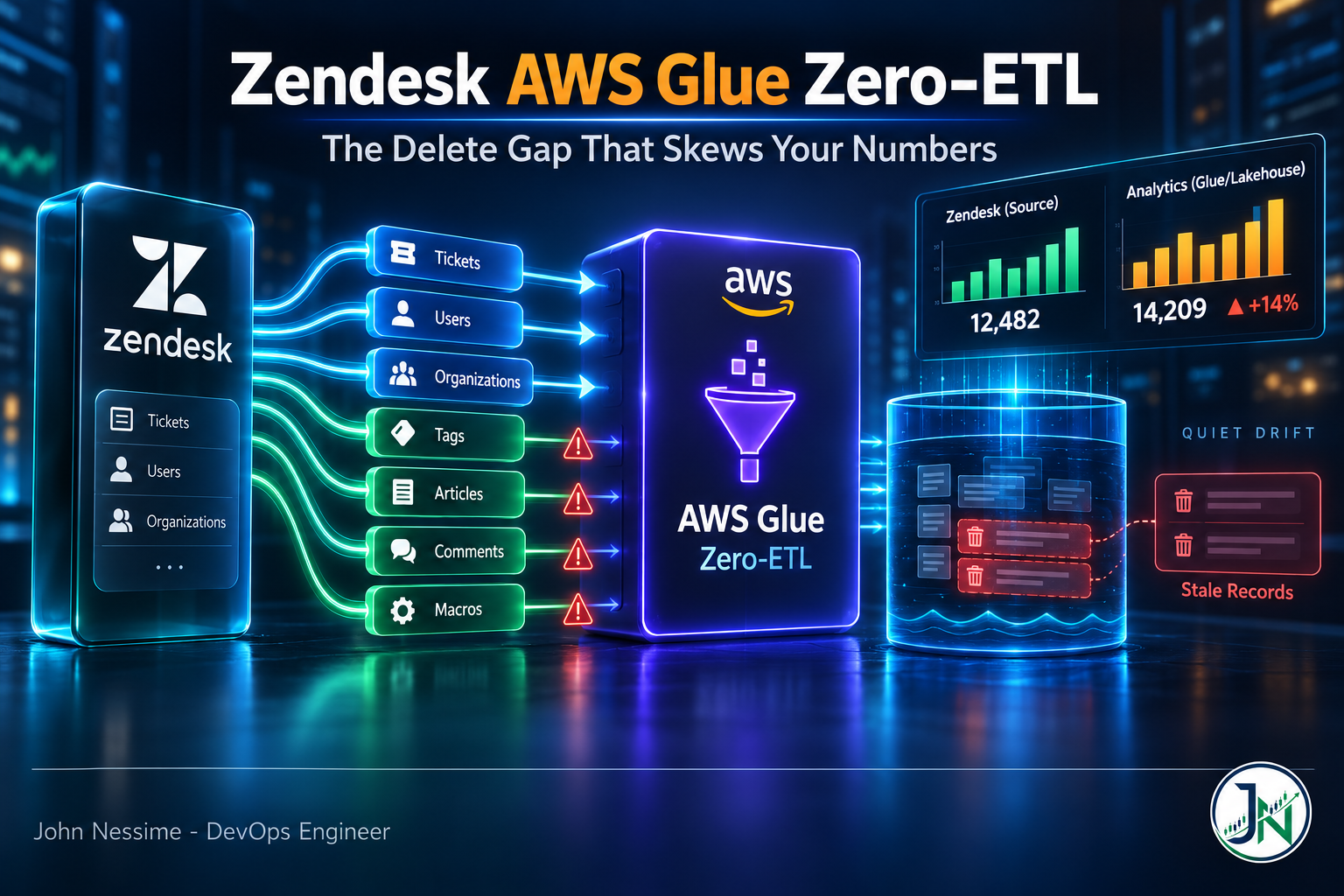
The support lead pings you on a Tuesday. The CSAT figure on the exec dashboard is higher than the one in Zendesk Explore, and somebody noticed during the meeting. Nothing failed. The Glue integration is green. CloudWatch shows ingestion succeeding on every interval. And yet the warehouse and the source disagree, and have quietly disagreed for weeks.
That divergence is not a bug. It is documented behaviour, sitting in one table in the AWS docs that almost everyone scrolls past. This post covers what Zendesk data integration with AWS Glue zero-ETL actually replicates, the entities where deletes silently never propagate, the configuration choices you cannot undo after creation, how to wire the three IAM roles involved, and how to monitor the thing so drift shows up as an alarm instead of a meeting.
What Zendesk AWS Glue zero-ETL actually gives you
Zero-ETL is AWS’s name for managed replication. You create a Glue connection to Zendesk, pick the entities you want, pick a target, and Glue handles the initial snapshot, the schema mapping, and ongoing change data capture. No Spark job. No bookmark logic. No pagination code hammering the Zendesk API and no retry handling for it.
Supported targets are a general purpose Amazon S3 bucket through the lakehouse architecture of Amazon SageMaker, S3 Tables through the same lakehouse, Redshift Managed Storage, or an Amazon Redshift data warehouse directly. Data lands as Apache Iceberg, which is what makes row-level updates and deletes viable on object storage at all.
What you give up is control. No transform step, no server-side filter, no column pruning at ingest. You get the entity as the connector sees it and you shape it downstream. For most support analytics that trade is fine. It stops being fine the moment your compliance team asks why deleted records are still queryable.
The delete gap: four of seven entities never remove a row
AWS Glue zero-ETL supports seven Zendesk entities. Only three of them replicate deletes.
- tickets – create, update and delete all propagate
- users – create, update and delete all propagate
- organizations – create, update and delete all propagate
- satisfaction-rating – create and update only, no delete
- articles – create and update only, no delete
- calls – create and update only, no delete
- legs (call legs) – create and update only, no delete
When a satisfaction rating disappears in Zendesk, the row stays in your lakehouse. Permanently. Nothing errors, IngestionSucceeded fires as usual, and the row count in that table only ever goes up.
Now think about what your CSAT query does. It averages a score column across a set of rows. If removed ratings never leave the target, your average drifts further from the source every cycle, and the skew is rarely random because retracted or disputed ratings are exactly the ones most likely to be removed. The same mechanism inflates knowledge base article counts, call volume, and any call leg analysis you build. It stays invisible until two dashboards get compared side by side.
How to design around it
You cannot make the connector track deletes it does not track. So stop trying, and split the problem instead.
- Run two integrations, not one. Put tickets, users and organizations in a continuously synced integration. Put the four append-only entities in a second integration you can tear down and rebuild on a cadence that matches how much drift you can tolerate.
- Treat the append-only tables as an event log, not as state. Query them through a view that reconciles against a periodic authoritative count, rather than trusting row presence to mean the record still exists.
- Prefer status fields over row existence. Where an entity exposes a field describing its state, filter on that field downstream. Check which fields your entities actually return before you build on this, because coverage varies by entity.
- Reconcile on a schedule. Pull counts from the Zendesk API for the four entities and compare against the target. Alert on divergence, not on an absolute number.
Splitting the integration costs you a second set of IAM wiring and a second thing to monitor. It buys you the ability to rebuild the drifting half without touching the half that is correct. That is a good trade.
Entity coverage is narrower than the Zendesk API
Seven entities is not the Zendesk API. Ticket comments, ticket metrics, ticket audits, groups, views, macros and SLA policy definitions are not part of the zero-ETL entity set. If your reporting needs first response time, the audit trail behind a status change, or custom field definitions, zero-ETL alone will not get you there.
The useful part is that the Glue connection you create is reusable. The same connection backs a normal Glue ETL job, so you can run zero-ETL for the bulk entities and a scheduled Spark job for the ones it does not cover:
# Read a Zendesk entity through the same connection
# used by the zero-ETL integration. ENTITY_NAME takes
# the entity name, not the label, e.g. "tickets".
zendesk_read = glueContext.create_dynamic_frame.from_options(
    connection_type="Zendesk",
    connection_options={
        "connectionName": "my-zendesk-connection",
        "ENTITY_NAME": "tickets",
        "API_VERSION": "v2"
    }
)
One schema detail worth knowing before you write a single downstream query: the connector converts struct and list types to strings. Zendesk custom fields arrive as arrays of objects, so they land as serialized text, not as a nested column you can address with dot notation. Partitioning is also not supported on the Zendesk source. Plan for a parse step in your silver layer rather than discovering it in a broken dashboard.
Two decisions you cannot change after creation
Most Glue settings are editable. These two are not, and getting them wrong means deleting the integration and starting over.
Continuous sync versus on-demand snapshot
By default the integration syncs continuously. Enable the on-demand snapshot setting and it does a single one-time replication with no ongoing CDC. That setting is locked once the integration exists. If you enabled it for a proof of concept and then decided you wanted CDC, you are recreating the integration and re-running the full load.
Refresh interval, and why your target choice locks it
The refresh interval controls how often CDC pulls run. It accepts anything from 15 minutes up to 8640 minutes, which is six days. Here is the part that catches people:
- If the target is Amazon Redshift, the refresh interval cannot be modified after creation.
- For other targets, including the SageMaker lakehouse on S3, you can change it later.
So the target you pick is not only an architecture decision, it is a flexibility decision. If you are not certain what freshness the business actually needs, land in the lakehouse first and query Redshift over it. You keep the ability to tune the interval once you have real usage data instead of a guess made in week one.
On cost: AWS does not charge separately for the integration itself. You pay for everything around it, target storage, Redshift or Athena query compute, S3 requests, Data Catalog usage and CloudWatch logs. A 15 minute interval on seven entities produces far more small-file churn and log volume than a 6 hour one. Set the interval from the freshness a human will actually act on, not from the smallest number the field accepts.
Wiring the three roles
There are three separate permission layers here and they fail in different ways, which is why “check IAM” is useless advice on its own.
- The Zendesk OAuth credential. The connector uses the authorization code grant, so you get redirected to Zendesk to log in and approve. You can rely on the Glue-managed client application and supply only your instance URL, or register your own OAuth app in the Zendesk admin center and provide your own client ID and secret. The resulting access token does not expire, which is convenient and also means a revoked app in Zendesk is something you will only discover through failed ingestions.
- The source role. This is what lets the integration read through the connection. It is a prerequisite for SaaS sources and it is the step most people miss, because creating the connection successfully does not mean the integration can use it.
- The target role and catalog policy. This is what lets the integration write. A misconfigured catalog resource policy puts the integration into
NEEDS_ATTENTION, not into a clear error at creation time.
The source role policy looks like this. Note glue:RefreshOAuth2Tokens, which is the one people leave out and then spend an afternoon debugging:
{
    "Version": "2012-10-17",
    "Statement": [
        {
            "Sid": "GlueConnections",
            "Effect": "Allow",
            "Action": [
                "glue:GetConnections",
                "glue:GetConnection"
            ],
            "Resource": [
                "arn:aws:glue:*:111122223333:catalog",
                "arn:aws:glue:us-east-1:111122223333:connection/*"
            ]
        },
        {
            "Sid": "GlueActionBasedPermissions",
            "Effect": "Allow",
            "Action": [
                "glue:ListEntities",
                "glue:RefreshOAuth2Tokens"
            ],
            "Resource": ["*"]
        },
        {
            "Sid": "CloudWatchLogging",
            "Effect": "Allow",
            "Action": [
                "logs:CreateLogGroup",
                "logs:CreateLogStream",
                "logs:PutLogEvents"
            ],
            "Resource": ["*"]
        }
    ]
}
The trust policy allows glue.amazonaws.com to assume it. Then you attach the role to the connection, which is a CLI-only step and does not appear in the console flow:
aws glue create-integration-resource-property
  --resource-arn arn:aws:glue:us-east-1:123456789012:connection/my-zendesk-connection
  --source-processing-properties "{"RoleArn" : "arn:aws:iam::123456789012:role/zendesk-zetl-source"}"
  --region us-east-1
If you skip this, the connection tests fine and the integration still cannot read. That mismatch is the single most common reason a first attempt sits in NEEDS_ATTENTION with no obvious cause.
Setting up the integration
- If you are using your own OAuth app, register it in the Zendesk admin center under the API settings and note the client ID and secret. Store the secret in AWS Secrets Manager, one secret per Glue connection.
- In Glue Studio, create a connection under Data Connections. Choose Zendesk as the connection type, supply your instance URL and environment, and complete the OAuth redirect.
- Create the source role with the policy above and attach it to the connection using
create-integration-resource-property. - Prepare the target: the Glue database or S3 Table bucket, the target role, the catalog resource policy, and any Lake Formation grants your account’s permission model requires.
- Create the integration. Select entities, set the refresh interval, and decide continuous sync versus on-demand snapshot. Both of those are locked from here.
- Watch the first full load complete before you point anything at the tables. Full load and CDC are separate load types in the metrics, and the numbers look very different.
Once it works, move it into code. Glue zero-ETL integrations are supported by CloudFormation and the AWS CDK, which is the difference between a thing one person built in the console and a thing your team can redeploy into another account.
Monitoring: the metrics that expose drift
Zero-ETL publishes to the AWS/Glue/ZeroETL CloudWatch namespace, with dimensions for integrationArn, loadType and tableName. The metrics are InsertCount, UpdateCount, DeleteCount, IngestionSucceeded, IngestionFailed and LastSyncTimestamp.
The obvious alarm is on failure:
aws cloudwatch put-metric-alarm
  --alarm-name zendesk-zetl-ingestion-failed
  --namespace AWS/Glue/ZeroETL
  --metric-name IngestionFailed
  --dimensions Name=integrationArn,Value=<your-integration-arn>
  --statistic Sum
  --period 3600
  --evaluation-periods 1
  --threshold 1
  --comparison-operator GreaterThanOrEqualToThreshold
  --treat-missing-data notBreaching
That one catches loud failures. It does not catch the quiet one, which is an integration that stops running entirely. For that, alarm on IngestionSucceeded with --treat-missing-data breaching over a window longer than your refresh interval. Absence of success is the signal, not presence of failure.
And here is the one specific to this post. Because DeleteCount carries a tableName dimension, you can see the delete gap directly in a graph. Plot DeleteCount per table. Tickets, users and organizations will show a nonzero line. Satisfaction ratings, articles, calls and legs will sit flat at zero forever. That flat line is not a broken metric, it is the behaviour, and having it on a dashboard is the cheapest way to keep the whole team aware of it.
Glue also writes a system table into the target database recording the outcome of each full load and CDC run, with per-run record, insert and delete counts. Query that when CloudWatch is not granular enough. If you already run Grafana Cloud or Datadog, pulling the AWS/Glue/ZeroETL namespace in alongside your existing infrastructure dashboards puts pipeline health next to everything else on call already watches.
Troubleshooting
Integrations move through Creating, Active, Modifying, Syncing, Needs attention, Failed and Deleting. What each one means in practice:
- Syncing means it hit a recoverable error and is re-seeding data. Not an emergency. Let it finish before you touch anything.
- Needs attention means you have to fix something, usually connection credentials, the source role, the target role, or the catalog resource policy. Once you fix it, there is no manual recovery action. Glue retries automatically on an exponential backoff schedule, so the gap between attempts grows over time. If you fixed a policy and nothing happened after two minutes, that is expected. Wait it out.
- Failed is terminal. Delete the integration and recreate it. There is no repair path.
For anything else, the CloudWatch logs emitted after each full load or CDC run carry the actual root cause. The console status is a summary, and a fairly lossy one. Read the logs first.
Common mistakes
- Building CSAT, article count or call volume metrics on raw row counts from the four entities that never delete.
- Creating the connection and assuming the integration can use it. The source role attachment is a separate CLI step.
- Choosing Redshift as the direct target during a proof of concept and locking a refresh interval you picked arbitrarily.
- Setting a 15 minute interval because it was available, then being surprised by small-file churn and CloudWatch log volume.
- Writing downstream queries that address Zendesk custom fields as nested columns. They arrive as strings.
- Alarming only on
IngestionFailed, so a stalled integration produces silence and silence looks like health. - Reaching for zero-ETL when the requirement is ticket comments or ticket metrics, which are not in the entity set at all.
Best practices
- Split delete-tracking and append-only entities into separate integrations so you can rebuild one without disturbing the other.
- Land in the SageMaker lakehouse rather than straight into Redshift unless you are certain about freshness. It keeps the refresh interval editable.
- Put
DeleteCountper table on a dashboard. It makes an invisible behaviour visible to everyone, not just whoever read the docs. - Define the integration in CloudFormation or CDK once it works, so the next environment is a deploy rather than a repeat of the console clicking.
- Keep a silver layer between the replicated tables and your BI tool. That is where you parse the stringified structs and apply the reconciliation logic, and it means schema surprises break one view instead of every dashboard.
- Document which entities do not track deletes somewhere your analysts will actually read, next to the tables, not in a wiki page nobody opens.
When to use something else
Zero-ETL is a good fit when your target is already AWS, your entities are in the supported set, and you want AWS to own the pipeline. It is the wrong fit if you need entities outside that list, need transformation at ingest, or need the same Zendesk data landing somewhere that is not AWS. Managed connector platforms like Fivetran or Airbyte cover a wider slice of the Zendesk API and will replicate to non-AWS destinations, at the cost of another vendor relationship, another bill, and data leaving your account boundary on the way through. If the seven entities cover your reporting, zero-ETL is cheaper and simpler. If they do not, forcing it is worse than paying for a tool that fits.
Frequently asked questions
Which Zendesk entities does AWS Glue zero-ETL support?
Tickets, users, organizations, satisfaction ratings, articles, calls and call legs. Tickets, users and organizations replicate creates, updates and deletes. The other four replicate creates and updates only.
Can I get ticket comments or ticket metrics through zero-ETL?
No. They are not in the entity set. Use a Glue ETL job against the same Zendesk connection, or a connector platform with broader API coverage, and join the result to your replicated tables downstream.
How fresh can the data be?
The refresh interval goes down to 15 minutes and up to six days. This is near real time replication, not streaming. If you need sub-minute latency on Zendesk events, zero-ETL is the wrong mechanism and you want webhooks into an event pipeline instead.
Can I change the refresh interval later?
Only if the target is not Redshift. With Redshift as the target the interval is fixed at creation. With the SageMaker lakehouse and other targets you can modify it afterwards.
Why is my integration stuck in NEEDS_ATTENTION after I fixed the permissions?
Because recovery is automatic but not immediate. Glue retries on exponential backoff, so if the integration has been unhealthy for a while the next retry may be some way off. There is no manual recovery command. Confirm the fix is correct, then wait.
Does zero-ETL cost extra on top of Glue?
AWS does not bill a separate charge for the integration itself. You pay for the surrounding services: target storage, Redshift or Athena query compute, S3 requests, Data Catalog usage and CloudWatch logs. Refresh interval is the main lever, since it drives how many small commits and log entries you generate.
Why do my Zendesk custom fields look like text?
The connector converts struct and list types to strings. Custom fields come through as serialized values rather than nested columns, so parse them in a downstream layer instead of querying them directly.
Conclusion
Zendesk AWS Glue zero-ETL removes a genuinely tedious pipeline from your plate. The setup is fiddly in the IAM layer and then it mostly runs itself, which is exactly the point of a managed integration.
The one thing worth carrying out of this post: four of the seven supported entities never replicate a delete. Satisfaction ratings, articles, calls and call legs only grow. Nothing warns you, every metric stays green, and your numbers drift a little further from Zendesk with every cycle. Design for that on day one, put DeleteCount per table on a dashboard, and you will not be the person explaining the discrepancy in a meeting six months from now.
Need help with your Zendesk to AWS data pipeline?
I work with teams building and fixing replication pipelines on AWS. On this kind of setup, that usually means:
- Auditing an existing Zendesk zero-ETL integration and quantifying how far the target has drifted from the source
- Designing the split between continuously synced and append-only entities, including the rebuild cadence and reconciliation queries
- Untangling the source role, target role and catalog policy layers when an integration sits in
NEEDS_ATTENTIONwith no clear cause - Building the silver layer that parses stringified Zendesk custom fields into something your BI tool can actually use
- Setting up CloudWatch alarms and dashboards that catch a stalled integration, not just a failed one
- Moving a console-built integration into CloudFormation or CDK so it can be deployed across accounts
Send me the integration status, a CloudWatch log excerpt, or the query that is giving you the wrong number, and I will tell you what I think is going on.