A support lead types a question into the assistant you demoed last week: “What’s the renewal value on the Northwind account?” It answers in about two seconds, correctly, with a citation back to the source record. Everyone in the room is pleased.
Then someone points out that this particular support lead has never had access to Opportunity records. Not through her profile, not through the role hierarchy, not through a sharing rule. And the assistant just read one out to her.
That is the failure that kills most CRM assistant projects, and it almost never shows up in testing, because you test as an admin. Everything you ask works. Everything you ask is supposed to work. The gap only opens when a real user with a real, narrow profile starts asking questions.
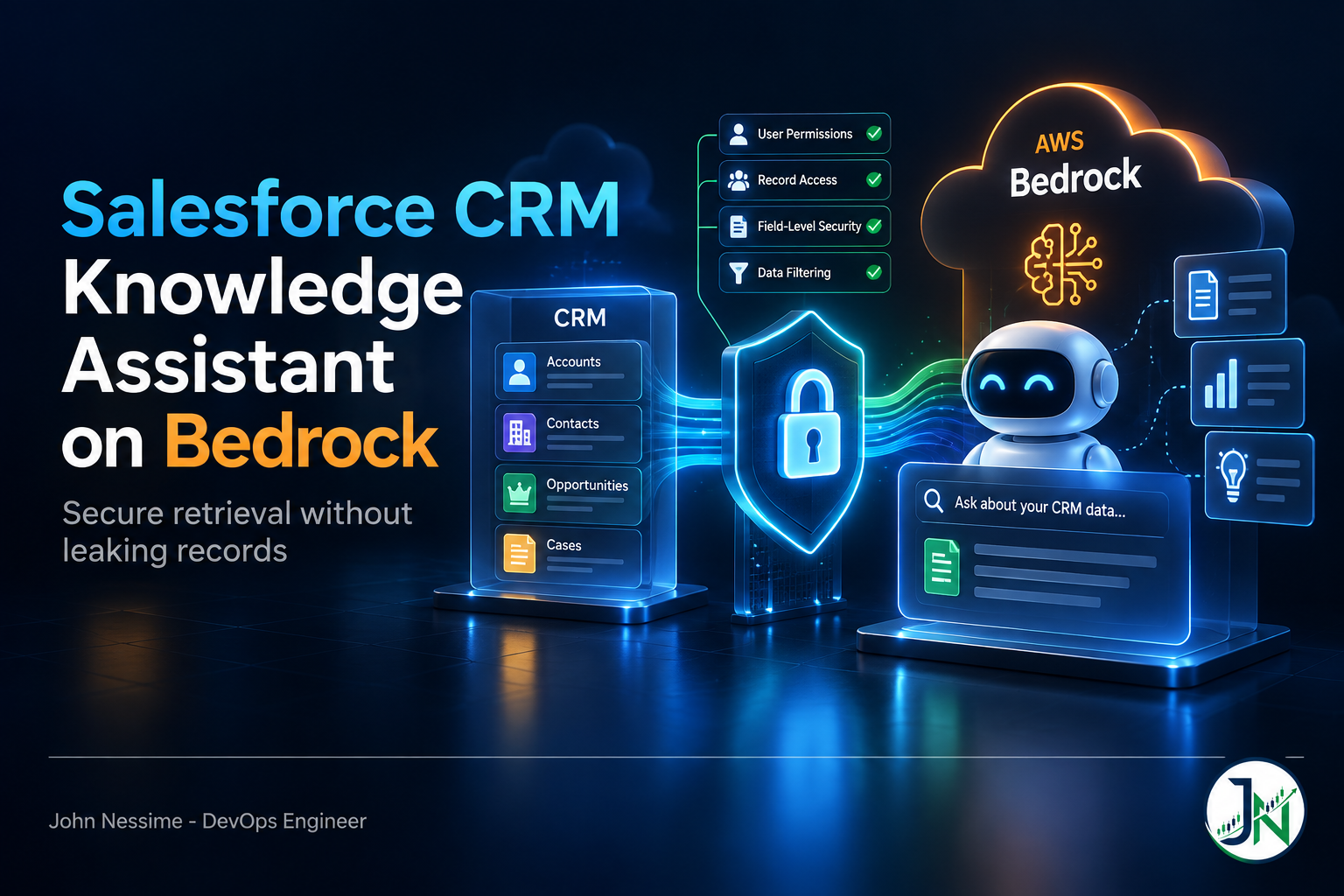
This post walks through building a CRM knowledge assistant on Salesforce and Amazon Bedrock Knowledge Bases: which of the two knowledge base paths you are actually allowed to use, how the Salesforce connector authenticates, what it does and does not carry across from your CRM, and the two architectures that survive a real permission model. The wiring is the easy part. The scoping is the work.
The three moving parts
Strip away the marketing and a CRM knowledge assistant is three things bolted together:
- Ingestion — something pulls Cases, Knowledge articles, Opportunities and Accounts out of Salesforce on a schedule, chunks them, embeds them, and writes the vectors somewhere.
- Retrieval — a query comes in, gets embedded, and the closest chunks come back. This is where filtering lives, and it is the security surface.
- Generation — a foundation model reads those chunks and writes an answer with citations.
Generation is the part everyone stares at and the part you should worry about least. It is a model choice and a prompt. Retrieval is where the assistant becomes either trustworthy or a liability.
Decision one: which knowledge base you are allowed to use
Bedrock now has two shapes of knowledge base, and this decision gets made for you the moment you say “Salesforce”.
Bedrock Managed Knowledge Base is the newer, opinionated one. AWS manages the vector store, picks the embedding and reranking models by default, handles parsing, and exposes agentic multi-hop retrieval. It ships with a small set of first-party connectors: Amazon S3, SharePoint, Confluence, Google Drive, OneDrive, Web Crawler, and a custom ingestion path. Salesforce is not on that list.
Customer-managed knowledge bases are the older shape. You bring the vector store, you pick the embedding model, you own more of the pipeline. This is where the Salesforce connector lives, and AWS still flags that connector as a preview release subject to change. It also has a hard constraint worth reading twice: with a Salesforce data source, Amazon OpenSearch Serverless is currently the only supported vector store. If your organisation has standardised on Aurora pgvector or something else, that standard does not apply here.
So the fork is real. Either you use the preview Salesforce connector on the customer-managed path, or you land Salesforce data in S3 yourself and use the managed path. I will come back to why the second option is often the right call, because it is not just a workaround.
One piece of context that matters if you are inheriting an older design: Amazon Kendra entered maintenance mode on 30 June 2026 and stopped accepting new customers on 30 July 2026. Kendra was the standard answer to “search my Salesforce org” for years, and AWS now points people at Bedrock Knowledge Bases instead. Existing indexes keep running and no end-of-service date has been set, but Kendra will not gain features. If a proposal on your desk starts with a Kendra index, that is worth raising before anyone writes code.
The permission model is the whole problem
Salesforce spends enormous effort on who can see what. Profiles, permission sets, the role hierarchy, org-wide defaults, criteria-based sharing rules, field-level security, restriction rules. A given Opportunity is visible to a specific, computed set of users, and that computation happens on every query.
None of that survives ingestion.
The AWS documentation is blunt about it, and this is the single most important sentence in the whole feature: everything you sync from your data source becomes available to anyone holding bedrock:Retrieve on that knowledge base, including content that had controlled permissions at the source. Three layers of Salesforce scoping collapse into one IAM action.
Worse, the connector authenticates as a single identity. You configure a Connected App using the OAuth 2.0 client credentials flow, and that flow runs as one named user. Whatever that user can see, the crawler ingests. Pick a System Administrator to “make sure the sync works” and you have just copied the entire org into a flat index that your whole application tier can read.
Why this is invisible until it isn’t
Nothing errors. There is no warning in the console, no failed sync, no denied API call. Retrieval returns chunks with good similarity scores and the model writes a fluent, cited answer. The only signal that something is wrong is a human recognising a record they should not be looking at, and that human is usually a customer-facing employee, not you.
Treat the knowledge base as a published dataset, not as a view over Salesforce. Ask the question you would ask about an S3 bucket: if every row of this landed in front of every user of the app, who gets hurt?
The two architectures that actually hold up
Option A: ingest only what everyone is allowed to see. Run the Connected App as a deliberately low-privilege integration user whose profile grants read access to Knowledge articles, published solutions, product data and price books, and nothing else. Exclude Contact, Lead, Case and Opportunity entirely. You get a genuinely useful support and enablement assistant, the permission question disappears, and you can ship it without a security review turning into a project.
This is the one I reach for first. Most of the value people want from a CRM knowledge assistant is “what do we know about this product, this policy, this recurring problem”, and none of that needs record-level data.
Option B: export to S3 with your own access metadata. If you genuinely need per-record answers, stop using the connector. Pull the objects you need through the Salesforce API or a scheduled extract, write each record to S3 as a document, and write a sidecar metadata file next to it carrying the access attribute you will filter on. Then point a knowledge base at the bucket and apply an explicit metadata filter on every retrieval, derived from the caller’s identity rather than from the query text.
The cost is honest: you now own an extraction pipeline, a metadata schema, and the job of keeping the access attribute correct when a record changes owner. That is real work. The benefit is that you can point at exactly where the boundary is enforced and test it.
What you cannot do is enforce the boundary in the prompt. “Only answer about accounts the user owns” is a suggestion to a language model, not an access control. Retrieval already happened by then.
Wiring the Salesforce connector
Assuming you have chosen Option A and want the connector, here is the shape of it.
On the Salesforce side
- Create a Connected App in your org and enable the OAuth 2.0 client credentials flow.
- Under the client credentials flow settings, set the Run As field to your integration user. This is the step people skip, and the sync fails without it. It is also the step that decides your entire blast radius, so pick that user before you pick anything else.
- Copy the consumer key and consumer secret from the app’s OAuth settings.
- Note your instance URL.
On the AWS side
Store the credentials in AWS Secrets Manager. The connector looks for three specific keys, and it will not fall back to alternatives if you name them differently:
{
  "consumerKey": "your Connected App client ID",
  "consumerSecret": "your Connected App client secret",
  "authenticationUrl": "https://yourcompany.my.salesforce.com/"
}
The secret has to live in the same AWS region as the knowledge base. Cross-region reads are not supported here, and the resulting error is generic enough to waste an hour. Do not reuse this secret for any other data source; rotate it on the same schedule as your other integration credentials.
Creating the data source
The data source configuration is a JSON document. The interesting part is patternObjectFilter, which is how you keep the crawler away from objects you never wanted:
{
  "salesforceConfiguration": {
    "sourceConfiguration": {
      "hostUrl": "https://yourcompany.my.salesforce.com/",
      "authType": "OAUTH2_CLIENT_CREDENTIALS",
      "credentialsSecretArn": "arn:aws:secretsmanager:REGION:ACCOUNT:secret:NAME"
    },
    "crawlerConfiguration": {
      "filterConfiguration": {
        "type": "PATTERN",
        "patternObjectFilter": {
          "filters": [
            {
              "objectType": "Knowledge__kav",
              "inclusionFilters": [".*"]
            },
            {
              "objectType": "Case",
              "exclusionFilters": [".*"]
            }
          ]
        }
      }
    }
  },
  "type": "SALESFORCE"
}
Two things to internalise about these filters. First, they are regular expressions matched against a per-object identifier, not against record contents: for Knowledge__kav that is the article title, for Case the case number, for Attachment the file name. Second, when an inclusion and an exclusion filter both match the same document, exclusion wins. That precedence is what makes an allow-list pattern safe to write.
Then create the data source and attach it to an existing knowledge base:
aws bedrock create-data-source
  --name "salesforce-knowledge"
  --knowledge-base-id "YOUR_KB_ID"
  --data-source-configuration file://salesforce-connector-config.json
  --data-deletion-policy "DELETE"
  --vector-ingestion-configuration '{"chunkingConfiguration":[{"chunkingStrategy":"FIXED_SIZE","fixedSizeChunkingConfiguration":[{"maxTokens":"300","overlapPercentage":"10"}]}]}'
A note on the command namespace: the agent-plane operations have historically lived under a separate CLI command group from the model-inference ones, and this has shifted between CLI versions. Run aws bedrock help against your installed version before assuming. The JSON payload is the stable part.
--data-deletion-policy DELETE means the vectors get removed from the store when you delete the data source. The alternative retains them. Choose DELETE unless you have a specific reason not to, because orphaned vectors in an OpenSearch Serverless collection are both a cost line and a surprise waiting for whoever inherits this.
After that, kick off a sync with StartIngestionJob, or hit Sync in the console. The connector does incremental syncs after the first run: added, updated and deleted content only. The first run crawls everything.
Chunking is a one-way door
You cannot change the chunking strategy after connecting the data source. Not tune it, not swap it. You delete the data source and start over, which means re-crawling and re-embedding everything.
So spend twenty minutes here rather than five. CRM content is not uniform. Knowledge articles are structured prose and behave like documentation. Case comment threads are short, conversational, and lose their meaning when split mid-exchange. Opportunity descriptions are often two sentences. A fixed-size chunk that suits one of these will mangle another.
The practical move is to stop trying to find one strategy that fits everything. Create separate data sources for materially different content shapes, each with its own chunking configuration, all pointing at the same knowledge base. It costs you a bit of configuration and saves you a full re-index later.
One more constraint: the Salesforce connector does not handle multimodal content. Tables, charts and diagrams embedded in your Knowledge articles are not going to be understood. If your best troubleshooting articles are mostly screenshots, this connector will quietly ingest the surrounding text and nothing else, and your retrieval quality will be worse than the article count suggests.
Retrieval, filtering, and one trap
Bedrock gives you two kinds of metadata filter at query time, and confusing them is a security bug.
Explicit filters are the ones you construct in code and pass in the retrieval configuration. Your application decides them from the authenticated caller. They are deterministic.
{
  "retrievalQuery": { "text": "renewal value on the Northwind account" },
  "retrievalConfiguration": {
    "vectorSearchConfiguration": {
      "numberOfResults": 8,
      "filter": {
        "andAll": [
          { "equals": { "key": "visibility_group", "value": "emea-enterprise" } },
          { "equals": { "key": "record_class", "value": "internal" } }
        ]
      }
    }
  }
}
Implicit filters are the other kind. You declare which metadata attributes exist and Bedrock uses a model to infer filters from the natural-language query. Someone asks about last quarter, it infers a date filter. This is a genuinely nice relevance feature and it is not an access control. A model inferring a filter from user-supplied text is a model that can be talked out of it. Use implicit filters to improve answers; use explicit filters to enforce boundaries.
The trap: filters on the Salesforce connector operate on auto-detected fields from your CRM records. You cannot inject your own visibility_group attribute at ingestion. That capability comes from sidecar metadata files, which is an S3 data source feature. This is the concrete reason Option B routes through a bucket. If per-user scoping is a requirement, the connector cannot give it to you no matter how carefully you configure it.
Where the money goes
Rates change, so learn the meters instead of memorising numbers.
- Embedding at ingestion — billed per token processed. A full re-crawl re-embeds everything, which is exactly why the chunking decision is expensive to reverse.
- Vector storage — on the customer-managed path this is your OpenSearch Serverless collection, billed on provisioned compute units and storage, with a floor whether or not anyone queries it. This is the line item that surprises people on a proof of concept that nobody uses. Managed Knowledge Base bills on indexed data size and retrieval count instead, with no idle collection sitting underneath.
- Generation — input and output tokens on whichever foundation model you chose. Retrieved chunks are input tokens, so
numberOfResultsis a direct cost lever and worth tuning down until quality actually degrades. - Everything around it — the API layer, the chat frontend, and the observability stack. A small VPS from a provider like InterServer or a Lambda behind API Gateway both work; the choice barely matters next to the Bedrock line. Push retrieval latency and citation counts into Grafana Cloud or Datadog early, because “the assistant feels worse this week” is otherwise unfalsifiable.
Troubleshooting
- Sync fails immediately with an authentication error. Check the Run As user on the Connected App’s client credentials flow first. An empty Run As field is the most common cause. Then check that the secret keys are spelled exactly
consumerKey,consumerSecret,authenticationUrl, and that the secret is in the knowledge base’s region. - Sync succeeds but the document count is far lower than expected. Usually the integration user’s profile, not the filters. Query the object as that user in Salesforce and count. Also check the per-knowledge-base file count and file size quotas, which are separate limits and are silently enforced.
- Retrieval returns nothing for queries you know are covered. Test with no filter at all. If results appear, your filter keys do not match the auto-detected field names. If they do not, the content probably never made it past chunking; check whether those articles are mostly images.
- Deleted Salesforce records still turn up in answers. Incremental sync handles deletions, but only on the next sync. If you deleted something sensitive, run a sync immediately rather than waiting for the schedule.
- Answers are confidently wrong about numbers. Fixed-size chunking split a record away from its label. Retrieve the raw chunks for that query and read them. Nine times out of ten the problem is visible in the chunk, not in the model.
Common mistakes
- Running the Connected App as a System Administrator “just to get the sync working”. That decision is almost never revisited.
- Assuming sharing rules and field-level security follow the data into the index. They do not.
- Enforcing access in the system prompt. Retrieval has already happened by the time the model reads your instructions.
- Ingesting Contact and Lead because they were there. Both carry personal data and both are usually irrelevant to the questions people actually ask.
- Accepting default chunking, then discovering it is immutable.
- Building on a preview connector without telling stakeholders it is preview. The configuration surface can change under you.
- Testing only as an admin. Every acceptance test should run as the narrowest real profile you have.
Best practices
- Decide the integration user’s profile before you touch AWS. It defines the security boundary more than any IAM policy will.
- Start with Knowledge articles only. Ship that, get real queries, then argue about whether Opportunity data is worth the architecture it requires.
- Write filters as allow-lists. Exclusion beats inclusion, so an allow-list fails closed.
- Split content shapes across separate data sources so chunking suits each one.
- Keep a fixed evaluation set of about fifty real questions with known-good answers, and re-run it after every configuration change.
- Log the retrieved chunk IDs alongside every generated answer. When someone reports a bad answer months from now, that log is the only thing that makes it debuggable.
- Treat
bedrock:Retrieveas a privileged permission and scope it to the specific knowledge base ARN, not to a wildcard.
Frequently asked questions
Does the Bedrock Salesforce connector respect sharing rules?
No. The crawler authenticates as one user and everything it can read becomes retrievable by anyone with bedrock:Retrieve on the knowledge base. Per-user scoping has to be built at the retrieval layer with explicit metadata filters, which in practice means routing through S3 rather than using the connector.
Can I use Aurora or pgvector instead of OpenSearch Serverless?
Not with the Salesforce data source. AWS currently restricts that connector to Amazon OpenSearch Serverless. If your vector store is non-negotiable, extract to S3 and use a data source that supports your chosen store.
Should I use Agentforce instead of building this on Bedrock?
If your questions are answerable entirely from Salesforce data and your users already live in Salesforce, Agentforce is the shorter path and it operates inside the platform’s existing permission model, which removes the hardest problem in this post. Bedrock earns its complexity when the assistant has to reason across CRM data plus sources that are not in Salesforce, or when you need a specific foundation model, or when the data must stay inside your AWS account. Cost profiles differ substantially and are worth modelling on your real query volume before committing.
How current will the assistant’s answers be?
As current as your last sync. Ingestion is scheduled, not live. For rapidly changing fields such as case status or pipeline stage, do not answer from the index at all: have the assistant call the Salesforce API for the live value and use the knowledge base only for the surrounding context.
What happens to the connector when it leaves preview?
Unknown, which is the point of the label. Preview means the configuration surface, supported objects and behaviour can change without the compatibility guarantees you would expect from a GA service. Keep your data source configuration in version control so a re-create is a rerun rather than an archaeology exercise.
Is a CRM knowledge assistant worth building if we already have Salesforce search?
It depends on the question shape. Search is better when people know what record they want. A CRM knowledge assistant wins on synthesis: “what usually causes this error for enterprise customers” pulls from twenty articles and cases at once, which no search result page does well. If your users mostly navigate to known records, you will not get much return.
Do I need Bedrock AgentCore for this?
Not for retrieval and generation. AgentCore matters when you want the assistant to take actions, chain tools, or be exposed to agent frameworks over MCP. A read-only question-answering assistant works fine against the knowledge base APIs directly, and skipping AgentCore removes a layer you would otherwise have to operate.
The one thing to remember
Connecting Salesforce to Amazon Bedrock takes an afternoon. The connector works, the syncs run, the answers are good. That speed is exactly what makes this dangerous, because nothing in the setup path forces you to think about who the answers are for.
A CRM knowledge assistant is a publishing decision wearing an engineering costume. Every record you ingest, you are publishing to everyone who can call retrieve. Decide what that audience is allowed to see, encode it in the integration user’s profile and in your inclusion filters, and test every question as your narrowest real user. Do that first and the rest of the build is routine.
Need help getting this into production?
I work with teams building retrieval systems on AWS, usually at the point where a working prototype has to survive a security review. Things I can help with on a CRM knowledge assistant:
- Reviewing an existing Bedrock knowledge base for records that should never have been ingested, and scoping the integration user’s Salesforce profile to match.
- Designing the S3 extraction path with sidecar access metadata when per-user filtering is a hard requirement.
- Choosing between the managed and customer-managed knowledge base paths, with the OpenSearch Serverless cost floor modelled against your actual query volume.
- Building the chunking and data source split before it becomes an immutable mistake, plus a repeatable evaluation set to measure changes against.
- Terraform or OpenTofu for the whole stack: knowledge base, data sources, Secrets Manager, IAM, and the vector store.
- Retrieval observability so you can tell whether answer quality moved, and why.
- Migration planning for teams currently on a Kendra index.
If you have a data source configuration, a failing sync, or a retrieval result that looks wrong, send it over and we can work out what it is doing.