The question almost always arrives the same way. Someone pastes a long Jenkinsfile into a channel, adds a shrug emoji, and asks how hard it would be to move this to GitHub Actions. Nobody in the thread is asking the questions that will actually decide the outcome, because those questions are boring and the YAML is right there looking portable.
Here is the thing that catches teams out: the pipeline definition is the cheapest part of a CI system to move. Rewriting stages and steps is a few days of tedious work for a normal service. What does not move is everything underneath it, and that is where a two-week migration turns into a two-quarter one.
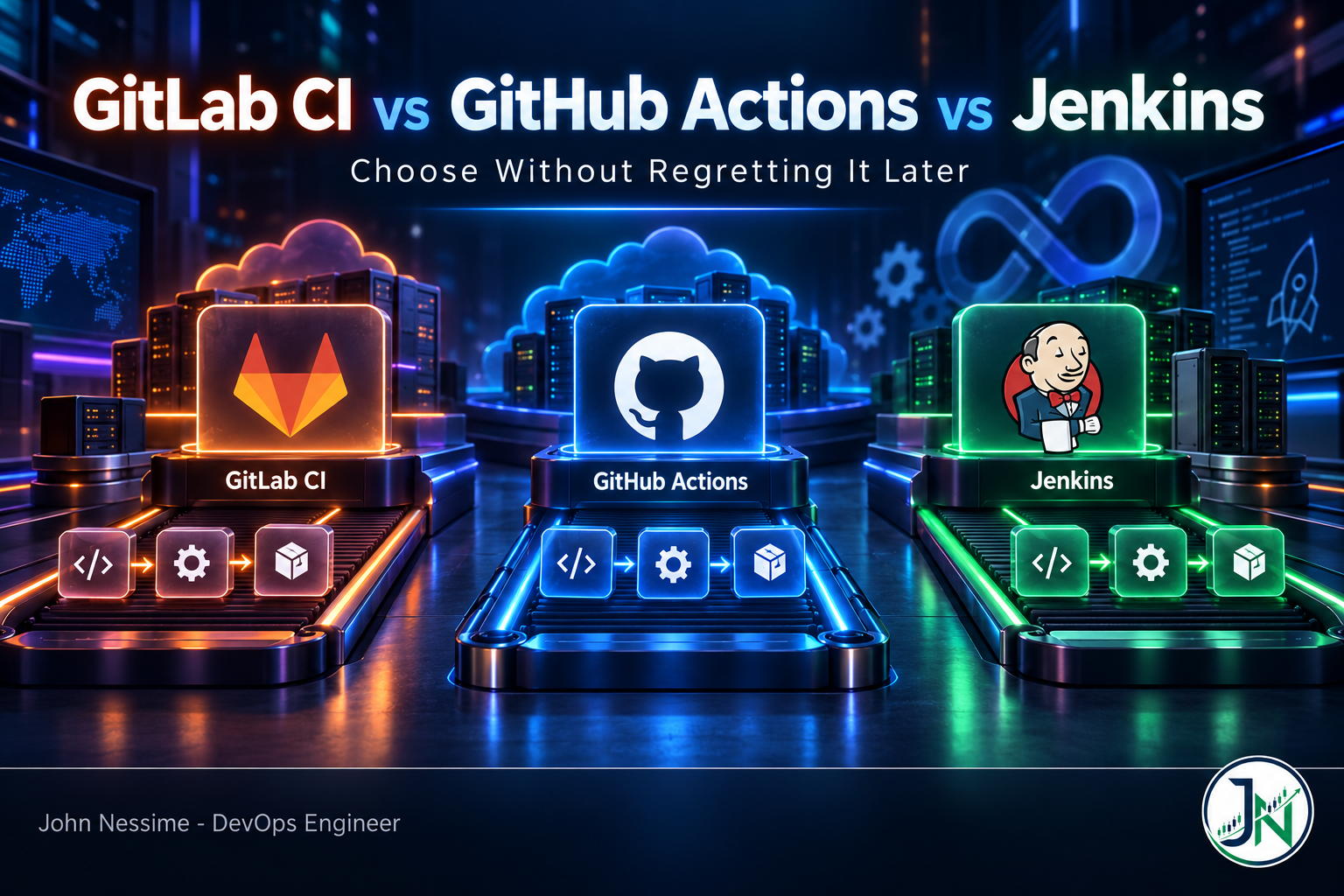
This post compares GitLab CI vs GitHub Actions vs Jenkins on the things that actually differ once you are running them in anger: who owns the runners, where secrets live, how the bill is calculated, and what breaks when an outside contributor opens a pull request. There is a profile of each with an honest “where it wins and where it doesn’t”, a section on cost mechanics, a section on the security failure modes, and a decision procedure at the end you can run in an afternoon.
The part of the decision that actually bites
Draw a line under your pipeline file. Everything above the line is syntax. Everything below is platform.
Below the line sits the runner fleet and how it is scaled, the secret store and how jobs authenticate to it, artifact and container registry storage with its retention rules, deploy credentials and the network path they travel, approval gates and who can click them, and the audit trail that someone in compliance will eventually ask about. None of that ports. All of it has to be rebuilt on the new platform, and each piece has a person or a team attached to it who has opinions.
The failure mode this produces is specific and predictable. A team migrates the build and test half of the pipeline because that part is easy and demos well. Deploy stays on the old system “for now”, because deploy touches production and nobody wants to be the one who broke it during a migration. Six months later there are two CI systems, two secret stores, two sets of runners to patch, two audit trails, and a deploy path that nobody can explain end to end. The migration never technically failed. It just never finished, and the running cost doubled permanently.
So the real question is not which YAML dialect you prefer. It is whether you are prepared to move the whole thing, and which platform makes the “below the line” half cheapest for your specific situation.
What each platform is really optimising for
Feature tables make these three look more similar than they are. They are optimising for genuinely different things, and the differences show up as soon as you leave the happy path.
GitHub Actions: shortest path from push to green
Actions is built around events in the GitHub repository. Something happens, a workflow fires, jobs land on hosted runners, and you did not have to provision anything. The marketplace means most common tasks are already someone else’s problem. Reusable workflows let a platform team define a pipeline once and have every service call it.
A minimal hardened job header looks like this, and every line in it is there for a reason:
name: ci

on:
  pull_request:
    branches: [main]

permissions:
  contents: read      # start read-only, raise per job where needed
  id-token: write     # only for jobs that federate to a cloud provider

concurrency:
  group: ci-${{ github.workflow }}-${{ github.ref }}
  cancel-in-progress: true

jobs:
  test:
    runs-on: ubuntu-latest
    steps:
      - uses: actions/checkout@PIN_TO_A_40_CHAR_COMMIT_SHA
      - name: Use the PR title safely
        env:
          PR_TITLE: ${{ github.event.pull_request.title }}
        run: echo "$PR_TITLE"
The permissions block caps what the automatically provided job token can do, so a compromised step cannot push to your branches. The concurrency block cancels superseded runs when someone pushes three times in a minute, which is the single easiest compute saving available. Pinning the action to a commit SHA rather than a tag matters because tags are mutable and have been repointed to malicious commits in real supply chain incidents. And binding the pull request title to an environment variable instead of interpolating it directly into the shell is what stops an attacker-controlled string from being executed as a command.
Where it wins: your code is already on GitHub, you want CI running today, and your deploy targets are cloud APIs you can reach over the internet with a federated identity token. For open source it is close to unbeatable, since standard hosted runners are free for public repositories.
Where it doesn’t: anything needing deep control of the execution environment, long-running or stateful builds, deploys into networks the internet cannot reach, or a compliance posture that requires build logs and secrets to stay inside your perimeter. Self-hosted runners solve the network problem but hand you back the maintenance you were trying to avoid.
GitLab CI: one platform owning the whole lifecycle
GitLab’s pitch is that source control, CI, package registry, container registry, security scanning and issue tracking are one product with one permission model and one audit trail. That is a real architectural advantage, not marketing. When a scanner finding, the merge request that introduced it, the pipeline that caught it and the registry image that contains it are all the same system, you spend a lot less time gluing tools together.
The pipeline language rewards you for using its graph features rather than treating stages as a queue:
workflow:
  rules:
    - if: $CI_PIPELINE_SOURCE == "merge_request_event"
    - if: $CI_COMMIT_BRANCH == $CI_DEFAULT_BRANCH

default:
  interruptible: true

stages: [build, test, deploy]

build:
  stage: build
  script:
    - make build
  artifacts:
    paths: [dist/]
    expire_in: 1 week

unit:
  stage: test
  needs: [build]
  script:
    - make test

deploy:
  stage: deploy
  needs: [unit]
  environment: production
  rules:
    - if: $CI_COMMIT_BRANCH == $CI_DEFAULT_BRANCH
      when: manual
  script:
    - ./deploy.sh
The workflow:rules block is the one people skip and then wonder why every push runs two pipelines. It decides whether a pipeline is created at all. needs turns the stage list into a directed graph, so a job starts the moment its own dependency finishes rather than waiting for every job in the previous stage. interruptible: true makes jobs eligible for automatic cancellation when a newer pipeline supersedes them, which you then have to enable in the project’s CI settings; the keyword alone does nothing. And expire_in is worth setting deliberately, because artifact storage is billed separately from compute and quietly accumulates.
Where it wins: you want one vendor for the whole lifecycle, you have compliance requirements that benefit from a single auth model and audit trail, or you need self-managed hosting without giving up the integrated experience. The self-managed edition with your own runners is genuinely one of the better value propositions in this space at moderate to high build volume.
Where it doesn’t: your code is not in GitLab. The CI is tightly coupled to GitLab repositories, and running it against code hosted elsewhere is possible but perpetually awkward. The third-party ecosystem is also smaller, so more of what you need you will write yourself. And self-managing GitLab is a real operational commitment, not a Docker Compose file you forget about.
Jenkins: whatever you need, on hardware you control
Jenkins gets dismissed as legacy by people who have never had a requirement it was the only tool to meet. It runs on your hardware, in your network, with no dependency on a vendor’s availability or pricing decisions. It talks to source control systems the other two do not. It can drive hardware test rigs, mainframe jobs, and build agents on operating systems nobody else offers. If your pipeline data legally cannot leave your network, this is a short list and Jenkins is on it.
pipeline {
  agent { label 'linux-ephemeral' }

  options {
    timeout(time: 30, unit: 'MINUTES')
    disableConcurrentBuilds()
    buildDiscarder(logRotator(numToKeepStr: '30'))
    timestamps()
  }

  stages {
    stage('Build') {
      steps {
        sh 'make build'
      }
    }
    stage('Deploy') {
      when { branch 'main' }
      steps {
        withCredentials([string(credentialsId: 'deploy-token', variable: 'DEPLOY_TOKEN')]) {
          sh './deploy.sh'
        }
      }
    }
  }

  post {
    always {
      cleanWs()
    }
  }
}
Two things in that file are worth pointing at. timeout and buildDiscarder are the difference between a controller that runs for years and one that fills its disk and hangs on stuck jobs; set them on every pipeline, not as an afterthought. And timestamps() and cleanWs() both come from plugins rather than core. That is Jenkins in a sentence: the capability exists, and it arrives as a dependency you now own, patch, and eventually discover is unmaintained.
Where it wins: air-gapped or heavily restricted networks, source control that is not GitHub or GitLab, orchestration of things that are not code builds, and organisations with genuinely unusual workflows that no hosted product models. If you already have working Jenkins infrastructure and a person who understands it, the case for ripping it out is weaker than the migration slides suggest.
Where it doesn’t: the controller is a stateful, single-point-of-failure server that someone has to own. Plugins are the extensibility model and also the attack surface, and the project publishes security advisories regularly enough that patching is a standing chore rather than an event. The Java baseline also moves; recent LTS lines have dropped support for older Java versions, so an upgrade is periodically a JVM migration too. If you cannot name the person responsible for that work, do not choose Jenkins.
GitLab CI vs GitHub Actions vs Jenkins on cost
Published rates change often enough that quoting them ages a post badly. The billing mechanics change far more slowly, and the mechanics are what you actually need to model.
- GitHub Actions. Standard hosted runners are free for public repositories. Private repositories draw from a monthly pool of included minutes tied to your plan, and those minutes are Linux-equivalent: Windows and macOS jobs drain the pool at a multiplier, with macOS by far the steepest. Larger runners do not draw from the included pool at all and bill per minute from the first second. Billing is per job rounded up to the minute, minutes do not roll over, and usage is charged to the repository owner. Self-hosted runner usage carries no per-minute fee, though GitHub has floated changing that and then walked it back, so verify against current billing docs before you build a model on it.
- GitLab CI. Jobs on GitLab-hosted instance runners consume compute minutes, calculated as job duration multiplied by a cost factor for the machine size. The included pool is per top-level namespace, not per seat, which is the detail that surprises people: a five-person group and a fifty-person group on the same tier start from the same pool. Self-managed runners consume zero quota on every tier including Free, which is why “pay for seats, run your own runners” is such a common GitLab shape.
- Jenkins. No licence cost, which is where most cost comparisons stop and where the interesting part starts. You are paying for the controller, the agent fleet, the storage, and the engineering time to patch all three. That last item is the largest line and the one nobody puts in the spreadsheet.
Two observations that matter more than the platform choice itself. First, the levers with the biggest effect on a CI bill are the same everywhere: cancel superseded runs, cache dependencies properly, skip workflows on paths that did not change, and stop running the full matrix on every draft commit. A team that does none of these will pay more on the cheapest platform than a disciplined team pays on the most expensive one.
Second, self-hosted runners are cheaper per minute and are not free. A pool of runners on a VPS provider like Hetzner, DigitalOcean or InterServer is inexpensive to rent and still needs image maintenance, autoscaling, disk cleanup and a security model. The break-even against hosted minutes is real, but it arrives later than people expect once you price the engineering hours honestly.
Security is where the differences stop being cosmetic
Every CI system is a machine that holds production credentials and executes code on demand. The platforms differ mostly in which mistakes they make easy.
- Untrusted pull requests. This is the classic GitHub Actions trap. The
pull_requesttrigger runs fork code without access to your secrets. Thepull_request_targettrigger runs in the privileged context of the base repository, and if a workflow using it checks out the pull request’s code, an outside contributor can execute arbitrary code with your secrets in scope. GitHub’s own guidance is to avoid that trigger unless the workflow genuinely needs the privileged context, and never to check out untrusted code in it. - Expression injection. Any attacker-controlled string, such as a branch name, issue title or commit message, that gets interpolated directly into a shell command is a code execution path. Bind it to an environment variable and reference the variable instead. This applies equally to GitLab, where the same values arrive as predefined CI variables.
- Self-hosted runners on public repositories. Don’t. A persistent runner that executes fork code is compromised for every subsequent job on it, including jobs that do have secrets. If you must self-host, use ephemeral runners that are destroyed after a single job, and keep public repositories on hosted runners.
- Mutable action and image references. Pin third-party actions to a full commit SHA. Tag repointing has been used in real supply chain compromises to reach thousands of repositories at once. The same logic applies to base images referenced by tag in GitLab jobs.
- Credential scope. Prefer short-lived federated credentials over long-lived secrets wherever the target supports it. GitHub and GitLab both issue OIDC tokens that cloud providers and HashiCorp Vault can exchange for short-lived access, and a token that expires in an hour is a much smaller incident than a static key that nobody rotates. Where you do use variables, mark them protected so they are only exposed on protected branches.
- Jenkins specifically. The controller holds the credentials store, so builds should never execute on it. Restrict agent-to-controller access, keep the plugin list as short as you can defend, and subscribe to the project’s security advisories, because plugin vulnerabilities are the most common way Jenkins installations get owned.
A decision procedure you can run in an afternoon
- Follow platform gravity first. Where does the code live, and where will it live in three years? CI that lives next to the code is cheaper to operate than CI that has to be integrated with it. If that single question has a clear answer, it decides most cases and the rest of this list is confirmation.
- Check whether a runner can reach the deploy target. Not the build. The deploy. If production sits behind a private network with no inbound path, you need self-hosted runners, a tunnel, or a system that already lives inside the perimeter. This is the requirement that most often overrides answer one.
- Name the on-call owner. Write down who gets paged when the CI system itself is down at 2am on a Sunday. If the honest answer is nobody, choose a hosted platform. Jenkins and self-managed GitLab both need that name to exist.
- Model the compute, not the sticker price. Take last month’s build minutes, split them by operating system and machine size, and apply each platform’s mechanics. macOS-heavy and Windows-heavy workloads change the answer significantly.
- Inventory what the plugins actually do. If you are leaving Jenkins, go through the plugin list and mark each one as replaced by a native feature, replaced by a marketplace action, needs writing, or can be dropped. The “needs writing” pile is your real migration estimate.
- Trial with your ugliest pipeline. Not the greenfield service. The one with the flaky integration test, the hardware dependency and the manual approval. Every platform handles a clean Node build beautifully. Only one of them will handle yours.
The hybrid pattern nobody puts on the slide
A very common real-world arrangement: GitHub Actions or GitLab CI runs build, test, scan and image publish, then a retained Jenkins instance handles deployment into restricted environments. It works, and for regulated organisations it is sometimes the only thing that does.
Be honest about what it costs, though. You now have two systems to patch, two places secrets live, and a handoff between them that needs its own monitoring. It should be a deliberate architecture with a documented boundary, not the accidental result of a migration that stalled. The tell is whether anyone can draw the handoff on a whiteboard without hedging.
Arguments that don’t survive contact
- “Jenkins is legacy.” It is old, which is not the same thing. It is actively maintained and still the only option for several categories of requirement. The real objection is the maintenance cost, so make that argument instead; it is stronger and it is true.
- “We’ll save money with self-hosted runners.” On per-minute compute, yes. Once you price the image maintenance, autoscaling and patching, the saving is much smaller than the spreadsheet suggested, and it only exists at volume.
- “GitLab CI is just GitHub Actions with different YAML.” The pipeline languages are comparable. The products are not. One is an event platform around a repository, the other is an integrated lifecycle platform. The difference shows up in permissions, scanning and audit, not in syntax.
- “We’ll stay vendor-neutral by keeping all logic in shell scripts.” Good instinct, incomplete. The scripts port. The triggers, permissions, secret injection, artifact handling and approval gates do not, and those are most of the migration work.
- “The bigger marketplace wins.” Marketplace size counts unreviewed third-party code you are about to execute with your credentials. It is a convenience and a supply chain liability at the same time. Treat it as both.
How I’d decide
- Code on GitHub, cloud deploy targets, no unusual compliance requirement: GitHub Actions, hosted runners, OIDC to the cloud provider, actions pinned to SHAs. This is the one I reach for first because it is the least infrastructure to own.
- Wanting one vendor for source, CI, registry and scanning, especially with compliance pressure: GitLab, and take self-managed seriously if data residency matters.
- Restricted networks, unusual hardware, or existing Jenkins that works and has an owner: keep Jenkins, but put the pipeline in a Jenkinsfile, the controller config in Configuration as Code, and the plugin list under version control. Jenkins pain is almost always click-configured Jenkins pain.
- Whichever you pick, wire pipeline duration and failure rate into whatever you already use for metrics, whether that is Grafana, Datadog or something homegrown. A CI system you cannot see is one you cannot tune, and slow pipelines are a cost problem and a morale problem at the same time.
- Do not migrate for aesthetics. Migrate because a specific requirement is unmet, and write that requirement down before you start.
Frequently asked questions
Is Jenkins still worth using?
Yes, for specific situations. Air-gapped networks, source control that is not GitHub or GitLab, hardware-attached builds, and orchestration of things that are not software builds are all cases where Jenkins is the practical answer. For a standard cloud-deployed web service with code on GitHub, a hosted platform will cost you less operationally. The deciding factor is whether you have someone who owns the controller.
Which is cheaper, GitLab CI or GitHub Actions?
It depends on your operating system mix and team size, because the two use different mechanics. GitHub applies multipliers so Windows and especially macOS jobs drain the included pool much faster than Linux. GitLab’s included compute pool is per namespace rather than per seat, so it does not grow as you hire. Both make self-hosted runners free of per-minute charges. Model your own last month of build minutes rather than trusting a general answer.
Can I use GitLab CI with a GitHub repository?
There are mirroring and integration options, but the pipeline features are built around GitLab-hosted repositories and the experience degrades away from that. If your code is staying on GitHub, treat GitLab CI as a poor fit rather than a configuration challenge.
How long does migrating from Jenkins to GitHub Actions or GitLab CI take?
Translating pipeline stages is usually days per service. The schedule is set by the parts that are not the pipeline: replacing plugin functionality, rebuilding the secret and identity model, provisioning runners with network access to deploy targets, and reproducing approval gates. Inventory those first, because that inventory is the estimate.
Are self-hosted runners safe?
They are safe for private repositories with trusted contributors, provided the runner is ephemeral and destroyed after each job. They are not safe for public repositories, because a fork pull request can execute code on a persistent runner and reach everything that runs on it afterwards. Keep public repositories on hosted runners.
Do I need to pin GitHub Actions to a commit SHA?
For any third-party action that runs with access to secrets, yes. Tags are mutable, and repointing a widely used tag to a malicious commit is a demonstrated attack path that has affected large numbers of repositories at once. Pinning costs you a dependency update per release and removes an entire class of compromise.
Is it reasonable to run more than one CI system?
Reasonable if it is deliberate, expensive if it is accidental. A documented split where hosted CI builds and tests while an internal system deploys into restricted networks is a legitimate architecture. A split that exists because a migration stalled halfway is a permanent tax with no owner.
The one thing worth remembering
Comparing GitLab CI vs GitHub Actions vs Jenkins on syntax and feature checklists produces a decision that feels rigorous and predicts almost nothing. The pipeline file is the part that ports. The runner fleet, the secret and identity model, the artifact storage and the network path to your deploy target are the parts that get rebuilt, and they are where the schedule and the risk actually live.
Pick the platform closest to where your code lives, unless a hard requirement about network access, data residency or unusual execution environments overrides it. Then spend your effort on the layer beneath the YAML, because that is the layer you will be living with.
Need help choosing or moving a CI pipeline?
This is a large part of what I do as a freelance DevOps engineer. Typical engagements around CI/CD platform decisions look like:
- A platform evaluation with your actual build minutes, operating system mix and deploy targets modelled, so the recommendation is arithmetic rather than opinion.
- Jenkins to GitHub Actions or GitLab CI migrations, including the plugin inventory, the secret and identity rebuild, and a staged cutover that does not leave you running two systems forever.
- Pipeline security review: fork pull request triggers, expression injection paths, action pinning, runner isolation and token permission scoping.
- Replacing long-lived cloud keys with OIDC federation on GitHub Actions or GitLab CI, including the trust policy and claim conditions on the cloud side.
- Self-hosted runner fleets that autoscale, stay ephemeral, and do not quietly fill their disks.
- CI cost reduction: caching, concurrency cancellation, path filters and matrix pruning, measured before and after.
- Jenkins hardening and Configuration as Code, so the controller is reproducible instead of a server nobody wants to touch.
If you want a second opinion, send me the pipeline file, a plugin list or a month of build minutes and I will tell you what I would actually do with it.