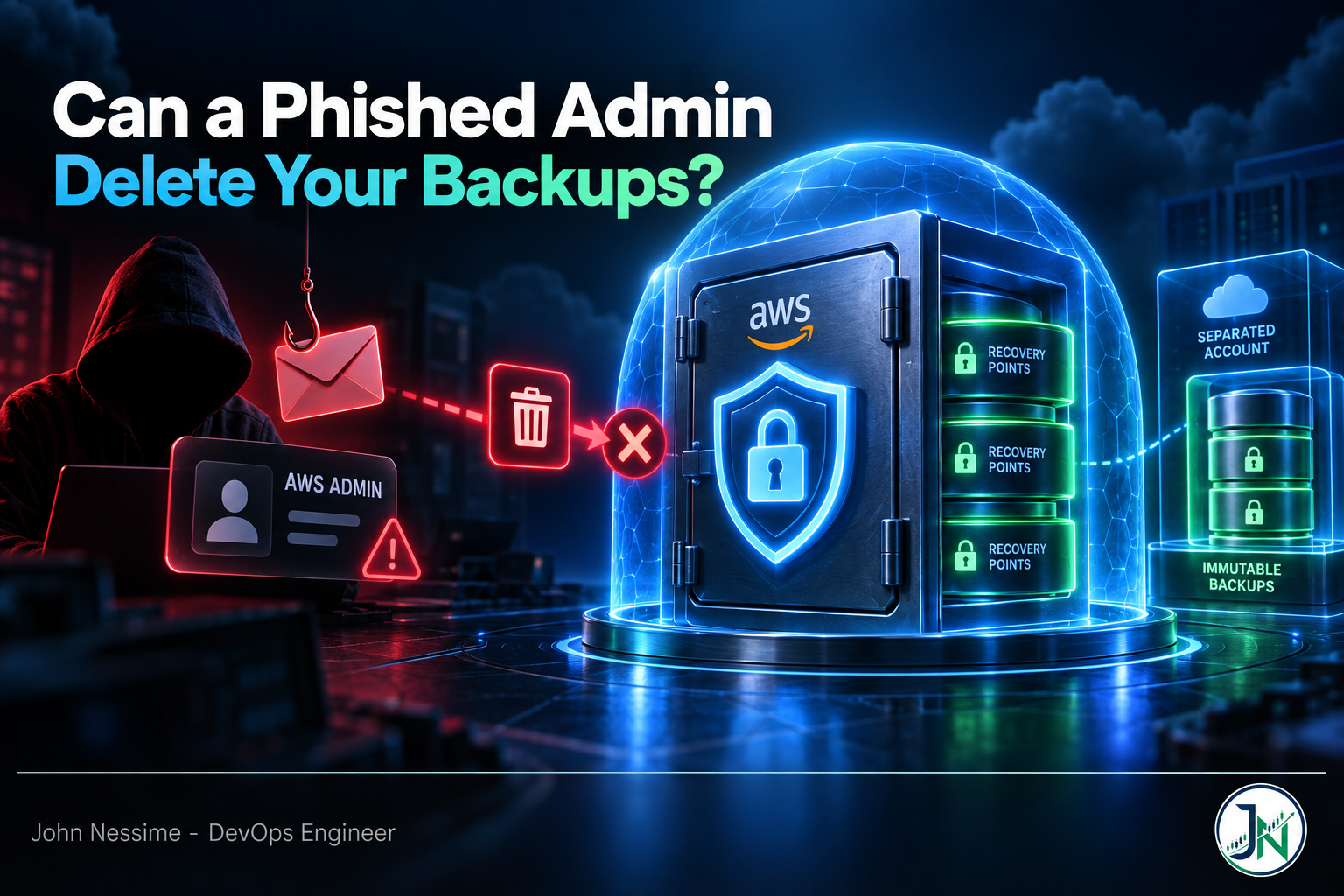
It usually comes up in a tabletop exercise, or right after a phishing report lands in someone’s inbox. A person asks the plain question: if an attacker had our admin role for an afternoon, could they delete the backups? The room goes quiet, because in most AWS accounts the answer is yes. The backups live in the same account as the workloads, and the role that can manage one can delete the other.
AWS Backup Vault Lock is the feature built to change that answer. It puts a backup vault into a write-once, read-many state: recovery points can’t be deleted or have retention shortened, not even by root. It works. The catch is that the lock protects exactly one thing, the recovery points inside the vault, and a patient attacker with admin rights has several other ways to leave you without a usable restore.
Below: how the two lock modes behave, the gaps a compromised admin can still use, a setup that closes them, and the problems you’ll hit once the lock is on.
What AWS Backup Vault Lock actually protects
A vault lock does three things. It blocks deletion of recovery points in the vault. It blocks changes to their lifecycle, so nobody can shorten retention to make a backup expire early. And, if you set them, it enforces a minimum and maximum retention on every new backup or copy job that targets the vault. Jobs outside that range fail rather than land.
Two details matter more than the documentation makes them look:
- The retention limits only apply to new jobs. Recovery points already in the vault when you lock it keep whatever lifecycle they had.
- Each recovery point still expires on its own schedule. The lock guarantees a backup survives until its retention ends. It does not keep backups forever, and it does not keep new ones coming.
Governance mode vs compliance mode
There are two modes, and the difference is who can take the lock off.
- Governance mode can be removed by any principal with the
backup:DeleteBackupVaultLockConfigurationpermission. It stops accidents and casual deletion. It does not stop an attacker holding a broad admin role, because that role almost certainly includes the permission. - Compliance mode starts with a grace period (AWS calls it the cooling-off period) of at least three days. During that window you can still change or delete the lock. Once it ends, the lock is immutable. No user, no root account and not AWS can remove it or change it while the vault holds recovery points.
The API makes the choice in an unusual way. There’s no mode parameter. If you include ChangeableForDays, you get compliance mode. Leave it out and you get governance mode. That asymmetry is easy to get wrong in Terraform or CloudFormation, so read your plan output before applying.
# Governance mode: no --changeable-for-days
aws backup put-backup-vault-lock-configuration
  --backup-vault-name prod-backups-locked
  --min-retention-days 14
  --max-retention-days 400

# Compliance mode: --changeable-for-days sets the grace period (minimum 3)
aws backup put-backup-vault-lock-configuration
  --backup-vault-name prod-backups-locked
  --min-retention-days 14
  --max-retention-days 400
  --changeable-for-days 7
The numbers are placeholders. Minimum retention should come from how long an intrusion could go unnoticed; maximum from any rule that says data must be destroyed.
Seven ways a compromised admin still beats a locked vault
A lock on the vault is necessary. It isn’t sufficient. Each of these is a separate path with its own control.
1. The lock is in governance mode
If the attacker’s role can call DeleteBackupVaultLockConfiguration, a governance lock is one API call away from gone. Governance mode is still useful as a staging step and as protection against a tired engineer, but if your threat is a stolen admin session, it isn’t the control you think it is.
2. The lock is still inside its grace period
Here’s a trap in the console and the API. DescribeBackupVault reports "Locked": true as soon as you apply a compliance lock, including during the grace period. Deletes of recovery points do fail during that time. But the lock itself can still be removed until the LockDate passes. A dashboard showing “Locked: true” is not proof of immutability. Check the date.
aws backup describe-backup-vault
  --backup-vault-name prod-backups-locked
  --query '{Locked:Locked,LockDate:LockDate,Min:MinRetentionDays,Max:MaxRetentionDays}'
If LockDate is in the future, you’re still in the window where an attacker (or you) can undo it.
3. The attacker goes after the key, not the vault
This is the one that stays invisible until a restore fails. Vault Lock stops deletion of recovery points. It says nothing about the KMS keys that encrypt them. An encrypted backup whose key has been deleted is a very well-protected pile of noise.
Two encryption behaviors matter here:
- Resources that support full AWS Backup management (S3, DynamoDB with advanced backup, EFS and others) are encrypted with the vault’s KMS key. Protect that key and you protect those backups.
- Resources that don’t (EBS snapshots and RDS snapshots are the common ones) inherit the source resource’s key in the backup they create in the same account. The backup is only as safe as the key on the production volume or database.
A compromised admin with kms:ScheduleKeyDeletion can start the clock on that key. KMS enforces a waiting period before deletion, which gives you time to cancel, but only if something alerts you. kms:DisableKey is quieter and takes effect immediately, though it’s reversible. Put both behind explicit denies and alert on both.
4. The attacker stops new backups and waits
The lock guarantees old backups survive until their retention ends. It does nothing to guarantee new backups get made. An attacker can edit the backup plan, delete a resource selection, or remove tags that a plan selects on, then simply wait. If your retention is seven days and nobody notices for eight, every clean copy has aged out on schedule, fully compliant with the lock.
This is why minimum retention should be set against detection time, not against how much storage you’d like to pay for. It’s also why changes to backup plans need an alert, even if you allow them.
5. The account is closed
If an account holding a backup vault is closed, AWS suspends it for 90 days with backups intact. If it isn’t reopened, AWS deletes the vault contents, even with a vault lock in place. The account itself is part of the attack surface.
The practical answer is to keep the locked copies in an account whose root user and closure path are controlled by different people than your workload admins.
6. Restores are blocked without deleting anything
EC2 backups are AMIs, and ec2:DisableImage can disable one. It stays in the locked vault, but you can’t restore from it until it’s re-enabled. Recoverable, but better found in a drill than mid-incident. Deny it alongside the backup actions.
7. The backups were never restorable in the first place
Not an attack, but the same outcome. Snapshots of a database that ransomware had already encrypted are immutable garbage. Immutability protects the copy, not its usefulness. Only a timed restore tells you that.
A setup that holds up, in the order I’d build it
For a small team this doesn’t need to be elaborate. Put the locked copy where the compromised role can’t reach, and make every remaining gap noisy.
- Create a separate backup account in AWS Organizations. Workloads back up locally as they do now, then a copy rule sends recovery points to a vault in the backup account. The workload admin role has no access there.
- Give the backup vault a customer managed KMS key owned by the backup account. Cross-account copies are re-encrypted with the destination vault’s key, which breaks the dependency on the production key from gap 3. Check the source side too: backups encrypted with AWS managed keys such as
aws/ebsoraws/rdscan’t be copied across accounts, so those resources need a customer managed key. - Lock the destination vault in governance mode first. Run at least one full backup and copy cycle, confirm jobs succeed with your retention settings, and do a test restore from the copy.
- Switch to compliance mode with a generous grace period. The minimum is three days. There’s no reason to use the minimum on your first lock. Put the
LockDatein someone’s calendar, and review the configuration one more time before it passes. - Apply service control policies that deny destructive backup and KMS actions to everyone except a named break-glass role (example below).
- Alert on the actions you allow. Plan changes, selection deletes and key state changes should page someone, because they’re exactly what gap 4 looks like.
- Schedule restore tests. AWS Backup has a restore testing feature that restores recovery points on a schedule and records how long it took. Use it, or run the restore by hand, but make it recurring.
The logically air-gapped vault option
AWS also offers a logically air-gapped vault, which bundles much of the above into one resource. It comes with a compliance-mode lock built in, uses an AWS owned key by default (a customer managed key is optional), and can be shared to other accounts through AWS RAM so you can restore from a clean account.
Its strongest feature for this threat model is Multi-party approval. You set up an approval team in a separate recovery organization, backed by IAM Identity Center, and that team can authorize access to the vault even if the owning account is compromised or unreachable. That addresses gap 5 far better than anything you’d build by hand.
The trade-off is setup effort and a second organization to govern. For one or two production accounts, a compliance-locked standard vault in a separate backup account is often enough. If auditors or your insurer ask about recovery from a fully compromised organization, the air-gapped vault is the cleaner answer.
Service control policy for the backup guardrails
This SCP denies the actions that remove protection or quietly make backups unusable. It exempts one break-glass role. Adjust the role name to your own, and test it in a non-production OU first, because a bad SCP can lock out your own automation.
{
  "Version": "2012-10-17",
  "Statement": [
    {
      "Sid": "ProtectBackupsAndKeys",
      "Effect": "Deny",
      "Action": [
        "backup:DeleteBackupVault",
        "backup:DeleteBackupVaultLockConfiguration",
        "backup:DeleteRecoveryPoint",
        "backup:UpdateRecoveryPointLifecycle",
        "backup:PutBackupVaultAccessPolicy",
        "backup:DeleteBackupVaultAccessPolicy",
        "kms:ScheduleKeyDeletion",
        "kms:DisableKey",
        "ec2:DisableImage"
      ],
      "Resource": "*",
      "Condition": {
        "ArnNotLike": {
          "aws:PrincipalArn": "arn:aws:iam::*:role/BackupBreakGlass"
        }
      }
    }
  ]
}
Two limits to know. SCPs don’t apply to the Organizations management account, which is one more reason the backups shouldn’t live there. And SCPs don’t restrict service-linked roles. Before you attach anything, paste the policy into my free AWS IAM Policy Checker to catch wildcards and typos in action names.
I’ve left UpdateBackupPlan and DeleteBackupSelection out of the deny on purpose. If your plans are managed through Terraform or CloudFormation, blocking them breaks your own pipeline. Restrict them to the pipeline’s role instead, and alert on every call.
Alerting on the quiet changes
An EventBridge rule can match CloudTrail management events for the calls that matter. You need a CloudTrail trail recording management events for these to arrive. A pattern like this covers the backup side:
{
  "source": ["aws.backup"],
  "detail-type": ["AWS API Call via CloudTrail"],
  "detail": {
    "eventName": [
      "UpdateBackupPlan",
      "DeleteBackupPlan",
      "DeleteBackupSelection",
      "DeleteBackupVaultLockConfiguration",
      "PutBackupVaultLockConfiguration"
    ]
  }
}
Add a second rule with "source": ["aws.kms"] for ScheduleKeyDeletion and DisableKey. Route both to SNS or your paging tool, such as PagerDuty or Opsgenie. AWS Backup Audit Manager also has a control checking that resources sit in a backup plan with a Vault Lock, which catches resources nobody enrolled.
Troubleshooting a locked vault
Backup jobs started failing right after the lock
Almost always a retention mismatch. Any job whose lifecycle is shorter than MinRetentionDays or longer than MaxRetentionDays fails. Check every backup rule and every copy rule that targets the vault, not just the obvious one.
Continuous backups are the usual culprit. They can’t retain longer than 35 days, so a vault with a minimum retention above that will reject them. Send continuous backups to a separate vault with its own lock settings.
Cross-account copy jobs fail
Check how the source is encrypted. Resources that aren’t fully managed by AWS Backup and use an AWS managed key can’t be copied to another account. You’ll need to move them to a customer managed key, which for EBS and RDS usually means copying a snapshot with a new key and restoring from it. Plan that as a change, not a quick fix.
You can’t remove the lock
If DeleteBackupVaultLockConfiguration returns InvalidRequestException, the grace period has ended. There’s no support ticket that reverses it. The vault can be deleted only once it’s empty, which means waiting for every recovery point to expire.
Storage keeps growing on a vault you want to retire
Look for recovery points with a retention of “Always”. AWS warns these become permanent once the grace period ends. Audit lifecycles before the lock date, not after.
Common mistakes
- Treating governance mode as ransomware protection when the admin role can remove it.
- Trusting
"Locked": truewithout checking whetherLockDatehas passed. - Locking the vault but leaving the KMS key deletable by the same role that was compromised.
- Setting a short minimum retention to save storage, shorter than your realistic detection time.
- Keeping the only locked copy in the same account, or in the Organizations management account.
- Going straight to compliance mode with the three-day minimum grace period and an untested backup plan.
- Never restoring from the locked copy, so the first real test happens during the incident.
Best practices worth keeping
- Keep locked copies in a dedicated backup account with its own KMS key and very few people who can reach it.
- Keep the break-glass role’s credentials in a password manager such as 1Password or Bitwarden, behind hardware MFA keys like YubiKey.
- Record restore times from every test, so you know your real recovery time rather than a guess.
- Consider a third copy outside AWS entirely if a single-provider failure is in your risk register. Backblaze B2 and Wasabi both support object lock on their storage, and backup products such as Veeam and N2WS can manage that copy for you. That’s more to operate, so weigh it against what you’re protecting.
FAQ
Does AWS Backup Vault Lock cost extra?
The lock itself has no separate charge. You pay normal AWS Backup storage, and because locked backups can’t be deleted early, you pay for their full retention.
Can the root user delete backups in a compliance-mode locked vault?
No. Once the grace period ends, neither the root user nor AWS can delete recovery points or remove the lock while the vault contains recovery points. Closing the account is the exception: AWS deletes vault contents 90 days after closure if the account isn’t reopened.
What’s the difference between governance and compliance mode?
Governance mode can be removed by anyone with the right IAM permission. Compliance mode becomes permanent after a grace period of at least three days. Use governance to test, compliance to protect.
Is Vault Lock the same as S3 Object Lock?
No. Vault Lock covers AWS Backup vaults and their recovery points. S3 Object Lock covers objects in an S3 bucket. Neither is the older Glacier vault lock.
Can I shorten retention after I lock the vault?
Not for recovery points already in a compliance-locked vault. You can change the retention in your backup plan for future backups, as long as the new value still falls within the vault’s minimum and maximum.
Do I need a logically air-gapped vault, or is a locked standard vault enough?
A locked standard vault in a separate account covers most small and mid-size setups. The air-gapped vault adds Multi-party approval for recovery when the owning account or organization is compromised. If that scenario is in scope for you, it’s the better choice.
The one thing to remember
AWS Backup Vault Lock stops a compromised admin from deleting your recovery points. It doesn’t stop them from deleting the key, stopping new backups, or closing the account. Lock the vault in compliance mode, but put it in a separate account, deny key deletion, alert on plan changes, and prove the copy restores. The lock is the last line. Make sure it isn’t the only one.
To put a number on an unrecoverable afternoon before the storage budget conversation, try the Downtime Cost Calculator.
Need a second pair of eyes on your AWS backups?
This is the work I do on AWS backup and recovery engagements. I can help with:
- Checking if your current backups survive a compromised admin role, gap by gap as above.
- Designing a separate backup account with cross-account copies and the KMS keys to match.
- Moving EBS and RDS resources off AWS managed keys so their backups can be copied.
- Writing and testing the SCPs and EventBridge alerts in a non-production OU before rollout.
- Choosing between a locked standard vault and a logically air-gapped vault with Multi-party approval.
- Running a timed restore from the locked copy and writing down what came back and how long it took.
Send me the output of aws backup describe-backup-vault for your main vault and a copy of one backup plan, and I’ll tell you which of the seven gaps are open.