The finding said the role hadn’t touched Amazon S3 in ninety days. The policy granted it full S3 access. Removing that looked like free security work, right up until the nightly export job started failing and nobody could explain why, because the role was using S3, constantly, in a way the analyzer could not see.
That gap is the whole problem with permission cleanup. IAM Access Analyzer unused access findings are genuinely useful, and they are also built on evidence with known holes in it. AWS says so in its own documentation. Treat a finding as proof rather than as a lead and sooner or later you take something down.
This post covers what an unused access finding actually asserts, the four blind spots that turn a clean-looking finding into an outage, and a removal procedure that fails safe.
What an unused access finding actually claims
An unused access analyzer is a separate analyzer type from the external access one. You create it per account or across an organization, and it produces four kinds of finding: unused roles, unused IAM user access keys, unused IAM user passwords, and unused permissions at the service and action level for principals that are active.
aws accessanalyzer create-analyzer
  --analyzer-name unused-access-prod
  --type ACCOUNT_UNUSED_ACCESS
  --configuration '{"unusedAccess": {"unusedAccessAge": 90}}'
unusedAccessAge is the threshold in days beyond which access counts as unused, and it accepts 1 to 365. Use ORGANIZATION_UNUSED_ACCESS from a delegated administrator account. Unused access findings don’t vary by Region, so you don’t need one analyzer per Region.
Here is the part that matters. The analyzer does not replay CloudTrail and reconstruct what your workload did. It reads IAM last accessed information, the same data behind the Access Advisor tab in the console. Everything the analyzer knows, and everything it doesn’t, comes from there. The blind spots below are last accessed blind spots, inherited wholesale.
The four blind spots that break production
1. Action-level tracking doesn’t cover everything
Action last accessed information only exists for the services and actions AWS has explicitly added to the tracked list, and it covers management actions. The IAM console spells out one case in plain text: action last accessed information is not available for Amazon S3 data events.
Think about what that means for a data pipeline. A role whose entire purpose is s3:GetObject and s3:PutObject against one bucket is doing object-level work all day. Bucket-level calls like ListBucket are management events and get tracked. The object-level calls that constitute the actual job are data events, and they sit outside action last accessed.
AWS puts the warning in the documentation itself: do not make permissions decisions based solely on the absence of tracking information. Almost nobody reads that sentence.
2. Denied attempts count as access
Service last accessed data includes all attempts to call an AWS API, not just successful ones. A role that has been hammering a service it has no permission for, failing every time, shows up as having used that service.
This runs opposite to the first blind spot, and it is why a findings list can be simultaneously too aggressive and too timid. Dead permissions look alive because a misconfigured client keeps retrying against them, so you clean up around them and leave the real cruft in place.
3. The calendar is longer than your window
A ninety-day tracking period is the common default and it is wrong for a predictable class of role:
- Disaster recovery and failover roles, exercised once or twice a year
- Quarterly close, audit, and regulatory reporting roles
- Annual key rotation or certificate renewal automation
- Break-glass roles, which should be unused by design
- Seasonal workloads that only wake up for a peak period
There is also a ceiling worth knowing. unusedAccessAge tops out at 365 days, while IAM reports last accessed activity for at least the trailing 400 days. The analyzer cannot be configured to span the full window the underlying data actually holds, so for anything on an annual cycle it will not settle the question on its own.
4. Service-level use says nothing about resource-level need
A finding operates on services and actions. Your policy probably operates on services, actions, resources, and conditions. Knowing a role used secretsmanager:GetSecretValue last week does not tell you which secret, and narrowing the policy to a specific resource ARN based on a finding is a guess dressed up as evidence.
This is where policy generation earns its place. It reads CloudTrail activity for a principal over a window and drafts a policy from what it observed, including resource-level detail where the log has it. Same caveat: policy generation does not identify action-level activity for data events either. Better first draft, not an oracle.
A removal procedure that fails safe
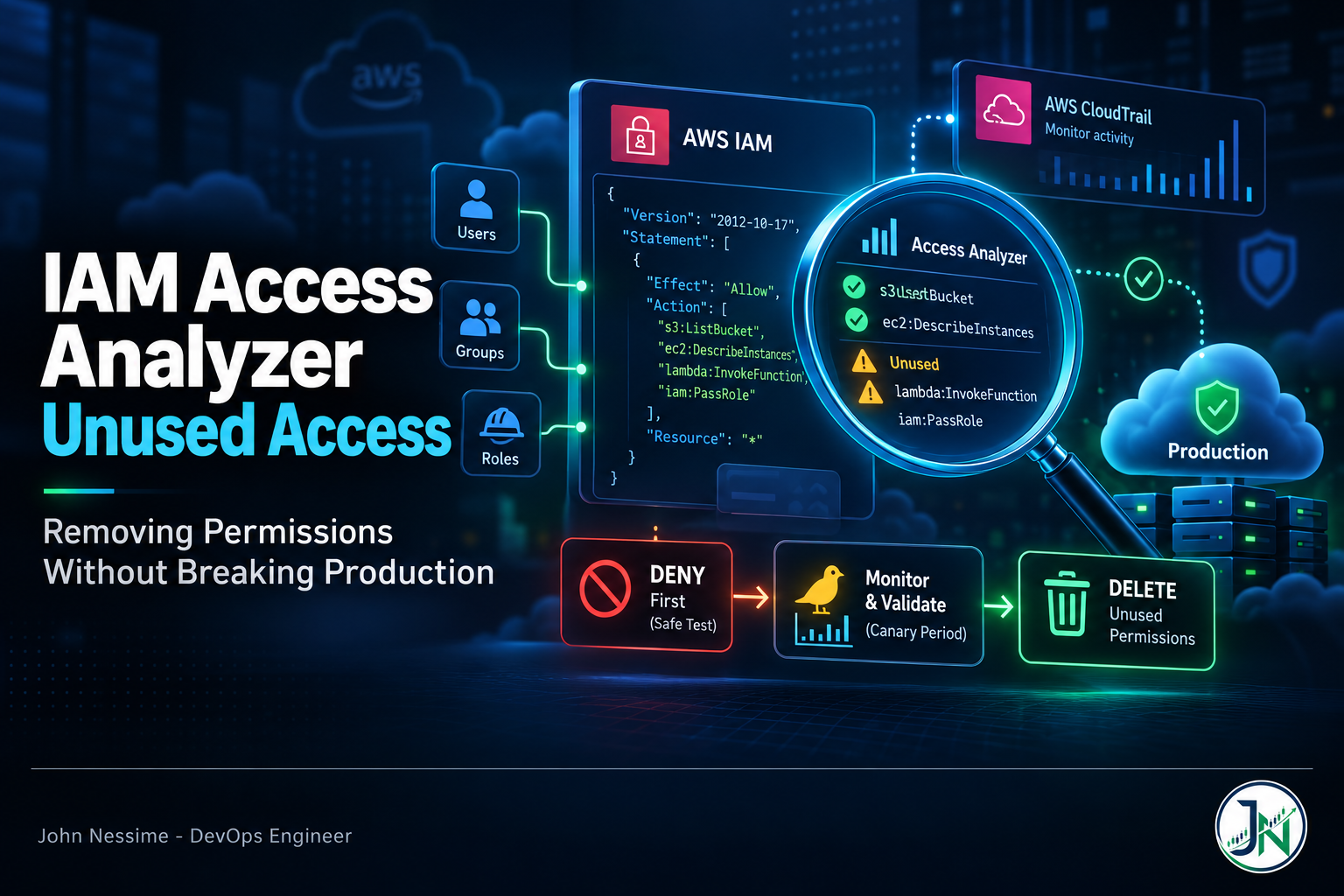
The core idea: deny before you delete. An explicit deny is one API call to add and one to remove, effective immediately in both directions. Deleting a policy statement or a role is not symmetrical; restoring it means someone reconstructing intent under pressure. Use deny as a reversible dry run for deletion.
- Sort findings by blast radius, not by count. An unused permission on a role assumed by one Lambda is a different risk from one on a role fifty engineers assume daily.
- Confirm the role’s activity independently before touching permissions.
- Attach a scoped deny as an inline policy on the role, leaving the existing allow untouched. An explicit deny wins over any allow, so this simulates removal exactly with none of the loss.
- Watch CloudTrail for denials attributed to that role. This is the observation window and it is the step people skip.
- Wait through at least one full business cycle, longer if the workload has monthly or quarterly rhythm.
- Only then edit the allow and remove the deny.
For step two, the cheapest independent check is the role’s own last-used timestamp:
aws iam get-role --role-name legacy-reporting-role
  --query 'Role.RoleLastUsed'
That returns LastUsedDate and the Region where the role was last used. LastUsedDate is null if the role has not been used within the tracking period, which is not the same as never used. The Region field is quietly valuable: a supposedly dead role showing activity in a Region nobody works in is worth a conversation before a deletion.
For step three, the deny is deliberately narrow. Deny the flagged actions on the flagged service and nothing else:
{
  "Version": "2012-10-17",
  "Statement": [
    {
      "Sid": "CanaryDenyUnusedRedshift",
      "Effect": "Deny",
      "Action": "redshift:*",
      "Resource": "*"
    }
  ]
}
Give it a Sid you can grep for, because in six months somebody will find this policy and have no idea whether it is a canary or a control.
For step four, you want CloudTrail records where the request failed on authorization. The field is errorCode, and the values that matter are AccessDenied plus the EC2-specific Client.UnauthorizedOperation. Filter on the assumed-role session issuer so you catch every session. CloudTrail Lake or Athena over your trail bucket both work.
To make this an ongoing signal rather than a one-off query, wire a CloudWatch Logs metric filter on AccessDenied to a dashboard. Amazon Managed Grafana, self-hosted Grafana, or Grafana Cloud all render it fine. What matters is that it is broken down by principal, so a spike points at a role rather than at the account.
Deleting the role itself has a separate trap
When you name a principal by ARN in a policy, IAM stores the underlying unique principal ID rather than the string. Delete that role, recreate it with the identical name, and you get a new unique ID. Every policy that referenced the old one now points at something that no longer exists. Nothing errors at deletion time. The break surfaces later, in another account, when a cross-account assume-role call starts failing and the trust policy on screen looks exactly correct.
Before deleting a role, check the things a findings list will never tell you:
- Is it named as a principal in any resource policy, S3 bucket policy, KMS key policy, or another account’s trust policy?
- Is it attached to an instance profile?
- Is it managed by CloudFormation, Terraform, or OpenTofu? Deleting out of band leaves drift that surfaces on the next apply.
- Is it a service-linked role? Those are owned by a service and have their own deletion procedure.
- Is it the execution role for a Lambda function, ECS task, or Step Functions state machine that runs rarely?
Safe order: detach the permissions, leave the role and its trust policy in place, wait another cycle, then delete. An empty role is harmless. A missing one is not.
Keeping the findings list small enough to read
A findings list nobody triages is worse than none, because it produces the appearance of coverage. Two levers keep it honest. The first is exclusions, which can skip whole accounts or skip principals by tag, and can be updated at any time:
aws accessanalyzer update-analyzer
  --analyzer-name unused-access-prod
  --configuration '{
    "unusedAccess": {
      "analysisRule": {
        "exclusions": [
          {"accountIds": ["111122223333"]},
          {"resourceTags": [{"lifecycle": "break-glass"}]}
        ]
      }
    }
  }'
Tag-based exclusion is the one to reach for. Sandbox accounts churn roles and generate noise with no security value; break-glass roles are supposed to look unused. Excluding by tag survives new accounts joining the organization. An account ID list does not.
The second lever is archiving findings you have consciously accepted:
aws accessanalyzer update-findings
  --analyzer-arn <your-analyzer-arn>
  --ids <finding-id>
  --status ARCHIVED
Archiving is a decision record, not a dismissal. Write down why somewhere durable, because the same finding will come back to a different person.
Scope has a cost dimension too. Unused access analysis is billed on the number of IAM roles and users analyzed per month, per analyzer, so a second analyzer with a different tracking period doubles the principals counted. If you watch spend through Cost Explorer or a layer like Vantage or CloudZero, confirm where this line lands before widening scope organization-wide.
Troubleshooting
No findings yet, or a finding that won’t clear after you fixed it. After creating or updating an analyzer it takes time for findings to appear, recent activity takes around four hours to reach last accessed data, and scans are periodic rather than instant. Give it a full cycle. If you use the CLI or API for last accessed reports, generate a fresh one; the old report will not update itself.
The finding says unused but the team insists otherwise. Assume the team is right and the tracking has a hole. Check whether the work is data-plane activity, then whether the actions involved are on the tracked list at all. Absence of tracking data and absence of use look identical from the findings page.
Your canary deny broke something unexpected. That is the canary working. Detach the inline policy, confirm the failures stop, then narrow the deny to specific actions rather than the whole service and run it again.
Something broke but no AccessDenied appears in CloudTrail. Check whether the failing call is a data event. A trail logs management events by default; data event logging is opt-in per resource type and carries its own charges. No configured data events, no record of the denial.
Common mistakes
- Treating a finding as evidence of non-use rather than absence of recorded use. Different claims.
- Deleting the role in the same change as removing its permissions, collapsing two reversible steps into one that isn’t.
- Setting the tracking period once and never revisiting it against the workload’s actual rhythm.
- Cleaning up in the console while Terraform or CloudFormation remains the source of truth, so the next apply puts it all back.
- Batching removals across many roles at once. When something breaks you have a bisect problem instead of a rollback.
Best practices for IAM Access Analyzer unused access cleanup
- Tag principals with their expected usage cadence at creation time. It costs nothing then and answers the hardest question later.
- Start with unused access keys and passwords on IAM users. Highest value, lowest risk removals in the whole list.
- Route findings to EventBridge and into your ticket queue so cleanup is tracked work rather than a periodic heroic sweep.
- Make the permissions change in code, apply it through the normal pipeline, and let the diff be the record.
- Keep an AccessDenied dashboard permanently, not just during a cleanup. Cheapest early warning you can build for this class of change.
Frequently asked questions
Does IAM Access Analyzer read my CloudTrail logs?
Not for unused access findings. Those come from IAM last accessed information. Policy generation is the feature that reads CloudTrail, and it is a separate operation run against a specific principal and time range.
What tracking period should I set?
Ninety days is reasonable for interactive human roles and continuously running workloads, and too short for anything on a quarterly or annual cycle. The value is configurable from 1 to 365 days. The right answer is a property of your workload, not a security best practice number.
Can a finding be wrong?
It can mislead in both directions. Permissions used only through data events can appear unused, and permissions that only ever produced denied attempts can appear used, because last accessed data counts all attempts rather than only successful ones.
Do I need an analyzer in every Region?
No. Unused access findings do not change based on Region, so one per account, or one at the organization level, is enough. External access analyzers are the ones with a Region dimension.
How is unused access analysis billed?
On the number of IAM roles and users analyzed per month, per analyzer. Scope is the cost lever, which is why exclusions matter for the bill and not just the noise. Check current published rates before enabling it organization-wide.
Should I delete unused roles or just strip their permissions?
Strip first, delete later, in two separate changes. A role with no permissions has almost no attack surface, and keeping it alive preserves any principal references pointing at it while you find out if anything still cares.
Conclusion
IAM Access Analyzer unused access findings answer a narrower question than the one you care about. They tell you what AWS did not record activity for. They do not tell you what your workload does not need, and they cannot tell you whether a permission that is used should be. The distance between those statements is where the outages live.
The one thing worth remembering: deny before you delete. An explicit deny gives you the exact behaviour of a removal with a one-call undo, and that single habit turns permission cleanup from a change you have to be brave about into one you can be systematic about.
Need help trimming IAM permissions without the outage
The risk in permission cleanup sits almost entirely in what the tooling cannot see. Things I can help with:
- Setting up account or organization-level unused access analyzers with tracking periods and tag-based exclusions that fit how your workloads run
- Building the AccessDenied observability layer, from CloudTrail queries through metric filters to a dashboard the team will actually look at
- Running staged deny-then-delete cleanups with the rollback path defined before anything changes
- Auditing roles for cross-account principal references, instance profiles, and IaC ownership before deletion
- Moving console-era IAM into Terraform or OpenTofu so the next cleanup is a reviewable diff
If you have a findings list you are not sure how to act on, send me the role’s policy JSON and the finding detail and I will tell you what I would check before touching it.