The request usually arrives as one sentence in Slack. “Analytics moved to their own account, can you just add them to the bucket policy?”
It is a one-line change. It works on the first try. And it is the grant most likely to still be sitting there long after that analytics project shipped, covering a wider set of identities than the person who wrote it ever had in mind.
That asymmetry is the whole problem. A denied cross-account request is a nuisance: someone pings you, you read the policy, you fix it before lunch. A cross-account grant that succeeds, keeps succeeding, and quietly reaches further than intended produces no error, no alert, and no ticket. It surfaces months later during an audit, when someone asks who has been reading that prefix and the honest answer is “anyone the other account decided to let in.”
This post covers AWS cross-account data sharing as a set of failure families rather than a service tour. How the delegation model actually behaves, where encryption keys break or widen access without warning, who ends up owning the bytes after a handoff, why a copy is worse than a reference, and which guardrails catch the mistake you are eventually going to make. Real policy snippets and commands throughout, plus the denials that are hardest to read.
AWS cross-account data sharing is a delegation, not a permission
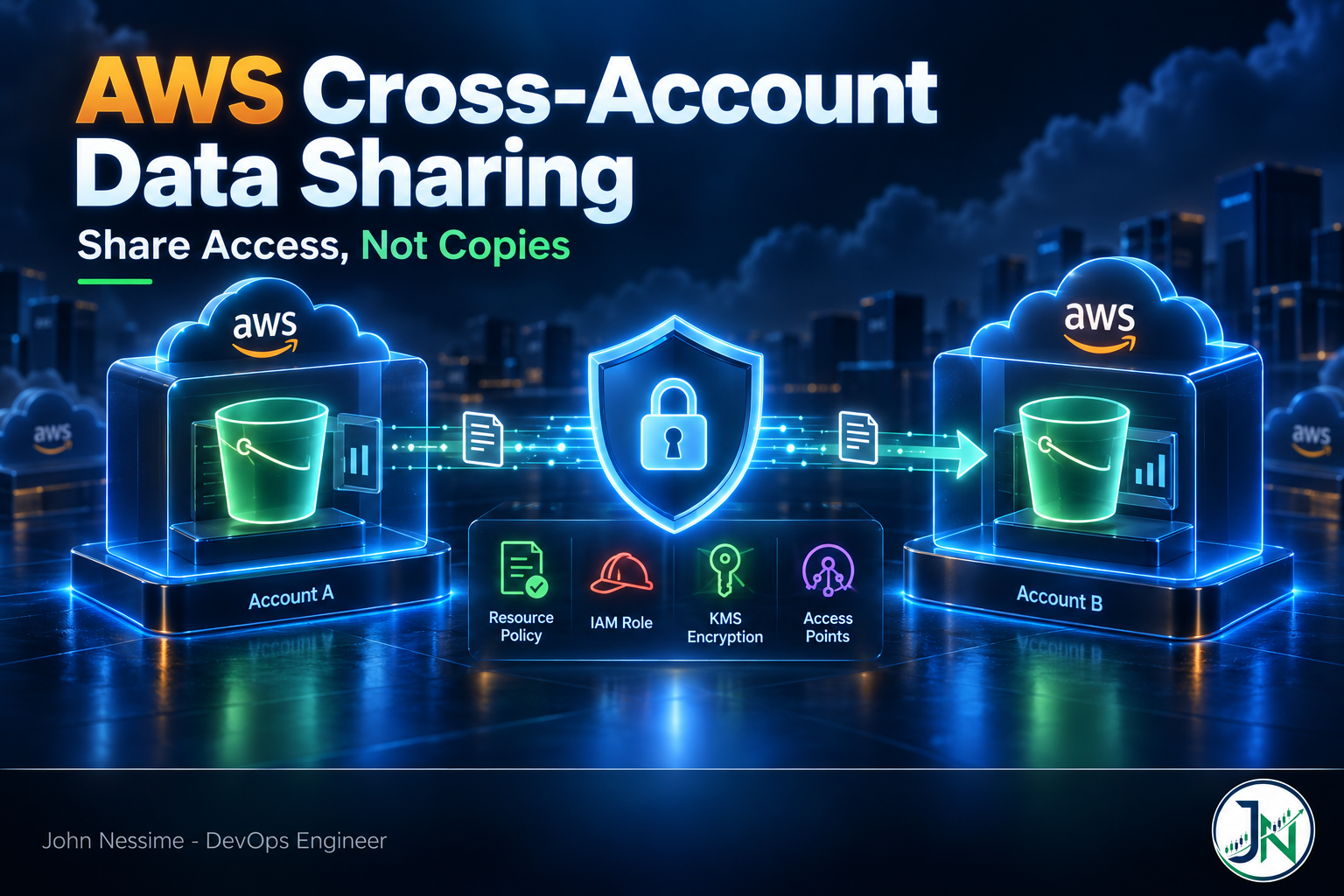
Start with the mechanic that everything else hangs off. For a request that crosses an account boundary, two separate accounts have to say yes. The resource-based policy in the account that owns the data has to allow the caller, and an identity-based policy in the calling account has to allow the action. Neither side alone is enough.
That is why “I added them to the bucket policy and it still fails” is such a routine ticket. The producer did their half. Nobody attached the matching IAM policy on the consumer side.
Now the part that bites. Look at how most cross-account bucket policies get written:
{
  "Sid": "AllowAnalyticsAccount",
  "Effect": "Allow",
  "Principal": { "AWS": "arn:aws:iam::111122223333:root" },
  "Action": ["s3:GetObject", "s3:ListBucket"],
  "Resource": [
    "arn:aws:s3:::shared-events-bucket",
    "arn:aws:s3:::shared-events-bucket/exports/*"
  ]
}
Despite how it reads, that :root suffix does not mean the root user. It means the account. You have not granted access to a principal at all. You have delegated the guest list to the administrators of account 111122223333, and they can hand that access to any principal they like, including a role somebody creates next quarter for a purpose you will never hear about.
Sometimes that delegation is exactly what you want, because the consumer team manages its own roles and you do not want to be in the loop for every change. Usually you want the narrower version:
{
  "Sid": "AllowAnalyticsRoleOnly",
  "Effect": "Allow",
  "Principal": { "AWS": "arn:aws:iam::111122223333:role/analytics-reader" },
  "Action": ["s3:GetObject", "s3:ListBucket"],
  "Resource": [
    "arn:aws:s3:::shared-events-bucket",
    "arn:aws:s3:::shared-events-bucket/exports/*"
  ],
  "Condition": {
    "StringEquals": { "aws:PrincipalOrgID": "o-abc123def4" }
  }
}
Both halves earn their place. The named ARN stops the wrong role in the right account. The organization condition stops the right role name in the wrong account, which matters if the statement is ever copied, templated, or widened by someone in a hurry. One protects against internal drift, the other against the policy escaping your organization entirely.
Be clear-eyed about the trade-off, though. Naming ARNs is precise and brittle: every new consumer role is a policy change, a pull request, and a review. Organization-wide conditions scale beautifully and narrow nothing inside a member account. If your organization contains twelve accounts and forty teams, aws:PrincipalOrgID on its own is a fairly wide door.
The grant that stops working after a rebuild
When you name a role ARN as a principal, IAM stores the role’s internal unique ID behind the scenes. Delete that role and the policy will start displaying an opaque AROA... string where the ARN used to be, because the ARN no longer resolves to anything. Recreate a role with the identical name and the access does not come back, because the new role has a new unique ID.
A terraform destroy followed by terraform apply on the consumer side reproduces this perfectly. If you are staring at a bucket policy that contains a principal starting with AROA, that is your answer. Rewrite the statement with the current ARN.
The encryption boundary nobody tests until it is live
Second failure family: the key. Encrypting shared data is the easy decision. What people miss is that a KMS key is a second, fully independent authorization surface, with its own resource policy, evaluated separately from the bucket.
- Downloading an object encrypted with SSE-KMS requires
kms:Decrypton the key. - Uploading one requires
kms:GenerateDataKey. - A multipart upload requires both.
The AWS managed key for S3 cannot carry you here, because you cannot edit its key policy. Sharing KMS-encrypted objects across accounts means a customer managed key, with a statement naming the consumer:
{
  "Sid": "AllowAnalyticsRoleToDecrypt",
  "Effect": "Allow",
  "Principal": { "AWS": "arn:aws:iam::111122223333:role/analytics-reader" },
  "Action": ["kms:Decrypt", "kms:DescribeKey"],
  "Resource": "*",
  "Condition": {
    "StringEquals": { "kms:ViaService": "s3.us-east-1.amazonaws.com" }
  }
}
The kms:ViaService condition is cheap insurance. It restricts use of the key to requests that arrive through S3 in that region, so a leaked set of consumer credentials cannot call KMS directly and start decrypting ciphertext it obtained some other way. And the two-key rule applies to the key exactly as it does to the bucket: the consumer’s own IAM policy has to allow the KMS actions too.
Now the sharp edge, which is worth reading twice. If a KMS key is specified by alias rather than by fully qualified ARN, the alias is resolved in the requester’s account. In a cross-account write that means data landing in your bucket can end up encrypted under a key belonging to the writer. You own the object and cannot read it, and no error is raised at write time. Use full key ARNs in anything that crosses an account boundary.
Who owns the bytes after the handoff
Third family: ownership, and it depends entirely on which direction the data moves.
New buckets are created with Object Ownership set to Bucket owner enforced. ACLs are off, and the bucket owner owns every object written into the bucket regardless of who wrote it. That default removed the single most confusing trap in S3 sharing.
Buckets created before that default are the ones to check. If a bucket still sits on the Object writer setting, an object uploaded by another account is owned by that account, and you, holding the bucket, may not be able to read it. Nothing fails at write time. It fails later, when a job in your own account tries to read your own bucket and gets a 403.
Check and fix it with the ownership controls API:
aws s3api get-bucket-ownership-controls --bucket shared-events-bucket

aws s3api put-bucket-ownership-controls
  --bucket shared-events-bucket
  --ownership-controls '{"Rules":[{"ObjectOwnership":"BucketOwnerEnforced"}]}'
Order matters when you make that change on a live bucket. Once ACLs are disabled, any PUT that still carries an ACL is rejected with AccessControlListNotSupported. Requests that send no ACL, or send bucket-owner-full-control, keep working. So the sequence is:
- Find every writer that sets an ACL, including old scripts using
--acland any SDK call passing an ACL argument. - Update those clients so they stop sending one.
- Confirm from CloudTrail that ACL-bearing PUTs have stopped.
- Flip the bucket to Bucket owner enforced.
Given a free choice of design, I would rather the consumer pull from a bucket I own than push into a bucket I do not. Pull keeps ownership, lifecycle rules, encryption configuration, and access logging in one account, under one team’s control. Push scatters them.
Copies you cannot recall
Fourth family, and the one with the longest tail. There is a large difference between granting a reference and shipping a copy. A reference can be revoked on a Tuesday afternoon. A copy is simply gone.
Three reference-shaped patterns are worth knowing before you reach for a bulk export.
S3 Access Points for object-level sharing
Instead of a bucket policy that grows a new statement every time a team asks for something, you write the bucket policy once to delegate to access points, then give each consumer their own access point with its own focused policy. The delegation is expressed with the s3:DataAccessPointAccount condition. Access points can also be owned by the consumer’s account, so they manage their own detail without touching your bucket policy.
The gotcha: when a request goes through an access point, both the access point policy and the underlying bucket policy have to allow it. A 403 here is easy to misdiagnose because the bucket policy looks correct and is correct. The access point is the layer that said no.
Lake Formation for table-level sharing
When the thing being shared is a table rather than a prefix, Lake Formation is the better fit, because it lets you grant on databases, tables, columns, and row filters instead of on object paths. Cross-account grants ride on AWS Resource Access Manager, so the recipient gets an invitation that a data lake administrator has to accept.
aws ram get-resource-share-invitations

aws ram accept-resource-share-invitation
  --resource-share-invitation-arn arn:aws:ram:us-east-1:111122223333:resource-share-invitation/EXAMPLE
After the invitation is accepted, the shared database and tables are visible but still not queryable from Athena or Redshift Spectrum until someone creates a resource link, which behaves roughly like a symlink in the recipient’s Data Catalog. Missing resource links account for most of the “the share went through but I cannot see the table” messages.
One setting to check on the producer side is the cross-account data sharing version. Newer versions collapse many grants into far fewer RAM resource shares, which matters once you are sharing at any scale, and they allow granting directly to IAM principals in another account rather than only at account level. Read the current version with:
aws lakeformation get-data-lake-settingsWhen a copy really is the answer
Sometimes the partner genuinely needs the data on their own infrastructure: a warehouse you have no reach into, a VPS at a provider like Contabo or InterServer, or in the worst case an analyst’s laptop. That is a legitimate outcome, but be honest with yourself and with them that your controls stop at the handoff.
Practical hygiene for that case: scope the extract to the columns actually needed rather than the whole table, put an expiry date in the agreement rather than in your head, and write down what happens to the copy when the engagement ends. If the copy lives on machines you or the client control, verified erasure with something like O&O SafeErase reads a great deal better in an audit than “we deleted the folder.” And if the recipient has no AWS account at all, a time-limited presigned URL is usually a better answer than minting an IAM user with long-lived keys.
The guardrail that catches the mistake you will make
Everything above describes what a careful engineer does per grant. Guardrails are what happens when somebody is not careful, which over a long enough window includes all of us.
Resource control policies are the strongest lever if you run AWS Organizations. An RCP sets a ceiling on what any resource-based policy inside the organization can grant. The canonical statement is “no principal outside my organization may access S3 buckets in my accounts, regardless of what an individual bucket policy says.” That inverts the risk model: a careless bucket policy is no longer an exposure, it is just an ineffective statement.
Two limits are worth stating plainly. RCPs cover a specific set of services rather than everything in AWS, so check the current supported list rather than assuming coverage. And they constrain your resources, not a partner’s behavior once data has legitimately left. An RCP is a wall around your side of the fence.
Service control policies do the mirror-image job on the consumer side, limiting which external accounts your own principals are allowed to assume roles into. Account-level S3 Block Public Access remains a sensible floor underneath both.
For sharing with a third party rather than an internal account, the external ID is not optional in my book:
{
  "Effect": "Allow",
  "Principal": { "AWS": "arn:aws:iam::444455556666:role/vendor-connector" },
  "Action": "sts:AssumeRole",
  "Condition": {
    "StringEquals": { "sts:ExternalId": "a-value-the-vendor-generated-for-you" }
  }
}
The external ID exists because of the confused deputy problem. A vendor holds credentials that can assume roles across many customers, and without a per-customer secret in the condition, customer A can trick the vendor into pointing that access at customer B. If a vendor asks you to create a role for them with no external ID and no conditions at all, that is worth a conversation before it is worth a role.
Verifying that the grant is what you think it is
Reading policies is not the same as knowing what they permit. IAM Access Analyzer answers the question “what is currently reachable from outside my zone of trust” using automated reasoning rather than pattern matching, which is why it catches combinations a human reviewer skims past.
aws accessanalyzer create-analyzer
  --analyzer-name external-access
  --type ACCOUNT

aws accessanalyzer list-findings
  --analyzer-arn arn:aws:access-analyzer:us-east-1:999988887777:analyzer/external-access
Scope the zone of trust to your organization where you have one, then archive the findings that represent intentional shares, so that a new entry in the list actually means something.
The same service exposes custom policy checks you can run in a pipeline before a policy change merges, including checks for public access, for specific actions being granted, and for whether an updated policy grants more than the one it replaces. One thing to understand about them: they evaluate the document you hand them and nothing else. They do not read your account state, so a public-access check can fail on a policy in an account that has Block Public Access enabled. For a merge gate that is correct behavior, because the policy should not be relying on a distant safety net.
Finally, CloudTrail tells you who actually used a grant, which is the input to the only cleanup that ever really works: delete the statements nobody has exercised. Routing that history into CloudWatch, or into a Grafana Cloud dashboard alongside the rest of your platform telemetry, turns “is this still needed” from an argument into a query.
Troubleshooting the denials that are hard to read
- You can list the bucket but every GET returns 403. That pattern points at KMS, not S3. Listing does not touch the key; reading does. Check
kms:Decrypton both the key policy and the consumer’s identity policy. - 403 through an access point while the bucket policy is clearly correct. The access point has its own policy and it also has to allow the calling principal. Read that one next.
- AssumeRole is denied although the trust policy names the caller. Cross-account needs both halves: the caller’s identity policy must permit
sts:AssumeRoleagainst that role ARN. Then check the external ID value and any SCP or permissions boundary in the calling account. - A principal in the policy displays as AROA followed by random characters. The referenced role was deleted. Recreating it under the same name will not restore access.
- A Lake Formation share appears in the catalog but queries fail. Usually a missing resource link in the recipient account, or a RAM invitation that was never accepted.
- Access worked yesterday and stopped today with nothing changed locally. Look at the organization layer before re-reading the bucket policy. A newly attached RCP or SCP denies in a way that no amount of resource-policy editing will fix.
Common mistakes
- Granting to an account principal when a role ARN would have done, then never revisiting it.
- Treating
aws:PrincipalOrgIDas least privilege. It narrows the organization, not the account. - Sharing a bucket and forgetting the key, then debugging S3 for an hour over a KMS denial.
- Referring to KMS keys by alias in cross-account configuration instead of by full ARN.
- Letting a partner push into your bucket without confirming the ownership setting first.
- Exporting a full table when the consumer needed four columns, because the export was easier to write.
- Creating a vendor role with no external ID and no conditions because the vendor’s setup guide said to.
- Granting access with no expiry, no owner, and no note in the policy Sid explaining why it exists.
Best practices worth the effort
- Give every cross-account grant a descriptive
Sid. It is the only free documentation slot IAM offers, and future-you will read it. - Prefer one dedicated consumer role per relationship over a shared role used by several integrations. Revocation becomes a single delete.
- Pair a specific principal with a broad condition, rather than relying on either alone.
- Put policy checks in CI so a widened grant fails a pull request instead of a quarterly review.
- Keep an inventory of active shares with an owner and a review date, even if it is a table in a repository README.
- Enable an external access analyzer scoped to your organization and treat new findings as work, not noise.
- Watch cross-region and internet data transfer when a consumer sits somewhere unexpected. Cost visibility tooling such as Vantage or CloudZero will attribute it faster than reading a bill.
Frequently asked questions
What is the safest way to share an S3 bucket with another AWS account?
Name a specific role ARN in the bucket policy, add an organization or account condition alongside it, scope the resource to a prefix rather than the whole bucket, and make sure the consumer’s identity policy is equally narrow. If the bucket is encrypted with a customer managed key, grant on the key as well. If the list of consumers is going to grow, move to access points rather than growing the bucket policy.
Do I need both a bucket policy and an IAM policy?
For cross-account access, yes. The resource-based policy in the owning account and the identity-based policy in the calling account both have to allow the action. That is the single most common reason a correct-looking bucket policy still returns Access Denied.
Why do I get Access Denied when the bucket policy clearly allows the other account?
Work through it in this order: the consumer’s identity policy, then the KMS key policy if the objects are encrypted with a customer managed key, then any access point policy in the path, then organization-level SCPs and RCPs. Denials from the organization layer are the ones people waste the most time on, because nothing in either account’s policies looks wrong.
Can I share data with an account outside my AWS Organization?
You can, and organization conditions will not help you there. Use a named role ARN, an external ID on any assumed role, a tightly scoped resource, and a defined end date. Also confirm whether an RCP in your organization already blocks external principals for that service, because that is a common reason a partner grant refuses to work no matter how carefully it is written.
Should I use S3 Access Points or Lake Formation?
It depends on the unit of sharing. If the consumer wants objects under a prefix, access points are simpler and cheaper to operate. If the consumer wants a table, and especially if you need column or row filtering, Lake Formation is the right tool and access points would force you to fake fine-grained control with prefix layout. Plenty of environments run both.
How do I revoke cross-account access cleanly?
Remove the statement from the resource policy, remove the KMS key grant, and check for any access point, RAM share, or resource link that also carries permission. Then confirm with CloudTrail that the principal has stopped appearing. Revocation feels done long before it is done, which is exactly why an inventory of active shares pays for itself.
Does cross-account access change anything about cost?
The request charges land on the bucket owner by default, and data transfer depends on whether the consumer is in the same region. A consumer that quietly starts scanning a large prefix from another region is a billing event as much as a security one, which is a good argument for reviewing access patterns and spend together rather than in separate meetings.
The one thing to remember
Getting AWS cross-account data sharing right is less about knowing which service to reach for and more about noticing which grants are quietly larger than they read. An account principal delegates your guest list. An organization condition narrows the wrong dimension. A copy leaves your perimeter permanently and no policy edit brings it back.
Grant references rather than copies, name principals rather than accounts, remember that the key is a second door, and put something in place that watches the perimeter for you. The cross-account grant worth worrying about is never the one that failed. It is the one that worked, and kept working, long after anybody was still looking at it.
Need a second pair of eyes on your cross-account setup?
Most of the cross-account problems I see are not exotic. They are a policy written in a hurry two years ago that nobody has read since. If that sounds familiar, here is where I can help:
- Auditing existing bucket, key, and role trust policies to find grants that are wider than intended, and rewriting them to named principals with conditions.
- Designing a producer and consumer pattern for a specific data handoff, including whether access points, Lake Formation, or a plain scoped role is the right shape.
- Setting up IAM Access Analyzer with a sensible zone of trust and archive rules, so the findings list stays worth reading.
- Adding policy checks to your pipeline so a widened grant blocks a merge rather than surviving to production.
- Building an organization-level perimeter with resource control policies and service control policies without breaking the integrations you already depend on.
- Untangling stubborn cross-account denials, including the KMS, access point, and organization-layer cases that hide well.
Send me a bucket policy, a trust policy, or the CloudTrail entry for the denial you cannot explain, and I will tell you what it actually permits.