The finance lead asks a fair question in the migration kickoff: “If we move Oracle to RDS instead of EC2, how much do we save on licensing?”
Nothing. Not a cent. Oracle counts a vCPU on Amazon RDS exactly the way it counts a vCPU on Amazon EC2, and it says so in the same paragraph of the same policy document. The managed service does not buy you a discount on the software.
That single fact reshapes the whole argument. Once the license line is identical on both sides of the page, Oracle on EC2 vs RDS stops being a cost comparison and becomes a much more interesting question: which set of constraints can your application actually live inside? This post walks through the real differences, the places each option quietly hurts, the middle option that is being retired, and a decision procedure you can run before anyone opens a pricing calculator.
Start with the thing that is not a difference
Oracle publishes a policy called “Licensing Oracle Software in the Cloud Computing Environment.” It names a short list of Authorized Cloud Environments, and both Amazon EC2 and Amazon RDS are on it, alongside Microsoft Azure and Google Cloud Platform. Inside an Authorized Cloud Environment the counting rules are these:
- Two vCPUs count as one Oracle Processor license when multi-threading of processor cores is enabled.
- One vCPU counts as one Processor license when multi-threading is not enabled.
- The Oracle Processor Core Factor Table does not apply. The 0.5 multiplier you rely on for x86 hardware in your own data center is simply gone.
- For Standard Edition products, instances with four or fewer vCPUs count as one socket. Above four, every four vCPUs rounded up to the nearest multiple of four equals one socket.
- Standard Edition 2 may only be licensed on instances up to eight AWS vCPUs. That is a hard ceiling, and it is the single most common reason an SE2 estate has to become an Enterprise Edition estate on migration.
None of those rules distinguish EC2 from RDS. The policy treats them as the same environment for counting purposes.
There is one genuine licensing difference, and it is narrow. RDS offers a License Included model where AWS holds the Oracle license and bundles it into the instance-hour rate. That model covers Standard Edition 2 only. Enterprise Edition on RDS is bring-your-own-license, full stop. On EC2 there is no License Included option at all, so every Oracle database you run there is BYOL by definition.
Worth reading the footer of that Oracle policy document, too. It states that the document is for educational purposes and may not be incorporated into any contract. Your Oracle Master Agreement and ordering documents are what actually bind you. The cloud policy is how Oracle says it will behave, not what it promised in writing, and it can change without notice. Pin a copy of the version in force when you deploy and file it with your architecture decision record.
Find out what you are actually using first
Before you compare anything, find out which licensable options and management packs your current database is touching. Oracle tracks this itself. The feature usage view records every separately licensed feature the database has detected in use, which is exactly what an auditor looks at.
-- Which separately licensed features has this database touched?
SELECT name,
       detected_usages,
       currently_used,
       first_usage_date,
       last_usage_date
FROM   dba_feature_usage_statistics
WHERE  detected_usages > 0
ORDER  BY name;
Oracle also publishes an options and packs usage script through My Oracle Support that goes further and correlates usage across several dictionary views. If you have a support contract, use that one rather than rolling your own. The output frequently surprises people. Partitioning, Advanced Compression, and the Diagnostics and Tuning Packs get switched on by a well-meaning DBA or by a default setting and then sit there generating an entitlement gap.
Amazon RDS for Oracle: where it wins and where it hurts
Where RDS wins
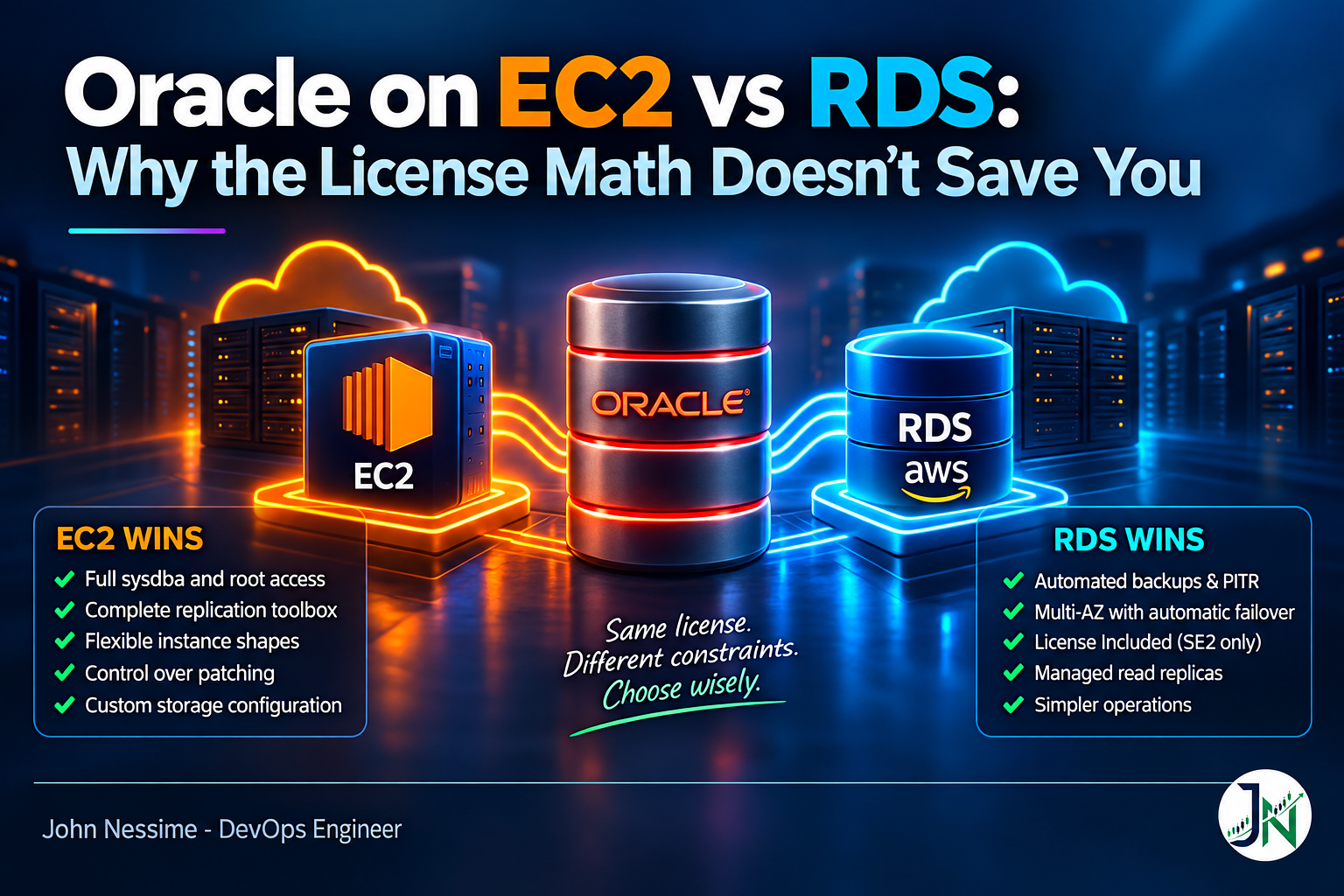
- The operational floor is done for you. Automated backups with point-in-time recovery, minor version patching in a maintenance window, Multi-AZ synchronous standby with automatic failover, storage autoscaling. None of that needs a person on a rota.
- License Included removes the Oracle relationship entirely. For an SE2 workload where you own no licenses, this is genuinely hard to beat. There is no entitlement to track, no support renewal to chase, and no Oracle audit surface for the database software.
- Read replicas are configured for you. RDS manages the Data Guard setup behind cross-region replicas, including the network path between primary and standby. If the replica runs open read-only, that is Active Data Guard and you need the license for it, but the plumbing is not your problem.
- Parameter groups make configuration reviewable. Database parameters live in a versioned object you can diff, rather than in a spfile someone edited at two in the morning.
Where RDS hurts
The master user on an RDS for Oracle instance gets the DBA role with pieces removed. AWS documents exactly which privileges are withheld to keep the managed experience intact:
ALTER DATABASEALTER SYSTEMCREATE ANY DIRECTORYandDROP ANY DIRECTORYGRANT ANY PRIVILEGEandGRANT ANY ROLE
You also cannot log in as SYS, SYSTEM, or any other Oracle-supplied administrative account. This is the wall most migrations hit, and they hit it late. A packaged vendor application ships an installer that expects to connect as sysdba, create a directory object pointing at a local path, and run ALTER SYSTEM a dozen times. On RDS that installer does not complete. There is no workaround, because the privilege is not withheld by policy, it is withheld by design.
Three more constraints that bite later rather than sooner:
- Block size is fixed at creation. RDS for Oracle instances are created with an 8 KB default block size and it cannot be changed afterwards. The SYSTEM and temporary tablespaces always use it. You can create additional tablespaces at other block sizes by allocating the matching cache parameter and using the
BLOCKSIZEclause, but the core of the database is fixed. - Single files cap at 16 TiB. That is the ext4 filesystem limit on the underlying host, so bigfile data files inherit it. Try to grow past it and you get an ORA-01237 with a “File too large” error underneath.
- No host access at all. No shell, no third-party backup agent, no monitoring agent installed on the database server, no custom scripts on the filesystem. If your compliance tooling or your APM vendor requires an on-host agent, that requirement decides the platform for you.
Oracle on EC2: where it wins and where it hurts
Where EC2 wins
- Full sysdba and full root. Everything the vendor installer wants is available. Directory objects, external tables reading from local paths, custom PL/SQL that shells out, agents, whatever the packaged application assumed about its host.
- The full replication toolbox. Data Guard, Active Data Guard, and GoldenGate all run natively on EC2, and you control the protection mode, the apply lag tolerance, and the failover behaviour rather than accepting a managed default.
- Instance shape is a license lever. This is the underrated one. Oracle bills you on vCPUs, and most Oracle databases are memory bound rather than thread bound. On EC2 you can pick a memory-dense family and hit your SGA target without buying vCPUs, and therefore licenses, that the workload never uses. RDS gives you a narrower catalogue to choose from.
- You choose when to patch. No maintenance window imposed from outside, no forced minor version upgrade, no surprise reboot on a night your business cannot take one.
- Storage is yours to shape. Separate EBS volumes for data, redo, and archive logs, with independent IOPS and throughput. RDS abstracts that away.
Where EC2 hurts
Every one of those wins is a job someone now has to do, forever. The honest cost of Oracle on EC2 is not the instance-hour, it is the rota.
- Backups you have to prove. RMAN to S3 is a solved pattern, but a backup that has never been restored is a hypothesis. Schedule a real restore into a throwaway instance on a cadence and treat a failed restore as an incident.
- A standby that drifts silently. Data Guard apply lag is the classic invisible failure. Everything looks green, the standby is mounted, redo is shipping, and apply stopped three days ago because of a single nologging operation or a filesystem that filled. You find out during the failover.
- Patching is now a project. Quarterly Oracle patches, OS patches, and the interaction between them. On a Data Guard pair that means a standby-first sequence and a rollback plan.
- Monitoring you have to build. Tablespace growth, apply lag, wait events, ASM disk group headroom, archive log destination fullness. Amazon CloudWatch gets you host metrics and nothing about the database. Teams typically land on a Prometheus exporter feeding Grafana, either self-hosted or through Grafana Cloud or Amazon Managed Grafana, plus alerting that someone actually answers.
- Cost attribution gets murky. Instance, EBS, snapshots, cross-AZ traffic, and the license amortisation all land in different places. A cost visibility tool such as Vantage or CloudZero earns its keep here, because the Oracle line is the one finance will ask about.
The middle option that is being retired
For a while the answer to “I need sysdba but I also want managed backups” was Amazon RDS Custom for Oracle. It gave you shell access to the underlying EC2 instance and sysdba on the database, while keeping automated backups and host recovery, policed by a mechanism called the support perimeter that flagged your instance as unsupported if a change broke the automation.
AWS has announced that support for RDS Custom for Oracle ends on 31 March 2027. After that date the console and the resources go away, including instances, snapshots, and custom engine versions. AWS’s own guidance is to move those workloads to self-managed Oracle on EC2.
This is one of the few dates worth putting in an article, because it removes an option from your decision tree. If you are choosing a platform today, RDS Custom for Oracle is not a candidate. If you are already on it, the migration is on your roadmap whether you have written it down or not. Note that this retirement does not touch RDS for Oracle or RDS Custom for SQL Server.
The cost levers that actually move the number
Once you accept that the platform choice does not change the license rate, these are the things that do change the bill.
- Memory-to-vCPU ratio. Reaching a memory target by moving up within a general purpose family buys vCPUs you did not need, and each pair of them is another Processor license. Picking a memory-optimised family instead is often the largest single saving available.
- Multi-AZ under BYOL doubles the count. AWS states this plainly in its own documentation: under BYOL you must have a license for both the primary and the standby DB instance in a Multi-AZ deployment. Enabling the checkbox on a BYOL instance without buying the second set of licenses puts you out of compliance the moment it comes up.
- Options and management packs. These are priced per Processor on top of the database license. On RDS, option groups can put some of them one click away, which is convenient and expensive in equal measure.
- Edition, forced by the vCPU ceiling. SE2 stops at eight vCPUs in an Authorized Cloud Environment. A workload that needs more compute has to move to Enterprise Edition, and that is a different order of magnitude, not a percentage increase.
- Infrastructure commitments. Reserved Instances and Savings Plans reduce the AWS side of the bill on both platforms. They do nothing to the Oracle side.
Two quick checks worth running before you model anything. First, confirm what an instance is actually presenting, because the multi-threading state is what decides whether you divide by two:
# On an EC2 instance: threads per core tells you the multi-threading state.
# "Thread(s) per core: 2" means the 2 vCPU = 1 Processor rule applies.
lscpu | grep -E 'Thread(s) per core|Core(s) per socket|^CPU(s):'
Second, check what your existing RDS instances are declaring, since the license model and the Multi-AZ flag together determine your exposure:
# Every Oracle RDS instance with its class, license model and Multi-AZ state.
aws rds describe-db-instances
  --query "DBInstances[?starts_with(Engine, 'oracle')].
[DBInstanceIdentifier,Engine,DBInstanceClass,LicenseModel,MultiAZ]"
  --output table
A MultiAZ value of true next to a LicenseModel of bring-your-own-license is the line to look at twice.
How I would decide between Oracle on EC2 vs RDS
Run these in order. The first question that returns a hard “no” makes the decision for you, and you can stop.
- Does anything need sysdba or host access? Vendor installers, on-host agents, directory objects pointing at local paths, external tables reading local files, custom OS-level jobs. If yes, it is EC2. Nothing else in this list matters.
- Run the feature usage query. Establish which options and packs you are on the hook for today. That number travels with you regardless of platform, and it is usually larger than the team expects.
- Check the physical constraints. Non-8 KB block size on the SYSTEM tablespace, or a single data file heading past 16 TiB, both rule RDS out.
- Settle the edition. If SE2 fits inside eight vCPUs and you own no perpetual licenses, RDS with License Included is very hard to argue against. If you need Enterprise Edition, you are BYOL on either platform and the licensing argument is over.
- Count licenses at the shape you would really run. Production instance, plus standby if you want Multi-AZ or Data Guard, plus every option pack from step two. Do this before you look at instance-hour rates, because it is the bigger number.
- Price the rota honestly. Who runs restore tests, who owns the patch calendar, who gets paged at three in the morning when apply lag alerts. If the answer is “we will figure it out,” that is a vote for RDS.
- Pick, then write down why. Record the Oracle policy version you counted against and the instance shapes you assumed. When an audit letter arrives, that document is the difference between a conversation and a negotiation.
One useful side effect of building a dev or reporting copy outside AWS entirely: a modest VPS from a provider like Contabo or InterServer running Oracle’s free Express Edition gives developers a schema to work against without touching a licensed instance. It will not stand in for production, but it takes pressure off the environments that cost money.
Arguments that do not survive contact
- “RDS is cheaper because AWS manages it.” Under BYOL the license line is identical. What you save is operational labour, which is a real saving but a different budget line, and you should say which one you mean.
- “We will disable multi-threading to reduce licenses.” Turning it off halves your usable threads and flips the ratio to one vCPU per Processor license. You end up at the same license count with less compute.
- “The core factor gives us 0.5 on x86.” Not in an Authorized Cloud Environment. Oracle states the table does not apply there. This is the source of the widely repeated claim that moving to the cloud doubles Oracle licensing on identical hardware.
- “The standby is passive, so it is free.” AWS documents that BYOL Multi-AZ requires licensing both instances. There is a separate Oracle provision about genuinely cold failover nodes, but a synchronous standby that is always running is not that. Get your specific position confirmed in writing by whoever advises you on Oracle contracts, not from a blog, including this one.
- “Graviton is a different architecture, so it licenses differently.” The cloud policy counts vCPUs. It does not carve out processor architectures on shared tenancy.
- “We will start on RDS and move to EC2 if it does not work.” Technically true and practically expensive. Moving off RDS means a full migration project with a cutover window, not a configuration change. Establish the sysdba requirement before you build, not after.
Frequently asked questions
Is Oracle licensing cheaper on RDS than on EC2?
Under bring-your-own-license, no. Oracle’s cloud policy names EC2 and RDS together and applies the same vCPU counting to both. The only structural difference is that RDS offers a License Included model, which is available for Standard Edition 2 only.
Can I run Oracle Enterprise Edition with License Included on RDS?
No. AWS supports License Included for Standard Edition 2 only. Enterprise Edition on RDS is BYOL, and you need the appropriate licenses with active Software Update License and Support.
Do I need to license the Multi-AZ standby?
Under BYOL, AWS documentation states you must have a license for both the primary and the standby DB instance. Budget for double the Processor count before you enable it. Under License Included the standby is reflected in the instance-hour rate instead.
What is the largest Standard Edition 2 instance I can run on AWS?
Oracle’s cloud policy caps Standard Edition 2 at eight AWS vCPUs. Past that you are into Enterprise Edition. This ceiling catches a lot of migrations that were sized on memory requirements rather than vCPU count.
Can I get sysdba access on RDS for Oracle?
No. The master user receives the DBA role minus a documented set of privileges including ALTER SYSTEM, ALTER DATABASE, CREATE ANY DIRECTORY, and the GRANT ANY privileges, and the Oracle-supplied administrative accounts are not available for login. If an application requires sysdba, EC2 is your platform.
Is RDS Custom for Oracle still a viable middle ground?
Not for new work. AWS ends support for RDS Custom for Oracle on 31 March 2027 and recommends moving those workloads to EC2. Existing users should treat the migration as a scheduled project rather than a future problem.
Does turning off hyperthreading reduce my Oracle license count?
No. With multi-threading enabled the ratio is two vCPUs per Processor license. With it disabled the ratio becomes one to one. The license requirement stays where it was while your available compute halves.
Conclusion
If you remember one thing from the Oracle on EC2 vs RDS comparison, make it this: the platform choice does not change what Oracle charges you. It changes who does the work and what your application is allowed to do.
So run the decision in that order. Establish the sysdba requirement first, because it is binary and it ends the discussion. Count your options and packs second, because that number is usually wrong in the direction that costs money. Compare instance-hour rates last, because it is the smallest term in the equation and the one everyone starts with.
And write down which version of Oracle’s cloud policy you counted against. It is a non-contractual document that can change, and the copy you filed on the day you deployed is worth more than any argument you can make from memory later.
Need a second pair of eyes on an Oracle migration to AWS?
Most of the expensive mistakes here happen before anything is built, in the assumptions nobody wrote down. Things I can help with:
- Auditing feature and option pack usage on your existing databases so you know your real entitlement position before you size anything
- Working through the sysdba and host-access requirements of packaged applications to determine whether RDS is even on the table
- Modelling Processor counts across candidate instance shapes, including standby and Multi-AZ exposure, so the number in the business case survives review
- Building the operational layer that self-managed Oracle on EC2 needs: RMAN to S3, tested restores, Data Guard apply-lag alerting, and patch runbooks
- Planning migrations off RDS Custom for Oracle to EC2 ahead of the end-of-support date
- Setting up monitoring and cost attribution that separates the AWS line from the Oracle line, so finance gets an answer instead of a total
Send me the output of your feature usage query, or a list of the instance classes you are considering, and I will tell you what I would check first.