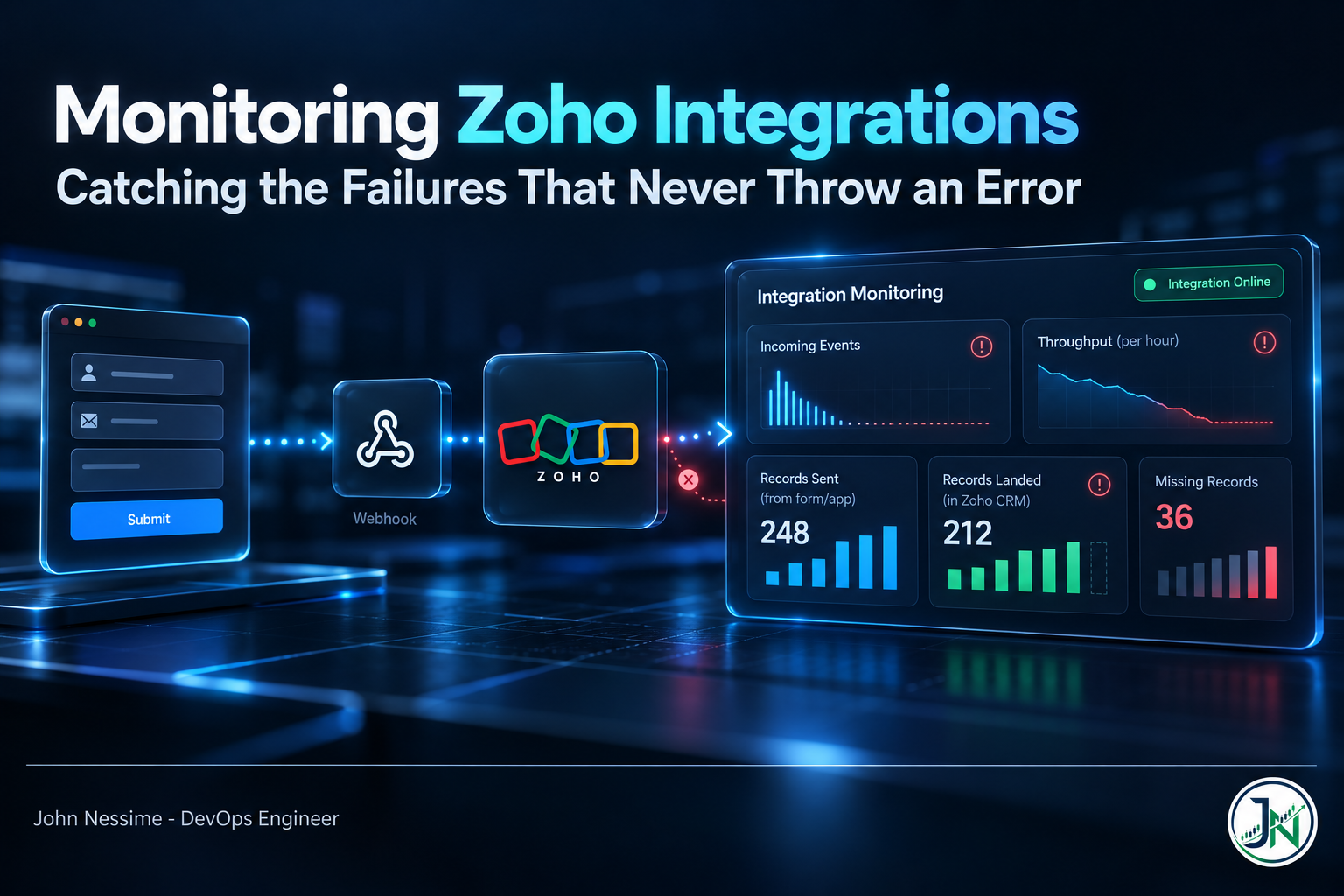
The message came in on a Tuesday: “Have we stopped getting leads from the website form?” Not an alert. Not a page. A salesperson noticing the pipeline looked thin.
The sync worker was healthy. Zero errors in the last twenty-four hours. CPU flat, memory flat, no restarts, no failed jobs. Every dashboard was green because every dashboard was measuring the wrong thing. The integration had stopped receiving anything from Zoho four days earlier, and an integration that receives nothing produces no errors at all.
That is the whole problem with monitoring Zoho integrations. The failures that hurt do not throw exceptions. They show up as silence, as slowly degrading throughput, or as HTTP 200 responses that quietly did not do what you asked. This post covers how to instrument for those three failure families using CloudWatch, Grafana and Loki, and why the obvious metrics miss all three.
The three ways Zoho integrations actually break
Before touching a dashboard, it helps to be honest about what you are defending against. In my experience these fall into three groups, and they need genuinely different instrumentation:
- Silent stop. Zoho stops sending you events. Nothing fails, because nothing happens.
- Silent throttle. You run out of API credits or hit a concurrency ceiling. Throughput degrades before anything hard-fails.
- Silent drift. Calls succeed, records do not land, and the two systems diverge without a single error log.
An error-rate panel catches none of these. That is not a criticism of error-rate panels, it is just what they are for.
Failure family one: the integration that just stops
If you push data out of Zoho CRM using the Notifications API, you subscribe a notify_url to module events and Zoho posts to it when records change. It works well. It also has a detail that catches people out repeatedly.
Notification channels expire. Zoho’s documentation is explicit: the expiry can be set to a maximum of one week from the time the channel is enabled, and if you do not specify one, or you ask for longer than a week, the default expiry is one hour. So the failure mode is not “someone forgot to renew after a year.” It is “someone deployed a subscription script without an expiry field and the integration worked beautifully for sixty minutes.”
What makes this genuinely hard rather than just annoying is that there is no endpoint to list your currently active channels. You cannot ask Zoho what it thinks it is subscribed to. You can only ask whether events are still arriving. That single fact should shape your entire monitoring design: you are not monitoring for errors, you are monitoring for absence.
Emit a heartbeat, then alarm on its absence
The receiving end of the webhook should emit a metric on every delivery, including deliveries you decide to discard. Embedded Metric Format is the cheapest way to do this from Lambda or a container, because you write structured JSON to stdout and CloudWatch extracts the metrics asynchronously. No PutMetricData call, no synchronous latency in your request path.
{
  "_aws": {
    "Timestamp": 1710000000000,
    "CloudWatchMetrics": [
      {
        "Namespace": "ZohoIntegration",
        "Dimensions": [["Module", "Channel"]],
        "Metrics": [
          { "Name": "NotificationsReceived", "Unit": "Count" },
          { "Name": "ChannelSecondsRemaining", "Unit": "Seconds" }
        ]
      }
    ]
  },
  "Module": "Leads",
  "Channel": "leads-prod",
  "NotificationsReceived": 1,
  "ChannelSecondsRemaining": 486000,
  "record_id": "5725767000002166520",
  "operation": "insert"
}
Note what is a dimension and what is not. Module and Channel are bounded sets, so they are safe dimensions. record_id sits in the log body only. EMF creates a separate custom metric for every unique dimension combination, so promoting a record ID to a dimension is how you turn a monitoring project into a billing incident. AWS says this plainly in the EMF documentation and it is worth reading twice before you ship.
Now the alarm. A normal CloudWatch alarm goes to INSUFFICIENT_DATA when the metric stops reporting, and INSUFFICIENT_DATA does not notify. That is precisely backwards for this failure. You want missing data treated as a breach:
aws cloudwatch put-metric-alarm
  --alarm-name zoho-leads-notifications-silent
  --namespace ZohoIntegration
  --metric-name NotificationsReceived
  --dimensions Name=Module,Value=Leads Name=Channel,Value=leads-prod
  --statistic Sum
  --period 3600
  --evaluation-periods 2
  --threshold 1
  --comparison-operator LessThanThreshold
  --treat-missing-data breaching
  --alarm-actions arn:aws:sns:eu-west-1:111122223333:ops-alerts
The --treat-missing-data breaching flag is the entire point of that command. Without it, an integration that goes completely dead produces an alarm that sits quietly in an unknown state forever.
On the Loki side the equivalent is absent_over_time, which returns 1 when a stream has produced no entries in the window. Run it from the Loki ruler so it fires even when nobody has a browser open:
groups:
  - name: zoho-integration
    interval: 5m
    rules:
      - alert: ZohoNotificationsSilent
        expr: absent_over_time({job="zoho-webhook", module="leads"}[2h])
        for: 15m
        labels:
          severity: critical
        annotations:
          summary: "No Zoho notifications for Leads in 2h"
          description: "Channel may have expired. Re-subscribe and check channel_expiry."
One caveat worth knowing: absent_over_time only works for label combinations you name explicitly. It cannot tell you that a stream you never thought about has gone quiet. That is a real limitation, and it means your channel inventory has to live in your own configuration, not be discovered from Loki.
Because you cannot list channels through the API, treat renewal as a scheduled job with its own deadman alert, and emit ChannelSecondsRemaining at each renewal. Alarm when it drops below roughly a day. That gives you warning before the silence starts rather than after somebody notices.
Failure family two: throttling that is not rate limiting
Most engineers instrument Zoho as if it were a requests-per-minute API. It is not, and that mismatch produces dashboards that look fine right up until calls start failing.
Zoho CRM meters API usage in credits, not calls. Different operations deduct different amounts, and bulk operations are metered per batch of records rather than per request. The budget resets on a rolling twenty-four hour window measured from each call, not at midnight. If your dashboard has a daily reset at 00:00, it is drawing a line that does not exist.
The gauge that appears halfway through the tank
Here is the detail that makes credit monitoring awkward. Zoho returns remaining credits in an X-API-CREDITS-REMAINING response header, but only once usage has reached fifty percent or more of the daily allowance. Below that threshold the header simply is not there.
Read that again in monitoring terms. An absent header means either “you are comfortably under half your budget” or “your instrumentation is broken and you have no idea.” Those two states look identical, and one of them is fine while the other is a blind spot. So record both facts separately:
- A counter for responses where the header was present, which effectively tells you when you crossed the halfway mark.
- A gauge of the value itself, which only has meaning while the header exists.
- Your own client-side count of calls made, which works regardless and is the only thing you control.
The first crossing of that threshold is a useful early warning in its own right. Alert on the transition, not just on a low remaining value.
Concurrency is a separate ceiling
Alongside credits, Zoho applies a concurrency limit: the number of calls active simultaneously per org. There is also a sub-concurrency limit covering the expensive operations such as COQL queries, composite requests, lead conversion, and inserts or updates above a small record count. Exceeding either returns TOO_MANY_REQUESTS.
Two consequences matter for monitoring. First, since the limit is on simultaneous calls rather than calls per unit time, a requests-per-minute graph will never predict a concurrency failure. You need a gauge of in-flight requests, incremented before the call and decremented in a finally block. Second, the sub-concurrency ceiling is the same across every CRM edition, so upgrading the plan raises the general limit but does not buy headroom on the expensive calls. Batch those and queue them rather than fanning out.
One more source of consumption that surprises people: integration tasks inside Deluge functions consume credits from the same org budget as your external API calls. If your credit graph climbs while your service is idle, someone’s workflow rule is spending your budget. Zoho’s API Dashboard breaks consumption down by application and function, which is where to look before blaming your own code.
Failure family three: successful calls that did nothing
Bulk and multi-record operations return a per-record status inside the response body. The HTTP status can be perfectly healthy while individual records were rejected for validation rules, mandatory fields, duplicate checks or picklist values that do not exist in the target layout.
If your client only checks the HTTP status, you will log a success, increment a success counter, and move on. Weeks later somebody asks why the CRM is missing a slice of records that your logs insist were written.
The fix is to stop counting requests and start counting records, on both sides:
- Records submitted versus records confirmed in the per-record response status.
- A breakdown of rejection reasons as a low-cardinality label, so a spike in one specific validation error is visible.
- A periodic reconciliation job comparing source counts against Zoho counts for a bounded window, which is the only thing that catches drift you failed to anticipate.
In LogQL, the divergence between the two counters is the panel that actually earns its place on the wall:
sum(count_over_time({job="zoho-sync"} | json | status = "submitted" [1h]))
  -
sum(count_over_time({job="zoho-sync"} | json | status = "confirmed" [1h]))
A healthy integration holds that near zero. A number that grows steadily is drift, and it is visible weeks before anyone in sales notices.
Deciding which signal goes where
Running CloudWatch, Grafana and Loki together only helps if each one has a job. The split I reach for first:
- CloudWatch holds the numbers you alarm on, especially where the workload already runs in AWS and EMF gives you metrics for free out of log output.
- Loki holds the full request and response context: which record, which module, which validation error, which channel. This is what you actually read at three in the morning.
- Grafana is the single pane over both, with CloudWatch and Loki added as separate data sources so one dashboard can show the credit gauge next to the rejection reasons.
The trap that spans both backends is cardinality, and it bites in the same way for different reasons. In CloudWatch, each unique dimension combination becomes a billable custom metric. In Loki, each unique label combination becomes a separate stream, and Loki was designed for a small number of long-lived streams. Record IDs, email addresses and timestamps belong in neither.
Loki’s answer is structured metadata: high-cardinality fields attached to log lines without creating streams or entering the index. It needs enabling per tenant:
limits_config:
  allow_structured_metadata: true
  volume_enabled: true
Put module, environment and job in labels. Put the Zoho record ID and the correlation ID in structured metadata. Query with a label selector first and filter on the rest.
On collection, one scheduling note that does age: Promtail reached end of life on 2 March 2026, with its collection capabilities folded into Grafana Alloy. If you are still shipping through Promtail, that migration is now maintenance debt rather than an optional upgrade, and Grafana published a conversion tool for existing configurations. New pipelines should start on Alloy.
Where you run all this is a real decision. Self-hosting Loki on a VPS from a provider like Contabo or InterServer is cheap and entirely workable for a single integration’s log volume, and it keeps the data under your control. Grafana Cloud or Amazon Managed Grafana removes the operational surface if you would rather not babysit an ingester. Both are defensible. The honest trade-off is that self-hosted Loki is easy to stand up and less easy to keep healthy once retention and compaction start to matter.
Troubleshooting the monitoring itself
- EMF metrics never appear. The JSON must be a single line and structurally valid. A pretty-printed or truncated log line is ingested as an ordinary log event with no error, so check the raw event in the log stream rather than the metrics console.
- The alarm never fires despite obvious silence. Look at the alarm state. Sitting in
INSUFFICIENT_DATAmeans the missing-data treatment was left at its default. absent_over_timereturns nothing. That is the success case. It emits a value only when the stream is empty, which makes it feel broken while everything is working.- Loki queries slow to a crawl. Check stream count before blaming resources. A label added “temporarily” during debugging is the usual cause.
- Webhook deliveries stop after a deployment. Check whether the subscription script reran and created a channel without an expiry. An hour later it will look identical to a network problem.
- Credit consumption does not match your call count. Expected. Operations deduct different credit amounts, and Deluge integration tasks draw from the same pool.
Common mistakes
- Alerting on error rate alone, which is blind to every failure described above.
- Creating notification channels without an explicit
channel_expiryand inheriting the one-hour default. - Assuming an absent
X-API-CREDITS-REMAININGheader means healthy usage rather than sub-threshold usage. - Building a daily credit dashboard when the limit is a rolling window.
- Putting record IDs into EMF dimensions or Loki labels.
- Treating an HTTP 200 on a bulk write as confirmation that every record landed.
- Running alert rules only in the Grafana UI, so nothing evaluates if that instance is down.
Best practices for monitoring Zoho integrations
- Start with a deadman alert per channel. If you build one thing, build this.
- Set
channel_expiryexplicitly, renew on a schedule, and monitor the renewal job as carefully as the integration. - Count records, not requests, on both sides of every write.
- Keep a client-side call counter so you are never dependent on a header that may not be sent.
- Gauge in-flight requests to see concurrency pressure before it becomes
TOO_MANY_REQUESTS. - Attach a correlation ID to every record as structured metadata so one identifier joins logs and metrics.
- Evaluate critical rules server-side, in the Loki ruler or as CloudWatch alarms.
- Test by disabling a channel in a sandbox org and confirming the alert fires. An untested deadman alert is decoration.
Frequently asked questions
Why did my Zoho webhook stop working on its own?
Almost always channel expiry. Zoho CRM notification channels last a maximum of one week, and if the expiry is omitted or set beyond that maximum, the channel defaults to one hour. Nothing is logged on your side because the deliveries simply stop arriving.
Can I list my active Zoho notification channels?
There is no endpoint for enumerating active channels, which is a long-standing complaint in Zoho’s developer community. Keep the inventory in your own configuration and treat the receipt of events as the only reliable liveness signal.
Do I need both CloudWatch and Loki?
No. Either can carry the whole job. The pairing makes sense when your integration already runs on AWS, because EMF gives you alarmable metrics from log output at no extra instrumentation cost, while Loki holds richer request context more cheaply. If you are starting fresh outside AWS, one backend is simpler and simpler is worth a lot.
How do I monitor Zoho API credits properly?
Record the X-API-CREDITS-REMAINING header when it appears, alert on the moment it first appears in a window, and maintain your own call counter as the fallback. Model the budget as a rolling twenty-four hour window rather than a daily reset.
What causes TOO_MANY_REQUESTS if I am under my credit limit?
Concurrency, not consumption. Credits and concurrency are independent ceilings. Expensive operations such as COQL queries and composite requests share a tighter sub-concurrency pool, so a burst of parallel queries can trip it while your credit balance is untouched.
Should I still use Promtail for shipping integration logs?
No. Promtail reached end of life on 2 March 2026 and its functionality moved into Grafana Alloy. Existing deployments will keep running, but they are unsupported, and Grafana provides a tool to convert Promtail configuration to Alloy.
How long should the deadman alert window be?
Base it on the quietest legitimate period for that module. A leads webhook that goes quiet overnight and at weekends needs a longer window than an order sync, or you will train the team to ignore it. Measure the real gap distribution for a fortnight before picking a number.
The one thing worth remembering
Monitoring Zoho integrations is mostly the discipline of detecting absence. Expired channels, exhausted credits and silently rejected records all present as nothing happening, and nothing happening is invisible to the instrumentation most teams reach for first.
So invert the default. Alarm when the count is too low rather than when the errors are too high. Set --treat-missing-data breaching. Use absent_over_time. Count records on both sides and watch the gap. If you build only one thing from this post, build the deadman alert on notification delivery, because that is the failure that will otherwise be reported to you by a salesperson wondering where the leads went.
Need help instrumenting a Zoho integration?
Most of the work here is judgement about what to measure rather than volume of code. If you are staring at a sync that keeps going quiet, this is the sort of thing I take on:
- Building deadman alerting for Zoho notification channels, including renewal jobs that monitor themselves.
- Instrumenting credit and concurrency headroom so throttling is visible before it becomes
TOO_MANY_REQUESTS. - Designing EMF dimensions and Loki label schemas that will not turn into a cardinality bill.
- Adding reconciliation jobs that compare record counts across systems and surface drift early.
- Standing up Loki and Grafana Alloy, or migrating an existing Promtail pipeline that is now unsupported.
- Reviewing an existing Grafana dashboard and cutting the panels that look reassuring but detect nothing.
Send me a sample webhook payload, a redacted response header set, or a screenshot of the dashboard you currently trust, and I will tell you what it would miss.