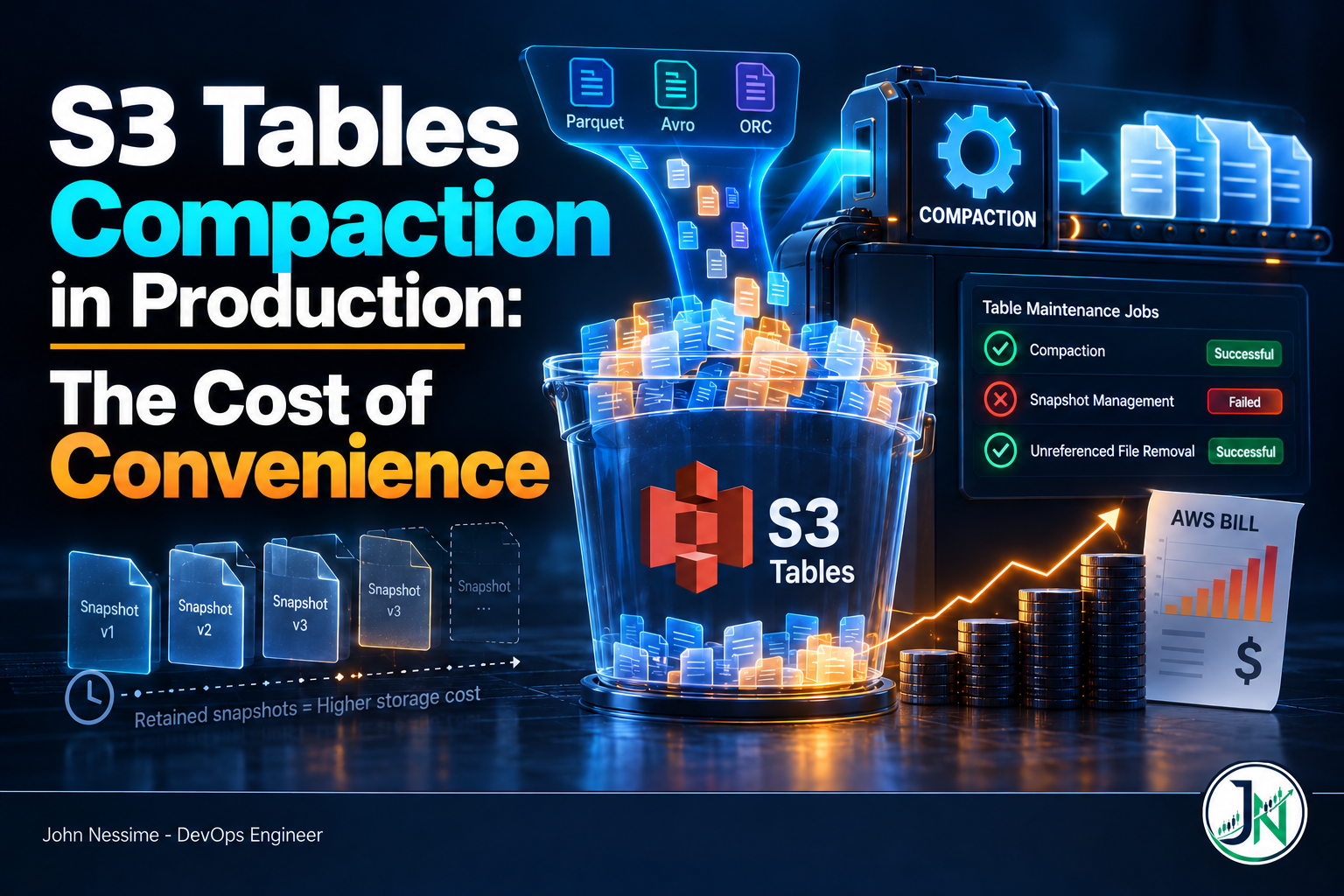
The table bucket had been in production a couple of months. Ingest volume was flat, retention said ninety days, and the storage line on the bill kept climbing anyway. Compaction was enabled. The console showed nothing wrong. Someone had already checked twice.
The answer was one API call away, and nobody had made it. Snapshot management had been failing for the entire table since a developer added an Iceberg branch for a backfill experiment. Compaction kept running happily. Old snapshots never expired, the files they pinned never became eligible for deletion, and the bucket grew. No alarm, no console banner, no email.
That is the shape of most S3 Tables compaction problems in production. The managed maintenance is good at what it does. What it is bad at is telling you when it has stopped doing it. This post covers the failure modes that bite, the storage tail that keeps billing after you think data is gone, how the compaction charge accumulates, and the handful of knobs you actually control.
What managed compaction actually does
S3 Tables runs three maintenance jobs, all on by default. Compaction and snapshot management are per table. Unreferenced file removal is per table bucket and cannot be overridden per table.
Compaction is the Iceberg rewriteDataFiles routine with scheduling taken off your hands. It combines small objects into larger ones, applies pending row-level deletes on the way through, and writes the result as the table’s newest snapshot. Target file size defaults to 512MB and accepts 64MB to 512MB. Parquet row groups inside use a 128MB default.
There are four strategies. auto is the default and picks for you: sort order defined in metadata means sort, otherwise binpack. binpack packs small files into bigger ones. sort orders rows hierarchically by your chosen columns so engines prune more files. z-order interleaves several columns into one sortable value, for queries filtering on multiple dimensions rather than one leading column.
Both sort and z-order need a sort_order in your Iceberg table properties and the s3tables:GetTableData permission to set. They also cost more per byte processed than binpack, because they do more work.
Failure family one: maintenance that fails without telling anyone
This is the one worth reading the post for. Maintenance jobs have four states: Successful, Failed, Disabled, and Not_Yet_Run. There is exactly one place that state is exposed on demand, and it is an API call you have to remember to make.
aws s3tables get-table-maintenance-job-status
  --table-bucket-arn arn:aws:s3tables:REGION:ACCOUNT_ID:bucket/BUCKET_NAME
  --namespace my_namespace
  --name my_table
The response carries a block for each of icebergCompaction, icebergSnapshotManagement, and icebergUnreferencedFileRemoval, each with its own status, a lastRunTimestamp, and a failureMessage. The three are independent. Compaction reporting Successful tells you nothing about whether the other two are running.
The failure messages are worth knowing before you see them, because several of them describe conditions your own pipeline creates.
Tags and branches disable snapshot expiry for the whole table
If any user-defined tag or branch exists on the table, snapshot management fails. Not partially. The whole table stops expiring snapshots, and the message says snapshot management does not support user-defined tags or references. This applies even when the tag or branch has a short retention period of its own.
Branches are a normal Iceberg workflow. Someone creating one for a write-audit-publish flow or a backfill is not doing anything wrong. They are just silently turning off garbage collection for that table, and the effect shows up on next month’s bill rather than in their terminal.
Iceberg retention properties conflict with the managed config
If history.expire.max-snapshot-age-ms or history.expire.min-snapshots-to-keep is set as an Iceberg table property, snapshot management fails for the entire table regardless of the value. The managed service will not reconcile its own configuration against properties in metadata.json. It refuses instead.
This catches teams migrating a self-managed Iceberg table into a table bucket, because those properties are exactly what a self-managed setup uses. Remove them and let the maintenance API own retention.
ALTER TABLE mydb.mytable UNSET TBLPROPERTIES ('history.expire.max-snapshot-age-ms');
ALTER TABLE mydb.mytable UNSET TBLPROPERTIES ('history.expire.min-snapshots-to-keep');
gc.enabled set to false
Setting the Iceberg gc.enabled table property to false stops both snapshot management and unreferenced file removal. Leave it unset or explicitly true. Teams sometimes set it defensively during a migration and then forget, which produces a table that compacts forever and cleans up never.
KMS key policy missing the maintenance principal
If the table is encrypted with a customer managed key, that key’s policy has to grant access to the service principal maintenance.s3tables.amazonaws.com. Without it you get an insufficient-access failure and all maintenance stops. Catch this in Terraform review rather than production, because the table reads and writes perfectly while maintenance is dead.
Failure family two: the storage tail you keep paying for
Deleting rows from an Iceberg table does not delete bytes from S3. Neither does compacting them. Understanding the cascade is the difference between predicting your storage bill and being surprised by it.
When compaction rewrites files, the originals stay because older snapshots still reference them. They become removable only once every referencing snapshot expires. Snapshot management drives that expiry from minSnapshotsToKeep (default 1) and maxSnapshotAgeHours (default 120). Both conditions must be satisfied before a snapshot goes.
When a snapshot expires, S3 marks objects referenced only by it as noncurrent. It does not delete them. They sit noncurrent for nonCurrentDays (default 10), then are deleted permanently.
Add that up. On defaults, a byte compaction superseded today is still on your bill roughly fifteen days from now. Files never referenced by any snapshot take a parallel path through unreferencedDays (default 3) into the same noncurrent window.
Two things follow. A table under heavy rewrite pressure carries a persistent storage overhang that is a function of your write rate and these windows, not of your logical table size. And those windows are your fastest cost lever if you do not need long time travel, configured in two different places.
# Per table: how long snapshots survive
aws s3tables put-table-maintenance-configuration
  --table-bucket-arn arn:aws:s3tables:REGION:ACCOUNT_ID:bucket/BUCKET_NAME
  --namespace my_namespace
  --name my_table
  --type icebergSnapshotManagement
  --value '{"status":"enabled","settings":{"icebergSnapshotManagement":{"minSnapshotsToKeep":3,"maxSnapshotAgeHours":48}}}'

# Per bucket: how long dead files linger before deletion
aws s3tables put-table-bucket-maintenance-configuration
  --table-bucket-arn arn:aws:s3tables:REGION:ACCOUNT_ID:bucket/BUCKET_NAME
  --type icebergUnreferencedFileRemoval
  --value '{"status":"enabled","settings":{"icebergUnreferencedFileRemoval":{"unreferencedDays":2,"nonCurrentDays":3}}}'
Be deliberate. Shortening these windows shortens your time travel range and your recovery options. Deletion of noncurrent objects is permanent, and recovering them means a support case, if it is possible at all. I would rather pay for a few extra days of overhang on a table I might need to roll back than discover the limit during an incident.
Failure family three: write amplification and the compaction charge
S3 Tables bills storage, requests, a per-object monitoring fee for every object in the bucket, and, when compaction is on, both the objects and the bytes processed. Rates change and vary by region, so check the current S3 pricing page rather than a number from a blog post. What matters is the shape.
The shape is that compaction charges scale with how badly your writers behave, not with how big your table is. A batch job writing a few large files an hour barely registers. A streaming pipeline committing every few seconds produces a huge number of tiny objects, and every byte gets read and rewritten at least once, sometimes more as small compacted files merge again into larger ones.
People reach for targetFileSizeMB first. Wrong lever. Changing the target changes the destination, not how much data has to move to get there.
The lever that works is the commit pattern on the write side. Buffering so the pipeline commits larger files less often reduces object count, monitoring fees, compaction object charges, and bytes processed all at once. This is the trade S3 Tables makes explicit: the service takes the maintenance work off your plate and prices it, so a writer that generates more work pays more for it.
Because compaction is a separate billing dimension, break it out in whatever cost tooling you already use. Cost Explorer with usage-type grouping will show it, and platforms like Vantage or CloudZero make it easier to watch alongside the rest of your S3 spend.
Failure family four: files compaction quietly skips
Compaction supports Parquet, Avro, and ORC. It does not support the Fixed data type, nor the brotli or lz4 compression codecs.
That last one matters because lz4 is a reasonable choice for a write-heavy pipeline where encoding speed counts. Pick it and you get exactly the outcome you were avoiding: a table full of small files that the compaction you are paying for will not consolidate.
Compaction also writes Parquet by default even when source files are Avro or ORC. To keep the original format, set the write.format.default table property to avro or orc. Most people want Parquet for read performance, but if a downstream consumer expects a specific format, this is where you say so.
Failure family five: compaction and your writers fighting over the table
Iceberg uses optimistic concurrency with conflict detection to arbitrate commits. As far as the table is concerned, compaction is just another writer. When a compaction commit and one of yours touch overlapping state, one loses.
When compaction loses you see Failed with a message about failing to commit because of out-of-date metadata, and a note that it will retry. Benign in isolation. Seen persistently, it means your write pattern and the maintenance schedule collide often enough that compaction is not keeping up, and the small-file problem quietly worsens while status flips between Failed and Successful.
When your job loses, you get a commit failure in your pipeline. AWS explicitly recommends retry logic on your side, and that is not boilerplate. A pipeline without commit retries, against a table with managed compaction on, will fail intermittently for reasons that have nothing to do with your code.
Turning managed compaction off, and when that is right
Start with the honest case for leaving it on. Table maintenance is real operational work: a Spark cluster or scheduler, a job that has to run, alerting for when it does not, and someone who understands why it failed at 3am. Managed compaction removes all of that for a per-use fee. For most teams with a handful of tables and batch-shaped ingest, that is the right call. The cost is small and the alternative has a salary attached.
The case against is control. You cannot influence when compaction runs, hint from the write side about what to prioritise, or make it work harder after a large backfill. The published observability is a status field and a timestamp per job. If your workload has hot partitions needing attention now and cold partitions that never need touching, managed compaction cannot express that distinction and you pay to rewrite both.
Disabling is a per-table change, and it does not require zeroing the settings.
aws s3tables put-table-maintenance-configuration
  --table-bucket-arn arn:aws:s3tables:REGION:ACCOUNT_ID:bucket/BUCKET_NAME
  --namespace my_namespace
  --name my_table
  --type icebergCompaction
  --value '{"status":"disabled","settings":{"icebergCompaction":{"targetFileSizeMB":256}}}'
From there you run maintenance yourself. Trino exposes an optimize procedure through ALTER TABLE ... EXECUTE, and Spark has the standard Iceberg rewrite_data_files procedure. Both let you scope work to specific partitions on your own schedule, which is the entire point of taking it back.
Do this with your eyes open. You now own the scheduling, the compute, the failure alerting, and the snapshot expiry. Teams that disable managed compaction and never build the replacement end up worse off than if they had left it alone. If cost rather than control is driving this, fix the write pattern first and re-measure. That is usually cheaper than the engineering you are about to sign up for.
Troubleshooting S3 Tables compaction and maintenance
Work through these in order. The first step resolves more cases than the rest combined.
- Check all three job statuses, not one. Run
get-table-maintenance-job-statusand read every key in the response. A green compaction status next to a failed snapshot management status is the classic growing-bucket signature. - Read the failure message literally. It names the exact property or condition at fault. Tags or references means someone created a branch or tag. Incompatible table properties means
history.expire.*is set. - Status is
DisabledorNot_Yet_Rununexpectedly. Someone replaced the configuration. Confirm withget-table-maintenance-configuration, and rememberput-table-maintenance-configurationreplaces rather than merges. - Compaction runs but file count stays high. Check codec and data types against the unsupported list. Files using
brotliorlz4, or containing theFixedtype, are outside what compaction touches. - Insufficient-access failures on an encrypted table. Check the KMS key policy grants the
maintenance.s3tables.amazonaws.comservice principal, and that the key is enabled and still exists. - Storage still growing with everything green. Do the arithmetic on your retention windows. Snapshot age plus noncurrent days is the floor on how long superseded data bills, and defaults put that at roughly two weeks.
For anything historical, S3 Tables maintenance operations appear in CloudTrail management events, which is where you go to answer “when did this start” rather than “what is broken now”.
Common mistakes
- Treating the three maintenance jobs as one thing. They fail independently and for different reasons. “Maintenance is enabled” is not a status.
- Creating branches or tags on a managed table. A normal Iceberg workflow that switches off snapshot expiry for the whole table.
- Tuning
targetFileSizeMBto reduce cost. It changes where the data lands, not how much has to be moved. Fix the commit pattern instead. - Setting
sortorz-orderwithout a sort order defined. The strategy needssort_orderin table properties and thes3tables:GetTableDatapermission, and it costs more per byte thanbinpack. - Running write pipelines with no commit retry. Compaction is a concurrent writer. Conflicts are expected behaviour, not an anomaly.
Best practices for running S3 Tables compaction in production
- Poll job status on a schedule and alert on it. A small scheduled function calling
get-table-maintenance-job-statusacross your tables, emitting a metric per job type, closes the largest observability gap in the service. Alert onFailedand on a stalelastRunTimestamp, on whatever dashboard you already watch, Grafana or CloudWatch. - Make maintenance config part of your IaC. These are settings someone can change with one CLI call and no review. Codify them so drift is visible.
- Set retention windows from a real requirement. Ask how far back anyone needs to time travel, then set
maxSnapshotAgeHoursandnonCurrentDaysto that plus a margin, rather than accepting defaults by omission. - Batch on the write side before tuning anything else. Fewer, larger commits improve object count, monitoring cost, compaction cost, and query performance simultaneously.
- Choose the strategy from the query pattern. One dominant filter column suggests
sort. Several equally weighted predicates suggestz-order. Neither suggests leaving it onauto. - Track the compaction billing dimension separately. It moves independently of storage and it is the earliest signal that a writer’s behaviour has changed.
Frequently asked questions
How do I know if S3 Tables compaction is actually running?
Call get-table-maintenance-job-status and read the icebergCompaction block. It returns Successful, Failed, Disabled, or Not_Yet_Run, plus a last-run timestamp and a failure message. No dashboard surfaces this by default, so to know without asking you have to poll it and emit your own metric.
Why is my S3 Tables storage growing when compaction says it succeeded?
Two likely causes. Either snapshot management is failing separately, which stops old snapshots expiring and pins their data files indefinitely, or your retention windows are longer than you assumed. On defaults, superseded data sits for the snapshot age window plus the noncurrent window, around two weeks. Check the other two job statuses first.
Can I run my own compaction alongside the managed one?
You can, but it is a poor idea. Both are writers competing under Iceberg’s optimistic concurrency, so you generate commit conflicts and pay twice to rewrite the same data. Pick one. If you need engine-side control, disable managed compaction for that table first.
Does disabling compaction stop all S3 Tables charges?
No. It stops the compaction object and byte-processing charges for that table. Storage, requests, and the per-object monitoring fee continue, and that monitoring fee scales with object count, which is exactly what stops improving once compaction is off. Disabling it on a small-file-heavy table can raise monitoring cost over time.
Is sort or z-order compaction worth the extra cost?
It depends on whether queries filter on the sorted columns. Sorted layout lets engines skip files using Parquet column statistics, so the saving shows up in query cost and latency, not storage. Dominant queries filtering on one column favour sort. Several dimensions in varying combinations favour z-order. Queries that mostly scan everything justify neither.
Can I recover data deleted by S3 Tables maintenance?
Deletion of noncurrent objects is permanent. AWS documents contacting support to view or recover objects marked noncurrent, which is not a path to depend on. Treat retention window changes as a one-way door, set from a stated requirement rather than trimmed until the bill looks better.
The one thing worth remembering
S3 Tables compaction is a good trade for most teams. The service does real work you would otherwise be scheduling and babysitting, and it does it well enough that you can stop thinking about small files as a daily concern.
What it does not do is tell you when it stops. No alarm fires when a branch someone created for an afternoon experiment switches off snapshot expiry, and no banner appears when a KMS policy change kills maintenance across a bucket. The price of the convenience is that you build the one thing the service did not: a scheduled check on get-table-maintenance-job-status that tells you when the automation stopped automating. That is an afternoon of work. Skipping it is how a flat workload turns into a bill that grows every month for reasons nobody can explain.
Need help with Iceberg tables on AWS?
I work with teams running Apache Iceberg on S3, and most problems are the ones above rather than anything exotic. Things I can help with:
- Auditing every table in a bucket for failed or disabled maintenance jobs, and finding which have stopped expiring snapshots
- Building the scheduled job-status check and alerting that S3 Tables does not ship with, wired into CloudWatch or Grafana
- Working out where a bucket’s storage growth actually comes from, and setting retention windows against a real requirement
- Reworking streaming and CDC write patterns so commits produce fewer, larger files before compaction charges scale with them
- Deciding table by table whether managed or engine-side maintenance is right, and implementing whichever you pick
- Migrating self-managed Iceberg tables into table buckets without carrying over the properties that break managed maintenance
If something is not adding up, send me the output of get-table-maintenance-job-status for the table and a rough description of your write pattern. That is usually enough to say what is going on.