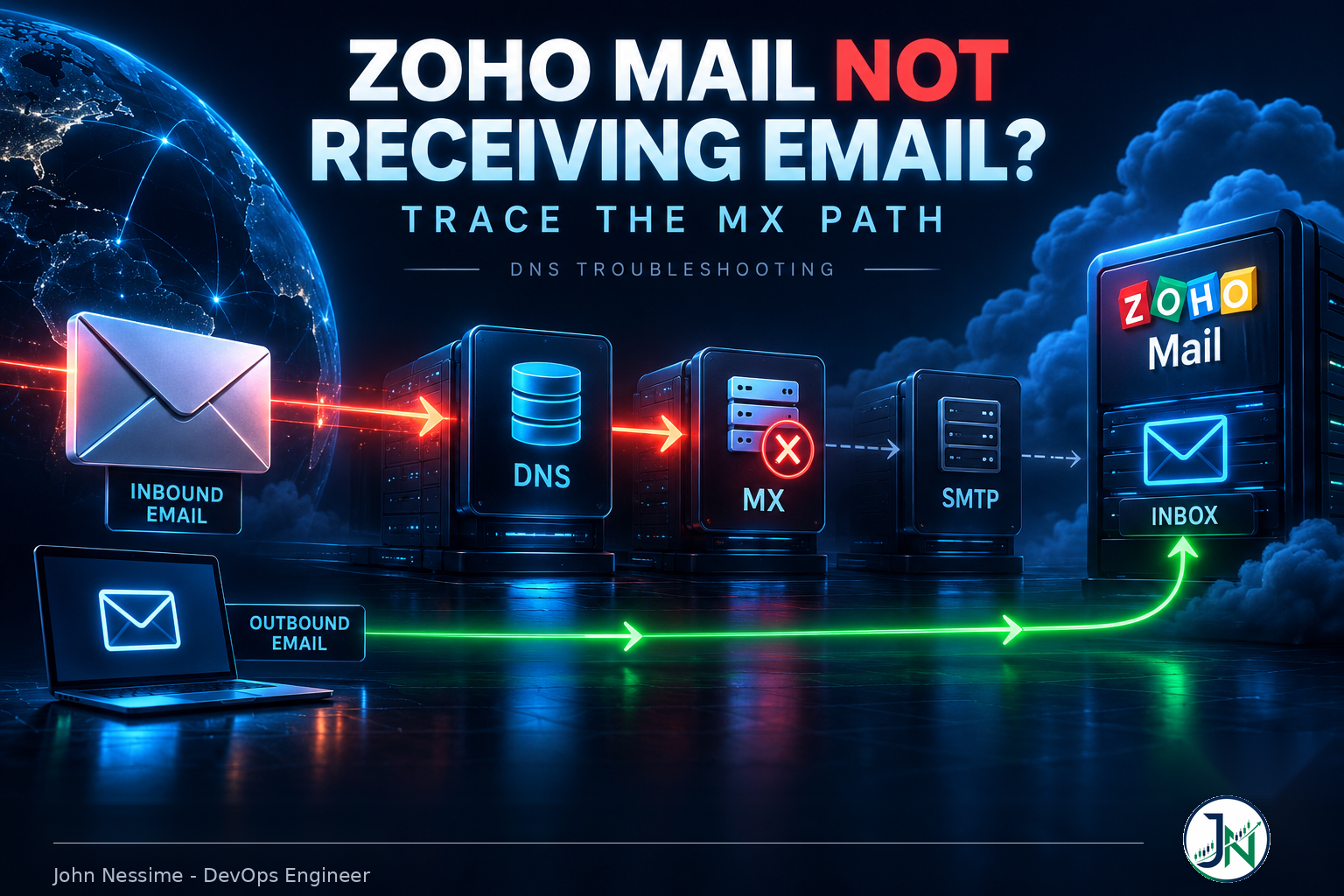
The ticket almost always reads the same way. “We can send email fine, but nothing is coming in.” Someone has been waiting two days on a signed contract that never arrived. No bounce landed in anyone’s inbox. No error appeared anywhere in the Zoho interface. The mail just went somewhere else.
That asymmetry, sending works and receiving doesn’t, is the single most useful clue in the whole problem. It narrows the search enormously. Yet most guides on Zoho Mail not receiving email open by telling you to check your SPF record, which has nothing whatsoever to do with inbound delivery. People lose a full day tuning an SPF string while their MX records quietly point at a data center that has never heard of their domain.
This guide walks the inbound path in the order a sending mail server actually walks it, groups the real causes by failure family, and gives you the exact commands to prove which one you’re looking at. Everything here applies whether your DNS lives at Cloudflare, Namecheap, GoDaddy, Route 53, or a cPanel box at InterServer or Contabo.
Sending and receiving are two separate systems
This is worth internalizing before you touch a single DNS record, because it eliminates most of the internet’s advice on this topic in one move.
When you send from Zoho, your client authenticates against Zoho’s outbound SMTP server with a username and password. Your domain’s DNS plays no part in that handshake. SPF, DKIM and DMARC records exist so that the recipient’s server can decide whether to trust mail claiming to be from you. They are judgements other people make about your outbound mail.
When someone sends to you, none of that matters. Their server looks up your MX records, connects to whatever hostname it finds, and hands the message over. Your SPF record is never consulted. Your DKIM key is never consulted.
So if outbound works and inbound doesn’t, the fault is in the MX lookup, the connection that follows it, or Zoho’s decision about what to do with the message once it arrives. Not SPF. There is one narrow exception, covered later, where Zoho’s own inbound spam checks reject mail because the sender’s SPF fails. That is a different record on a different domain.
The inbound path, in the order it actually happens
Six things happen between someone hitting send and a message appearing in your Zoho inbox:
- The sending server splits the recipient address and takes the domain part.
- It asks DNS for the MX records of that domain, following delegation from the root down to whichever nameservers the registry says are authoritative for you.
- It sorts the results by preference number and takes the lowest one first.
- It resolves that hostname to an address record.
- It opens an SMTP connection and offers the message with MAIL FROM and RCPT TO.
- The receiving server decides whether that recipient exists in its organization and where to file the message.
Steps two through four are pure DNS. Step five is network. Step six is Zoho configuration. Diagnosing this well is mostly a matter of finding out which step you’re stuck on instead of guessing.
Five DNS failure families behind Zoho Mail not receiving email
Nearly every inbound failure I’ve seen falls into one of these. They present almost identically from the user’s chair, which is why guessing goes badly.
1. You’re editing records at a provider that isn’t authoritative
This is the most common one and the most frustrating, because the records look perfect in the control panel you’re staring at. They’re just not the records the internet reads.
It happens whenever the domain is registered in one place and the nameservers point somewhere else. You buy at Namecheap, delegate to Cloudflare, then add MX records back in the Namecheap DNS panel out of habit. Or a previous developer moved DNS to a hosting account you no longer log into. The registrar panel accepts your edits and stores them faithfully. Nobody queries them.
Find out where authority actually sits:
# Which nameservers does the parent zone delegate to?
dig +short NS example.com

# What do those nameservers say about your MX, directly?
dig MX example.com @ns1.yourprovider.com +norecurse

# Watch the full delegation chain from the root
dig +trace MX example.com
The +trace output is the one to read carefully. It shows each referral step, so you can see exactly which nameserver set the world is being pointed at. If those names don’t match the provider where you’ve been editing, you’ve found your problem and the fix takes thirty seconds.
2. Correct-looking MX records for the wrong Zoho data center
This is the failure mode that stays invisible longest, and it’s the reason copying MX values off a random blog post is dangerous.
Zoho runs regional data centers, and your account lives in exactly one of them. The mail hostnames differ by region: the international service uses .com hostnames, and the European and Indian deployments use their own regional equivalents. Your domain’s mailboxes exist only in the data center where your organization was created.
Point your MX at the wrong region and everything looks healthy. The records resolve. The hostnames are genuine Zoho servers. A lookup tool will show green. But mail arrives at infrastructure that has no record of your domain, and senders get a rejection saying the address doesn’t exist, or nothing at all.
For the international service, Zoho’s documentation specifies three records, in this order of preference:
Priority 10   mx.zoho.com
Priority 20   mx2.zoho.com
Priority 50   mx3.zoho.com
Do not take that as gospel for your account. The authoritative source is the DNS Mapping section of your own Zoho Mail Admin Console, which shows the exact hostnames for the data center your organization sits in. Read them there, copy them from there. If you’re unsure which region you’re on, the domain in the URL when you log into the admin console tells you.
Verify what the world sees, not what your panel shows:
dig +short MX example.com

# Confirm the target hostname itself resolves
dig +short mx.zoho.com
3. Leftover MX records from whatever came before
MX preference is not a fallback list in the sense most people assume. A sending server tries the lowest number first, and if that server accepts the message, the transaction is over. It never touches the others.
So a stale record from your old host sitting at priority 0 or 5 doesn’t compete with Zoho. It wins outright, every time. The mail is delivered successfully, to a mailbox nobody checks, on a server that may still be quietly accepting for your domain. The sender sees no error. You see nothing at all.
This is also why partial migrations bite. Two providers both accepting mail for one domain means your messages split between them based on preference and retry timing, which looks like random message loss and is nearly impossible to reason about from the inside.
The rule is simple: after cutover, the only MX records in the zone should be Zoho’s. Delete everything else, including records for subdomains you forgot about. Check the full answer rather than a truncated view:
dig MX example.com +noall +answer4. A CNAME sitting where the MX records live
Two related problems here, and both are structural rather than typos.
The first: an MX record must point to a hostname with an address record. Pointing an MX at a name that is itself a CNAME is forbidden by the DNS specifications, and Zoho documents this explicitly. Some resolvers cope, others don’t, and the ones that don’t will fail intermittently in ways that look like a network problem.
The second: a CNAME at the zone apex. Classic DNS forbids a CNAME coexisting with any other record at the same name, and MX records at the apex are exactly that. Providers like Cloudflare work around this with CNAME flattening, which synthesizes an address record and does keep your MX records functional. Providers with a naive implementation may shadow or drop them. If someone added an apex CNAME to point the bare domain at a hosting platform or a site builder, that’s worth checking early.
dig CNAME example.com +short
dig A example.com +short
One thing that is not a problem, despite frequent claims otherwise: Cloudflare’s orange-cloud proxy setting. Proxying applies to HTTP traffic on address records. It has no effect on MX records, and toggling it grey will not fix inbound mail.
5. DNSSEC left broken after a nameserver change
Less common, but spectacular when it happens, because it takes the entire domain down rather than just mail.
If DNSSEC was enabled and the DS record at the registry no longer matches the signing keys at your current DNS provider, validating resolvers refuse to return any answer at all. They return SERVFAIL. Non-validating resolvers still work, which is why the site loads fine for you and mail from major providers, who mostly validate, vanishes.
The test is a one-liner. +cd disables validation checking:
# Fails with SERVFAIL if validation is broken
dig MX example.com

# Same query, validation bypassed
dig +cd MX example.com
If the second command returns your records and the first doesn’t, you have a DNSSEC mismatch. The fix is at your registrar: either update the DS record to match your current provider’s keys, or remove DNSSEC entirely, confirm mail flows, and re-enable it properly afterwards.
When DNS is clean and mail still doesn’t arrive
If your MX records resolve correctly to the right data center and nothing else is in the zone, DNS has done its job. The remaining causes sit on either side of it.
Your own server is intercepting the mail
This catches people running a site on cPanel or DirectAdmin, and it’s genuinely counterintuitive. Control panels have an email routing setting per domain, typically offering local, remote, or automatic delivery. If it’s set to local mail exchanger, the mail server on that box delivers messages for your domain into its own accounts and never performs an MX lookup.
The effect is narrow but confusing: external senders reach Zoho normally, while anything sent from a script or a form on that server goes to a local mailbox instead. Contact form submissions disappear while ordinary email works. Set routing to remote mail exchanger on any host where the site lives but the mailboxes don’t.
The address doesn’t exist in your Zoho organization
Zoho will only accept mail for addresses it knows about. A user account, an alias on a user, or a group. If someone hands out an address that was never created, Zoho rejects it and the sender gets an address-not-found bounce that they may not think to forward to you.
Zoho supports a catch-all address for exactly this, and it’s worth setting one during a migration so misaddressed mail lands somewhere recoverable rather than bouncing into the void.
Zoho accepted it and quarantined it
Under Security and Compliance in the Admin Console, Zoho lets you decide what happens to mail that fails SPF, DKIM, DMARC or DNSBL checks. The available actions include delivering it, quarantining it, or rejecting it outright, with or without a bounce.
Set to reject-without-bounce, a sender whose own SPF is slightly wrong gets silently dropped, and neither party learns anything. This is the narrow SPF connection I mentioned earlier: it’s the sender’s SPF being judged, not yours. Check the incoming quarantine before concluding mail never arrived, and check the organization blocked list while you’re there, since a blocked domain or TLD produces exactly the same silence.
The domain lapsed or lost verification
If a domain expires, its DNS stops resolving and every associated record becomes unreachable, which also invalidates the domain verification Zoho performed. Zoho’s documentation notes that after renewal you have to reconfigure MX records as part of reverification. Renewing the domain alone doesn’t restore mail.
A troubleshooting sequence that ends in an answer
Work these in order. Each step either clears a layer or hands you the cause, so you never end up changing three things at once and losing track of which one worked.
- Confirm delegation. Run
dig +short NS example.comand check it matches the provider you’re editing. If not, stop here and fix that first. - Read the MX records from an authoritative nameserver. Use
dig MX example.com @ns1.yourprovider.comso you’re seeing the source of truth rather than a cached copy. - Compare against the Admin Console. Open the DNS Mapping page in Zoho Mail and match hostnames character for character, including the regional suffix.
- Confirm nothing else is in the answer. Any non-Zoho MX record is a suspect, especially one with a lower preference number.
- Test resolution from a public resolver. Try
dig MX example.com @1.1.1.1and@8.8.8.8. Differences between them mean you’re mid-propagation and waiting is the fix. - Rule out DNSSEC. Compare
dig MX example.comagainstdig +cd MX example.com. - Prove the SMTP conversation. Send a real test and watch what the server says.
- Check quarantine and blocked lists in the Zoho Admin Console before concluding anything was lost.
For step seven, swaks is the cleanest tool. It speaks SMTP for you and prints the full exchange, so you see the actual response code rather than guessing from a bounce message:
# Stop after RCPT TO so no message is actually delivered
swaks --to you@example.com --server mx.zoho.com --quit-after RCPT
A 250 after RCPT TO means Zoho recognises the address and would accept the mail. A 550 means it doesn’t know that recipient, which points straight at a missing mailbox or the wrong data center. A connection timeout usually isn’t Zoho at all: many residential and cloud providers block outbound port 25 by default, so run this from a machine you know has egress on 25. If you only have a laptop on a consumer connection, testing through a VPN endpoint that permits SMTP, or from a small VPS, avoids chasing a phantom.
Common mistakes
- Fixing SPF to solve an inbound problem. Your SPF record has no role in receiving mail. If you can send but not receive, it is not SPF.
- Copying MX values from a tutorial. Regional deployments have different hostnames. Use your own Admin Console every time.
- Adding Zoho’s records without removing the old ones. A lower preference number beats Zoho outright and nothing warns you.
- Trusting the DNS panel over a query. A saved record and a published record are different things. Query it.
- Cutting MX over before creating the mailboxes. Every address that doesn’t exist yet bounces, and those messages are gone.
- Blaming propagation on day three. Propagation is bounded by the TTL that was in effect before the change. If it’s been longer than that, something is genuinely wrong.
- Trailing dot confusion. Some panels want
mx.zoho.com.with the dot, others append the zone themselves and turnmx.zoho.cominto an unresolvable name. Always confirm with a query afterwards.
Best practices
- Drop the TTL before you migrate. Lower the MX TTL to a few minutes a day ahead of cutover, do the change, then raise it back. This turns a rollback from an overnight wait into a coffee break.
- Create every mailbox, alias and group before touching MX. Zoho’s own guidance is to configure users first and change MX last.
- Set a catch-all during the transition. It converts “we lost an email” into “it’s in the catch-all mailbox”.
- Keep DNS in one place. One authoritative provider, one panel, no ambiguity about where records live.
- Monitor the MX record itself. An uptime or synthetic monitoring service that checks DNS answers, or a scheduled
digcomparison in your own pipeline, catches an accidental zone edit before a client does. - Enable DKIM and set DMARC after inbound is confirmed working. They matter for your outbound reputation. Doing them first just adds variables while you’re debugging.
- Keep a copy of the zone. Export it before major changes. Reconstructing a zone from memory during an outage is miserable.
Frequently asked questions
Why can I send from Zoho Mail but not receive?
Because sending authenticates directly against Zoho’s outbound servers and doesn’t consult your domain’s DNS, while receiving depends entirely on your MX records. Working outbound with broken inbound is a strong signal that the problem is an MX record, a nameserver delegation issue, or a leftover record from a previous provider.
How long should MX changes take to work?
Propagation is governed by the TTL that was set on the old record, not by any fixed schedule. If the previous TTL was one hour, resolvers holding a cached copy will refresh within an hour. If it was set to a day, expect a day. Nothing you do afterwards speeds up a cache that has already been populated.
Do I need all three Zoho MX records?
Mail will flow with only the primary, but the backups exist so that senders have somewhere to deliver if the primary is unreachable. Without them, sending servers queue and retry, which delays delivery and eventually bounces. Add the full set your Admin Console lists.
Does SPF affect whether I receive email?
Your own SPF record does not. It’s evaluated by servers receiving mail from you. The one indirect connection is that Zoho evaluates the sender’s SPF on incoming mail, and if your Admin Console is set to reject or quarantine on SPF failure, legitimate mail from badly configured senders can disappear.
Why do lookup tools say my MX records are fine when mail still fails?
Lookup tools verify that records exist and resolve. They can’t know which Zoho data center your organization lives in, whether the mailbox has been created, or whether a message is sitting in quarantine. A green result rules out one layer, not all of them.
Can I run Zoho Mail alongside another mail provider on one domain?
Not by simply listing both sets of MX records. That splits mail unpredictably. Zoho does offer routing arrangements designed for gradual migration, configured on the Zoho side rather than by stacking MX records in DNS. If you need a genuine split, use the supported mechanism.
My contact form emails vanish but normal email works. Why?
Almost always the control panel email routing setting on the server hosting the site. If it’s on local mail exchanger, mail generated on that machine is delivered into a local account rather than sent out to Zoho. Switch it to remote.
Conclusion
If you take one thing from this: when Zoho Mail is not receiving email but sending works, stop looking at authentication records. Inbound mail is decided by your MX records, and those records have to be published by the nameservers that are actually authoritative for your domain, pointing at the data center your Zoho organization lives in, with nothing else in the answer competing with them.
Query, don’t assume. Read the answer from the authoritative nameserver rather than the panel, compare it against your own Admin Console instead of a tutorial, then work down through SMTP and Zoho’s own quarantine. Almost every case resolves in that order, and the ones that don’t are usually a mailbox that was never created in the first place.
Need someone to untangle your mail DNS?
I work on DNS and mail delivery problems like this regularly, usually for people who have already tried three fixes and made things harder to reason about. Things I can help with:
- Diagnosing inbound mail failures end to end, from delegation through SMTP response codes to Zoho’s quarantine
- Planning and executing a mail migration to Zoho with a TTL schedule and a rollback path that actually works
- Auditing and cleaning up a zone that several people have edited over the years
- Setting up SPF, DKIM and DMARC properly once inbound is stable, including staged DMARC enforcement
- Fixing DNSSEC mismatches after a nameserver move without taking the domain down again
- Adding DNS and mail-flow monitoring so the next zone edit doesn’t go unnoticed for a week
Send me the output of dig +trace MX yourdomain.com and a rejection message from a sender, and I can usually tell you where it’s breaking before we’ve agreed on anything.