A client emails on a Tuesday afternoon: “Our auditor is asking whether anything in the AWS account has changed since you handed it over. Can you confirm?” You built that account eleven months ago. You have the Terraform repo. You have no idea what has happened inside it since.
Multiply that by forty-nine other clients and you have the actual problem. It is not “is there drift”, because there is always drift. It is that you cannot answer the question per account in under a minute, and you cannot tell a change someone made on purpose from a change nobody remembers making.
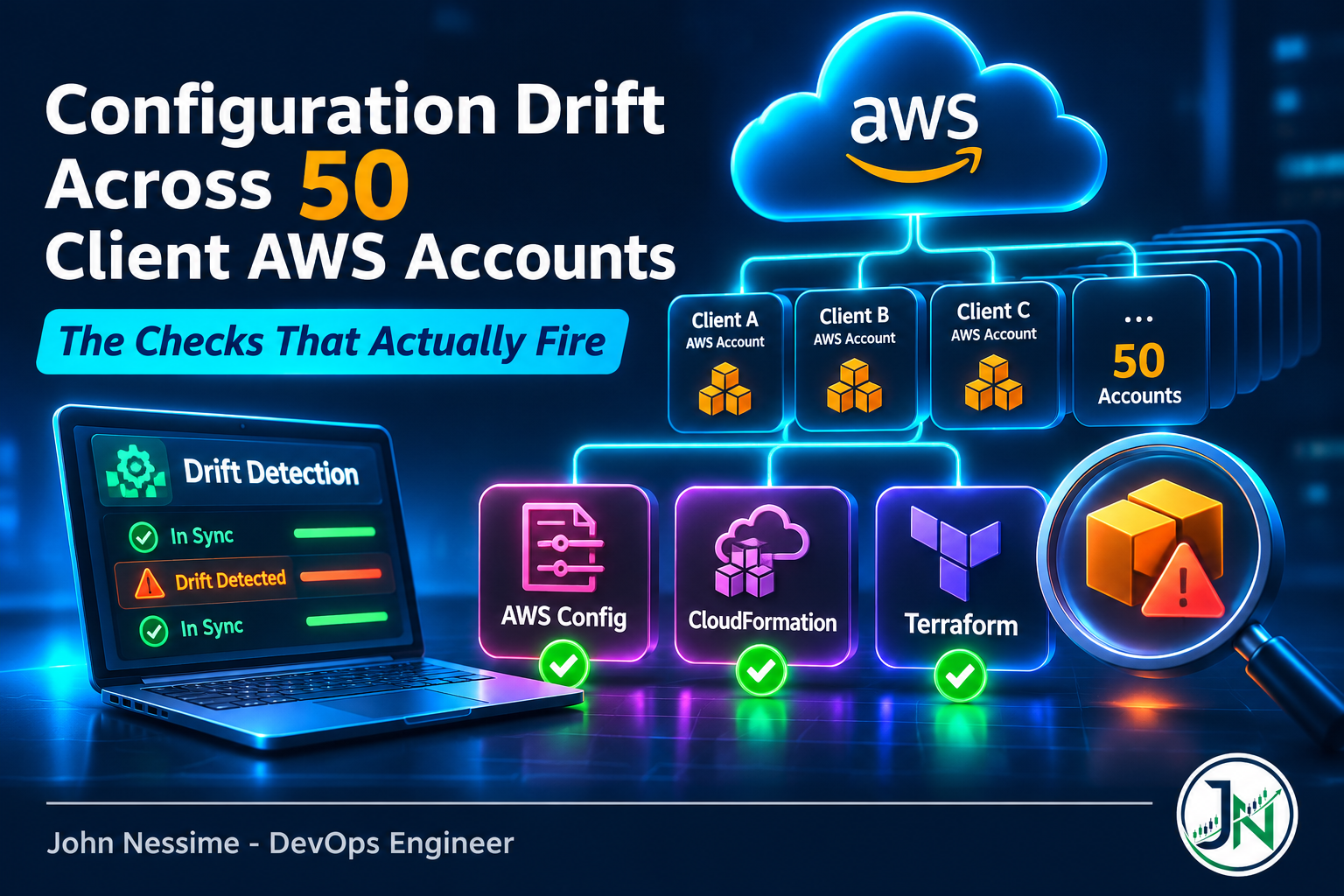
This post covers how to build AWS configuration drift detection across a fleet of client accounts you do not own and cannot put into your own organization. The access model, the three detectors and what each one is blind to, how to stop the cost from running away, and why the automated fix is more dangerous than the drift.
The failure mode: a green dashboard over an unwatched resource
Everything else in this post is downstream of one thing. Every drift detector on AWS reports on a subset of reality, and none of them tell you loudly where the subset ends. You get a clean report, you forward it to the client, and the thing that actually changed was never in scope.
There are three distinct shapes of this blind spot, and they map exactly onto the three detectors:
- The resource type is not being recorded. AWS Config only knows about resource types the recorder is configured to capture. Turn off a noisy type to save money and you have also turned off drift detection for it.
- The property is not in the template. CloudFormation drift detection compares only the resource properties explicitly written in your stack template. Rely on an AWS default and never declare it, and a change to it is invisible.
- The resource is not in state. A refresh-only Terraform plan compares state against reality. Anything a human created by hand in the console is not in state, so the plan is perfectly clean while the account fills up with unmanaged resources.
Once you internalise that, the design falls out of it. You do not pick a detector. You run more than one, on purpose, because each covers the other’s hole.
Access comes first, because you do not own the organization
Most writing on multi-account drift assumes one AWS Organization with a delegated administrator and an organization-wide Config aggregator. That is the right answer inside a company. It is the wrong answer for consulting, because fifty clients are fifty separate organizations and none of them are joining yours.
What you get instead is a read-only role in each client account, assumed from one account you control. The trust policy is where the security lives.
{
  "Version": "2012-10-17",
  "Statement": [
    {
      "Effect": "Allow",
      "Principal": { "AWS": "arn:aws:iam::111122223333:role/drift-scanner" },
      "Action": "sts:AssumeRole",
      "Condition": {
        "StringEquals": {
          "sts:ExternalId": "unique-value-for-this-client-only"
        }
      }
    }
  ]
}
The external ID is not decoration. AWS documents it specifically as the fix for the confused deputy problem: you hold credentials that can reach fifty client accounts, and without a per-client secret, one client who learns another client’s account ID could persuade your tooling to act on an account it should not touch. Generate a different external ID per client, store it with the client’s config, and never reuse one.
For permissions, start with the two AWS managed policies built for exactly this. arn:aws:iam::aws:policy/SecurityAudit grants read access to security configuration across services. arn:aws:iam::aws:policy/job-function/ViewOnlyAccess adds the ability to list and describe resources generally. Between them you can run every detector below without holding a single write permission in a client account. That is worth insisting on in the contract, because it changes the conversation from “the consultant has admin” to “the consultant can look and nothing else”.
If you want a further lock, run the scanner from a machine with a stable outbound address and add an aws:SourceIp condition to the trust policy. A small always-on box at a provider like Contabo or InterServer, or a fixed-IP egress from a business VPN such as NordLayer, is enough. The trade-off is real: you now have infrastructure to patch and a single point of failure. For fewer than ten accounts I would skip it. Past twenty, clients start asking for it during security review and it is easier to already have it.
Detector one: AWS Config, and the cost trap inside it
AWS Config is the only one of the three that sees resources nobody wrote code for. It records a configuration item every time a supported resource changes, and it evaluates rules against those items. That makes it the right tool for the “somebody clicked something in the console” case.
If a client does happen to run an Organization, you can enable Config as a trusted service and query everything from one place:
# Run from the client's management account, once
aws organizations enable-aws-service-access
  --service-principal=config.amazonaws.com

aws organizations list-aws-service-access-for-organization
Then the aggregator becomes queryable with a SQL-like expression. This is the single most useful command in the whole toolkit, because it turns “check compliance” into one call per client instead of one call per account per region:
aws configservice select-aggregate-resource-config
  --configuration-aggregator-name client-aggregator
  --expression "SELECT configuration.complianceType, COUNT(*)
    WHERE resourceType = 'AWS::Config::ResourceCompliance'
    GROUP BY configuration.complianceType"

# What is actually in the account, by type
aws configservice get-aggregate-discovered-resource-counts
  --configuration-aggregator-name client-aggregator
  --group-by-key RESOURCE_TYPE
The bill is the reason people turn it off
I am not going to quote rates, because AWS changes them and they vary by region. What matters is the shape of the billing, which has not changed: you pay per configuration item recorded, per rule evaluation, and per conformance pack evaluation. Three separate meters, all of which multiply by account and region.
Two things drive the surprise bills. First, recording mode. Continuous recording captures every change as it happens; periodic recording captures a resource’s latest state once every twenty-four hours, and only when it differs from the last one recorded. Periodic costs more per item but produces far fewer items for high-churn types, so the total usually drops hard. You can set the default for the account and then override it per resource type, which is the setting most people never find.
Second, and this is the one that catches people: compliance evaluations themselves generate configuration items. Every time a rule re-evaluates a resource and its compliance state is recorded, that is another item on the meter. In an account with conformance packs enabled across many resources, compliance records can outnumber the records of actual infrastructure changes. If a client’s Config bill looks wrong, that is the first place to look, not the resource count.
The practical setting for consulting work: record the resource types that carry security meaning, and leave the churny ones off. Network interfaces, auto scaling lifecycle hooks and Lambda versions generate enormous item volume and almost never represent drift anyone cares about.
Detector two: CloudFormation drift, and the property that was never declared
CloudFormation has native drift detection, and it is genuinely good at what it does. The call is asynchronous, so you fire it and poll:
ID=$(aws cloudformation detect-stack-drift
  --stack-name client-network
  --query StackDriftDetectionId --output text)

aws cloudformation describe-stack-drift-detection-status
  --stack-drift-detection-id "$ID"

# Only the resources that actually moved
aws cloudformation describe-stack-resource-drifts
  --stack-name client-network
  --stack-resource-drift-status-filters MODIFIED DELETED
The output is the best of the three detectors. For each drifted resource you get ExpectedProperties, ActualProperties, and a PropertyDifferences list naming the exact path that changed and whether the difference is ADD, REMOVE or NOT_EQUAL. You can paste that into a client email without editing it.
Now the blind spot, stated the way AWS states it: only resource properties explicitly defined in the stack template are checked for drift. Read that twice. If your template creates a security group and does not declare the ingress rules inline, drift detection on that stack will not tell you someone opened port 22 to the world. The stack is IN_SYNC. The account is not.
The second blind spot is resource type coverage. Not every resource type supports drift detection. Types that do not are simply excluded from the results rather than flagged, and describe-stack-resource-drifts omits anything that was not checked. So a stack with twelve resources can return three drift records and you have no signal about the other nine unless you go looking. Compare the count of drift records against the count of stack resources on every run and alert when the gap grows.
The other thing to know: drift detection tells you. It does not fix. Reconciling means either reverting the change by hand or bringing the current state into the template through resource import.
Detector three: refresh-only Terraform plans, and their false positives
For accounts you built with Terraform or OpenTofu, the detector is already in the tool. A refresh-only plan compares state against the live provider APIs without proposing any configuration changes, and the detailed exit code turns the result into something a scheduler can branch on.
set +e
terraform plan -refresh-only -detailed-exitcode
  -input=false -lock=false -no-color -out=drift.tfplan
CODE=$?
set -e

# 0 = no drift, 1 = the plan itself failed, 2 = drift detected
if [ "$CODE" -eq 2 ]; then
  terraform show -json drift.tfplan > drift.json
fi
-lock=false matters more than it looks. This is a read-only operation running on a schedule, and you do not want a nightly drift job holding the state lock when someone needs to apply a fix. -input=false stops the job hanging forever on a prompt nobody is there to answer. And terraform show -json is what makes the result machine-readable; parsing the human-readable plan text is a trap that breaks on every minor version.
Two honest caveats. Refresh-only plans have a history of returning exit code 2 while reporting no changes in the console output, and there are open issues against Terraform describing exactly that. If your drift alerts fire every night on an account nobody touched, check the JSON before you go hunting; you may be looking at a provider that rewrites a computed attribute on every read rather than at real drift. The second caveat is scale: this needs one plan per state file, and a client with fifteen root modules is fifteen invocations, each doing a full provider refresh. That is where a fifty-account nightly run stops being fast.
On dedicated open-source drift tools: driftctl was the obvious answer for years, and it is worth knowing about because its model was good, comparing live resources against state and specifically surfacing unmanaged resources. It has been in maintenance mode since Snyk stepped back from active development, so treat it as a tool you can still run rather than one that will keep pace with new resource types. The commercial platforms in this space will do the fan-out for you and are a legitimate choice if you would rather buy than build. What you are paying for is the scheduling and the reporting, not the detection itself, which is the part you already have.
Making the fan-out survivable
Fifty accounts is where a working script becomes an operational problem. The things that matter, in the order they bite:
- Isolate every account. One client’s expired external ID must not stop the other forty-nine from being scanned. Catch per-account, record the failure as a result, keep going.
- Treat a failed scan as a finding. An account that has not been successfully scanned in a week is a worse state than an account with three drifted properties, because you know nothing about it. Report scan coverage before you report drift.
- Stagger, do not blast. Deep scans hit provider APIs hard and throttling is the normal outcome of running fifty in parallel. Spread them across the window and back off on retry.
- Store every run, not just the alerts. The value of drift history is the trend. “This account has drifted four times this quarter, always in the same security group” is a conversation with the client. A single alert is noise.
- Alert on new drift, not on drift. If a client accepted a manual change last month and you never reconciled the code, your job will report it every night forever until everyone stops reading the emails. Diff against the last run and only surface what is new.
For output, a per-client dashboard beats an inbox. Grafana Cloud or a self-hosted Grafana over a small results table is plenty; you are plotting a handful of numbers per account per day, not high-cardinality metrics. Whatever you pick, the client should be able to see their own account and nobody else’s.
Do not let it fix things by itself
This is the part I would push back on hardest if a client asked for it. Automatic remediation on a drift detector means re-applying code over reality on a schedule, and the code does not know why reality changed.
Somebody widened a timeout at two in the morning to get an incident under control. Your nightly job reverts it and the incident comes back, this time without the person who fixed it awake. Worse, some attribute changes force replacement rather than update in place, so an unattended apply can destroy a live resource in order to make it match the file.
There are three legitimate responses to detected drift and a machine cannot choose between them: revert infrastructure to match the code, change the code to match reality, or record the difference as deliberate and exclude it from future comparisons. Detection is automatable. That decision is not. Keep the scanner on read-only credentials and let it open a pull request rather than run an apply.
Troubleshooting
- AccessDenied on assume-role for one client only. Almost always a mismatched external ID or a role ARN in the trust policy that changed when the client recreated your role. Check the exact principal ARN, not the account ID.
- Config returns no data for a region you know has resources. The recorder is per account and per region. Enabling Config in one region tells you nothing about the others, and an aggregator only aggregates regions you listed.
- Organization Config API calls fail from a member account. The organization rule and conformance pack APIs must be called from the management account or a registered delegated administrator. Calls from a member account are rejected outright.
- Drift detection returns fewer resources than the stack has. Expected. Unsupported types are not checked and not returned. Compare counts rather than assuming an empty result means clean.
- Exit code 2 every night with nothing in the plan. Read the JSON output. Either a provider is normalising an attribute on read, or a computed field is being refreshed. Both look like drift and neither is.
- The scan works manually but not on schedule. Almost always credentials. An interactive run picks up a profile from your local config that a scheduled run does not have.
Common mistakes
- Using one external ID across all clients, which removes the entire protection the external ID exists to provide.
- Reading an empty drift report as proof of no drift, when it usually means nothing was in scope.
- Enabling every managed rule and every conformance pack on day one, then being surprised by the evaluation charges.
- Running the scanner with write permissions “just in case”, which turns a read-only monitoring credential into a blast radius.
- Parsing plan text instead of JSON, which works until the day the output format changes.
- Alerting on total drift rather than new drift, which trains everyone to ignore the alert inside a month.
Best practices for AWS configuration drift detection at fleet scale
- Run at least two detectors per account so each covers the other’s blind spot. Config for unmanaged resources, template or state comparison for managed ones.
- Declare security-relevant properties explicitly in templates even when the AWS default is what you want, because undeclared properties are not checked.
- Give every client account its own external ID and rotate it when the engagement scope changes.
- Report scan coverage alongside drift findings, so an account that silently stopped being scanned shows up as a red number.
- Tune recording frequency per resource type rather than globally, and revisit it whenever a client’s Config bill moves.
- Keep remediation manual and route it through code review, so the decision about why something changed is made by a person.
Frequently asked questions
Can I detect drift across client accounts without AWS Organizations?
Yes, and for consulting it is the only workable model. You assume a read-only role in each client account from one account you control, guarded by a per-client external ID. You lose the organization aggregator, so you fan out and aggregate the results yourself, but every individual API call works the same way.
Is AWS Config or CloudFormation drift detection better?
They answer different questions. CloudFormation tells you which declared properties of a managed stack no longer match the template, with exact before and after values. Config tells you what exists and whether it satisfies a rule, including resources no template ever created. If you only run one, run Config, because unmanaged resources are the bigger risk in an account you did not watch for a year.
How often should drift detection run?
Nightly for the full fleet is the sensible default, because the cost is time rather than money and the alternative is finding out at audit. Tighten to hourly only for the narrow set of resources where a change is an incident, typically identity and network exposure. Everything else can wait until morning.
Does terraform plan detect drift on resources created outside Terraform?
No. A plan compares state against reality, and a console-created resource is not in state, so it does not appear. This is the single most common misunderstanding about Terraform drift detection and the reason a clean plan is not a clean account.
How do I keep AWS Config costs under control across many accounts?
Restrict the recorded resource types, set high-churn types to periodic recording, and be selective about rules and conformance packs rather than enabling everything. Remember that compliance evaluations create billable configuration items of their own, so adding rules increases two meters, not one.
What permissions does a drift scanner actually need?
Read only. The SecurityAudit and ViewOnlyAccess managed policies cover the detectors described here. Anything that wants write access is doing remediation, which should be a separate role with a separate approval path.
Should I buy a drift detection platform instead?
If the fan-out and the reporting are what you are short on, buying is defensible, and the good platforms connect drift to security context rather than just reporting divergence. What you should not buy is detection alone. The commands above are the detection, they are free, and a platform that wraps them still has the same three blind spots.
Conclusion
The hard part of AWS configuration drift detection across a client fleet is not running the commands. It is knowing what each command cannot see, and building the fleet view so a silent gap looks different from a clean result.
If you remember one thing: an empty drift report and a healthy account are not the same claim, and until you can tell them apart per account, you cannot answer the client’s Tuesday email.
Need this built across your client accounts?
Multi-account drift detection is most of a week of fiddly work the first time and an afternoon every time after. If you would rather have it running than build it, this is the kind of thing I do:
- Designing the cross-account read-only role and per-client external ID scheme, including the CloudFormation or Terraform your clients can review before they deploy it
- Building the scheduled fan-out scanner with per-account isolation, throttling and scan-coverage reporting
- Tuning AWS Config recording scope and frequency so the bill matches what the client is actually getting from it
- Auditing existing CloudFormation stacks for undeclared properties that make drift detection report clean when it should not
- Wiring drift results into a Grafana dashboard or a per-client report your account managers can send without editing
- Sorting out the noisy false positives so the alerts stay worth reading after month two
If you already have something running, send me a scan output or the trust policy you are using and I will tell you what it is missing.