The date was on a slide before anyone had opened the converter.
That is usually how it happens. A director asks how long it takes to get off Oracle, somebody runs the assessment, the report says most objects convert automatically, and that number becomes a quarter on a roadmap. Nobody lied. The number is real. It just does not measure the thing the schedule depends on.
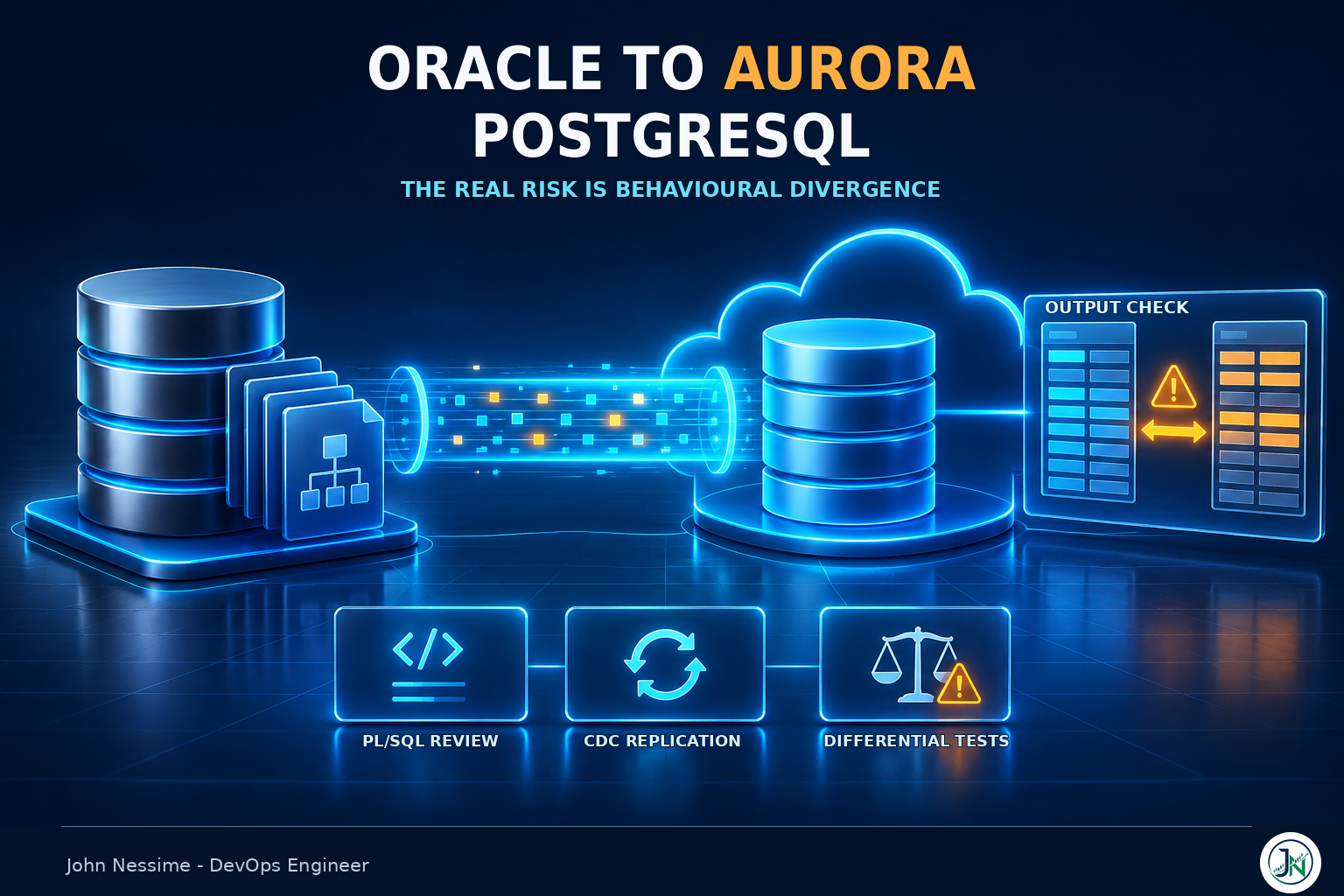
Here is the part that bites, and it stays invisible until about the second month of testing: the conversion percentage counts objects, not work. The objects that fail to convert are the safe ones. They get flagged, scoped and estimated. The objects that convert cleanly are where the risk lives, because a converted function compiles, runs, returns a value, and can still be quietly wrong in a way nobody notices until a finance user queries a total.
This post is about planning around that. It covers the six decisions that set the timeline, a phase sequence that reflects how the work really lands, and the specific places an Oracle to Aurora PostgreSQL migration plan goes soft. It is not a console walkthrough. AWS documents the clicking well enough.
Start from what the assessment report does not tell you
There are two supported ways to convert an Oracle schema for a PostgreSQL target. DMS Schema Conversion runs in the AWS console and CLI as a managed feature. AWS SCT is the older Java desktop application you install yourself. They are two front ends over the same conversion engine, and AWS now points most OLTP conversions at the managed one. SCT still earns its place when you want a local tool, want to script the conversion into a pipeline, or hit a path the managed feature does not cover.
One planning input that used to exist no longer does. AWS ended support for DMS Fleet Advisor on 20 May 2026. If your last migration playbook opened with “run Fleet Advisor across the estate to find candidates,” that step is gone and the discovery work goes back to you, your CMDB, or a script that walks the data dictionary. Worth knowing before you copy an old plan forward.
DMS Schema Conversion also has a generative AI option that proposes conversions for code objects it could not handle on its own, and it genuinely shrinks the manual pile. Be honest in the plan about what it changes though: it moves effort from writing PL/pgSQL to reviewing PL/pgSQL. Review is cheaper than authoring. It is not free, and it still needs someone who knows what the original code was meant to do.
What no assessment report measures:
- Behavioural divergence in the objects that converted successfully
- Query performance on the target, which is a different optimiser making different choices
- SQL that lives outside the database, in application code, report definitions and shell scripts
- Whether your source tables can support change data capture at all
- How long it takes to get a production-shaped dataset into a test environment
Decision one: what moves, what waits, and what should never move
Not every Oracle schema is a migration candidate, and finding that out in month four is expensive.
Vendor applications are the clearest case. If the vendor certifies Oracle and only Oracle, you are not planning a database migration, you are planning an application replacement, and that is a different project with a different budget. Decide that first and take those schemas off the board.
The second filter is mechanical. DMS needs a primary key or unique constraint on a table to replicate changes to it. The premigration assessment flags tables that lack one, along with LOB columns that are not nullable on the target and Oracle-specific structures that complicate capture: index-organized tables, function-based indexes, global temporary tables, anything leaning on ROWID. Run it early, not as a pre-flight check the week before the load.
You can find the primary key problem yourself in a minute, and it is worth doing before anyone commits to a date:
-- Tables in scope with no primary key and no unique constraint.
-- These cannot participate in DMS change data capture as-is.
SELECT t.owner, t.table_name
FROM   all_tables t
WHERE  t.owner IN ('HR', 'SALES', 'BILLING')
AND    NOT EXISTS (
         SELECT 1
         FROM   all_constraints c
         WHERE  c.owner = t.owner
         AND    c.table_name = t.table_name
         AND    c.constraint_type IN ('P', 'U'))
ORDER  BY t.owner, t.table_name;
Every row that comes back is a decision. Add a key to the source table, which is a production change on a table that may be very large. Migrate it full load only and freeze writes to it during cutover. Or leave it behind. All three are acceptable. Discovering the list after you have promised a cutover weekend is not.
Decision two: how much Oracle you keep inside PostgreSQL
PostgreSQL has an extension called orafce that implements a subset of Oracle functions and packages. It is available on Aurora PostgreSQL and RDS for PostgreSQL, and the conversion tooling knows about it. There are also conversion settings that emulate Oracle behaviour directly, such as standing in for the ROWID pseudocolumn with a bigint or character column, and emulating format parameters that PostgreSQL’s own TO_CHAR and TO_DATE do not accept.
The case for turning it all on is strong. Compatibility shims delete whole categories of rewrite. Oracle’s SUBSTR behaves differently from PostgreSQL’s on certain inputs, and orafce gives you the Oracle behaviour without auditing every call site. If the goal is to be off Oracle licensing by a fixed date, that trade is often correct.
The cost is that every shim is one more thing your team has to remember is not stock PostgreSQL. Two years later somebody writes a query on a laptop against community Postgres, it behaves differently in production, and nobody can explain why. You did not leave Oracle. You brought a piece of it along and stopped labelling it.
How I would decide: turn on compatibility where it removes an entire class of rewrite you would otherwise do by hand, and turn it off where it preserves an Oracle idiom you were specifically trying to escape. Package-level session state is the obvious one to let go of. String semantics are the obvious one to keep.
The single divergence with the widest blast radius does not have a clean shim, and it deserves its own line item on the plan. Oracle treats an empty string as NULL. PostgreSQL does not.
-- Oracle: these two return the same rows.
SELECT * FROM customers WHERE notes IS NULL;
SELECT * FROM customers WHERE notes = '';

-- PostgreSQL: the second returns nothing.
-- '' is a zero-length string here, and NULL is absence of a value.
SELECT * FROM customers WHERE notes IS NULL;
SELECT * FROM customers WHERE notes = '';
That affects WHERE clauses, concatenation, unique constraints and any application code that inserts '' expecting it to land as NULL. It is not a bug you fix once. It is an audit you schedule.
Decision three: who rewrites the PL/SQL and how you prove it behaves
This is the decision that dominates the schedule, and it is usually the one with the least detail on the plan.
Converted PL/pgSQL compiles. That is the trap. Compiling proves the syntax is legal, not that the logic survived. The cleanest example is SELECT INTO, which is used in nearly every Oracle procedure ever written.
-- PL/pgSQL: if no row matches, v_name is simply left NULL.
-- If several match, you get one of them. No exception either way.
SELECT name INTO v_name FROM customers WHERE id = p_id;

-- With STRICT, you get NO_DATA_FOUND and TOO_MANY_ROWS
-- the way Oracle raises them implicitly.
SELECT name INTO STRICT v_name FROM customers WHERE id = p_id;
An Oracle procedure that relied on NO_DATA_FOUND to branch now takes the happy path with a NULL in hand. It will not error. It will post a record with a missing field, skip a validation, or return zero where it should have raised. Multiply that by a few hundred procedures.
Transaction handling is the other place assumptions break. Oracle commits DDL implicitly; PostgreSQL runs DDL inside transactions and lets you roll it back. Autonomous transactions, which Oracle code often uses to write an audit row that survives a rollback, have no direct equivalent. Both are fine once you know about them, and both silently change behaviour if you do not.
The only test that settles this is differential: same inputs, both engines, compare outputs. Not “does the procedure run.” Capture real inputs from production before the rewrite starts, because reconstructing them from memory afterwards is how you end up testing the happy path only.
The staffing reality underneath all of this: the people who know what those packages are supposed to do are usually Oracle developers who have maintained them for a decade, and the people fluent in PostgreSQL are usually somebody else. That gap is the real cost of the migration, and no tool closes it.
Decision four: what you are asking the source database to give up
Change data capture is not something you switch on in DMS. It is a change to production Oracle that has to happen weeks before anyone migrates anything, and it needs its own milestone and its own change window.
The source has to be in ARCHIVELOG mode. It needs supplemental logging, minimally at the database level, plus identification key logging so that updates carry enough of the row to be replayed. AWS notes that retaining archive logs for around 24 hours is usually enough when a task starts capturing immediately, and longer if you plan to start from a point in the past.
-- Minimal supplemental logging at the database level.
ALTER DATABASE ADD SUPPLEMENTAL LOG DATA;

-- All-column logging for a single replicated table, if you
-- would rather not carry the overhead database-wide.
ALTER TABLE hr.employees ADD SUPPLEMENTAL LOG DATA (ALL) COLUMNS;
You can also let DMS add table-level supplemental logging itself with the addSupplementalLogging=Y extra connection attribute, which requires the DMS user to hold ALTER on the replicated tables. That is convenient and it is also a DBA conversation, because it means a migration tool is issuing DDL against production.
Two planning consequences fall out of this. Supplemental logging increases redo volume, which lands on backup windows and archive storage on a system that was sized before anyone mentioned Aurora. And LogMiner, which DMS uses to read redo by default, does not support connecting to a pluggable database. If the source is multitenant, you are on Binary Reader, which reads the log files directly, needs different privileges, and behaves differently around ASM and around backups that clear archive logs early.
None of that is hard. All of it takes calendar time you have to ask another team for.
Decision five: what “fast enough” means, decided before cutover
Aurora PostgreSQL’s planner is not Oracle’s optimiser. A query that ran in single-digit milliseconds for years can pick a different join order and take minutes, and it will do that on the queries you did not think to test.
The first thing to get right is trivial and gets missed constantly. After a DMS full load, the target tables have no statistics, and plans built on no statistics are close to random. Run ANALYZE before you measure anything, or you will spend a week tuning a problem that does not exist.
-- After the full load completes, before any performance testing.
ANALYZE VERBOSE;

-- Query plan management is enabled at the cluster level first.
SHOW rds.enable_plan_management;
Aurora has a feature Oracle people will recognise: query plan management, packaged as the apg_plan_mgmt extension. It captures plans as the optimiser generates them, stores them in apg_plan_mgmt.dba_plans, and lets you approve, reject or force specific ones. New plans arrive as unapproved, and apg_plan_mgmt.evolve_plan_baselines compares them on real execution time so you can promote the good ones. Set apg_plan_mgmt.capture_plan_baselines to collect, and apg_plan_mgmt.use_plan_baselines to enforce.
It is the closest thing to Oracle’s plan stability and it is genuinely useful, but be clear about what it does. It stabilises plans you have already decided are acceptable. It does not find the slow queries for you. For that you need a workload replay against the target and a baseline captured from Oracle before you started.
Whatever you already use for database monitoring works here, whether that is CloudWatch and Performance Insights, Grafana against Prometheus exporters, Percona Monitoring and Management, or Datadog. The requirement is not a particular tool. It is that you took the Oracle baseline before you touched anything, because you cannot go back and capture it later.
Decision six: the cutover and the way back
Decide the rollback story during planning, because one of the two options takes weeks to build.
A one-way door is cheaper and perfectly legitimate for a system where a few hours of degraded service is survivable. You cut over, freeze the source, and fix forward. It just requires saying out loud that there is no going back once the first write lands on Aurora.
Reverse replication is the alternative: a second DMS task running Aurora back to Oracle so the old database stays current and you can repoint the application. It is the only real rollback once production writes are on the new engine, and it is also a full migration in the opposite direction with its own type mappings, key requirements and testing. Budget it as a work stream, not a checkbox. The failure mode I see most often is a plan that assumes reverse replication and funds a one-way door.
A realistic Oracle to Aurora PostgreSQL migration plan, phase by phase
The ordering matters more than the durations, which vary enormously with how much PL/SQL you have. Gate each phase on an artefact rather than a date.
- Inventory and disposition. Every schema gets a decision: migrate, replace, retire, or leave. Gate: a signed list.
- Target shape and compatibility. Aurora or RDS, which shims are on, which Oracle idioms you are deliberately keeping. Gate: a written decision with reasons, because someone will ask in month five.
- Convert and apply to a scratch cluster. First contact with reality. Gate: the schema applies without manual patching.
- PL/SQL rewrite and differential testing. The longest phase by a wide margin. It runs in parallel with everything below it. Gate: input and output pairs matching across both engines.
- Source enablement. ARCHIVELOG, supplemental logging, DMS user privileges, log retention. This is a production change request. Gate: capture proven working on a single table.
- Timed full load rehearsal. You need the real duration, not an estimate, because it sets the shape of the cutover window. Gate: a measured number.
- CDC steady state and validation. Let it run for days, not hours. Gate: lag stable under production write volume.
- Performance parity. Replay the workload, fix what is slow, capture plans. Gate: the slow list is empty or explicitly accepted.
- Cutover rehearsal, twice. Once to find the gaps, once to prove you fixed them. Gate: a runbook someone else could execute.
- Cutover. Boring, if the nine steps above were not.
Phase four is the one that decides your date. Everything else is reasonably predictable once you have measured it. Rewriting and proving business logic is not, because the estimate depends on code nobody has read in years.
Where these plans actually slip
- SQL outside the database. Query strings embedded in application code, report definitions in a BI tool, ad hoc scripts on a scheduler. None of it appears in a schema assessment and all of it has to be found. Routinely the biggest underestimate on the plan.
- Adding keys to source tables. Putting a primary key on a very large production table so CDC can replicate it is its own change, its own maintenance window and its own risk.
- Test data. Getting production-shaped volume into a non-production environment is slow, and if the data is regulated you have to build masking first. A project inside the project.
- Running two databases at once. For the whole parallel period you pay for Oracle, for Aurora, and for the replication capacity between them. Model that before it becomes a surprise in a finance review.
- Waiting on other teams. The supplemental logging change window, the network path, the security review of the DMS user’s privileges. Each one is short and none of them start when you ask.
- Environment sprawl. The conversion tooling, the replay harness and the comparison scripts all want somewhere persistent to live, and a laptop is not it. A modest dedicated box from a provider like InterServer or Contabo, or a small always-on EC2 instance, saves a lot of “it worked on mine” over a long project.
Arguments that don’t survive contact
“The tool converted almost everything, so we’re almost done”
Object counts and effort are not proportional. A thousand trivially converted tables and one 4,000-line billing package are not a 1000-to-1 ratio of work. The leftovers are also the objects most tangled up in business rules, which is exactly why the tool could not convert them.
“We’ll tune the slow queries after go-live”
You can, and sometimes that is the right call. Just understand the trade: after the first production write lands on Aurora, the rollback window is closed unless you built reverse replication. Deferring performance work means accepting whatever you find with no way back.
“We can skip a rehearsal because the load is repeatable”
The full load is repeatable. The cutover is not. The rehearsal tests the sequence around the load: stopping application writes, draining lag to zero, resetting sequences, re-enabling triggers and foreign keys, repointing connection strings, confirming the first write landed. That sequence is where the time goes and where the mistakes happen.
Frequently asked questions
How long does an Oracle to Aurora PostgreSQL migration take?
The honest answer is that the data movement is the predictable part and the code is not. A schema with few stored procedures and a well-understood application can move in weeks. A system with hundreds of thousands of lines of PL/SQL encoding two decades of business rules is a multi-quarter programme. Estimate from the volume of procedural code and the availability of people who understand it, not from the object count in the assessment report.
Should I target Aurora PostgreSQL or RDS for PostgreSQL?
Aurora separates compute from a shared storage layer, which gives faster replica creation and failover, and it carries AWS-specific extensions including query plan management. RDS for PostgreSQL is closer to community PostgreSQL and simpler to reason about. For a workload coming off Oracle with plan-stability concerns and high availability requirements, Aurora usually fits better. For a small, steady workload where portability matters more than failover speed, RDS is a reasonable answer and easier to leave later.
Do I still need AWS SCT, or is DMS Schema Conversion enough?
For a standard Oracle to PostgreSQL OLTP conversion, the managed DMS Schema Conversion feature is the default path and what AWS points you at. Reach for the SCT desktop application when you want the conversion scripted into a repeatable pipeline, need a feature the managed version does not expose, or hit a conversion path it does not cover.
What replaced DMS Fleet Advisor?
Nothing directly. Support ended on 20 May 2026, and AWS did not ship a like-for-like successor inside DMS. Fleet-level discovery now comes from whatever you already have: an existing CMDB, AWS Application Discovery Service for the server layer, or scripts that query each database’s data dictionary for object counts and feature usage. If you are migrating one or two databases rather than an estate, you were probably not using it anyway.
Can I migrate from Oracle to Aurora with no downtime at all?
Near-zero rather than zero. Full load plus CDC keeps the target current while the source stays live, so the outage shrinks to the moment you stop writes, let lag reach zero and repoint the application. That is typically minutes. What stretches it is sequence resets, re-enabling constraints and triggers, and connection pools holding the old endpoint longer than expected.
Is ora2pg a real alternative to the AWS tooling?
Yes, and it is worth running even if you plan to use AWS tools. ora2pg is a mature open source converter that handles schema and PL/SQL and produces its own migration assessment. Teams that run both tend to find each catches things the other missed, and the second assessment costs an afternoon. Where AWS tooling wins is integration with DMS for the data movement itself.
The one thing worth remembering
A conversion percentage measures objects. Your schedule is set by behaviour.
The code that failed to convert is already on someone’s list. The code that converted cleanly is not, and that is where the empty strings, the missing exceptions and the different plans are hiding. An Oracle to Aurora PostgreSQL migration plan that budgets for proving behaviour, rather than for converting objects, is the one that lands on its date.
If you take one action from this post, run the primary key query above against your real schemas this week. It takes a minute and it will tell you more about your cutover shape than the assessment report will.
Working on an Oracle to Aurora PostgreSQL migration?
This is the kind of work I do as a freelance DevOps and cloud engineer. Specifically, on migrations like this one:
- Turning an assessment report into a phased plan with realistic gates, including the schemas that should not move at all
- Setting up DMS full load and CDC properly: supplemental logging, LogMiner versus Binary Reader, LOB handling, and premigration assessments run early rather than late
- Building the differential test harness that proves converted PL/pgSQL behaves like the original, instead of just compiling
- Performance parity work on Aurora PostgreSQL: statistics, plan capture with query plan management, and finding the queries the optimiser now handles differently
- Writing and rehearsing the cutover runbook, including the sequence resets and constraint re-enablement that get forgotten
- Deciding whether reverse replication is worth building for your risk profile, and building it if it is
If you are in the middle of one of these, send me something concrete: your assessment report summary, a DMS task log, or the output of the primary key query above. I would rather look at your actual situation than talk in general terms.