The pipeline takes eleven minutes. The pull request took two days to merge.
That gap is where the real cost lives, and it is almost never on anyone’s dashboard. The build duration graph looks fine. The team still says shipping is slow. Somebody proposes buying bigger runners, and six weeks later the graph has moved a little and the complaints are identical.
Most CI/CD pipeline bottlenecks are not the thing people go looking for. Compute is usually the smallest slice. The expensive parts are minutes spent waiting for a runner, a cache that reports a hit and delivers nothing, a stage blocking four jobs that do not depend on it, and a required check sitting at “Pending” until someone notices. This post is organized by those failure families rather than by tool. Examples use GitHub Actions and GitLab CI, but the shapes apply to Jenkins, Buildkite, CircleCI and Argo Workflows too.
First, split the number you are staring at
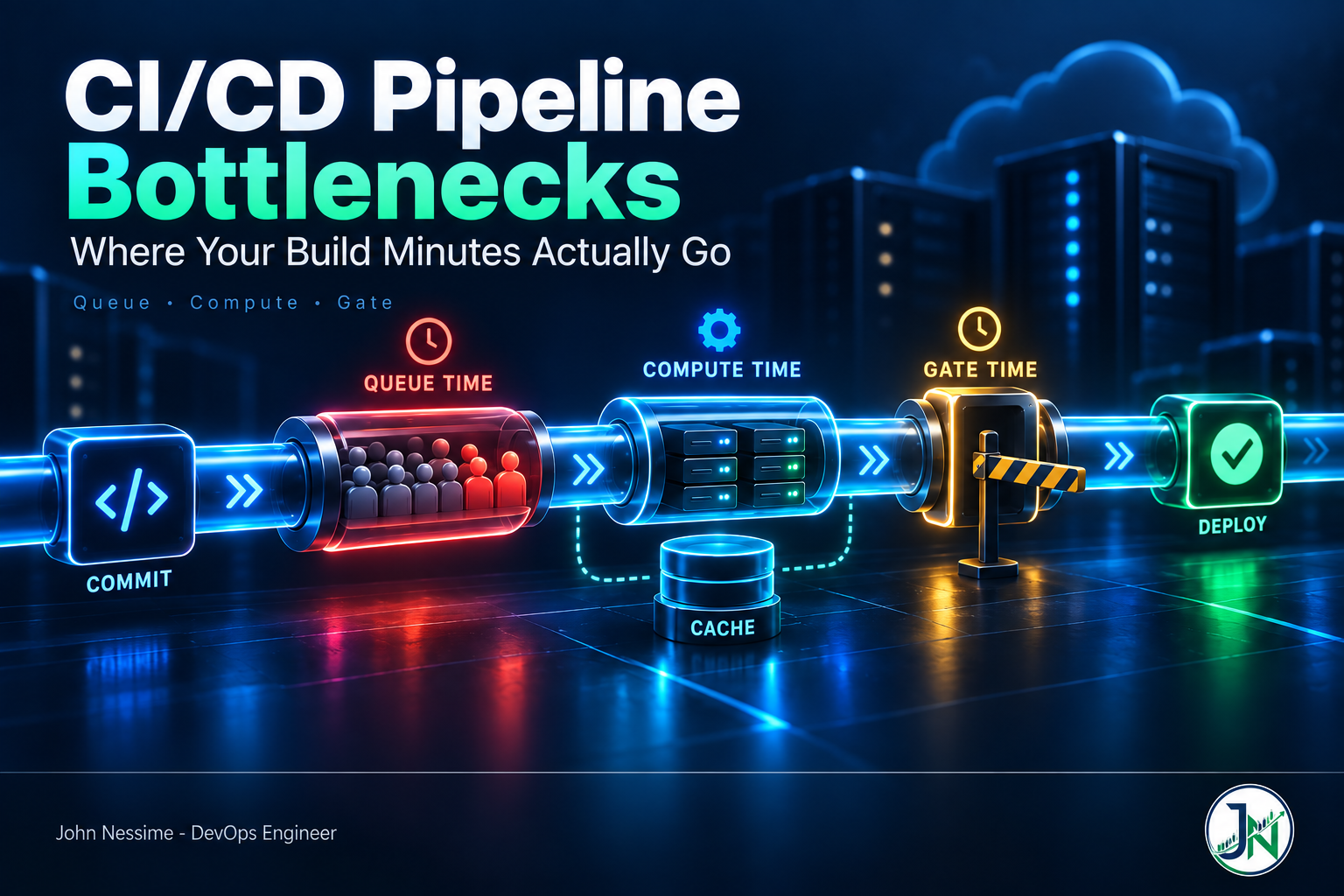
“The build takes eleven minutes” is not a measurement. It is three measurements added together and then thrown away:
- Queue time. From job creation to a runner picking it up. You pay this in wall clock, not compute.
- Compute time. The job actually running. The only part most dashboards show.
- Gate time. Waiting on a human, an approval, a shared environment, or a check that never fired.
Until you split those, every optimization is a guess. On GitHub Actions the jobs API hands you the split directly, because each job carries a creation timestamp and a start timestamp:
gh api repos/OWNER/REPO/actions/runs/RUN_ID/jobs
  --jq '.jobs[] | {name, created_at, started_at, completed_at}'
Creation to start is queue. Start to completion is compute. Run that across your last fifty runs on the default branch and the answer is usually sitting there in plain sight. GitLab reports the same idea on its jobs API, with a queued duration alongside the run duration. If the two numbers are roughly equal, you have a capacity problem rather than a build problem, and faster CPUs will fix half of nothing.
Queue time: the minutes you pay for twice
Queue time has two causes and they need different fixes.
Not enough runners
On hosted runners you are bounded by the concurrency your plan allows. On self-hosted you are bounded by whatever fleet you provisioned, which for most small teams is a fixed number of always-on boxes that sit idle overnight and saturate at 4pm.
If you run your own fleet on Kubernetes, Actions Runner Controller is where most people land. It creates runner scale sets that scale on workflow demand and can drop to zero when the queue is empty, with ephemeral pods so every job starts clean. That last part matters more than the scaling: a persistent runner accumulates state, and state is where “works on my machine” comes back as a CI flake.
If Kubernetes is more machinery than you want, a couple of dedicated boxes from a provider like Contabo or InterServer running the runner agent under systemd gets you a long way, with hosted runners as overflow when the queue backs up. Managed runner services such as Depot and BuildJet sell faster hardware behind the same interface. Their honest pitch is that you stop maintaining a fleet. The honest counterpoint is another vendor in the path of every merge, and a bill that scales with commit volume.
Runners busy on work that is already obsolete
Check this one first because it is free. Push three commits to a branch in five minutes and by default you get three pipelines. The first two are answering a question nobody is asking anymore, and they are holding the runners the third one needs.
On GitHub Actions, a concurrency group keyed on the ref does it:
concurrency:
  group: ${{ github.workflow }}-${{ github.ref }}
  cancel-in-progress: true
Put that at workflow level on PR builds. Do not put it on a deploy workflow with cancellation enabled, or you will eventually kill a release halfway through and spend an afternoon working out what actually shipped.
GitLab splits the same job across two settings that have to agree. The interruptible keyword marks a job as safe to kill and defaults to false. The workflow-level auto-cancel setting decides what happens on a new commit:
workflow:
  auto_cancel:
    on_new_commit: interruptible

test:
  interruptible: true
  script:
    - make test

deploy:
  interruptible: false
  script:
    - make deploy
The default mode is conservative, which means once any non-interruptible job has started, the whole pipeline stops being cancelable. Setting it to interruptible cancels only the jobs that opted in and leaves the rest running. That distinction is the difference between a policy that works and one that quietly does nothing, and it is the usual reason teams turn auto-cancel on and see no change.
Caches that look like they are working
My favorite family of CI/CD pipeline bottlenecks, because the failure is completely silent. The step is green. The log says the cache was restored. The install takes exactly as long as before.
Branch scoping
GitHub Actions caches are scoped to the branch that created them, plus the default branch as a fallback. A feature branch reads its own caches and the default branch’s caches. It cannot read a sibling branch’s cache.
The consequence catches a lot of people: if your caching step only runs on pull requests, the default branch never populates a cache, so every new branch starts cold forever. Make sure at least one workflow on the default branch writes it. Runs triggered from fork pull requests get read-only cache access, so those jobs restore but never save.
Keys that never hit, or hit and never update
Cache entries are immutable. Once a key exists, writing to it again does nothing. So a key like node-modules-v1 gets populated once, on some machine, in some state, and then freezes. A key that hashes the lockfile is correct but creates a brand new entry on every dependency change, which burns through storage.
The pattern that survives contact is an exact key plus a prefix fallback: hash the lockfile for the primary key, then use restore keys to fall back to the most recent entry sharing that prefix. You get a partial restore and a fast install instead of a cold one.
Then watch the ceiling. Repositories have a default cache storage limit, entries untouched for a week are removed, and once you hit the limit the least recently accessed entries get evicted. Push enough large caches and you get thrashing, where entries are created and evicted at roughly the rate you create them. The tell is a hit rate that looks random. Check the repository’s cache usage in Actions settings before assuming the config is wrong.
Docker layer cache that does not cross machines
On ephemeral runners the local BuildKit cache dies with the machine, so it has to be exported somewhere. Registry-backed cache is the one I reach for first:
docker buildx build
  --cache-from type=registry,ref=registry.example.com/app:buildcache
  --cache-to type=registry,ref=registry.example.com/app:buildcache,mode=max
  --tag registry.example.com/app:${GIT_SHA}
  --push .
Two details do the work. mode=max exports intermediate stage layers, not just the ones that landed in the final image. If the expensive work happens in a builder stage that gets discarded, the default mode caches none of it, which is exactly the case you were trying to fix. Inline cache, the kind that ships alongside the image, only supports the minimal mode, so it cannot help multi-stage builds either.
The second detail is a trap. BuildKit cache mounts, the RUN --mount=type=cache kind, are not part of the exported layer cache. They live on the builder. Restoring a registry cache does not restore them, so if the instruction runs again the package manager starts from an empty download cache:
# syntax=docker/dockerfile:1
FROM node:22-alpine
WORKDIR /app
COPY package*.json ./
RUN --mount=type=cache,target=/root/.npm npm ci
That line is excellent on a persistent builder and close to useless on a runner destroyed after every job. Know which one you have before you credit it with a speedup.
Pipelines shaped like a staircase
Stages are a scheduling constraint most pipelines inherit by accident. In a stage-based model nothing in the test stage starts until everything in the build stage finishes. Put a forty-second lint job in the same stage as a six-minute compile and your lint feedback arrives six minutes late for no reason.
GitLab’s fix is needs, which lets a job start as soon as its own dependencies finish and ignore stage order entirely:
lint:
  stage: test
  needs: []
  script:
    - make lint

unit:
  stage: test
  needs: ["build"]
  script:
    - make unit
needs: [] means start immediately, wait for nothing. Lint now reports in under a minute while the compile is still running.
GitHub Actions has the opposite default: jobs run in parallel unless you add needs. So the equivalent problem there is over-declared dependencies, usually added early to force a readable graph and never revisited. Go read your needs lines and ask which are real data dependencies and which are narrative ordering.
The trade-off is real. A wide graph surfaces every failure at once and costs more compute per run. A narrow graph fails fast and saves minutes, but developers make several round trips to find three problems. For PR pipelines, wide is usually right. For expensive nightly jobs, narrow is.
The test suite is not one bottleneck
“Tests are slow” gets treated as a single problem. It is usually three, and they want different fixes.
- The suite is serial. Split by shard across parallel jobs. The cost is per-job setup overhead paid N times, so past a point more shards makes things slower. Find your own break-even instead of assuming more is better.
- The suite is flaky. A retry costs more than one rerun. It costs attention, a context switch, and eventually the team’s belief that red means anything. Quarantine flaky tests into a non-blocking job with an owner and a deadline. Leaving them in the required path while everyone knows to just re-run is worse than deleting them.
- The suite tests the wrong layer. A test that boots a database and a message broker to assert a validation rule is a unit test wearing a costume. Slowest fix, largest payoff.
Before touching any of it, get per-test timing out of your test runner and sort descending. Most suites have a handful of tests that dominate, and they are rarely the ones people suspect.
The wait that nobody is measuring
Here is the one that costs days rather than minutes, and it appears in no CI metric because from CI’s point of view nothing is happening.
If a workflow is skipped because of path filtering, branch filtering, or a skip directive in the commit message, its checks stay pending. Not skipped. Pending. And if that check is required, the pull request cannot merge. Nothing fails, nothing alerts, the PR just sits there looking almost ready until someone investigates by hand.
This bites hardest in monorepos, which is exactly where path filters are most attractive. You add paths to skip the service test suite on documentation-only changes, you save real minutes, and you accidentally build a merge trap.
The distinction that matters: a job skipped by an if condition inside a workflow that did run reports success. A workflow that never ran at all reports pending. So either keep the workflow triggering on everything and move the filtering inside, or pair each filtered workflow with a companion using the same name and inverted path filters that does nothing and passes. GitHub documents that second pattern and it works, but it means two files that must stay in sync.
The other gate-time offenders are less subtle and just as expensive: one shared staging environment serializing every team, and approvals routed to a single person asleep in another time zone. Plot merge timestamps against last-commit timestamps for a month. The shape of that distribution tells you which problem you have.
Troubleshooting: finding your bottleneck in an afternoon
- Pull the last fifty runs on your default branch and compute queue time and compute time separately. If queue is a meaningful share, fix capacity and cancellation before anything else.
- Read your slowest run as a graph, not a list. Wide gaps between a dependency finishing and its dependent starting are either queue or bad ordering.
- Compare install duration on a cache hit against a cache miss. If they are similar, the cache is decorative.
- Check repository cache storage usage. Thrashing looks like an erratic hit rate with no config changes behind it.
- Count retries. The rate of second attempts on the same commit is your flakiness tax, and it is usually higher than anyone guesses.
- Measure merge latency, last commit to merge, across a month. The difference between that and pipeline duration is gate time, and that is where the days are.
Pipeline run data is worth shipping somewhere queryable. Most CI platforms emit webhooks on job completion; feeding those into Prometheus and Grafana, or a hosted platform like Grafana Cloud or Datadog if you would rather not run the storage, turns “the build feels slow lately” into a graph you can argue with.
Common mistakes
- Buying bigger runners before splitting queue time from compute time. The most common wasted spend in CI.
- Turning on auto-cancel without setting the per-job interruptible flags, so the setting is technically on and functionally off.
- Caching a directory the tool does not read from, then declaring victory because the step went green.
- Using the default Docker cache export mode on a multi-stage build and wondering why the builder stage rebuilds every time.
- Adding path filters to workflows that back required checks, creating pull requests that can never merge.
- Optimizing the pipeline that runs on merge instead of the PR pipeline developers actually wait on.
Practices that hold up
- Treat queue time as a first-class metric with its own threshold, not a footnote on build duration.
- Cancel superseded runs on branches, never on the default branch and never on deploys.
- Make the default branch populate every cache other branches depend on.
- Order jobs by how fast they fail, not by how the file reads top to bottom. Cheap checks first, always unblocked.
- Give every flaky test an owner and an expiry date, or take it out of the blocking path.
- Re-measure after every change and keep the number. Pipelines rot, and the bottleneck moves as soon as you fix the current one.
Frequently asked questions
How do I find the bottleneck in my CI/CD pipeline?
Split every job into queue time and compute time using the timestamps your platform’s API already exposes, then compare pipeline duration against real merge latency. Those two comparisons put you in one of three buckets: capacity, build work, or gates. Fixing the wrong bucket is why most optimization efforts show no result.
Are self-hosted runners faster than hosted ones?
Per job, often yes, because you pick the hardware and can keep caches warm. Across a working day, frequently no, because a fixed fleet queues under load while a hosted pool does not. The right answer depends on which number is hurting you, compute or queue, which is why measurement comes first. A hybrid setup, self-hosted by default with hosted overflow, avoids committing to either.
Why is my cache not speeding anything up?
Usual suspects in order of frequency: the cache is scoped to a branch that never populated it, the key is static so it froze at whatever went in first, the cached directory is not the one the tool reads, or entries are evicted before the next run. Compare install duration on a hit against a miss. Identical duration means the restore is doing nothing regardless of what the log says.
Should I parallelize tests or make them faster?
Parallelize first because it is cheap and reversible, then fix the slow tests, because parallelism has a floor. Every shard pays setup cost, so a suite split too many ways spends more time booting containers than running assertions. Sharding buys time to do the real work. It is not the real work.
Why does my pull request say pending forever?
Almost certainly a required status check attached to a workflow that was skipped by path filtering, branch filtering, or a commit message directive. A skipped workflow reports pending rather than skipped, so the merge requirement is never satisfied. Either drop the path filter and skip inside the workflow instead, or add a companion workflow with the same name that always passes.
Do bigger runners actually help?
They help work that is genuinely CPU or memory bound, such as compilation and container builds. They do nothing for queue time, network-bound dependency downloads, tests waiting on external services, or gate time. Before upgrading, confirm the slow job is saturating the resource you are about to buy more of.
The one thing worth remembering
Most CI/CD pipeline bottlenecks are waiting, not working. Queue time, cache misses that report as hits, jobs blocked behind stages they do not depend on, and checks that sit pending because a workflow was never triggered. None of them show up on a build duration graph, and all of them are cheap to fix once you can see them. Split the number before you spend anything; the measurement takes an afternoon and usually points at a config change rather than a purchase order.
Need someone to find where your pipeline is losing time?
This is a large part of what I do as a freelance DevOps engineer. Typical work looks like:
- Instrumenting your pipeline so queue time, compute time and merge latency become three separate numbers you can watch over time
- Auditing GitHub Actions and GitLab CI caching to find the restores that report success and deliver nothing
- Restructuring stage-based pipelines into dependency graphs so cheap checks report first
- Setting up autoscaling self-hosted runners, on Kubernetes with Actions Runner Controller or on plain VMs, with hosted overflow
- Fixing Docker build caching for multi-stage images on ephemeral runners, including registry-backed export
- Untangling required checks and path filters in monorepos so pull requests stop getting stuck
Send me a workflow file, a job timeline, or the output of your slowest run, and I will tell you where the minutes are going before we talk about anything else.