The ticket that starts this is almost never “our document storage is insecure.” It’s a security questionnaire from a prospect, or a data subject access request, or an insurer asking one specific question: list everyone who has viewed this tenant’s ID document in the last twelve months.
So you open the audit table. And you find it records who requested a link to the document. Not who opened it. The actual downloads never touched your application at all, because you handed out a signed storage URL and the browser went straight to the bucket. Your log is a record of intentions.
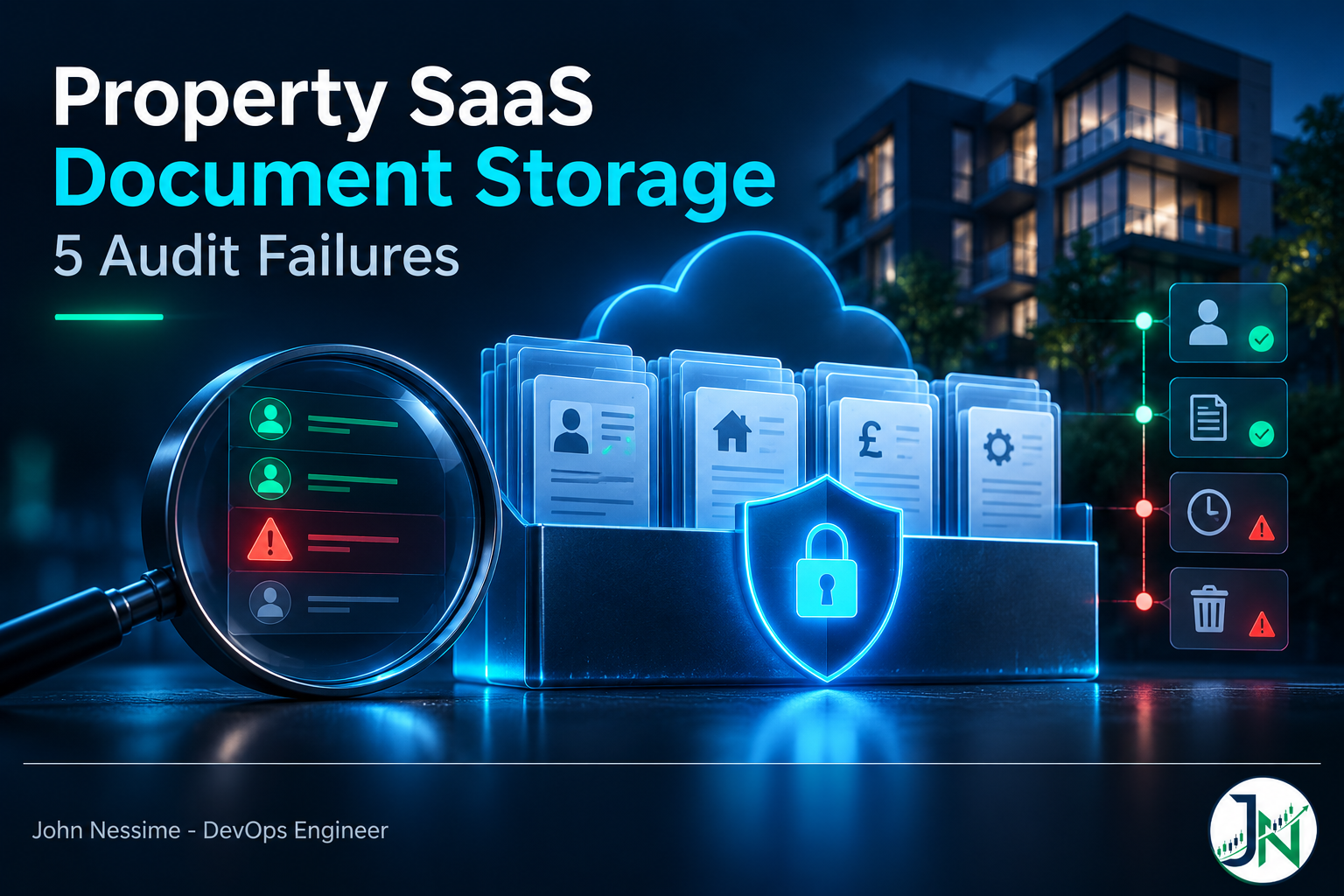
That gap is typical of how property SaaS document storage goes wrong. The failures are rarely dramatic. Nobody dumps a bucket publicly. The guarantees you thought you had just turn out to be enforced in application code that ran once, long before the file was actually read. What follows is five failure families worth designing against when a platform stores tenant ID scans, signed leases, deposit certificates, right-to-rent evidence and referencing packs.
What’s actually in the pile
Before architecture, be honest about the contents. A property platform’s document store is at least four risk classes wearing the same file extension:
- Identity evidence. Passport and driving licence scans, visa documents, sometimes a selfie held next to the document. Highest blast radius, lowest genuine need for long retention.
- Contracts. Tenancy agreements, addenda, guarantor deeds, signed inventories. Legally driven retention, plus an integrity requirement: proving the file hasn’t changed matters more than hiding it.
- Financial and referencing material. Bank statements, payslips, credit reference reports. Sensitive, third-party sourced, and often covered by contractual restrictions from the referencing provider.
- Operational clutter. Inspection photos, safety certificates, maintenance invoices. Low sensitivity, high volume, and the thing that dominates your storage bill.
These want different retention clocks, different access rules and arguably different buckets. Treating them as one “documents” table is where most of the later pain originates.
Failure one: the access check and the access happen at different times
Presigned URLs are the right pattern. They keep the bucket private, take the transfer off your servers, and mean you never hand storage credentials to a browser. I reach for them first.
The problem is what a presigned URL is. It’s a request you already authorised, signed, and then gave away. Anyone holding it can replay it until it expires. Your permission logic ran once and never runs again. Which means all of these keep working after the fact:
- A letting agent who left the company yesterday and whose account you disabled this morning.
- A link forwarded into a WhatsApp group, pasted into a support ticket, or sitting in browser history on a shared office machine.
- A document the tenant asked you to delete, if the object is still there behind a delete marker.
Make the URL die when the session does
Amazon’s own guidance is clearer on this than most people realise. A presigned URL created with temporary credentials expires when those credentials expire, even if you asked for a longer expiry. It also stops working if the signing credential is revoked, deleted or deactivated.
That’s a lever, not a footnote. Sign with a long-lived IAM user key and the seven day maximum the SDK allows is a real seven days. Sign inside a short-lived assumed-role session and the URL cannot outlive that session, whatever number you passed in. So: never sign document URLs with static credentials. Assume a role per request, tag the session with the tenant, sign inside it.
import boto3

sts = boto3.client("sts")

# The tag key here must match the principal tag key used in the role's policy.
session = sts.assume_role(
    RoleArn="arn:aws:iam::111122223333:role/TenantDocumentAccess",
    RoleSessionName="doc-download",
    Tags=[{"Key": "TenantID", "Value": tenant_id}],
    DurationSeconds=900,
)["Credentials"]

s3 = boto3.client(
    "s3",
    aws_access_key_id=session["AccessKeyId"],
    aws_secret_access_key=session["SecretAccessKey"],
    aws_session_token=session["SessionToken"],
)

url = s3.generate_presigned_url(
    "get_object",
    Params={
        "Bucket": "prop-docs",
        "Key": f"tenants/{tenant_id}/identity/{doc_id}.pdf",
        "ResponseContentDisposition": 'attachment; filename="id-document.pdf"',
        "ResponseContentType": "application/octet-stream",
    },
    ExpiresIn=120,
)
Two things are doing work. DurationSeconds caps the real lifetime of the link regardless of ExpiresIn. And ResponseContentDisposition overrides how the object is served on this request, which matters for the serving problem further down.
The trade-off is real: an STS call per download adds latency, adds a dependency, and STS has request limits you can hit at volume. AWS’s prescriptive guidance says as much. For identity documents I’d pay that cost. For inspection photos I wouldn’t.
Log where the read actually happens
Your application log records issuance. To record retrieval you need logging at the storage layer: CloudTrail data events for object-level operations, or S3 server access logging. Data events are billed per event, so scope them to the identity and contract prefixes rather than the bucket holding thousands of inspection photos.
Failure two: isolation that lives in your ORM instead of your IAM policy
Ask most teams how tenant isolation works and you get a description of a WHERE clause. The key is built as tenants/{tenant_id}/... and the tenant ID comes from the session. Fine until one code path takes it from a request parameter, or a background job iterates without scoping, or someone writes an admin endpoint in a hurry.
Move the boundary below your code. With attribute-based access control the tenant becomes a session tag and the IAM policy interpolates it into the resource ARN. One role serves every tenant, and the policy count doesn’t grow as you onboard.
{
  "Version": "2012-10-17",
  "Statement": [
    {
      "Sid": "ReadWriteOwnTenantPrefix",
      "Effect": "Allow",
      "Action": ["s3:GetObject", "s3:PutObject"],
      "Resource": "arn:aws:s3:::prop-docs/tenants/${aws:PrincipalTag/TenantID}/*"
    },
    {
      "Sid": "ListOnlyOwnTenantPrefix",
      "Effect": "Allow",
      "Action": "s3:ListBucket",
      "Resource": "arn:aws:s3:::prop-docs",
      "Condition": {
        "StringLike": {
          "s3:prefix": "tenants/${aws:PrincipalTag/TenantID}/*"
        }
      }
    }
  ]
}
Two statements because S3 splits the problem. The first governs the object, where the tenant prefix is part of the resource ARN. The second governs listing, a bucket-level action, so the prefix has to be constrained through a condition instead. Skip it and a tenant can enumerate every key in the bucket even though they can’t read any of them, and key names in this domain leak plenty on their own.
The failure mode worth internalising: if a code path forgets the session tag, ${aws:PrincipalTag/TenantID} resolves to nothing and the statement doesn’t match. That’s a deny, which is what you want. But it only holds if the role has no broader fallback statement. One well-meaning s3:GetObject on the whole bucket, added to unblock a migration script, quietly turns the scheme into decoration.
When to use a bucket per tenant instead
A bucket or an account per tenant is a genuinely harder boundary and I wouldn’t dismiss it. With a few dozen large agency customers it’s defensible and makes offboarding trivially provable. It stops being defensible once you onboard self-serve landlords, because bucket and account counts run into service quotas and the operational surface grows with every signup. Pick on tenant count, not on which sounds more secure. And note that ABAC is only as trustworthy as the tenant claim: if the caller can influence the value reaching the tagging call, you’ve built an elegant no-op.
Failure three: the upload and serve path
Uploads here come from people you have no relationship with yet. Prospective tenants, guarantors, contractors. That’s an untrusted channel by definition, and it produces two separate problems.
Constrain the upload itself
A presigned PUT URL lets the holder write whatever they like to that key, at whatever size. Presigned POST is the better tool for public-facing uploads: the signature covers a policy document, and the policy carries conditions the browser cannot alter.
post = s3.generate_presigned_post(
    Bucket="prop-docs",
    Key=f"tenants/{tenant_id}/inbox/{upload_id}",
    Fields={"Content-Type": "application/pdf"},
    Conditions=[
        {"Content-Type": "application/pdf"},
        ["content-length-range", 1, 15728640],
    ],
    ExpiresIn=600,
)
The content-length-range condition is the one people skip, and it’s the one that stops a stranger using your referencing portal as free storage for a 40 GB file. A declared Content-Type is a claim, not a fact, so land uploads in a quarantine prefix, verify the actual bytes, and only then move them to the tenant prefix.
Scan on that path too. ClamAV in a container is the zero-cost option and covers known malware; GuardDuty Malware Protection for S3 and hosted APIs such as Cloudmersive trade money for not maintaining it. What you’re protecting is mostly the letting agent who opens the attachment on a Windows machine, so this is a control for your customers rather than your servers.
Never serve tenant documents from your application origin
This is the one that turns a document store into an account takeover. SVG and HTML are formats browsers execute. If a file uploaded by a prospective tenant is served inline from the same origin as your app, any script inside it runs with your application’s cookies and session context. A long stream of real advisories follows exactly this shape, particularly in self-hosted deployments where the object store sits on the app’s own domain.
Three controls, and they stack rather than substitute:
- Force download. Serve with
Content-Disposition: attachmentandX-Content-Type-Options: nosniff. Set these as object metadata at upload time and override them per request. The override protects links you mint; the stored metadata protects anything that bypasses your minting path. - Use a separate origin. Put user content on a distinct domain, not a subdomain of the app. GitHub’s separate apex for user content is the reference implementation. Same-origin policy then contains the blast radius if control one is missed somewhere.
- Normalise where you can. Rendering an uploaded ID to a flattened image server side removes the executable content entirely. It costs CPU and fidelity. For identity documents, where you rarely need the original bytes back, it’s the right trade.
Failure four: deleting the document doesn’t delete the document
A tenant asks you to erase their passport scan. Your app sets a flag, the file disappears from the UI, and you reply confirming deletion. Then count the copies that still exist.
- The previous object versions, if versioning is on. A delete without a version ID just writes a delete marker.
- Cross-region replicas with their own versioning and lifecycle rules, plus any backup or snapshot taken before the deletion.
- Derivatives you generated and forgot: thumbnails, page previews, OCR text in a search index. Run a passport through Amazon Textract and the extracted fields are a copy of the sensitive data in a different shape.
- Copies that left the platform. A document attached to a CRM record in something like GoHighLevel, forwarded by email, or downloaded to a letting agent’s laptop.
The ICO’s position is that a valid erasure request extends to backups as well as live systems, and that where backup data cannot be immediately overwritten it must be put beyond use: isolated, unused for anything else, deleted when that backup cycles. Workable, but only if you know which backup sets contain documents and how long they cycle. If you can’t answer that, you can’t answer the request.
Crypto-shredding, and what it actually costs
The one technique that makes deletion provable across copies you can’t reach is a per-tenant KMS key. Encrypt that tenant’s objects under their own customer managed key; when they offboard, schedule the key for deletion. Every ciphertext copy anywhere, backups included, becomes undecryptable. You delete the data by deleting the ability to read it. The honest costs:
- KMS bills per key per month plus per request, so per-tenant keys are a real line item. Check current rates and quotas first: there’s an account limit on customer managed keys that a self-serve signup flow will eventually meet.
- Key deletion has a mandatory waiting period. Crypto-shredding is not instant, and your erasure response has to say so.
- It’s all-or-nothing per key. If a tenant asks you to erase one document rather than offboard, the key doesn’t help.
Object Lock fights erasure, on purpose
S3 Object Lock is tempting for signed tenancy agreements, because write-once storage is a strong integrity story. But compliance mode means nobody, root included, can delete the object until retention lapses. That is the feature. It is also a direct collision with an erasure request, and you cannot engineer your way out of it afterwards.
My line: Object Lock on executed contracts, where a statutory retention basis overrides erasure, and never on identity documents or referencing material. Different buckets, different rules, decided before anything is written. For per-document erasure elsewhere, lifecycle rules that expire noncurrent versions on the sensitive prefixes are worth setting up before you need them.
Failure five: storing what you never needed to store
The cheapest control on this list is not storing the file. The ICO is clear that UK GDPR sets no fixed retention periods and puts the burden on you to justify how long you keep personal data in identifiable form. That’s a design instruction, not a legal footnote.
For identity documents, ask what your platform needs once the check is done. Usually it’s the result, not the evidence: document type, issuing country, expiry date, a check reference, who performed it and when. If your customer’s regulator requires the image itself, that’s a retention rule with a stated basis, which is a different conversation from keeping it because deleting felt risky.
Practical version: give every document class a retention clock wired to a business event rather than upload date, and let lifecycle rules do the deleting. Tenancy end plus a defined period. Check completion plus a defined period. Not “whenever someone remembers.”
Troubleshooting the breakages you’ll actually hit
Everything broke after someone enabled S3 Bucket Keys
This one catches teams who did the sophisticated thing. If your IAM or KMS key policies use the object ARN as the encryption context to scope access, enabling an S3 Bucket Key changes that context to the bucket ARN and those policies stop matching. AWS documents it explicitly as something to fix before flipping the setting.
The quieter side effect: KMS CloudTrail events then log the bucket ARN instead of the object ARN, and there are far fewer of them because S3 caches the bucket-level key. If you were treating KMS CloudTrail volume as a proxy for document access, that signal degrades without anything appearing to break. Bucket Keys are still worth enabling for the request cost reduction. Move the conditions first, then re-check what your dashboards count.
The presigned URL expires far sooner than requested
Almost always the signing credential is a role session shorter than the expiry you asked for. This is documented behaviour, not a bug. Either raise the session duration within the role’s maximum, or accept the shorter window as the security property it is.
Listing works, reading returns Access Denied
Classic split between the bucket-level and object-level statements. Check both exist and reference the same tag key spelling. Session tag keys are case sensitive, and a tenantId in the code against a TenantID in the policy fails silently as a non-match.
Access denied only for encrypted objects
An SSE-KMS object needs two grants, not one. The S3 action on the object, and kms:Decrypt on the key it was encrypted under. In a per-tenant key setup that second grant is usually also tag-conditioned, so a missing or mismatched tag on the key itself produces a denial that looks like an S3 problem and isn’t.
Common mistakes
- Signing document URLs with a long-lived IAM user access key, which makes every link independently long-lived.
- Granting the tenant role a broad bucket-wide read statement alongside the tag-scoped one, usually to unblock a one-off script that then stayed.
- Serving user uploads from a subdomain of the application and assuming that counts as origin separation. It doesn’t for cookie scope.
- Enabling versioning for safety and never adding a noncurrent version expiry rule, so every deletion is reversible forever.
- Building deletion that handles the object but not the OCR output, the thumbnail, or the search index entry.
- Putting Object Lock on the bucket that also holds identity documents.
Design rules worth holding to
- Separate buckets by risk class, not by feature. Identity, contracts, financial, operational. Different encryption, retention, logging and lock settings follow naturally from that split.
- Enforce isolation in IAM, with application checks as defence in depth rather than the boundary itself.
- Sign short, sign from a session. Minutes, not days, and always from assumed-role credentials so revocation actually revokes.
- Deny unencrypted writes at the bucket policy, using the server-side encryption request headers as conditions, so a misconfigured client fails loudly instead of writing plaintext.
- Give every document class an expiry clock tied to a business event, implemented in lifecycle rules rather than a cron job someone maintains.
- Write the deletion runbook before launch, listing every place a copy lands. If you can’t enumerate them, that’s the finding.
- Test cross-tenant access in CI. A negative test that asserts tenant A’s session cannot read tenant B’s key is worth more than any amount of policy review.
Frequently asked questions
How long should a presigned URL for a tenant ID document last?
Short enough that the user clicks it immediately. A couple of minutes covers a click-to-download flow. If the UI needs longer, re-mint on demand rather than extend. And remember the ceiling is set by the signing credential, so a short assumed-role session enforces the limit even if a later code change passes a bigger number.
Do I need AWS, or will Backblaze B2 or Cloudflare R2 do?
They all speak the S3 API and presigned URLs work on all of them, so the core patterns transfer. Wasabi, Backblaze B2, Cloudflare R2 and DigitalOcean Spaces are reasonable for the operational tier, and R2’s egress model is attractive if agents download a lot. They differ in the depth of the IAM story: session-tag ABAC and per-tenant KMS keys are AWS-specific. If isolation and crypto-shredding are hard requirements, keep the sensitive prefixes on S3 even when the bulk photos live somewhere cheaper.
Can I store scanned passports on a normal VPS instead?
You can, and plenty of platforms run the app tier on a VPS from Contabo or InterServer while keeping documents in object storage. What you lose on local disk is the deletion story and the access log. Proving an image is gone from a filesystem, its backups and its snapshots is far harder than scheduling a KMS key for deletion. If documents stay local, budget real effort for secure disposal, including on staff machines where tools like O&O SafeErase have a place.
What about e-signed tenancy agreements?
With a provider like DocuSign, the executed document and its audit trail live there as well as in your platform. That’s a second copy under a second retention regime, and it belongs in your deletion runbook and data map. It also strengthens your integrity story, which is a fair reason to skip Object Lock on contracts you retrieve from the provider.
Should the CDN cache tenant documents?
Not the sensitive classes. A CDN in front of private documents adds a cache that can serve content after your access decision changed, and header handling at the edge is a common source of the inline-rendering bug. CloudFront with origin access control and signed URLs is legitimate if you need the performance, but for identity documents I’d go straight to the bucket. For inspection photos, cache away.
How do I prove any of this to a prospect’s security team?
Artefacts, not assertions. The bucket policy, the ABAC policy, CI output showing cross-tenant denial, a sample of storage-layer access logs, and a retention schedule with a clock per document class. That set answers most questionnaires without a call.
The one thing worth remembering
Good property SaaS document storage is mostly about closing the gap between when you check access and when access happens. Every failure family above is a version of that gap: the presigned link that outlives the permission, the isolation enforced once in code and never at the storage layer, the deletion that updates a flag while the bytes sit behind a delete marker.
Close it by pushing the decision down: into IAM policies that evaluate on every request, into credentials short enough that revocation is real, into lifecycle rules that delete without anyone remembering to. Then the answer to “show us who read this tenant’s ID document” is a query, not a project.
Need a second pair of eyes on your document storage?
Most of what I do on property and lettings platforms is this exact work. Things I’d help with here:
- Reviewing bucket and IAM policies for cross-tenant read paths, including the ones added to unblock a migration and never removed.
- Moving tenant isolation from application code into session-tag ABAC, with a CI test that fails the build on cross-tenant access.
- Rebuilding the upload path with presigned POST conditions, quarantine, content verification and scanning before anything lands in a tenant prefix.
- Fixing the serving path so uploaded files can’t execute against your origin, including header handling through a CDN.
- Designing retention clocks and lifecycle rules per document class, plus a deletion runbook that names every copy including derivatives and third-party systems.
- Setting up storage-layer access logging scoped to the sensitive prefixes so you can actually answer an access request.
If it’s useful, send me your bucket policy and the IAM policy attached to your document role, with the account IDs redacted, and I’ll tell you what a determined tenant could reach.