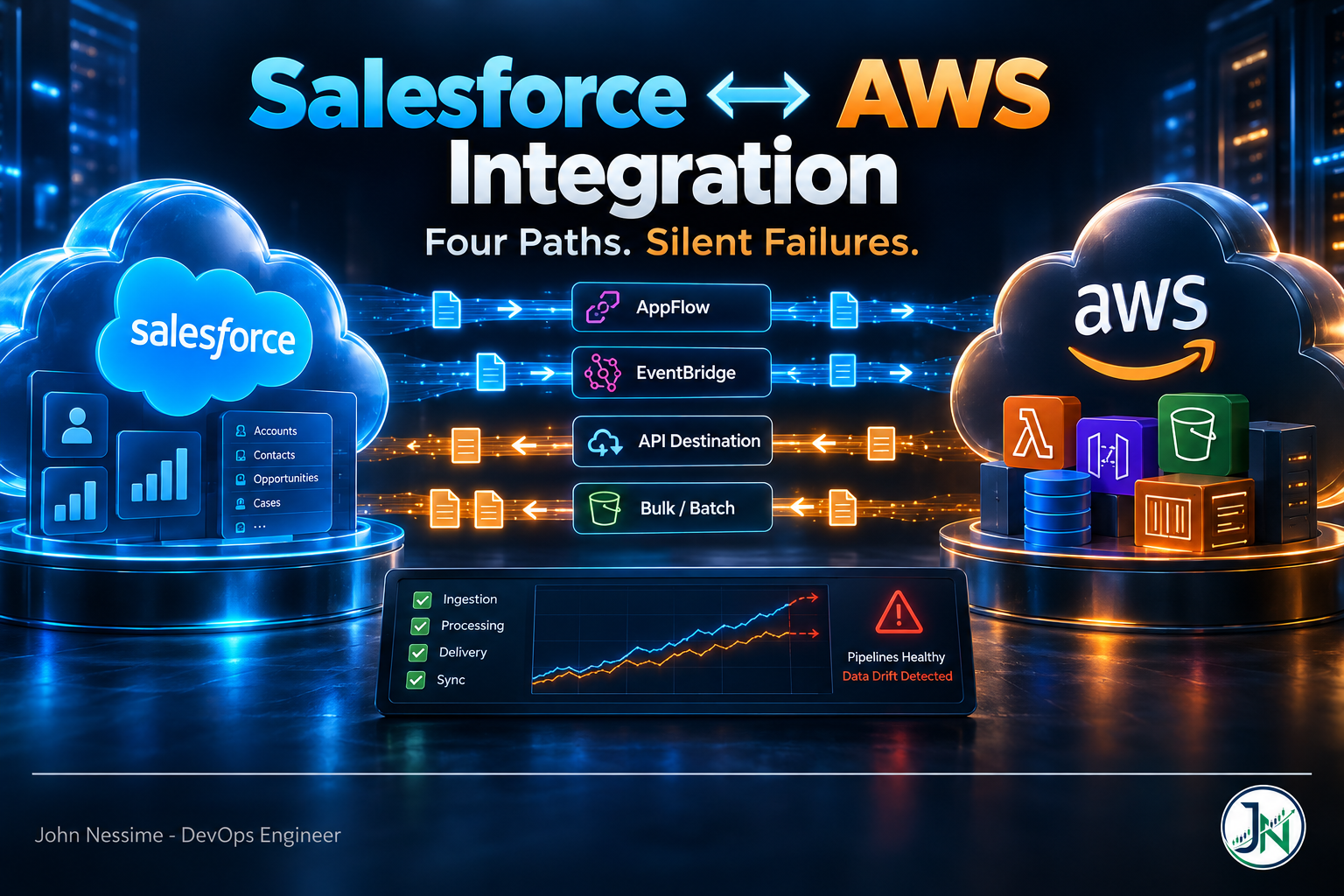
Someone in the ops channel asks why the opportunity count on the QuickSight dashboard doesn’t match the count in the Salesforce report. It’s off by a few hundred. Nobody can answer that, and worse, nobody can say when the two numbers stopped agreeing. Every pipeline is green. The scheduled flow reports successful runs. The EventBridge rule shows invocations. Everything is healthy except the data.
That’s the shape of most Salesforce AWS integration problems. They’re rarely outages. They’re divergence, accumulating quietly while every status page stays green, and you find out about it when someone in finance runs a number past a customer.
This guide covers the four integration paths between Salesforce and AWS, which one to reach for and when, the specific failure each one hides, and the reconciliation layer you’ll have to build yourself because neither vendor ships it.
Why a Salesforce AWS integration fails silently
Start here, because it changes how you design everything downstream. There are three mechanisms that lose data without raising an error anywhere you’re looking.
Events sent to an unassociated partner event bus are dropped on the floor. When you create an Event Relay, Salesforce creates a partner event source in your AWS account. Until you associate that source with an event bus, EventBridge discards anything the partner publishes to it. AWS is explicit that those events are not persisted at rest. There’s no queue holding them for you, no backlog to drain once you finish the setup. If the relay is running and the bus isn’t associated, you are streaming into a void.
The Salesforce event bus retains high-volume events for 72 hours. Platform events and change data capture events sit on the event bus for three days, and each one carries a replay ID so a durable subscriber can resume from where it left off. Past that window, they’re purged. Salesforce doesn’t guarantee availability beyond it. So a relay that goes into an error state on a Friday afternoon is a data loss event by Monday morning, and the only symptom during those three days is an absence of messages, which looks identical to a quiet weekend.
Deletes don’t show up in query-based syncs. A scheduled pull selects records that exist. Records that stopped existing between runs are simply not in the result set, so your S3 prefix or Redshift table keeps a row that Salesforce no longer has. Nothing errors. The row count on the AWS side just creeps upward relative to the CRM, forever, until someone notices.
Every architecture decision below is really a decision about which of these three you’re accepting and how you’re going to detect it.
A Salesforce AWS integration starts with a direction, not a service
The most common mistake I see is picking a service first, usually whichever one appeared in a conference demo, and then bending the requirement to fit it. Two questions decide the path, and they take about a minute to answer.
- Which way does the data move? Salesforce to AWS, or AWS to Salesforce. If the answer is “both”, you have two integrations, not one, and they will have different failure modes and different owners.
- What shape is the workload? Batch, where you want a consistent set of records on a schedule, or event-driven, where you want a reaction within seconds of a change.
That gives you four cells, and each cell has a default answer.
Salesforce to AWS, batch: Amazon AppFlow
Amazon AppFlow is the managed answer for pulling Salesforce objects into S3, Redshift, or the Glue Data Catalog on a schedule or on demand. It handles the OAuth connection, field mapping, and incremental pulls without you writing or hosting anything. For analytics loads it’s usually the right default, and it’s the path of least resistance if the destination is a data lake you’re already cataloguing with Glue and querying with Athena.
The trade-off is that it’s a polling client, and it spends your Salesforce API allocation to do it. AWS documents this plainly with an example: an hourly flow pulling five pages of data makes 120 API calls a day, and all of them count against the org’s 24-hour API request limit. Multiply that by every object you’re syncing and every environment you’re syncing from, and AppFlow can become the largest single consumer of an allocation that Apex callouts, integration users, and third-party tools are also drawing on.
The failure mode that catches people: if a field referenced in the flow’s mapping is deleted in Salesforce, the flow run fails. Someone cleans up an unused custom field on a Tuesday and your nightly load breaks on Wednesday, in a service that nobody on the Salesforce side knows exists. AppFlow will automatically pick up newly created Salesforce fields when the destination is S3, but the reverse case, a removed field, needs a human to edit the mapping. Put the flow names somewhere the Salesforce admins will see them before they run a field cleanup.
Salesforce to AWS, event-driven: Event Relay and Amazon EventBridge
Event Relay subscribes to a channel on the Salesforce event bus and streams platform events and change data capture events into Amazon EventBridge as a partner event source. No middleware, no subscriber you have to keep alive, no polling and therefore no API allocation burn on the read path. From EventBridge you fan out to Lambda, Step Functions, SQS, Firehose, whatever the downstream is.
Setup runs across both consoles, and the order matters. On the Salesforce side you create a named credential that points at your AWS account and region. It uses no authentication protocol, because trust is established by the partner event source relationship rather than by a credential in the request. The region goes in uppercase, which is the single most common reason a first attempt doesn’t work.
POST /services/data/vXX.X/tooling/sobjects/NamedCredential/

{
  "FullName": "AwsRelayCredential",
  "Metadata": {
    "label": "AwsRelayCredential",
    "endpoint": "arn:aws:US-EAST-1:111122223333",
    "principalType": "NamedUser",
    "protocol": "NoAuthentication",
    "generateAuthorizationHeader": true
  }
}
The endpoint is not a URL. It’s an ARN-shaped string carrying the AWS region and the twelve-digit account ID, and that’s the whole addressing scheme. Get the account wrong and the partner event source appears in a stranger’s console, not yours.
You then create an event channel, add the platform events or change events you want as channel members, and create the relay configuration against that channel. A relay is created in a stopped state deliberately, so you get a chance to verify the AWS account and region before anything flows. That pause is the useful part of the design, not an inconvenience to click through.
Now switch to AWS and associate the source. This is the step that, skipped, produces the silent drop described earlier.
# Find the partner event source Salesforce created in your account
aws events list-event-sources --region us-east-1

# Create the matching bus. Both values must be the source name, character for character.
aws events create-event-bus
  --name "aws.partner/salesforce.com/<org-and-channel-suffix>"
  --event-source-name "aws.partner/salesforce.com/<org-and-channel-suffix>"
  --region us-east-1

# Confirm the source moved from PENDING to ACTIVE
aws events describe-event-source
  --name "aws.partner/salesforce.com/<org-and-channel-suffix>"
  --region us-east-1
describe-event-source returning ACTIVE is your proof that a matching bus exists and is enabled. PENDING means either you haven’t created the bus or it’s deactivated, and every event published in that state is gone. This is the single check worth wiring into a synthetic monitor, because it’s cheap to run and it catches the most expensive mistake.
Only once the source is active do you set the relay state to run. From the Salesforce side, the feedback object is where relay errors surface rather than in any log you’d normally tail:
SELECT Id, RemoteResource, Status, ErrorMessage, ErrorTime, ErrorIdentifier
FROM EventRelayFeedback
WHERE EventRelayConfigId = '7k2XXXXXXXXXXXXXXX'
If you’d rather not use Event Relay at all, the Pub/Sub API is the direct route: a gRPC interface to the same event bus, delivering Avro-encoded payloads, which you subscribe to from your own consumer. That’s more code and a process to keep running, on ECS or a VPS from a provider like InterServer or Hetzner if you’re keeping it outside AWS, but you get explicit control over replay ID checkpointing. Teams already running Kafka often go this way and land the stream through a managed connector from Confluent instead. Event Relay is the lower-operational-cost option; the Pub/Sub API is the one to reach for when you need the checkpoint under your own control.
AWS to Salesforce, event-driven: EventBridge API Destinations
Going the other way, an API destination lets EventBridge call the Salesforce REST API directly, with no Lambda in the middle. You create a connection holding OAuth client credentials from a Salesforce connected app, point the destination at your org’s My Domain endpoint, and route matched events to it. Publishing back into an inbound platform event is the common pattern, so the write lands on the Salesforce event bus and Apex or Flow picks it up from there.
Two constraints shape the design, and both are documented:
- Five second client execution timeout. If Salesforce takes longer than that to respond, EventBridge times out the request and treats it as a retryable failure. Anything you make synchronous behind that endpoint, a trigger doing a callout, a validation chain, a busy org at peak, will eat into it.
- The default retry policy is generous, which is the problem. For event buses, EventBridge will retry a failed delivery for up to 24 hours and up to 185 times by default. If the endpoint is genuinely broken, that’s a day of retries against your org, consuming API calls, before the event is discarded with nowhere to go.
Tighten the policy and always attach a dead letter queue. Failed events land somewhere you can inspect and replay rather than evaporating at the end of the retry window:
{
  "Id": "salesforce-writeback",
  "Arn": "arn:aws:events:us-east-1:111122223333:api-destination/sf-platform-event/<id>",
  "RoleArn": "arn:aws:iam::111122223333:role/EventBridgeApiDestinationRole",
  "RetryPolicy": {
    "MaximumRetryAttempts": 20,
    "MaximumEventAgeInSeconds": 3600
  },
  "DeadLetterConfig": {
    "Arn": "arn:aws:sqs:us-east-1:111122223333:salesforce-writeback-dlq"
  }
}
Set the invocation rate limit on the destination to something your org can absorb. It exists specifically so you can align delivery with a third-party API’s limits, and Salesforce is very much a third-party API with limits.
One thing worth knowing before you design around it: API destinations don’t support mutual TLS. If your security review requires mTLS on outbound calls, you’re putting a Lambda or a proxy in the path regardless.
AWS to Salesforce, batch: Lambda and the Bulk API
For loading volume back into the org, nothing managed does this well and you write it yourself. A Lambda or a container job authenticates with the JWT bearer flow against a connected app, submits a Bulk API job, and polls for results. The REST API is fine for small writes; past a few thousand records the per-call overhead and the API allocation make the Bulk API the only sensible choice.
This is the cell where you own everything: retries, idempotency, partial-failure handling, and backoff when the org throttles you. Use external ID fields and upsert semantics rather than insert, so a retried batch converges instead of duplicating. Store the job ID before you submit, not after, so a Lambda timeout mid-flight leaves you something to reconcile against. And keep the Salesforce credential in Secrets Manager with rotation wired up, because a hardcoded connected app secret in an environment variable is the finding that shows up in every audit.
The network layer: public internet, PrivateLink, or Private Connect
All four paths above work over the public internet with TLS, and for most workloads that’s genuinely fine. The question is whether your compliance posture or your risk appetite says otherwise.
Salesforce Private Connect is the managed private path. Salesforce operates a transit VPC in each supported AWS region, and you create a PrivateLink connection between that transit VPC and yours. Traffic between the two never traverses the public internet. The terminology is worth getting right because it trips people up in design reviews:
- Inbound means traffic flowing into Salesforce. AWS to Salesforce, or on-premises to Salesforce.
- Outbound means traffic flowing out of Salesforce. Salesforce calling a service in your VPC.
The direction is named from Salesforce’s point of view, not yours, and getting it backwards means provisioning the wrong connection.
AppFlow can ride on this too. Choosing the PrivateLink option when you create the Salesforce connection has AppFlow route through Private Connect and manage the endpoint lifecycle for you, which is a meaningful simplification over building it by hand.
Where I’d push back: Private Connect is a licensed add-on, and each VPC needs its own connection, so a multi-account AWS estate with separate VPCs per environment multiplies the cost. If the driver is a checkbox on a questionnaire rather than a real threat model, TLS with strict IP allowlisting on the Salesforce side and a well-scoped connected app gets you most of the way for nothing. If the driver is a regulator who wants to see that customer data never touches a public network path, Private Connect is the clean answer and the audit conversation ends quickly. Decide which one you’re in before you start pricing it.
The reconciliation job nobody builds
This is the part that separates an integration that survives from one that quietly rots, and it’s about thirty lines of code plus a schedule.
Run a count comparison on a window that both sides can express. Nightly is plenty:
-- Salesforce side, via the REST query endpoint
SELECT COUNT(Id) FROM Opportunity
WHERE LastModifiedDate = LAST_N_DAYS:1

-- AWS side, same window, in Athena
SELECT COUNT(DISTINCT id) FROM crm.opportunity
WHERE last_modified_date >= date_add('day', -1, current_date)
If the two numbers differ by more than a small tolerance for clock skew at the window edges, alert. That single check catches a stopped relay, a failed flow, a mapping that silently dropped a field, and a partner event source sitting in PENDING. It catches all of them without you having to instrument each path separately, which is exactly why it’s worth building first.
For the delete problem, Salesforce exposes a dedicated endpoint. Ask it for records removed in a window and apply those deletions on the AWS side:
GET /services/data/vXX.X/sobjects/Opportunity/deleted/
    ?start=<ISO-8601 timestamp, URL encoded>
    &end=<ISO-8601 timestamp, URL encoded>
The window you can ask about is bounded by how long deleted records stay recoverable, so run it more often than that bound, not less. Change data capture delivers delete events too, which is the better answer when it’s available, but the endpoint is what you use to backfill after a gap, and after a 72-hour gap it’s the only thing that will tell you what you missed.
Put both checks on one dashboard alongside your AppFlow run status and EventBridge failed-invocation metrics. CloudWatch will do it, and if you’re already running Grafana Cloud or Datadog for the rest of the estate, pull the Salesforce-side numbers in as a custom metric so one panel answers “are the two systems agreeing right now”.
Troubleshooting a Salesforce AWS integration
- Relay is running, nothing arrives in EventBridge. Run
describe-event-source. If the state isPENDING, the bus was never created or has been deactivated, and everything published so far is gone. Create the bus, then treat the gap as a backfill job. - Relay won’t start, or flips to an error state. Query
EventRelayFeedbackfor the config. The usual causes are a wrong AWS account ID in the named credential, a region in lowercase, or the channel having no members. - Events arrive but no rule matches. Check the rule is attached to the partner event bus, not the default bus. This one costs people an afternoon. Match on the source prefix and the detail type, and test with an event pattern before wiring a real target.
- An AppFlow flow that ran for months suddenly fails. Look for a field in the mapping that no longer exists in the source object. Also check for a bad gateway error, which points at a connection configured with the wrong instance URL and is fixed by deleting the connection and recreating it rather than editing it.
- API destination returns 401 intermittently. The connection refreshes its OAuth token when it sees a 401 or 407. Persistent 401s usually mean the connected app has no usable scopes for the client credentials flow, or the run-as user was changed. Check the connected app’s scopes before you touch anything in AWS.
- Everything times out at almost exactly five seconds. That’s the API destination timeout, not Salesforce being slow. Move the work behind an inbound platform event so the HTTP call returns immediately and the processing happens asynchronously in the org.
- Unexplained API limit exhaustion. Sum the scheduled AppFlow runs against page counts before blaming a rogue integration user. A frequent flow across several objects adds up faster than most people expect.
Common mistakes
- Starting the relay before associating the partner event bus, and assuming the events queued somewhere.
- Treating the 72-hour retention as a comfortable buffer. It’s three days including a weekend, and an unmonitored relay burns through it without a single alert.
- Using change data capture as a replacement for an initial load. It streams changes from the moment you enable it; it doesn’t backfill history.
- Building the whole integration bidirectionally through one mechanism, then discovering you’ve created an echo loop where a write from AWS fires a change event that triggers another write.
- Sizing the AppFlow schedule for freshness without checking what it does to the org’s API allocation.
- Leaving the default 24-hour EventBridge retry policy on an API destination with no dead letter queue.
- Provisioning Private Connect for every VPC because it’s the secure-sounding option, without modelling the per-connection cost across environments.
Best practices
- Build the reconciliation check before you build the second integration path. It’s the only thing that tells you the whole system is working.
- Monitor the partner event source state, not just rule invocations. Invocations go to zero on a quiet day and on a broken day, and the state field distinguishes them.
- Give every integration its own connected app and its own integration user. Shared credentials make it impossible to attribute API consumption or revoke one path without breaking three.
- Make writes idempotent with external IDs and upsert. Every path here retries, and some retry aggressively.
- Version your event payloads. Platform events are immutable once published, and adding a required field later means a new event definition, not an edit.
- Keep the AWS-side resource names discoverable from the Salesforce side. Put the flow name or event bus name in the named credential label so a Salesforce admin can see what’s attached before they change something.
- Define the whole thing in Terraform or CloudFormation on the AWS side and in metadata on the Salesforce side, so a sandbox refresh doesn’t leave you clicking through two consoles from memory.
Frequently asked questions
Do I need MuleSoft to integrate Salesforce with AWS?
No. For the four patterns above, the native services cover it without an integration platform. MuleSoft, Boomi, and similar tools earn their place when you’re orchestrating across many systems, need transformation logic that lives outside both platforms, or have a governance requirement for a single integration layer. For a two-system integration, they’re usually more machinery than the problem needs.
Does Event Relay use my Salesforce API allocation?
Event delivery counts against your platform event delivery allocation, which is a separate budget from the 24-hour API request limit that REST calls and AppFlow polling draw on. That separation is one of the strongest arguments for the event-driven path when API consumption is already tight in the org.
Can I replay Salesforce events that AWS missed?
Within the 72-hour retention window, yes, using replay IDs from a durable subscriber. Beyond it, no. The events are purged and there’s no recovery path through the event bus. Backfilling from that point means querying the objects directly and using the deleted-records endpoint to catch removals, which is exactly why the reconciliation job matters.
Should I use AppFlow or write my own Lambda extractor?
Start with AppFlow. It removes the auth handling, the pagination, and the scheduling, and for standard object pulls into S3 or Redshift it’s hard to justify writing that yourself. Move to a custom extractor when you need transformation logic AppFlow can’t express, when you’re hitting connector limitations on a specific object, or when you want tighter control over API consumption than a fixed schedule allows.
How do I send data from AWS back into Salesforce without a Lambda?
EventBridge API destinations call the Salesforce REST API directly using OAuth client credentials from a connected app. Point them at an inbound platform event endpoint so the write returns fast and processing happens asynchronously in the org. You still need a Lambda if you require mTLS or payload transformation beyond what the input transformer handles.
Is Private Connect required for a secure Salesforce AWS integration?
Not required. Everything runs over TLS by default. Private Connect removes the public internet from the path entirely, which matters when a regulator or a security review asks you to demonstrate it. It’s a licensed add-on with a per-connection cost, so model it against your actual VPC count before committing.
Why does my EventBridge rule never fire even though events are arriving?
Almost always because the rule is on the default event bus rather than the partner event bus. Partner events land on their own bus and rules are bus-scoped, so a correct pattern on the wrong bus matches nothing and reports nothing.
The one thing worth remembering
A Salesforce AWS integration doesn’t usually break loudly. It drifts. A relay stops, a mapping goes stale, a delete never propagates, and the two systems keep answering questions confidently with different numbers. The services themselves are well built and the setup is genuinely not hard once you know the region goes in uppercase and the bus has to be associated first.
So pick the path by direction and shape, wire the failure modes you’ve accepted into alerts, and build the nightly count comparison before you build anything clever. That one job is worth more than any amount of pipeline polish, because it’s the only thing in the architecture that can tell you the whole thing is still true.
Need a second pair of eyes on your Salesforce and AWS setup?
I work with teams on the infrastructure side of CRM integrations, usually where the data is disagreeing and nobody can prove why. Things I can help with:
- Reviewing an existing Salesforce to AWS pipeline and finding where records are being lost between the two.
- Standing up Event Relay into EventBridge end to end, including the partner bus association and the monitoring that proves it’s live.
- Designing the AppFlow schedule and object set so it doesn’t eat the org’s API allocation.
- Building the reconciliation and delete-propagation jobs, with alerting in CloudWatch, Grafana, or whatever you already run.
- Writing the write-back path properly: Bulk API jobs, idempotent upserts, dead letter queues, and credential rotation through Secrets Manager.
- Working out whether Private Connect is worth the licence in your specific environment, or whether TLS and tighter scoping gets you there.
If you’ve got a flow that’s failing, a relay stuck in an error state, or two record counts that won’t agree, send me the config or the error and I’ll tell you what I’d check first.